


一、准备工作
1,已安装 Docker 和 GitLab Runner
2,GitLab 服务正常运行,拿到注册 Token
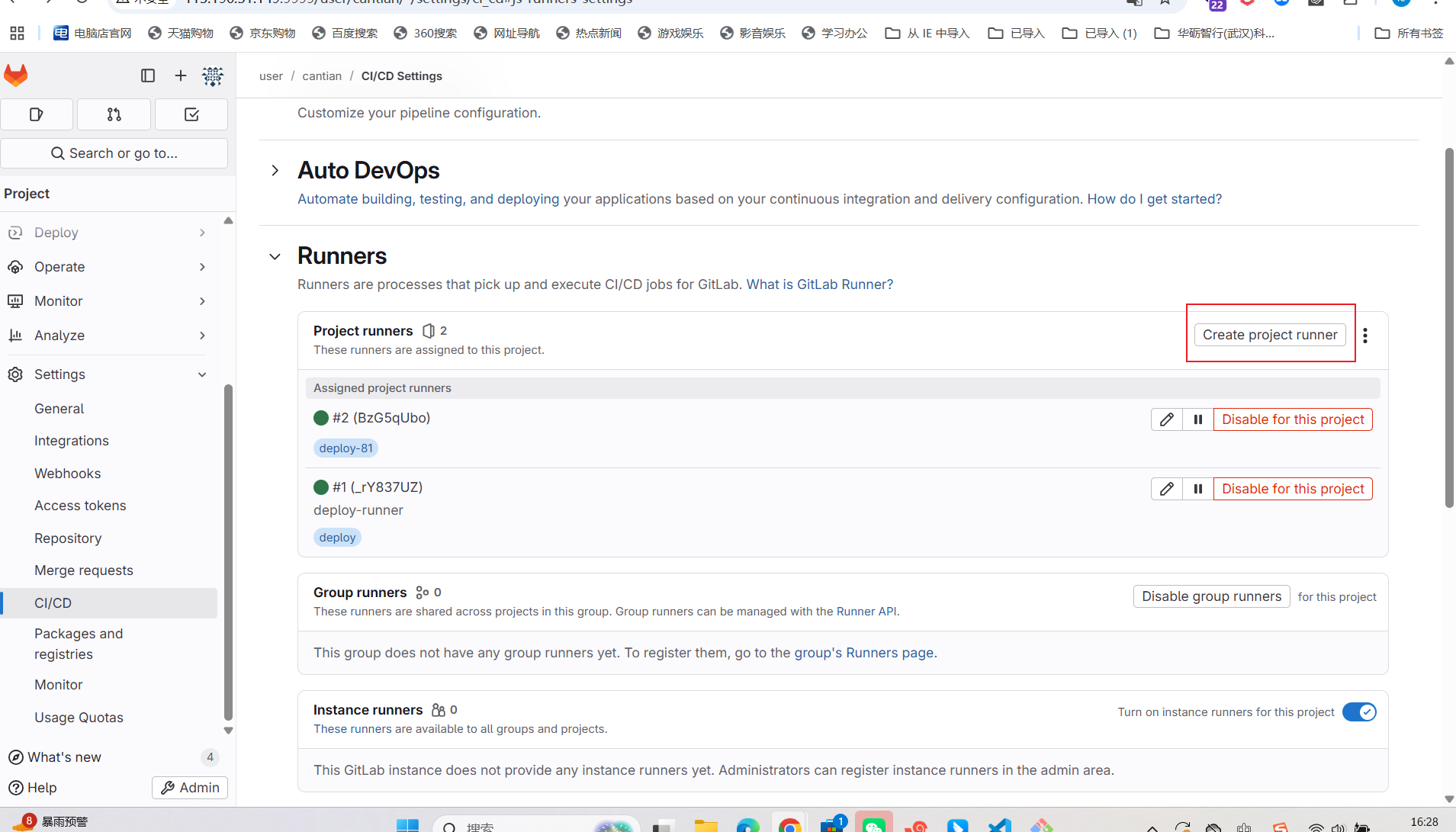
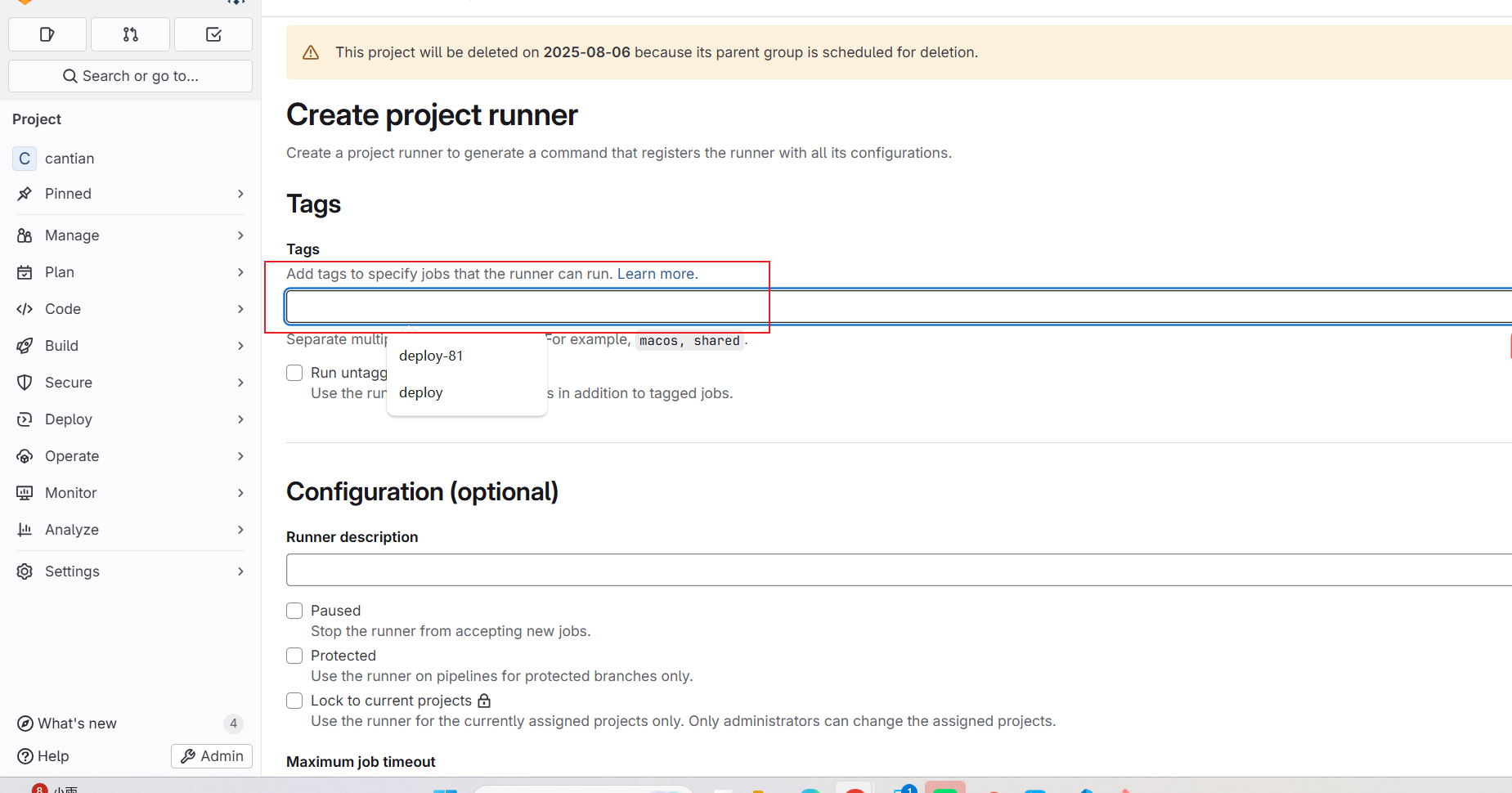
3,注册 Runner
执行:
sudo gitlab-runner register \
  --url "http://你的GitLab地址:端口" \
  --registration-token "你的注册token"
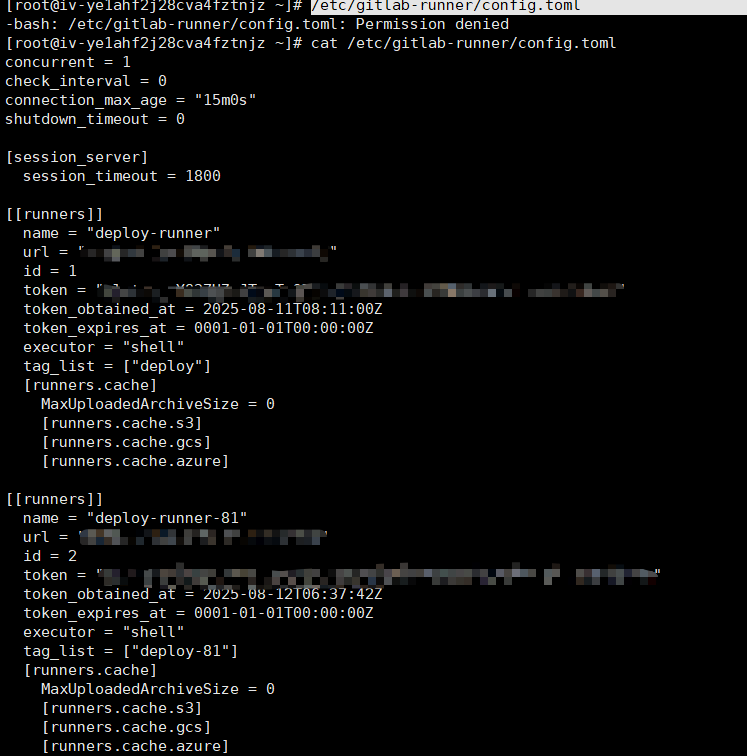
4,查看配置文件
/etc/gitlab-runner/config.toml
会看到如下:
5、GitLab CI/CD 配置示例(.gitlab-ci.yml)
before_script:
  - npm config set registry https://registry.npmmirror.com

stages:
  - build
  - deploy

build-job:
  stage: build
  tags:
    - deploy
  script:
    - npm install
    - npm run build:prod
    - docker compose build # 用 compose 构建镜像

deploy-job:
  stage: deploy
  tags:
    - deploy-81
  script:
    - docker compose down # 停止并删除旧容器
    - docker compose up -d # 后台启动新容器
6、GitLab 配置示例(.nginx.conf)
server {
    listen 80;

    # gzip config
    gzip on;
    gzip_min_length 1k;
    gzip_comp_level 9;
    gzip_types text/plain text/css text/javascript application/json application/javascript application/x-javascript application/xml;
    gzip_vary on;
    gzip_disable "MSIE [1-6]\.";

    root /usr/share/nginx/html;
    include /etc/nginx/mime.types;

    location / {
        try_files $uri /index.html;
        # 测试
    }
}
注意*
这里的 listen 80;一定要是80所有的地方都是80只要.gitlab-ci.yml里面是docker run -d --name cantian -p 81:80 cantian:latest//映射81并启动这个镜像就自己回映射到81
7、GitLab 配置示例(Dockerfile)
FROM nginx

COPY ./docker/nginx.conf /etc/nginx/conf.d/default.conf

COPY ./dist /usr/share/nginx/html/

EXPOSE 80

CMD ["nginx", "-g", "daemon off;"]
8、GitLab 配置示例(docker-compose.yml)
version: "3.8"

services:
  cantian:
    build:
      context: .              # 当前目录
      dockerfile: Dockerfile  # 用你的 Dockerfile
    container_name: cantian
    ports:
      - "81:80"               # 服务器 81 端口映射到容器 80 端口
    restart: always
9、触发 CI 流程
git commit -m "配置cicd"
git push
10、常用命令(服务器上查看状态)
查看 Runner 状态:
sudo gitlab-runner status
查看正在运行的容器:
docker ps
查看容器日志:
docker logs cantian
停止并删除容器:
docker stop cantian
docker rm cantian
查看镜像:
docker images
这样,你就可以完全实现:
-
不需要在服务器上手动构建镜像
-
代码推送自动构建并部署
-
通过端口映射访问服务





 扫一扫
扫一扫


 1896
1896

 被折叠的 条评论
为什么被折叠?
被折叠的 条评论
为什么被折叠?
 到【灌水乐园】发言





