


 本文以爬取小说吧为例,详细介绍了四种获取和拼接网页文本的方法:1) 遍历标签获取文本;2) 使用正则表达式去除HTML标签;3) 利用//text()提取内容;4) 通过xpath('string(.)')获取节点文本。每种方法都有其特点,如正则可精准去除HTML,但无法处理中间空行,而.xpath('string(.)')则能获取所有文本。
以爬 小说吧 为例
import scrapy
import re

class QingrenSpider(scrapy.Spider):
    name = 'qingren'
    allowed_domains = ['tieba.baidu.com']
    start_urls = ['https://tieba.baidu.com/p/5820130343']
    f = open('走不出你.txt','a',encoding='utf-8')
    def parse(self, response):
        # 获取小说楼主的名字以及小说内容
        div_list = response.xpath('//div[@class="l_post l_post_bright j_l_post clearfix  "]')
        # print(div_list)
第一种:获取总标签,遍历所有子标签,取得标签文本:
     for div in div_list:
            author = div.xpath('.//div[@class="louzhubiaoshi_wrap"]').extract()
            # print(author)
            if len(author) != 0:
                 content_list = div.xpath('.//div[@class="p_content  "]/cc/div/text()').extract()

                 print(content)
所取得的文本如下:
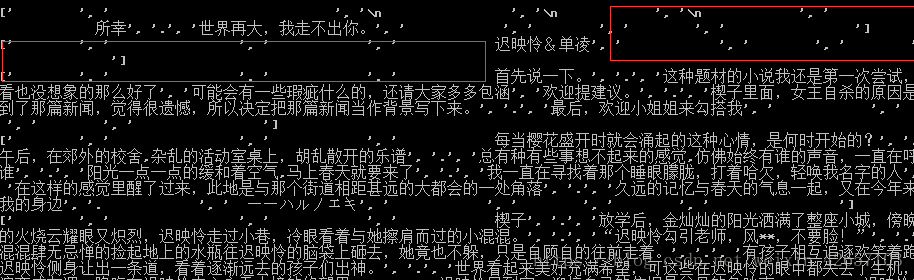
为了美观以及方便阅读做了如下处理:去除掉了空行以及多余的逗号
 remove = re.compile(r'\s')
 douhao = re.compile(',')
 content = ''
 for string in content_list:
      string = re.sub(remove, '', string)
      string = re.sub(douhao, '', string)
      content += string
效果如下:
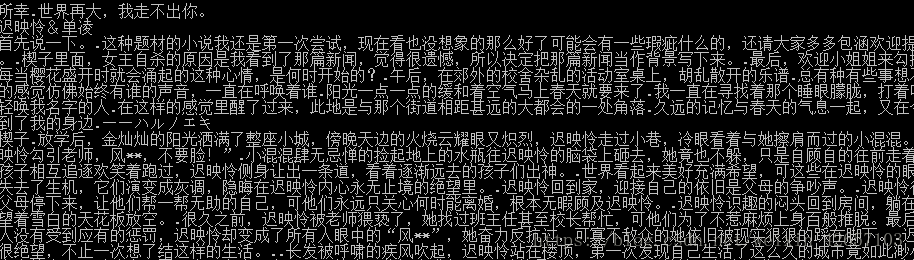
第二种:使用正则去掉‘<>’符号及其内容:
content_list = div.xpath('.//div[@class="p_content  "]/cc/div').extract()

print(content_list)
这种方式取出的文本效果如下:

使用re.sub方式去除多余内容:
remove = re.compile('\s')
br = re.compile(r'<.*?>')
content = ''
for string in content_list:
string = re.sub(remove,'',string)
string = re.sub(br,'',string)
# strip去除的为首位的指定内容(默认为空格or换行符),而不能去除中间的位置
# string = string.strip(' ')
content += string +'\n'
注:strip()虽然也可以去除掉空行以及换行符,但是,只能去除掉文本内容首尾位置的空行,中间的则去除不掉。
第三种方式://text()方式
content_list = div.xpath('.//div[@class="p_content  "]//text()').extract()
remove = re.compile(r'\s')
douhao = re.compile(',')
content = ''
for string in content_list:
    string = re.sub(remove,'',string)
    string = re.sub(douhao,'',string)
    content += string
print(content)
注://text()表示取出标签及其子标签的文本内容,/text() 表示取出标签的文本内容
第四种:使用xpath('string(.)') 方式拼接并取出文本
content_list = div.xpath('.//div[@class="d_post_content j_d_post_content "]').xpath('string(.)').extract()
remove = re.compile('\s')
content = ''
for string in content_list:
    string = re.sub(remove,'',string)
    content += string
注:xpath.string(.) 表示取出当前节点的所有文本内容






 扫一扫
扫一扫


 4058
4058

 被折叠的 条评论
为什么被折叠?
被折叠的 条评论
为什么被折叠?
 到【灌水乐园】发言





