


 本文介绍了如何在JetsonOrin上结合PointPillar的TensorRT版本与ROS,进行环境配置、编译与部署,以及使用步骤包括启动Ros、播放KITTIbag包并实现目标检测的Rviz可视化。
前言
结合PointPillar的TensorRT版本与ROS结合。在Jetson Orin上实现实时三维目标检测可视化。
一、环境准备
1、ros1的安装
参考:https://blog.youkuaiyun.com/lxr0106/article/details/136328659
2、项目代码下载
链接:https://github.com/wayyeah/PointPillarTensorRT-ROS.git
3、环境配置
参照:https://github.com/NVIDIA-AI-IOT/CUDA-PointPillars 配置环境
4、JSK-Rviz-Plugins安装
sudo apt-get install ros-noetic-jsk-rviz-plugins (ros-后跟自己的ros版本)
注意事项: Jetson Orin 环境测试,ROS为noetic版本,若使用TensorRT版本为8.4.x 使用src/pointpillar /model/pointpillar.onnx 替换 src/pointpillar.onnx
二、使用步骤
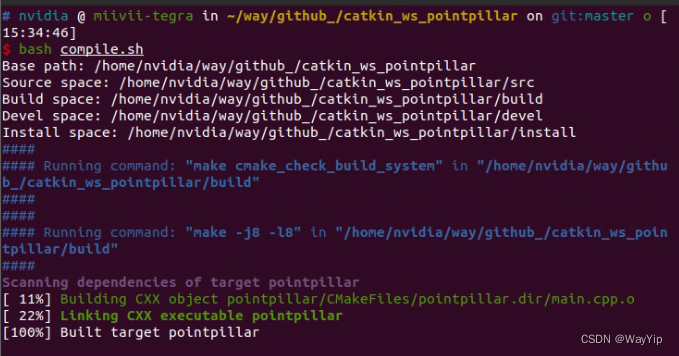
1.编译
安装与编译
git clone https://github.com/wayyeah/PointPillarTensorRT-ROS.git
bash compile.sh
2.启动Ros并播放KITTI bag包
KITTIbag包下载链接:
https://pan.baidu.com/s/14lB2Djw6iiivfuhaINgkyA?pwd=asr8 提取码: asr8
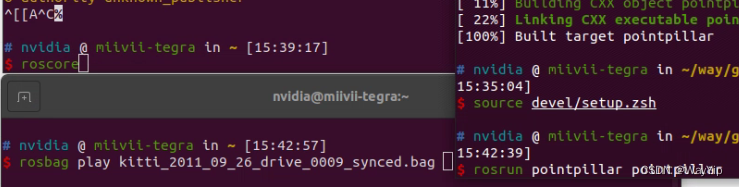
新建三个窗口,一个运行roscore 不要关闭,另一个窗口播放bag包,最后一个运行程序
roscore
#新窗口执行
rosbag play kitti_2011_09_26_drive_0009_synced.bag
#新窗口执行
source devel/setup.zsh #(zsh) 如果是zsh执行这条,bash执行下一条
source devel/setup.sh #(bash)
rosrun pointpillar pointpillar
第一次执行模型生成会比较慢。
3.Rviz可视化
新窗口打开Rviz
rviz
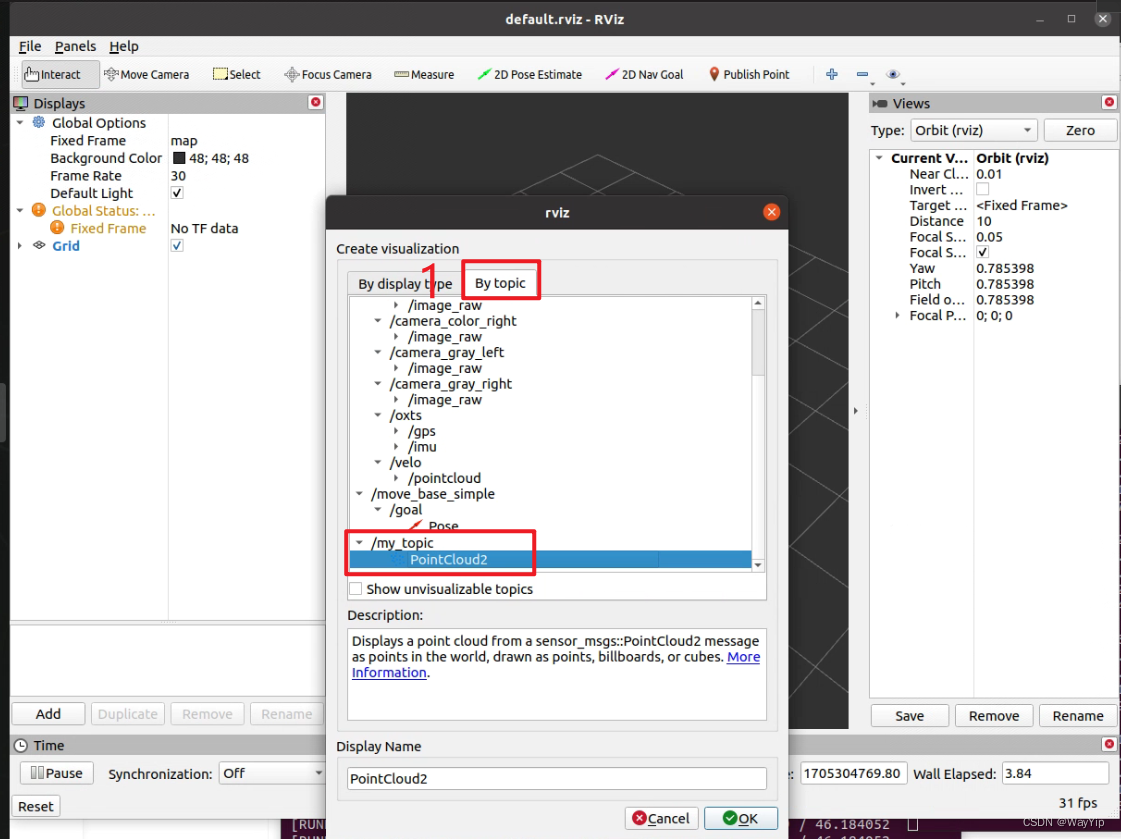
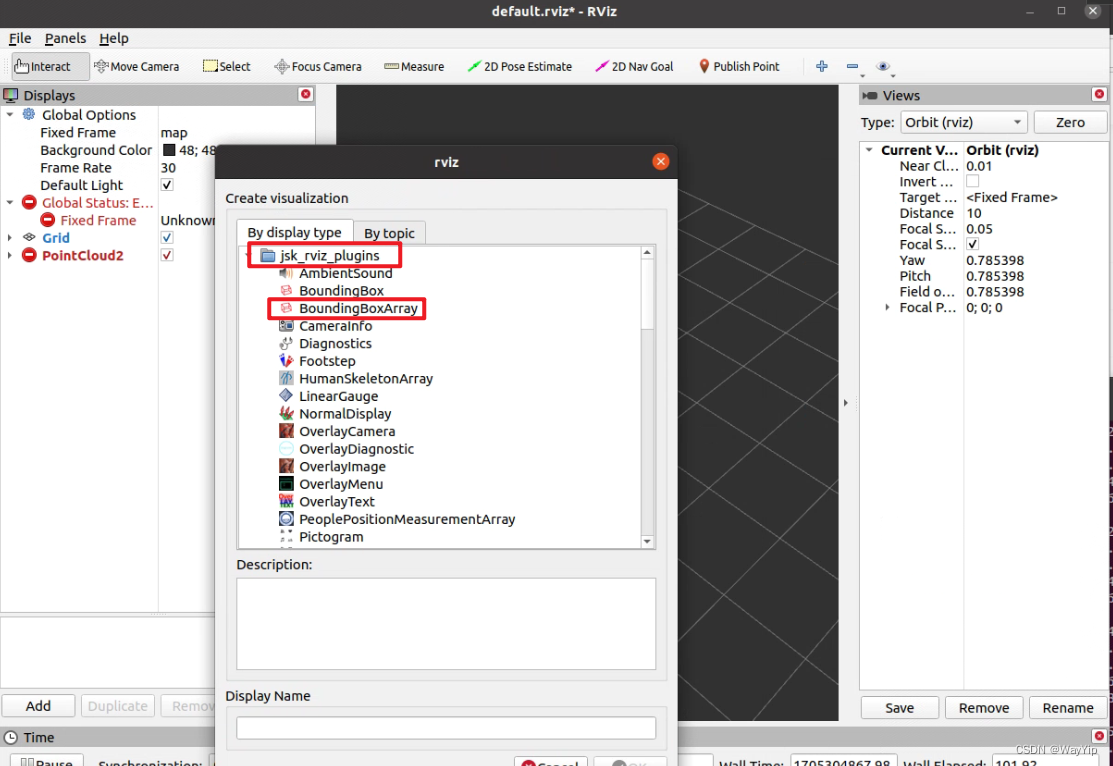
添加点云与Box的topic
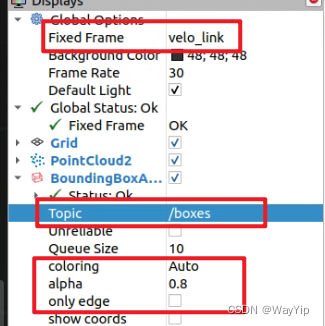
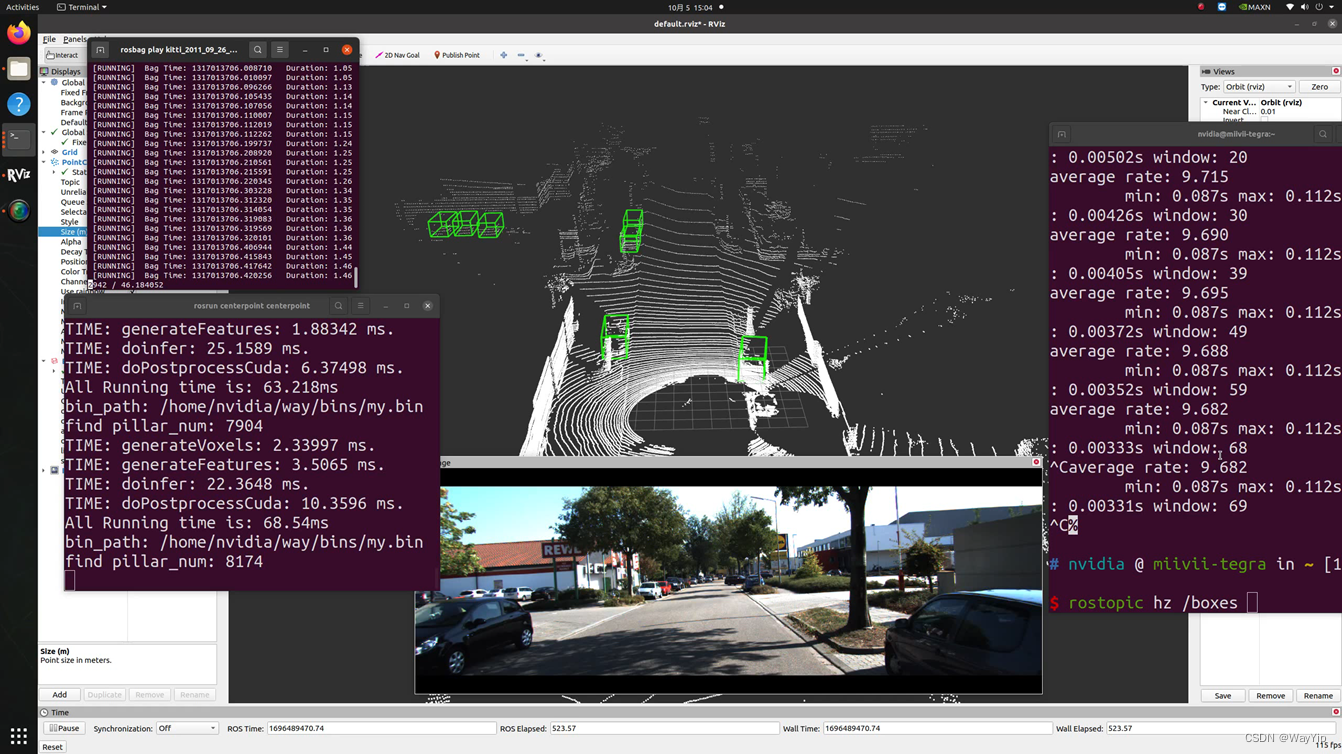
修改Fixed Frame为velo_link,Box的topic为/boxes,coloring、alpha、only edge可以修改可视化效果
最终效果





 扫一扫
扫一扫


 3416
3416


 到【灌水乐园】发言



