






 本文介绍如何使用Druid进行基于时间的过滤查询,包括如何设置不同的时区进行精确查询,以及如何转换时区进行跨区域数据检索。
根据__time 过滤查询
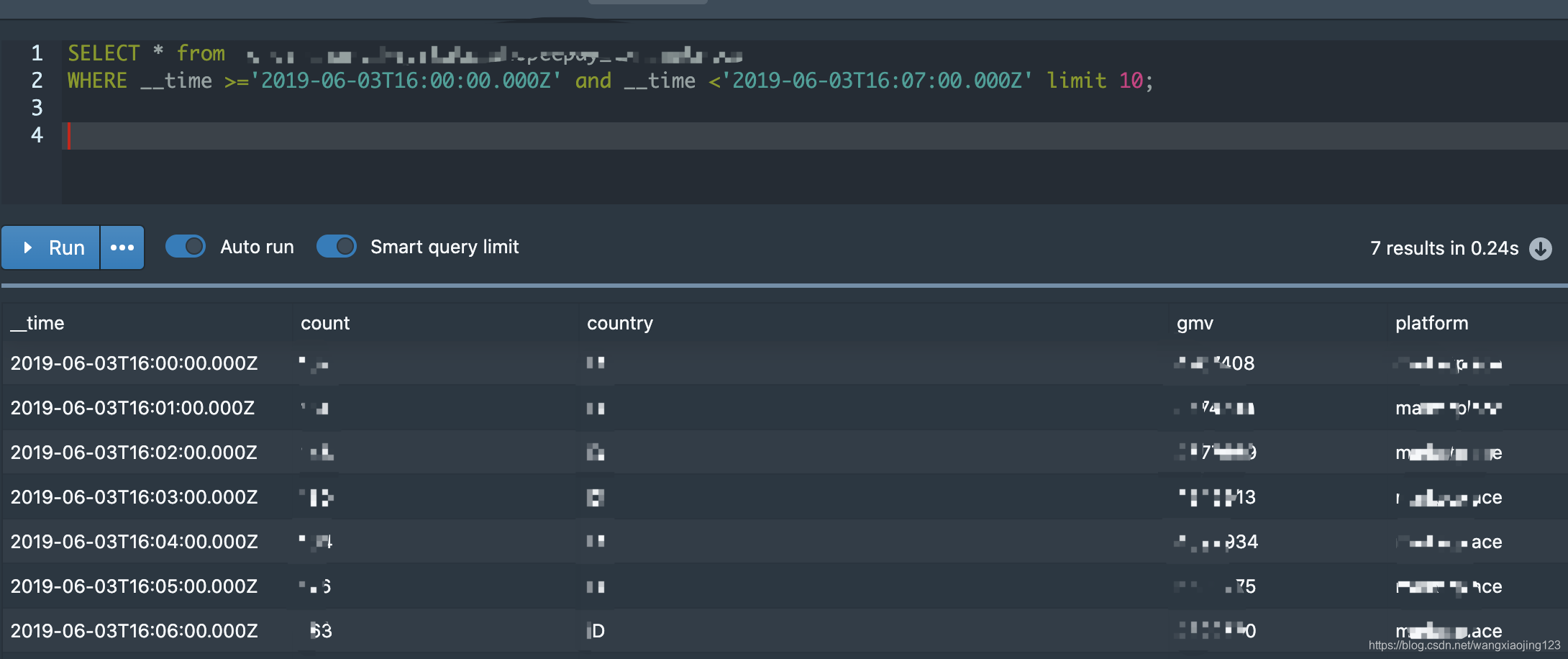
#查询XXX这张表__time在2019-06-03T16:00:00.000Z至019-06-03T16:07:00.000Z的数据,__time为此datasource的时间序列,每个datasource多会有这样一个字段,是用户指定的一个业务时间映射的。也可以写成 from druid.XXXX
SELECT * from  XXXX
WHERE __time >='2019-06-03T16:00:00.000Z' and __time <'2019-06-03T16:07:00.000Z' limit 10;
By default, time operations use the UTC time zone. You can change the time zone by setting the connection context parameter “sqlTimeZone” to the name of another time zone, like “America/Los_Angeles”, or to an offset like “-08:00”. If you need to mix multiple time zones in the same query, or if you need to use a time zone other than the connection time zone, some functions also accept time zones as parameters. These parameters always take precedence over the connection time zone.
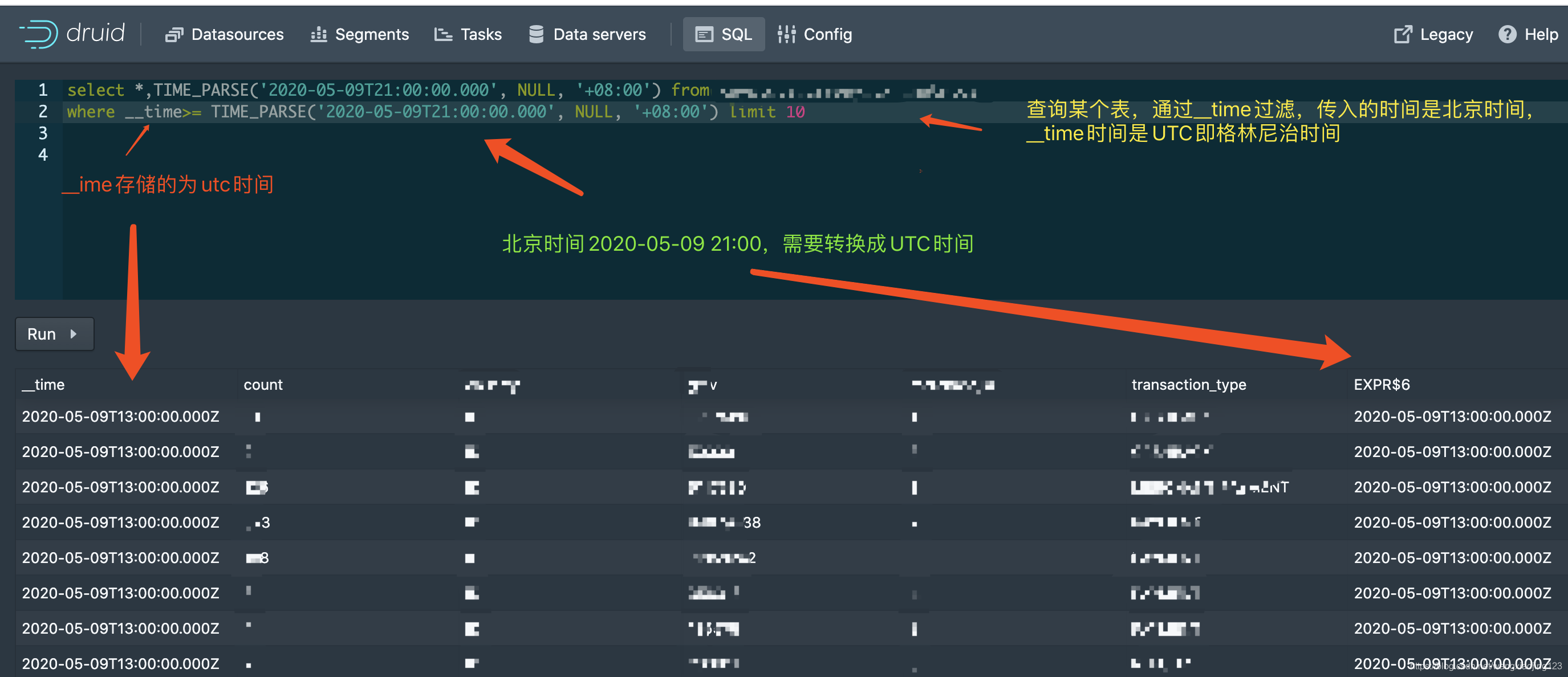
druid的__time默认采用的是UTC时区,我们可以通TIME_PARSE函数设置时区,设置不同查询时区。
#查询XXX表中北京时间在2020-05-09T21:00:00.000之后的数据,转换为UTC时间为2020-05-09T13:00:00.000后的数据

select *,TIME_PARSE('2020-05-09T21:00:00.000', NULL, '+08:00') from XXX
where __time>= TIME_PARSE('2020-05-09T21:00:00.000', NULL, '+08:00') limit 10





 扫一扫
扫一扫


 2313
2313

 被折叠的 条评论
为什么被折叠?
被折叠的 条评论
为什么被折叠?
 到【灌水乐园】发言





