



 本文详细介绍了如何从GitHub下载Frp,包括选择适合的版本,并重点讲解了服务端和客户端的配置步骤,如设置bind_port、dashboard、本地和远程连接参数。最后提供了启动后台服务的命令实例。
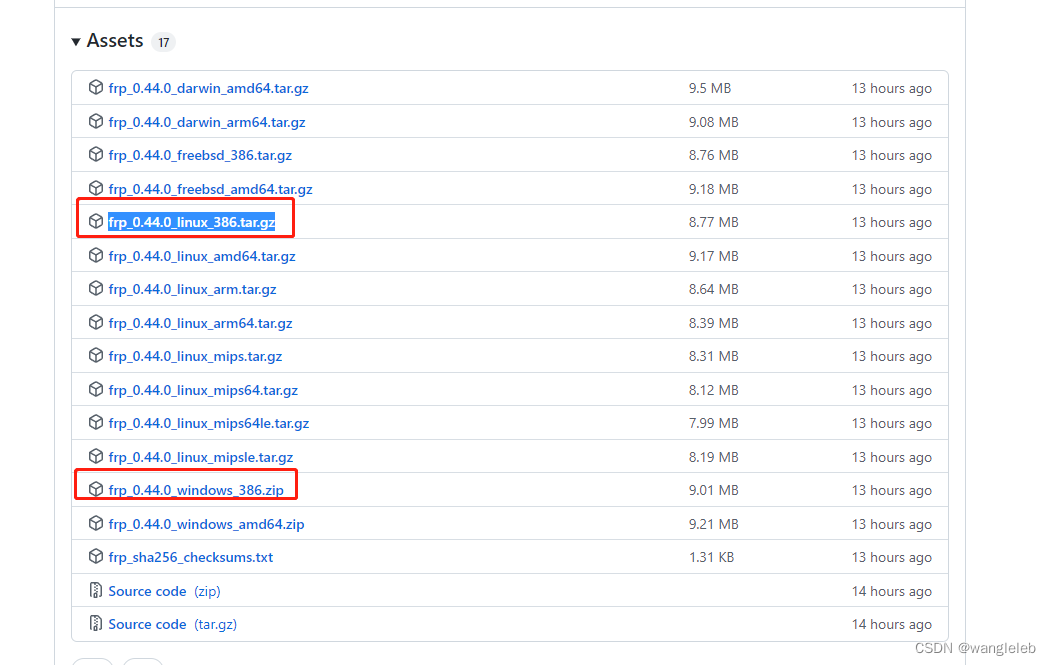
1、frp下载
github下载地址
按照系统选择,一般linux和windows基本不是arm和amd架构,选择这些版本之外的
2、服务端配置
这里只列举必要参数,其他参数读者可以自行查询资料
[common]
# frp客户端连接服务端的端口
bind_port = 7001
dashboard_port = 6443
dashboard_user = root
dashboard_pwd = 123456
# http访问的端口(外网端口)
vhost_http_port = 8001
2、客户端配置
[common]
#服务器地址
server_addr = 42.xxx.124.78
# 服务器端口,和服务器配置bind_port一致
server_port = 7001

[web2]
type = http
# 本地ip
local_ip = 192.168.3.6
# 本地端口
local_port = 8000
#域名配置
custom_domains = www.xxxx.com
3、服务端 客户端后台启动
nohup frps -c frps.ini > /dev/null 2>&1 &
nohup frpc.exe -c ./frpc.ini /dev/null 2>&1 &






 扫一扫
扫一扫


 3078
3078

 被折叠的 条评论
为什么被折叠?
被折叠的 条评论
为什么被折叠?
 到【灌水乐园】发言





