



遥感图像处理:读取Tiff数据的一些方法
前言
深度学习中遥感图像的处理其实很麻烦,毕竟是独立的一些数据,本文提供的方法仅供参考,在读取数据的过程中,可能会碰到一下子读取全部tiff数据导致内存爆炸的情况,所以写了一个tiffreader的类,用于防止这一个情况的发生。
一、读取tiff图像以及将shp数据转为分割图的方法
import os
from fiona.transform import transform_geom
from osgeo import gdal
import geopandas as gpd
import psutil
from rasterio.windows import Window
import rasterio
from rasterio.mask import mask
from rasterio.warp import transform_geom
import fiona
import numpy as np
import cv2
from shapely.geometry import shape, Polygon, mapping


class TiffReader:
    def __init__(self, max_memory_usage=2.0, chunk_size=(512, 512),log=False):
        self.max_memory_usage = max_memory_usage
        self.chunk_size = chunk_size
        self.log = log
    def check_memory_usage(self):
        memory = psutil.virtual_memory()
        return memory.available / (1024 ** 3)  # 转换为GB
    def can_read_chunk(self, bands, window):
        bytes_per_pixel = 4  # 假设使用 float32
        required_memory = bytes_per_pixel * window.width * window.height * len(bands) / (1024 ** 2)  # 转换为MB
        available_memory_mb = self.check_memory_usage() * 1024
        if required_memory > available_memory_mb:
            raise MemoryError(
                f"无法读取此数据块,内存不足。\n"
                f"需要的内存: {required_memory:.2f} MB,可用内存: {available_memory_mb:.2f} MB。\n"
                f"请尝试减少波段数或增大分块大小。"
            )
        return True
    def read_chunk(self, src, bands, window):
        if isinstance(window, tuple):
            window = Window(window[0], window[1], window[2] - window[0], window[3] - window[1])

        # 检查窗口尺寸是否合法
        if window.height <= 0 or window.width <= 0:
            raise ValueError(f"窗口尺寸无效。窗口高度: {window.height}, 窗口宽度: {window.width}。窗口的尺寸必须大于0。")

        if window.col_off < 0 or window.row_off < 0:
            raise ValueError(f"窗口起始位置无效。列偏移: {window.col_off}, 行偏移: {window.row_off}。起始位置必须为非负值。")

        height, width = src.shape
        if window.row_off + window.height > height or window.col_off + window.width > width:
            raise ValueError(
                f"窗口超出图像边界。\n"
                f"图像尺寸: 高度={height}, 宽度={width}。\n"
                f"请求的窗口起始点: ({window.row_off}, {window.col_off}),窗口尺寸: 高度={window.height}, 宽度={window.width}。"
            )

        self.can_read_chunk(bands, window)

        band_data = []
        for band in bands:
            try:
                band_array = src.read(band, window=window)
                band_data.append(band_array)
            except IndexError:
                raise ValueError(
                    f"请求的波段 {band} 超出了文件的波段数。\n"
                    f"文件包含的波段数为 {src.count},但请求的波段为 {bands}。"
                )
            except Exception as e:
                raise RuntimeError(f"读取波段 {band} 时发生未知错误: {e}")
        return np.stack(band_data, axis=0)
    def read_tif(self, filepath, bands=[1, 2, 3], window=None):
        available_memory_gb = self.check_memory_usage()
        if self.log:
            print(f"可用内存: {available_memory_gb:.2f} GB")

        try:
            with rasterio.open(filepath) as src:
                total_bands = src.count
                height, width = src.shape
                # 检查请求的波段是否超出范围
                if any(band > total_bands for band in bands):
                    invalid_bands = [band for band in bands if band > total_bands]
                    raise ValueError(
                        f"请求的波段 {invalid_bands} 超出了文件的波段数 ({total_bands})。\n"
                        f"文件波段范围是 1 到 {total_bands},但请求的波段是 {bands}。"
                    )

                # 如果指定了窗口,则读取窗口中的数据
                if window is not None:
                    if self.log:
                        print(f"正在读取指定窗口中的数据: {window}")
                    return self.read_chunk(src, bands, window)

                # 如果图像小于分块大小,则直接读取整个图像
                chunk_height, chunk_width = self.chunk_size
                if height <= chunk_height and width <= chunk_width:
                    if self.log:
                        print("图像大小小于分块大小,直接读取整个图像。")
                    return self.read_chunk(src, bands, Window(0, 0, width, height))

                # 进行分块读取
                chunk_count_vertical = (height + chunk_height - 1) // chunk_height
                chunk_count_horizontal = (width + chunk_width - 1) // chunk_width
                full_data = np.zeros((len(bands), height, width), dtype=np.float32)

                for i in range(chunk_count_vertical):
                    for j in range(chunk_count_horizontal):
                        top = i * chunk_height
                        left = j * chunk_width
                        bottom = min(top + chunk_height, height)
                        right = min(left + chunk_width, width)

                        chunk_window = Window(left, top, right - left, bottom - top)
                        if self.log:
                            print(f"正在读取区域: {chunk_window}")

                        # 检查是否可以读取该块数据
                        if not self.can_read_chunk(bands, chunk_window):
                            raise MemoryError(
                                f"内存不足,无法读取区域 ({left}, {top}, {right}, {bottom}) 的数据。\n"
                                f"请尝试减小分块大小或减少波段数。"
                            )

                        chunk_data = self.read_chunk(src, bands, chunk_window)
                        full_data[:, top:bottom, left:right] = chunk_data
                return full_data

        except FileNotFoundError:
            raise FileNotFoundError(f"文件未找到: {filepath}。请确认路径是否正确。")
        except rasterio.errors.RasterioError as e:
            raise RuntimeError(f"读取 TIFF 文件时发生错误: {e}")
        except MemoryError as e:
            raise MemoryError(f"内存不足: {e}。请尝试减少波段数或减小分块大小。")
        except ValueError as e:
            raise ValueError(f"参数无效: {e}")
        except Exception as e:
            raise RuntimeError(f"发生未知错误: {e}。")
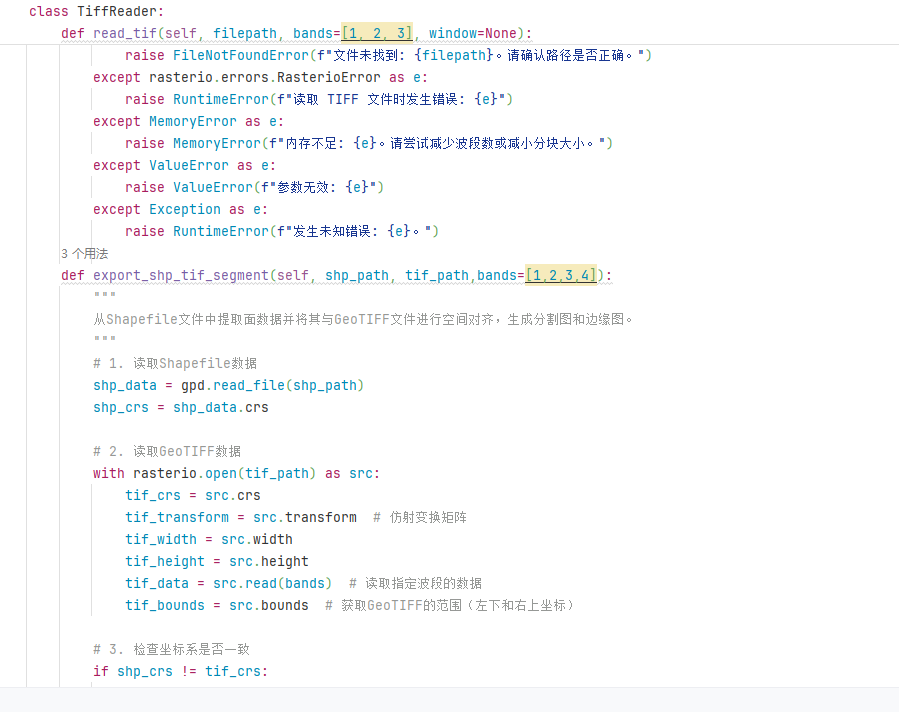
    def export_shp_tif_segment(self, shp_path, tif_path,bands=[1,2,3,4]):
        """
        从Shapefile文件中提取面数据并将其与GeoTIFF文件进行空间对齐,生成分割图和边缘图。
        """
        # 1. 读取Shapefile数据
        shp_data = gpd.read_file(shp_path)
        shp_crs = shp_data.crs

        # 2. 读取GeoTIFF数据
        with rasterio.open(tif_path) as src:
            tif_crs = src.crs
            tif_transform = src.transform  # 仿射变换矩阵
            tif_width = src.width
            tif_height = src.height
            tif_data = src.read(bands)  # 读取指定波段的数据
            tif_bounds = src.bounds  # 获取GeoTIFF的范围(左下和右上坐标)

        # 3. 检查坐标系是否一致
        if shp_crs != tif_crs:
            raise ValueError("坐标系不一致,无法进行处理。Shapefile的坐标系与GeoTIFF的坐标系不一致。")

        # 4. 将Shapefile中的面数据转换为像素坐标
        # 获取与tif范围重合的面数据
        shp_data = shp_data.cx[tif_bounds[0]:tif_bounds[2], tif_bounds[1]:tif_bounds[3]]

        # 将面数据的坐标从地理坐标系转换为像素坐标
        def transform_to_pixel_coords(geometry):
            """将面数据的地理坐标转换为像素坐标"""
            if isinstance(geometry, Polygon):
                coords = list(geometry.exterior.coords)
                # print(coords)
                pixel_coords = [~tif_transform * (x, y) for x, y,*rest in coords]
                pixel_coords = np.array(pixel_coords).astype(int)
                return pixel_coords
            return None

        all_pixel_coords = []
        for _, row in shp_data.iterrows():
            geometry = row['geometry']
            pixel_coords = transform_to_pixel_coords(geometry)
            if pixel_coords is not None:
                all_pixel_coords.append(pixel_coords)

        # 5. 创建分割图和边缘图
        segmentation_image = np.zeros((tif_height, tif_width), dtype=np.uint8)
        edge_image = np.zeros((tif_height, tif_width), dtype=np.uint8)

        for pixel_coords in all_pixel_coords:
            # 在分割图上填充面数据
            cv2.fillPoly(segmentation_image, [pixel_coords], 255)

            # 提取边缘图
            cv2.polylines(edge_image, [pixel_coords], isClosed=True, color=255, thickness=1)

        # 6. 返回处理结果
        return tif_data, segmentation_image, edge_image
总结
没什么好总结的,对之前项目中内容的一些关键代码解构。






 扫一扫
扫一扫


 17万+
17万+

 被折叠的 条评论
为什么被折叠?
被折叠的 条评论
为什么被折叠?
 到【灌水乐园】发言





