



 本文介绍了一个使用Qt实现的简单应用程序,该程序通过 QTimer 定时器每秒更新界面显示的时间。具体实现包括在 mymainwindow.cpp 和 mymainwindow.h 文件中设置 QTimer 的超时信号与 update() 槽函数的连接,以及在 paintEvent() 函数中获取并显示当前时间。
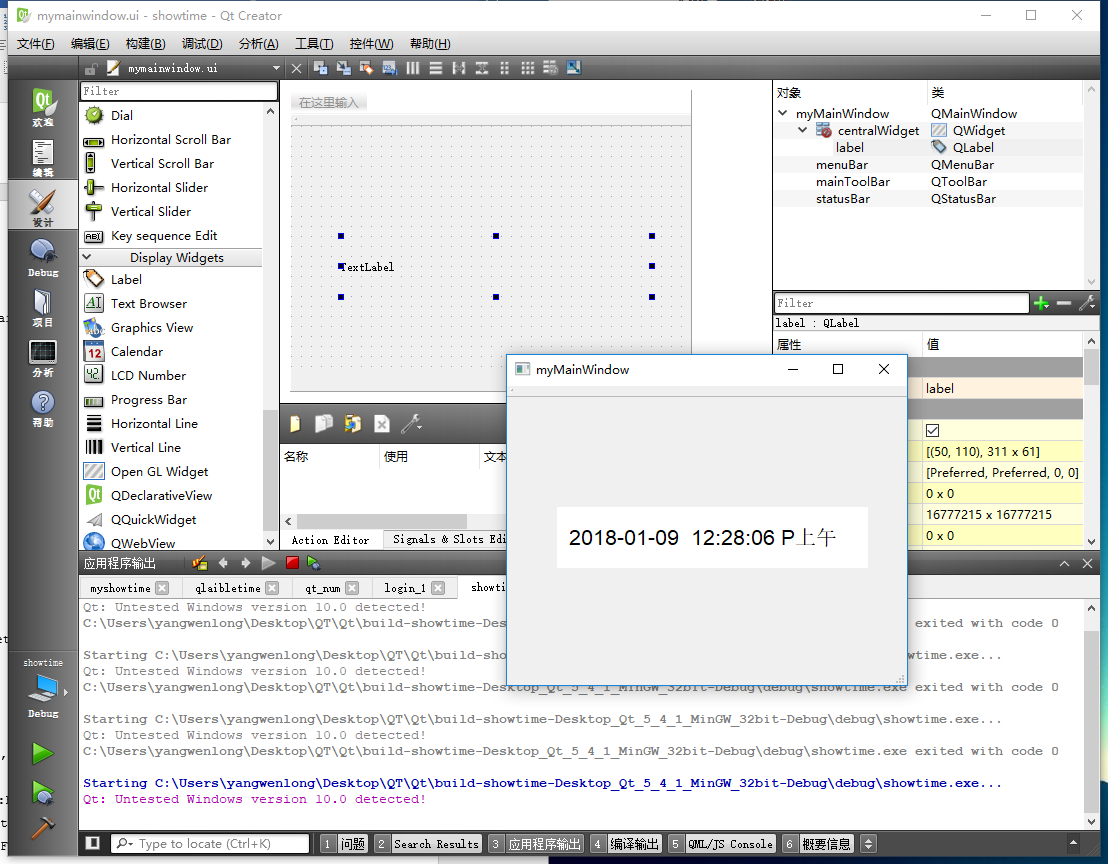
##//mymainwindow.cpp
#include "mymainwindow.h"
#include "ui_mymainwindow.h"
#include <QTime>
#include <QTimer>
#include <QDebug>
#include <QPalette>

myMainWindow::myMainWindow(QWidget *parent) :
    QMainWindow(parent),
    ui(new Ui::myMainWindow)
{
    QPalette pe;
    QFont font("Arial",16);
    ui->setupUi(this);

    pe.setColor(QPalette::Background,Qt::white);
    pe.setColor(QPalette::WindowText,Qt::black);
    ui->label->setAutoFillBackground(true);
    ui->label->setPalette(pe);
    ui->label->setFont(font);
    QTimer *timer=new QTimer(this);
    timer->start(1000);
    connect(timer,SIGNAL(timeout()),this,SLOT(update()));

}

myMainWindow::~myMainWindow()
{
    delete ui;
}
void myMainWindow::paintEvent(QPaintEvent *)
{
    QDateTime dt=QDateTime::currentDateTime();
    QString p;
    p=dt.toString("  yyyy-MM-dd  hh:mm:ss PA  ");
    this->ui->label->setText(p);
}
##//mymainwindow.h
#ifndef MYMAINWINDOW_H
#define MYMAINWINDOW_H

#include <QMainWindow>

namespace Ui {
class myMainWindow;
}

class myMainWindow : public QMainWindow
{
    Q_OBJECT

public:
    explicit myMainWindow(QWidget *parent = 0);
    ~myMainWindow();

private:
    Ui::myMainWindow *ui;

private slots:
    void paintEvent(QPaintEvent *);


};

#endif // MYMAINWINDOW_H
##//main.cpp
#include "mymainwindow.h"
#include <QApplication>

int main(int argc, char *argv[])
{
    QApplication a(argc, argv);
    myMainWindow w;
    w.show();

    return a.exec();
}





 扫一扫
扫一扫


 826
826


 到【灌水乐园】发言



