


下面简单介绍如何配置免密登陆,核心就是在服务器上生成公钥然后复制到本地。
首先在服务器端运行
ssh-keygen -t rsa -b 4096
会提示“Enter file in which to save the key (/root/.ssh/id_rsa): ”,直接回车就行,这样文件就保存在了默认的位置
然后提示“Enter passphrase (empty for no passphrase): ”,继续回车
然后会提示“Enter same passphrase again: ”,继续回车
然后会提示“Your identification has been saved in /root/.ssh/id_rsa
Your public key has been saved in /root/.ssh/id_rsa.pub”,程序随之运行结束。
然后在服务器端运行下面的代码,-p后面的10061是SSH端口号。root是用户名,172.18.30.207是服务器的URL。
ssh-copy-id -p 10061 root@172.18.30.207
提示“Are you sure you want to continue connecting (yes/no/[fingerprint])?”,输入yes,回车。
提示“root@172.18.30.207's password: ”,需要输入SSH密码。这样就添加了公钥。
接下来,打开vscode,按照下图进行操作:
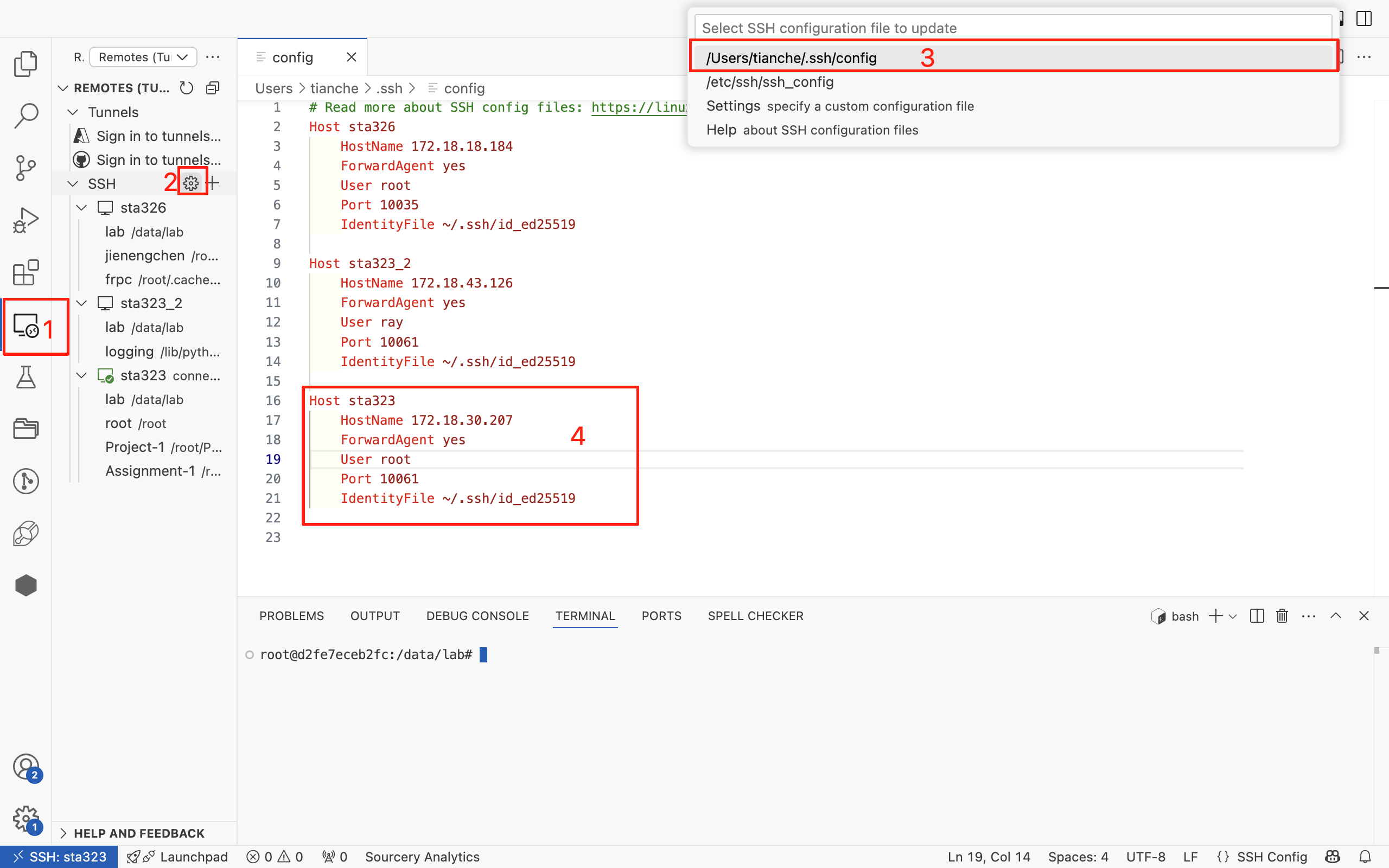
1.点击左边栏的图标
2.点击齿轮,上面会显示配置文件
3.选择框出来的配置文件
4.编辑这个配置文件,Host是主机名称,可以随意设置,HostName是URL,User是用户名,Port是SSH端口号,IdentityFile是公钥文件的路径





 扫一扫
扫一扫


 1026
1026

 被折叠的 条评论
为什么被折叠?
被折叠的 条评论
为什么被折叠?
 到【灌水乐园】发言





