





1. 背景
Copilot 中有一个Generate Commit Message 的功能,该功能可以一键根据当前改动的文件记录,自动创建提交信息摘要(标题)和描述,早期只支持生成英文的
最近发现最新版支持设置git-commit-instructions 规则了,该规则可指定生成的语言和规范。
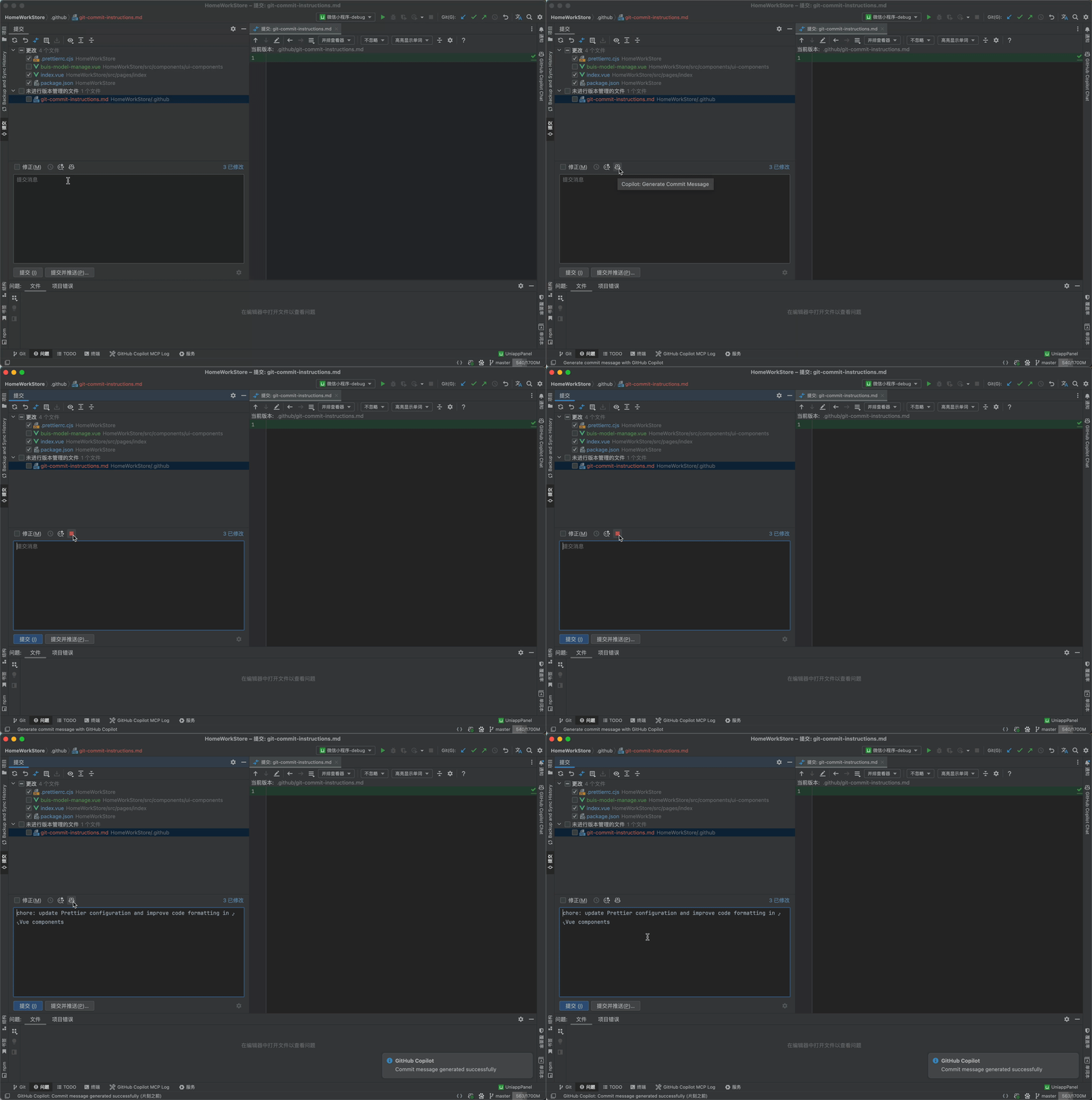
2. 未指定规则前的效果
2.1 未指定前,会发现有2个问题
- 生成的是英文的
- 生成的提交信息没有按照业内的 Commit message 通用规范生成
3. 指定规则后的效果
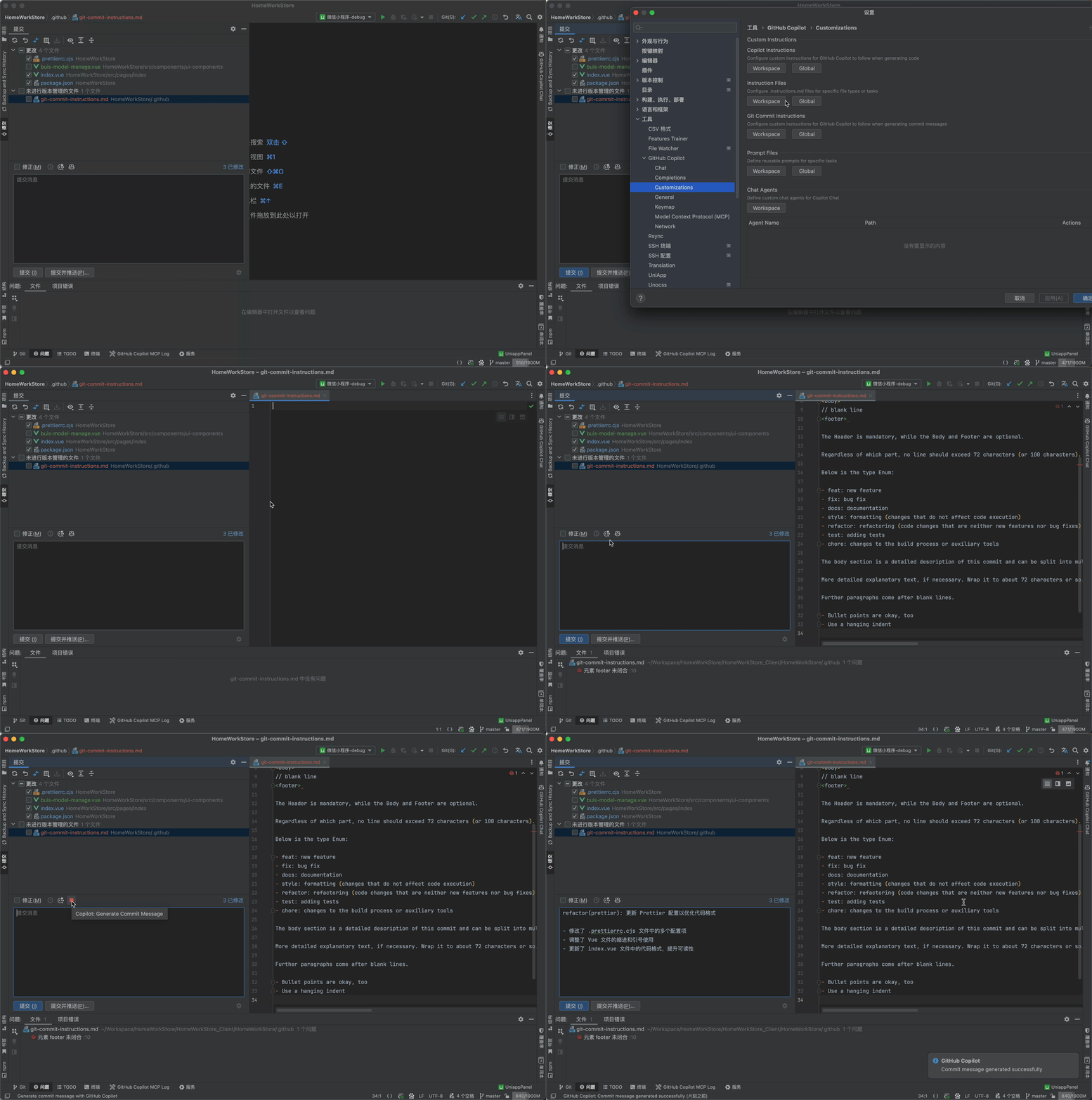
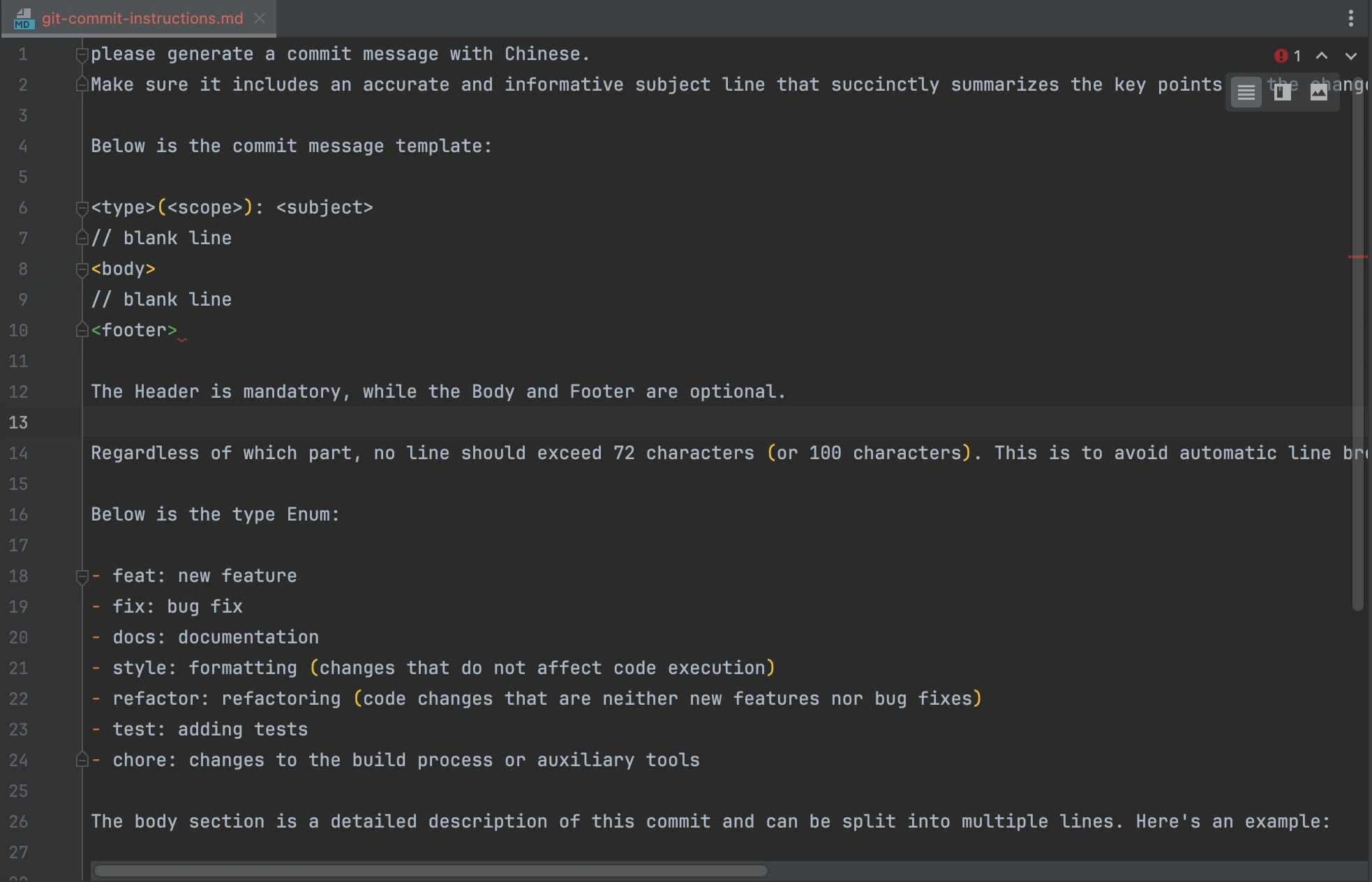
3.1 下面是git-commit-instructions 提示语
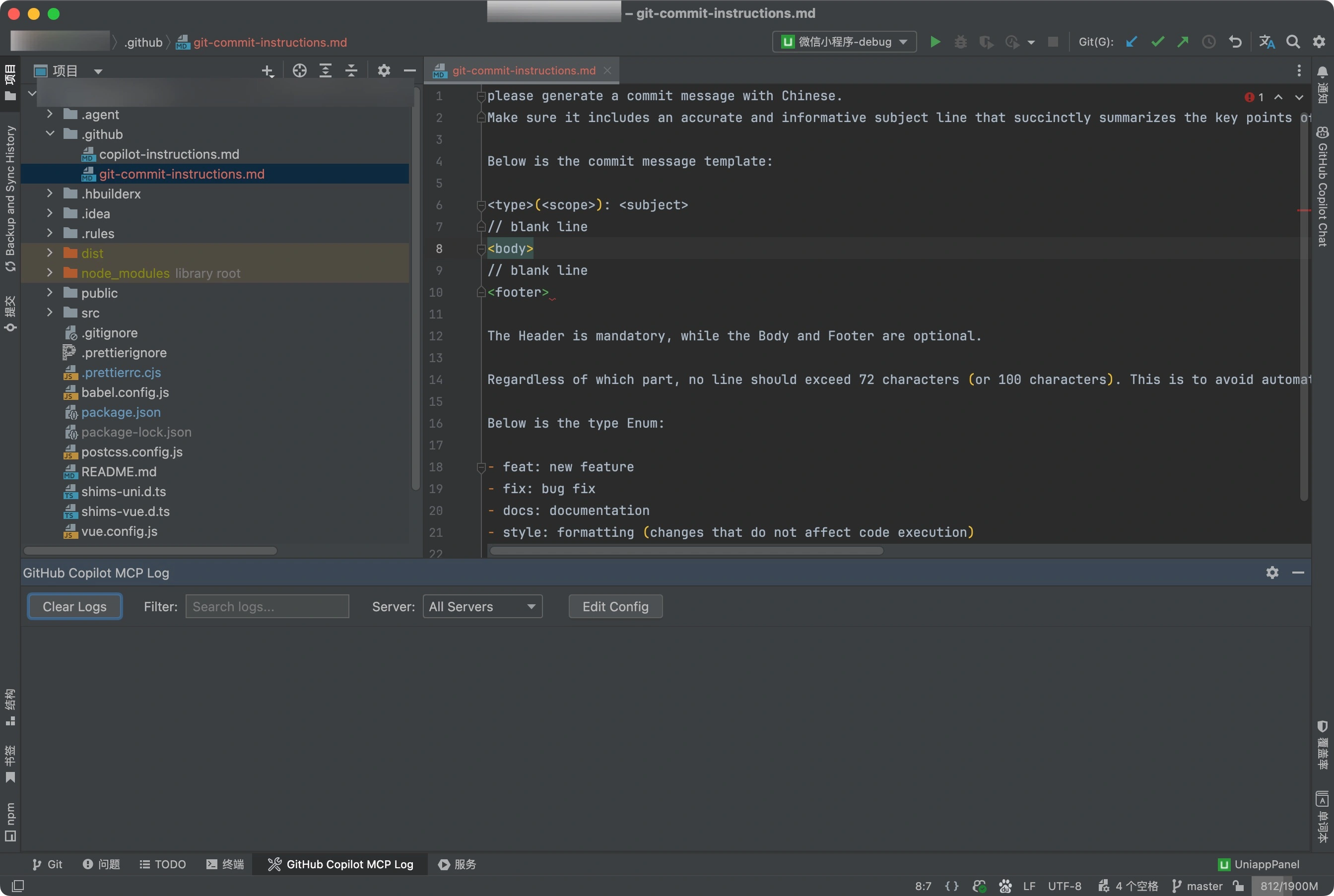
please generate a commit message with Chinese.
Make sure it includes an accurate and informative subject line that succinctly summarizes the key points of the changes, the response must only have commit message content and must have blank line in message template.

Below is the commit message template:

<type>(<scope>): <subject>
// blank line
<body>
// blank line
<footer>

The Header is mandatory, while the Body and Footer are optional.

Regardless of which part, no line should exceed 72 characters (or 100 characters). This is to avoid automatic line breaks affecting aesthetics.

Below is the type Enum:

- feat: new feature
- fix: bug fix
- docs: documentation
- style: formatting (changes that do not affect code execution)
- refactor: refactoring (code changes that are neither new features nor bug fixes)
- test: adding tests
- chore: changes to the build process or auxiliary tools

The body section is a detailed description of this commit and can be split into multiple lines. Here's an example:

More detailed explanatory text, if necessary. Wrap it to about 72 characters or so.

Further paragraphs come after blank lines.

- Bullet points are okay, too
- Use a hanging indent
3.1 下面是指定规则的步骤
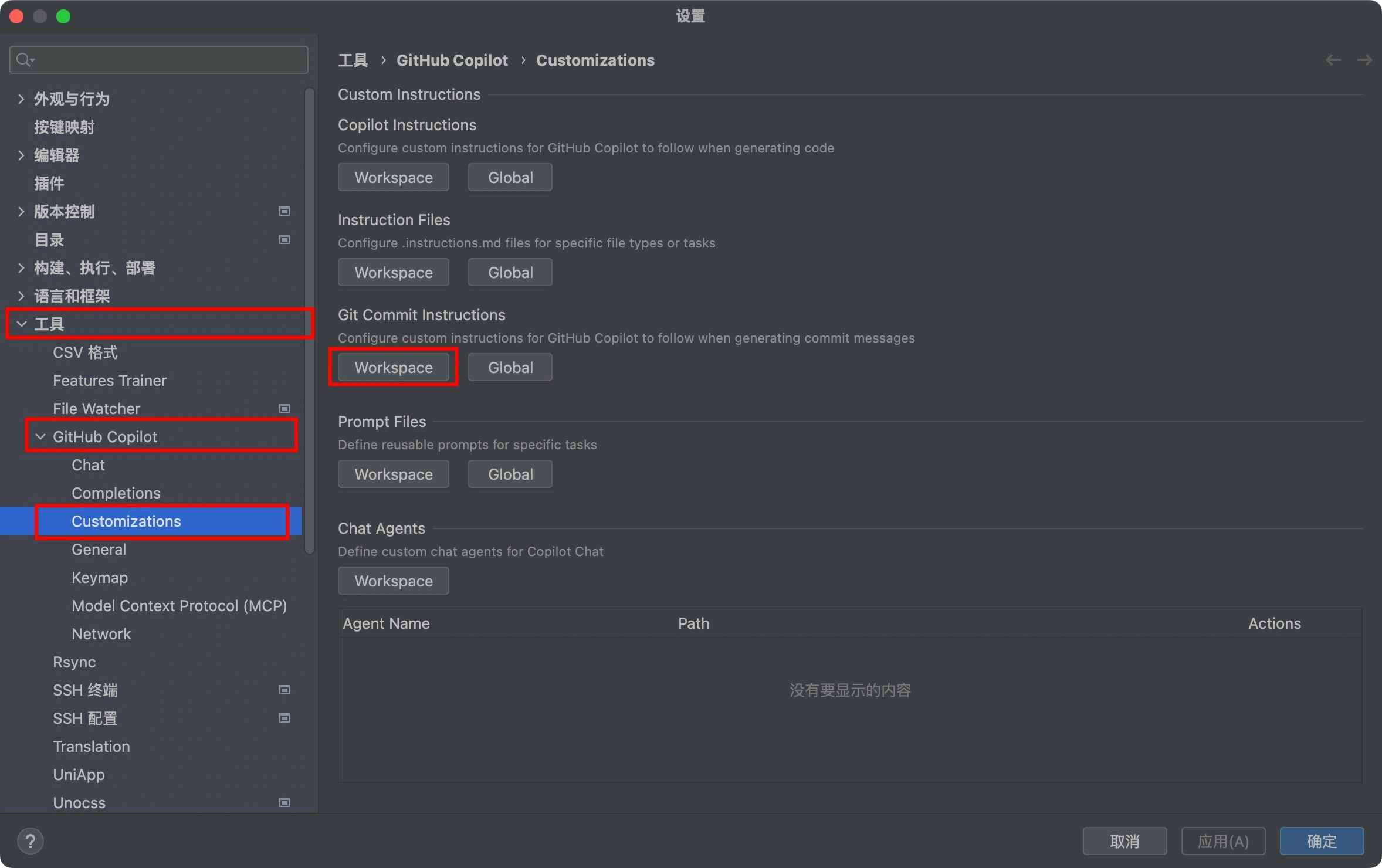
方式1 - WebStorm 环境
- 设置 > 工具 >GitHub Copilot>Customizations>Git Commit Instructions> Workspace 【Workspace 只对当前项目生效,如果选择Global 则对全局所有项目都生效】
- 在打开的git-commit-instructions.md 复制上面的提示语
- 保存当前文件
方式2- 非WebStorm环境
- 项目根目录新建.github 文件夹【如果已经有了就不用新建了】
- .github > 新建git-commit-instructions.md
- 在git-commit-instructions.md 中粘贴上面的规则
- 保存当前文件
4. 补充说明
这里的Commit message(提交说明) 参考的是阮一峰大佬的文章,如果你想根据自己的团队和项目可自行根据实际情况,修改git-commit-instructions 中的规则。 另外该规则 也支持 Trae、CodeBuddy、Cursor 等AI IDE





 扫一扫
扫一扫


 872
872

 被折叠的 条评论
为什么被折叠?
被折叠的 条评论
为什么被折叠?
 到【灌水乐园】发言





