



VScode多个C文件联合编译配置
VScode配置好C环境后,无法进行多个C文件的联合编译,需要另外对VScode进行配置才能够对多个C文件联合编译
例如想在VScode中对a.c、a.h、b.c、b.h联合编译,会出现“undefined reference to”类的报错
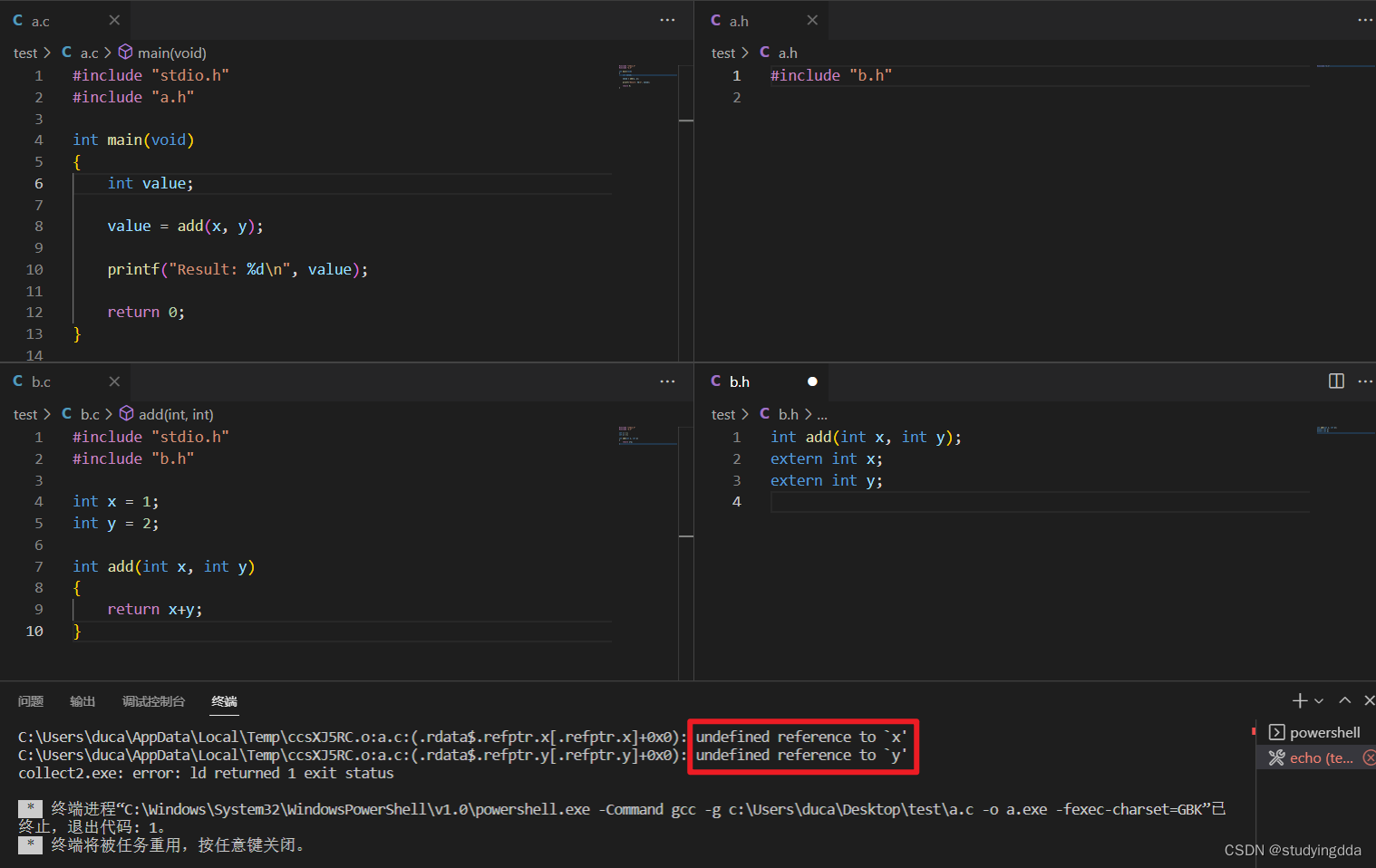
解决方法:
1.在VScode中安装“Code Runner”
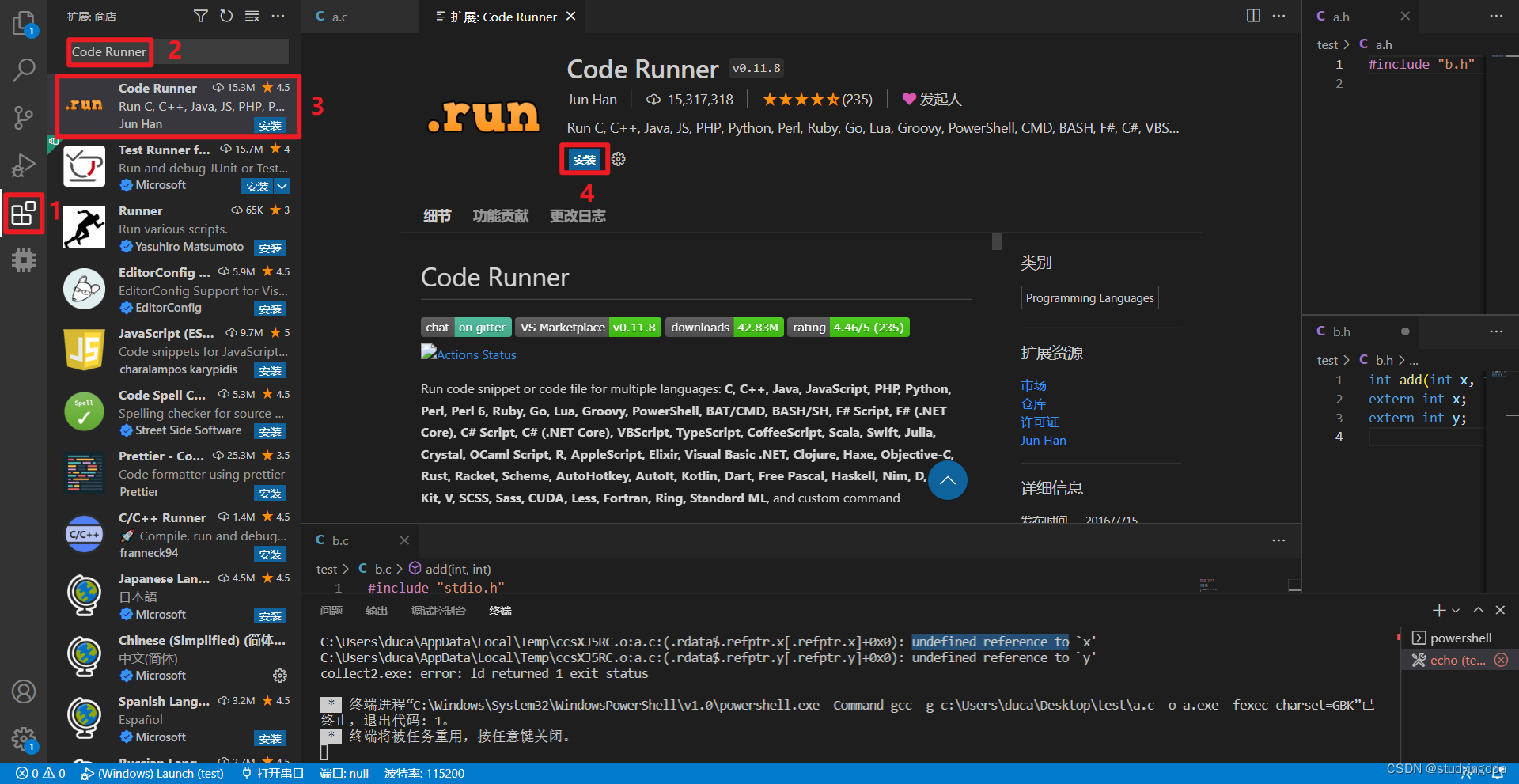
2.打开“Code Runner”的扩展设置
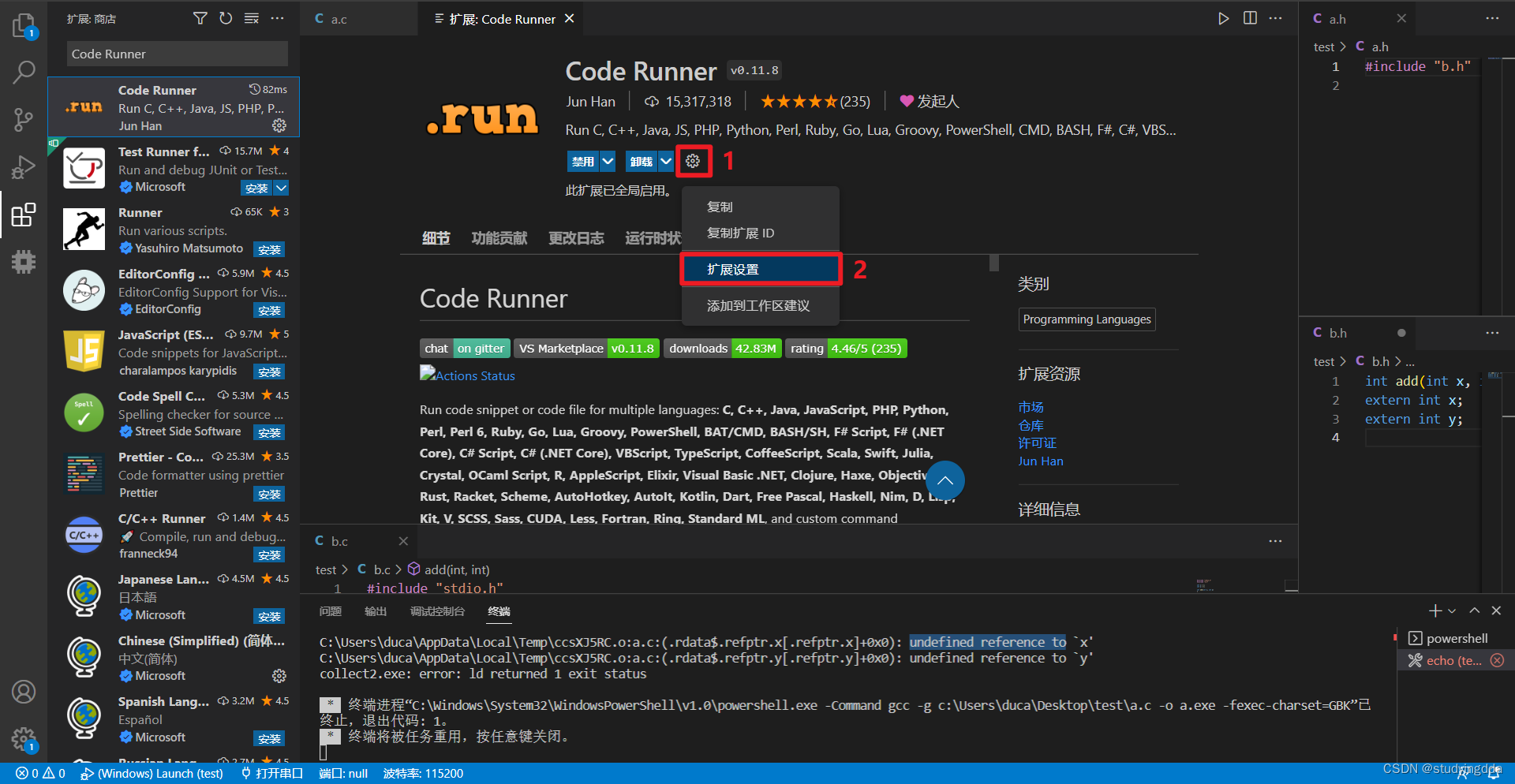
3.找到扩展设置中的“Executor Map”,点击“在 settings.json 中编辑”选项
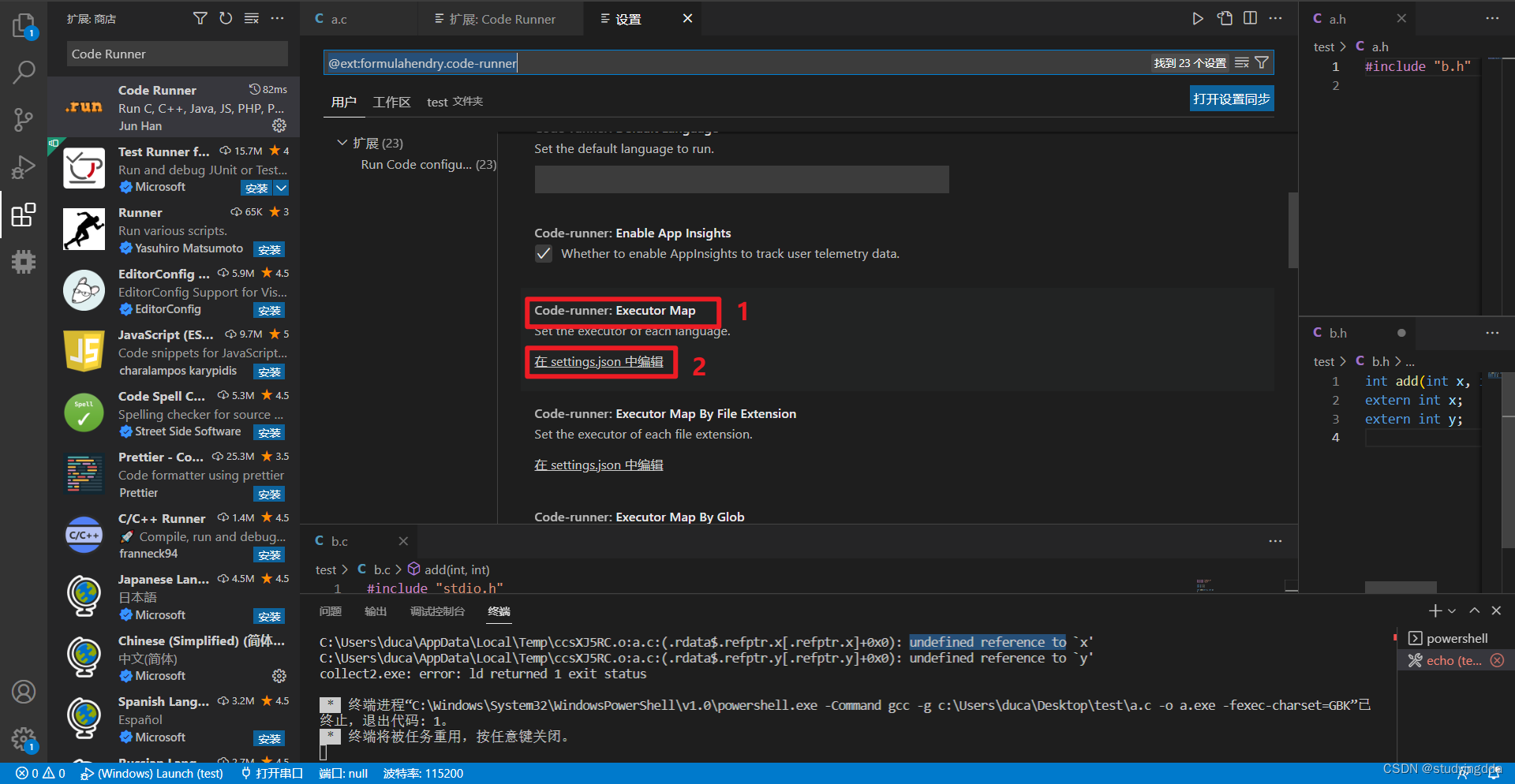
4.在“settings.json”中进行如下修改,然后保存
将:
"c": "cd $dir && gcc $fileName -o $fileNameWithoutExt && $dir$fileNameWithoutExt",
"cpp": "cd $dir && g++ $fileName -o $fileNameWithoutExt && $dir$fileNameWithoutExt",
修改为
"c": "cd $dir && gcc *.c -o $fileNameWithoutExt && $dir$fileNameWithoutExt",
"cpp": "cd $dir && g++ *.cpp -o $fileNameWithoutExt && $dir$fileNameWithoutExt",
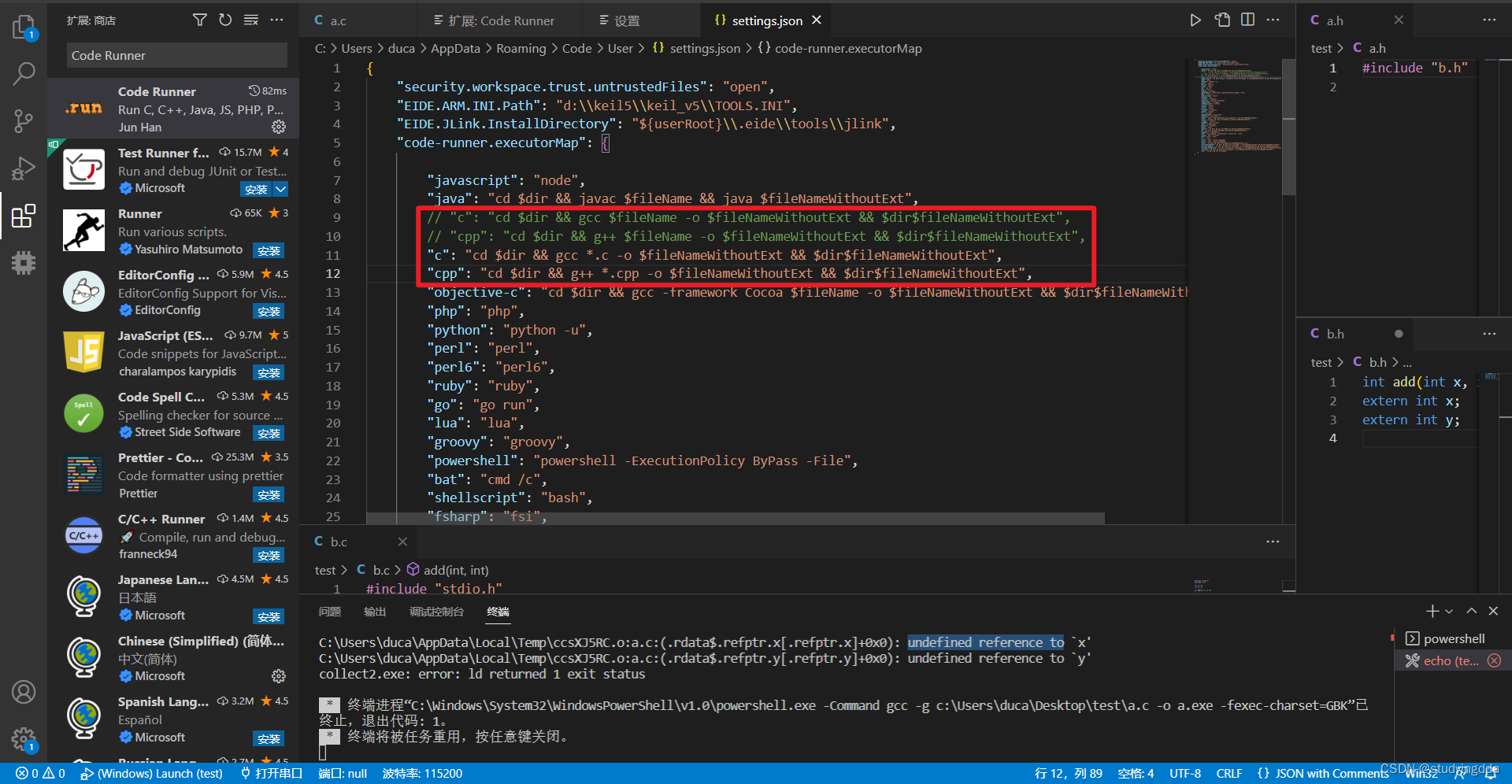
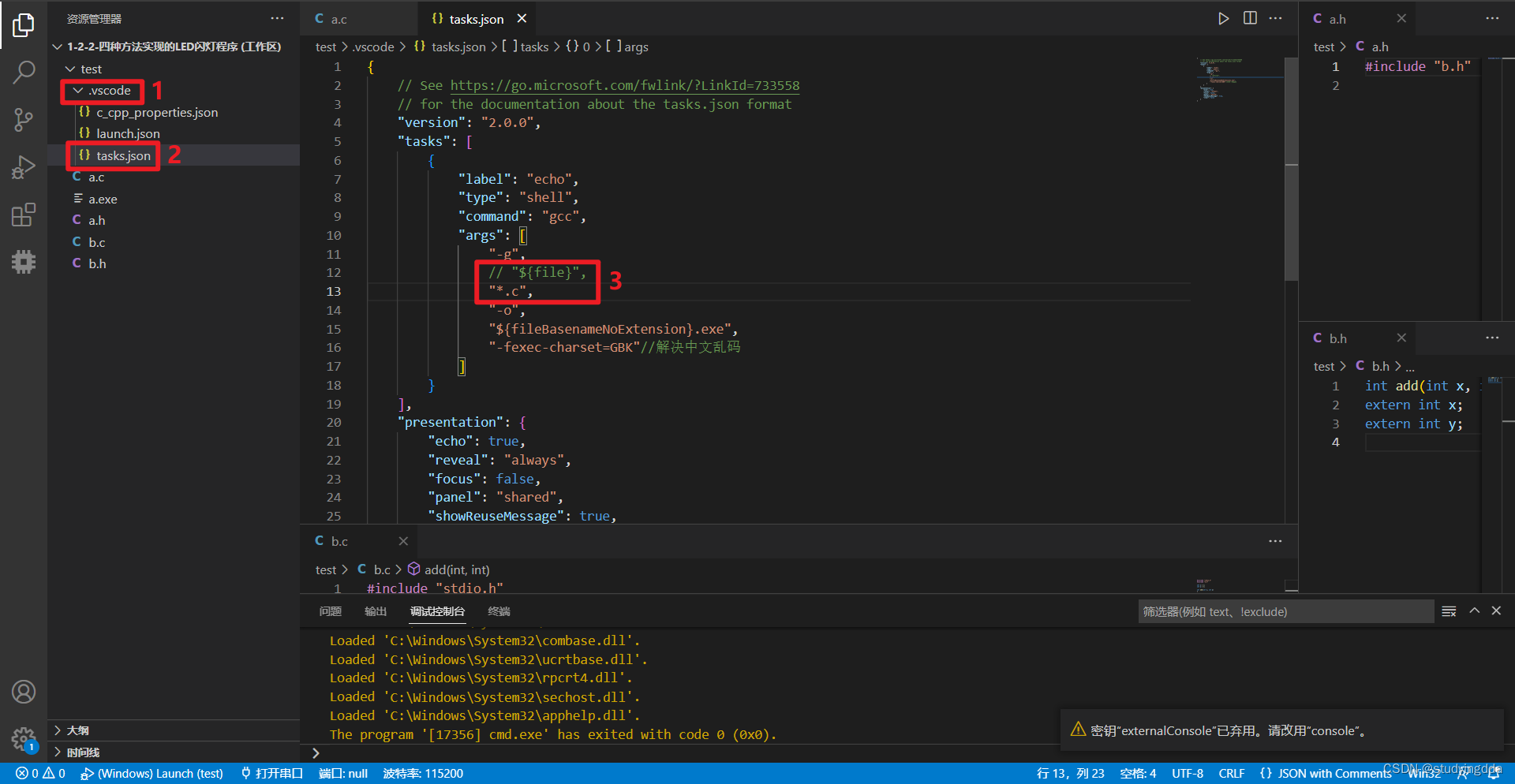
5.打开“tasks.json”,进行如下修改,然后保存
将:
"${file}",
更改成:
"*.c",
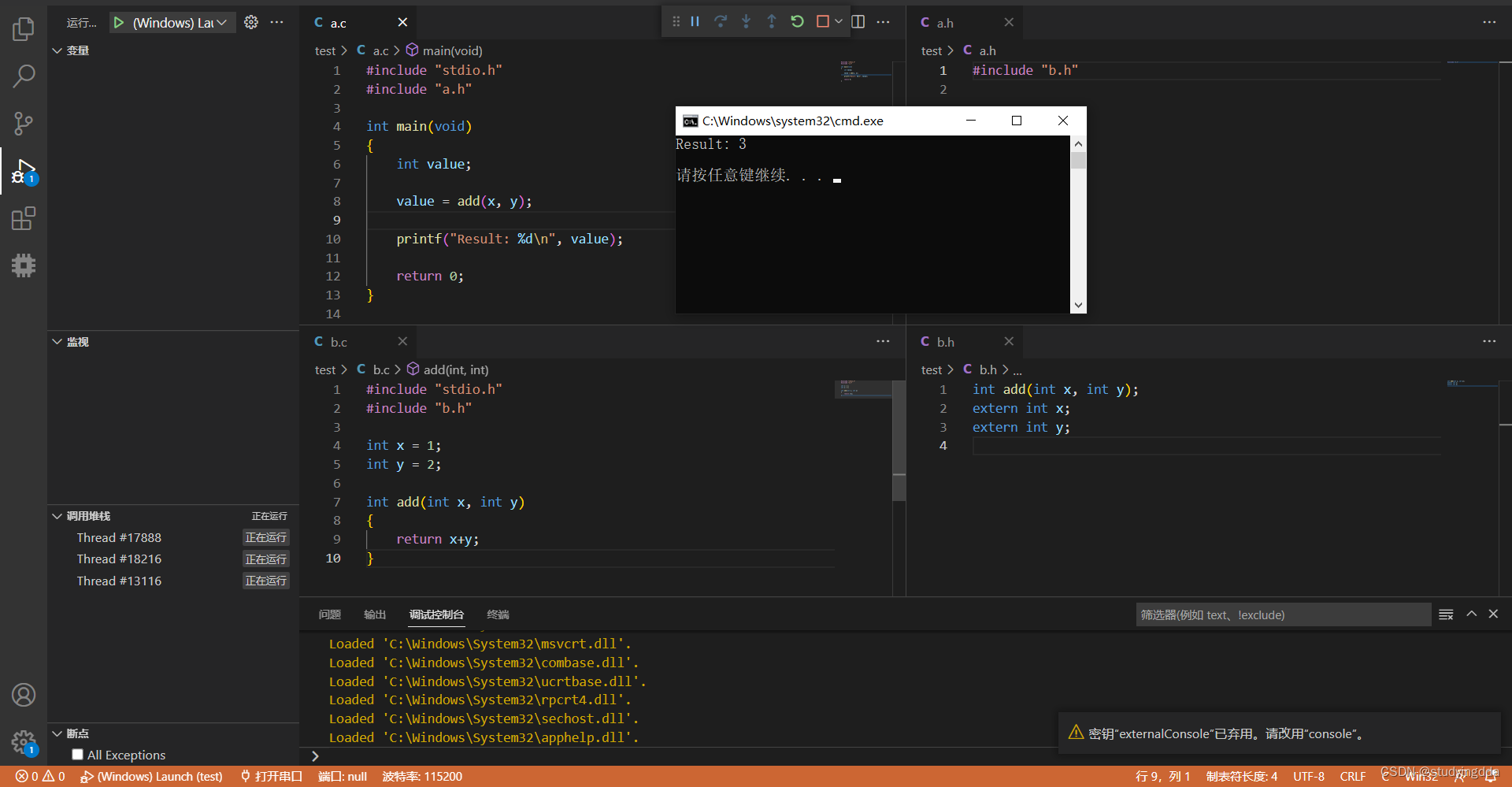
6.然后就可以进行编译了






 扫一扫
扫一扫


 3480
3480


 到【灌水乐园】发言



