



 文章介绍了Rust中的struct定义与实例化,包括如何创建和使用struct,struct的字段访问,以及struct作为函数返回值。还展示了struct方法的定义,如`area()`方法,并通过Rectangle结构体计算长方形面积的例子说明struct在组合数据和提高代码可读性上的作用。
5.1 定义并实例化struct
什么是 struct
- struct,结构体
- 自定义的数据类型(类似Java对象)
- 为相关联的值命名,打包 => 有意义的组合
定义 struct
- 使用 struct 关键字,并为整个 struct 命名
- 在花括号内,为所有字段 (Field) 定义名称和类型
- 例如:
struct User{
    username:String,
    email:String,
    sign_in_count:u64,
    active:bool,
}
实例化 struct
- 想要使用 struct,需要创建 struct 的实例:
- 为每个字段指定具体值
- 无需按声明的顺序进行指定
- 例子
必须全部赋值
fn main() {
   let user1=User{
    email: String::from("2131@qq.com"),
    username:String::from("Kiki"),
    active:true,
    sign_in_count:556,
   };

}
struct User{
    username:String,
    email:String,
    sign_in_count:u64,
    active:bool,
}
取得 struct 里面的某个值
- 使用点标记法:
- 例子
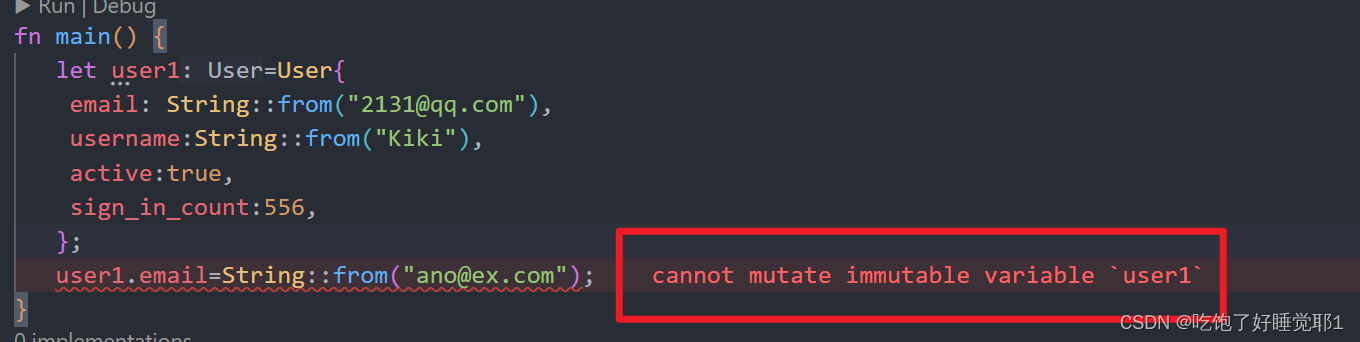
fn main() {
   let mut user1=User{
    email: String::from("2131@qq.com"),
    username:String::from("Kiki"),
    active:true,
    sign_in_count:556,
   };
   user1.email=String::from("ano@ex.com");
}
注意
一旦 struct 的实例是可变的,那么实例中所有的字段都是可变的
struct 作为函数的返回值
fn build_user(email:String, username:String)->User{
    User{
        email: email,
        username:username,
        active:true,
        sign_in_count:556,
    }
}
字段初始化简写
- 当字段名与字段值对应变量名相同时,就可以使用字段初始化简写的方式:
fn build_user(email:String, username:String)->User{
    User{
        email,
        username,
        active:true,
        sign_in_count:556,
    }
}
struct 更新语法
- 当你想基于某个 struct 实例来创建一个新实例的时候,可以使用 struct 更新语法
   let mut user2=User{
    email: String::from("2131@qq.com"),
    username:String::from("Kiki"),
    active:user1.active,
    sign_in_count:user1.sign_in_count,
   };
   let mut user3=User{
    email: String::from("2131@qq.com"),
    ..user1
   };
Tuple struct
- 可定义类似 tuple的 struct,叫做 tuple struct
- Tuple struct 整体有个名,但里面的元素没有名
- 适用:想给整个 tuple 起名,并让它不同于其它 tuple,而且又不需要给每个元素起名
- 定义 tuple struct: 使用 struct 关键字,后边是名字,以及里面元素的类型
- 例子:
struct Color(i32, i32, i32);
struct Point(i32, i32, i32)
let black = Color(0, 0, 0);
let origin = Point(0, 0, 0); - black 和 origin 是不同的类型,是不同 tuple struct 的实例
Unit-Like Struct (没有任何字段) - 可以定义没有任何字段的 struct,叫做 Unit-Like struct(因为与(),单元类型类似)
- 适用于需要在某个类型上实现某个 trcit,但是在里面又没有想要存储的数据
struct 数据的所有权
struct User{
    username:String,
    email:String,
}
- 这里的字段使用了 string 而不是 &str:
-该 struct 实例拥有其所有的数据- 只要 struct 实例是有效的,那么里面的字段数据也是有效的
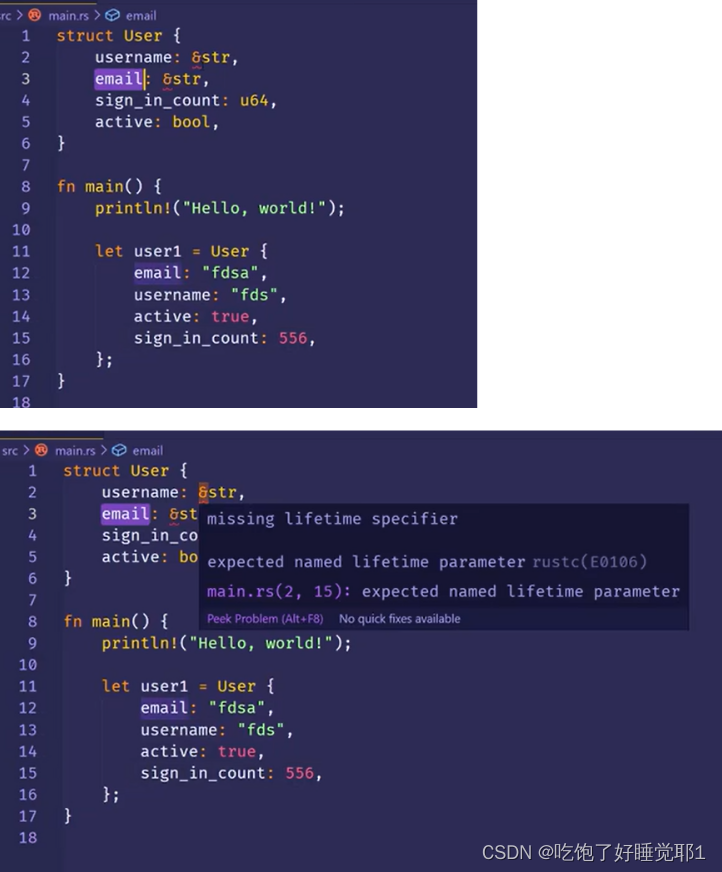
- struct 里也可以存放引用,但这需要使用生命周期(以后讲)
- 生命周期保证只要 struct 实例是有效的,那么里面的引用也是有效的。
- 如果 struct 里面存储引用,而不使用生命周期,就会报错(例子)
5.2 struct例子
需求:计算长方形面积
fn main(){
    let w=30;
    let l=50;

    println!("area={}",area(w, l))
}
fn area(width:u32, length:u32)->u32{
    width*length
}
问题:传进来的长和宽没有关联,要怎么组合到一起呢?
用元组
fn main(){
    let rect=(30,50);
    println!("area={}",area(rect))
}
fn area(dim:(u32,u32))->u32{
    dim.0*dim.1
}
可读性差,不知到哪个长哪个宽,用对象解决试试
fn main(){
    let rect=Rectangle{
        width:30,
        length:50,
    };
    println!("{}",area(&rect))
}
fn area(rect:&Rectangle)->u32{
   rect.width*rect.length
}
struct Rectangle{
    width:u32,
    length:u32,
}
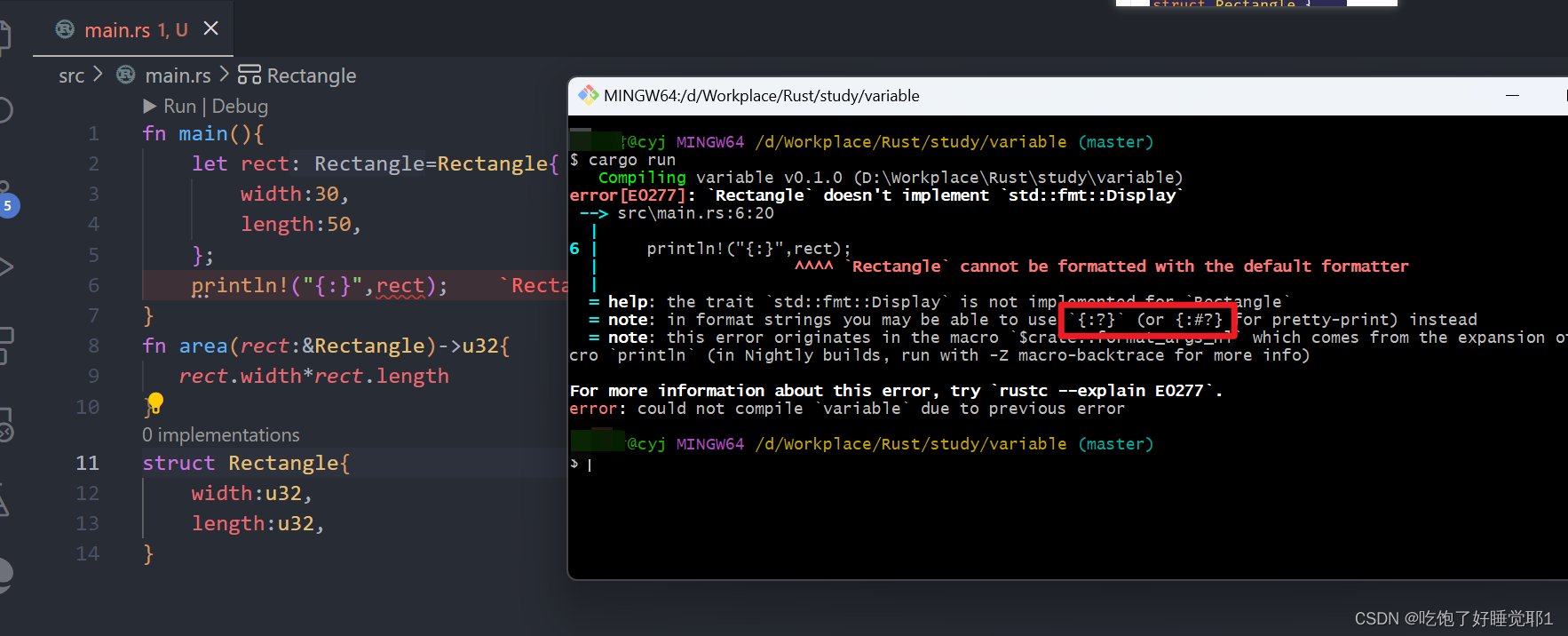
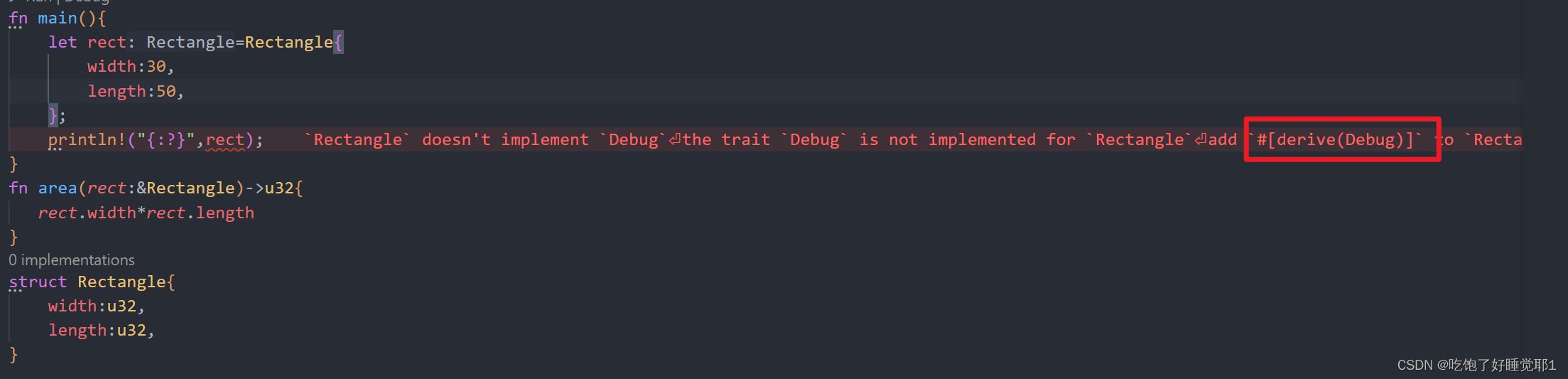
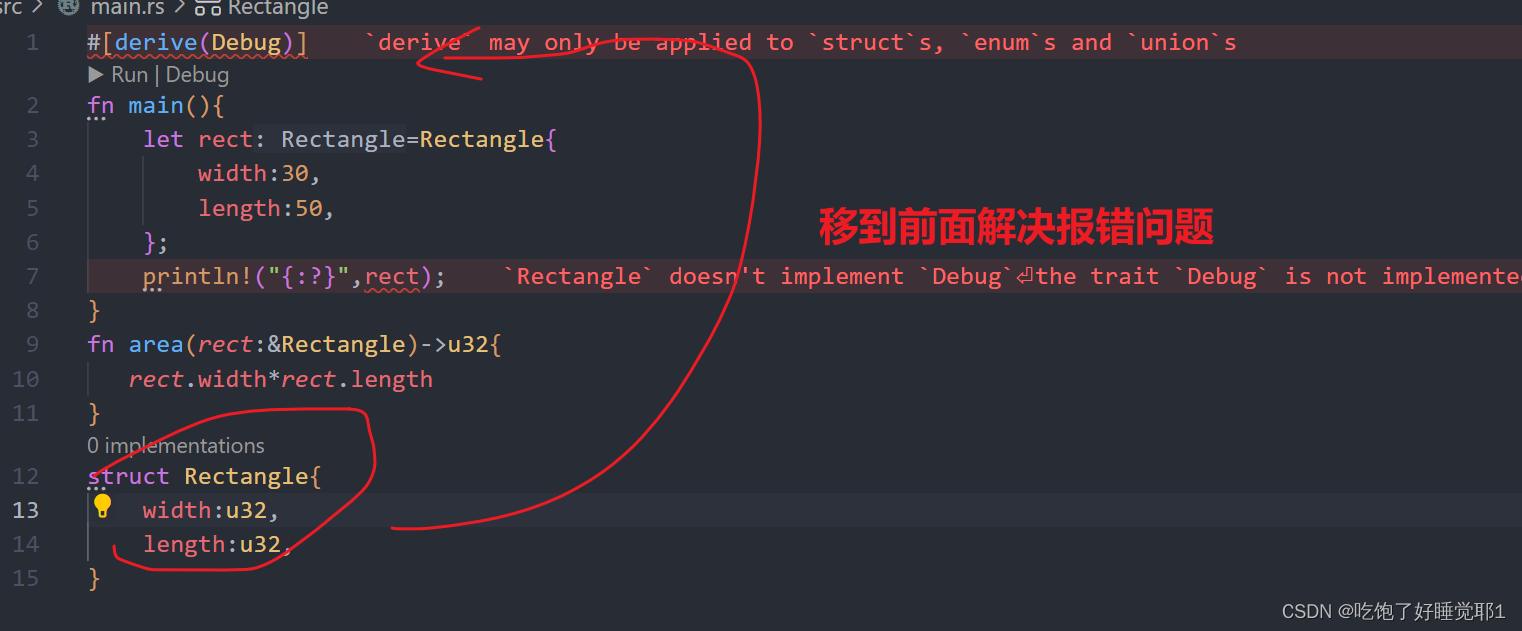
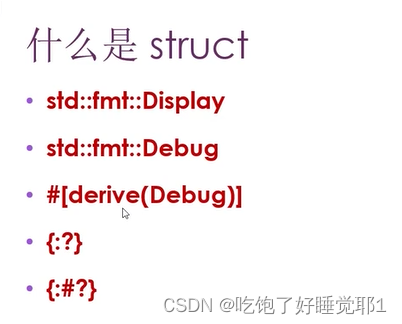
{:?}
#[derive(Debug)]
struct Rectangle{
    width:u32,
    length:u32,
}
fn main(){
    let rect=Rectangle{
        width:30,
        length:50,
    };
    println!("{:?}",rect);
}
Rectangle { width: 30, length: 50 }
{:#?}
#[derive(Debug)]
struct Rectangle{
    width:u32,
    length:u32,
}
fn main(){
    let rect=Rectangle{
        width:30,
        length:50,
    };
    println!("{:#?}",rect);
}
Rectangle {
    width: 30,
    length: 50,
}
5.3 struct的方法
定义方法
- 方法和函数类似: fn 关键字、名称、参数、返回值
- 方法与函数不同之处:
- 方法是在 struct (或enum、trait 对象)的上下文中定义
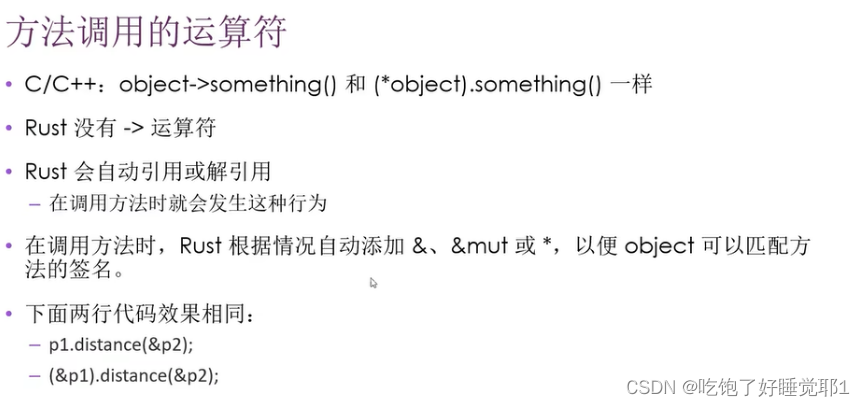
- 第一个参数是 self,表示方法被调用的 struct 实例
impl Rectangle{
    fn area(&self)->u32{
        self.width*self.length
    }
}
#[derive(Debug)]
struct Rectangle{
    width:u32,
    length:u32,
}
impl Rectangle{
    fn area(&self)->u32{
        self.width*self.length
    }
}
fn main(){
    let rect=Rectangle{
        width:30,
        length:50,
    };
    println!("{}",rect.area());
}
- 在impl 块里定义方法
- 方法的第一个参数可以是 &self,也可以获得其所有权 或 可变借用。和其他参数一样。
- 更良好的代码组织。
方法参数
方法可以有多个参数
#[derive(Debug)]
struct Rectangle{
    width:u32,
    length:u32,
}
impl Rectangle{
    fn area(&self)->u32{
        self.width*self.length
    }
    fn can_hold(&self,other:&Rectangle)->bool{
        self.width>other.width && self.length>other.length
    }
}
fn main(){
    let rect1=Rectangle{
        width:30,
        length:50,
    };
    let rect2=Rectangle{
        width:70,
        length:40,
    };
    println!("{}",rect1.can_hold(&rect2));
}
关联函数
- 可以在 impl 块里定义不把 self 作为第一个参数的函数,它们叫关联函数 (不是方)
- 例如: String::from()
- 关联函数通常用于构造器(例子)
- :: 符号
- 关联函数
- 模块创建的命名空间
#[derive(Debug)]
struct Rectangle{
    width:u32,
    length:u32,
}
impl Rectangle{
    fn area(&self)->u32{
        self.width*self.length
    }
    fn can_hold(&self,other:&Rectangle)->bool{
        self.width>other.width && self.length>other.length
    }
    fn square(size:u32)->Rectangle{
        Rectangle {
            width: size,
            length: size
        }
    }
}
fn main(){
    let s=Rectangle::square(20);
}
多个impl 块
- 每个struct 允许拥有多个impl块





 扫一扫
扫一扫


 635
635

 被折叠的 条评论
为什么被折叠?
被折叠的 条评论
为什么被折叠?
 到【灌水乐园】发言





