


安装tips:
安装环境硬件为16C/64G,操作系统是Oracle Linux 9.6(2025-05-30发布),
主机的数据库版均为23ai free 23.8.0.25.04
OL9.5与9.6的差异点,内核发版时候都是5.14,
dnf update后,kernel 9.5还是5.14,9.6变成了6.12,这个6.12和RHEL 10上的内核一致,都是lts。
主机模拟生产环境上安装oralce 23ai free 还是为了填 True Cache的安装和部署的实操。
一、命令准备
1.1、安装oracle前内存和硬件常规检查
--1、查看物理内存大小
[root@OL96 ~]# grep MemTotal /proc/meminfo
--2、查看交换空间大小
-[root@OL96 ~]# grep SwapTotal /proc/meminfo
--3、查看/tmp目录空间大小
[root@OL96 ~]# df -h /tmp
--4、查看剩余的内存和swap
[root@OL96 ~]# free -m
--5、查看服务器系统架构
[root@OL96 ~]# uname -m
x86_64
--6、查看共享内存
[root@OL96 ~]# df -h /dev/shm
1.2 检查操作系统配置
--提醒:当使用prinstall的rpm包安装后,可以对比官方推荐的参数调整
1、检查大页配置
[root@OL96 ~]# grep Huge /proc/meminfo
[root@OL96 ~]# cat /etc/security/limits.conf
[root@OL96 ~]# grep Hugepagesize /proc/meminfo
2、检查操作系统内核配置
[root@OL96 ~]# cat /etc/os-release
[root@OL96 ~]# cat /etc/oracle-release
[root@OL96 home]# uname -a
Linux OL96 6.12.0-1.23.3.2.el9uek.x86_64 #1 SMP PREEMPT_DYNAMIC Tue May 13 17:24:00 PDT 2025 x86_64 x86_64 x86_64 GNU/Linux
3、配置主机名
[root@OL96 ~]# vi /etc/hosts
127.0.0.1   localhost localhost.localdomain localhost4 localhost4.localdomain4
::1         localhost localhost.localdomain localhost6 localhost6.localdomain6
10.2.0.96 OL96
10.2.0.196 OL96TC ##为了测试True Cache准备的另外主机
--测试主机名
[root@OL96 ~]# ping OL96 -c 6
4、设置透明大页的值为madvise
[root@OL96 ~]# cat /etc/default/grub
[root@OL96 ~]# cat /sys/kernel/mm/transparent_hugepage/enabled
5、检查操作系统内核参数设置
[root@OL96 ~]# cat /etc/sysctl.conf
6、查看操作系统软硬件参数配置
[root@OL96 ~]# cat /etc/security/limits.conf
1.3、主机通过rpm安装23ai preinstall的预安装包
Automatically Configuring Oracle Linux with Oracle Database Preinstallation RPM
按照官方的预检查流程,将会对系统进行新建用户、用户组和其他的参数配置,没有禁用firewalld和selinux,preinstall都默认给设置了。
安装preinstall rpm包
dnf -y install oracle-database-preinstall-23ai
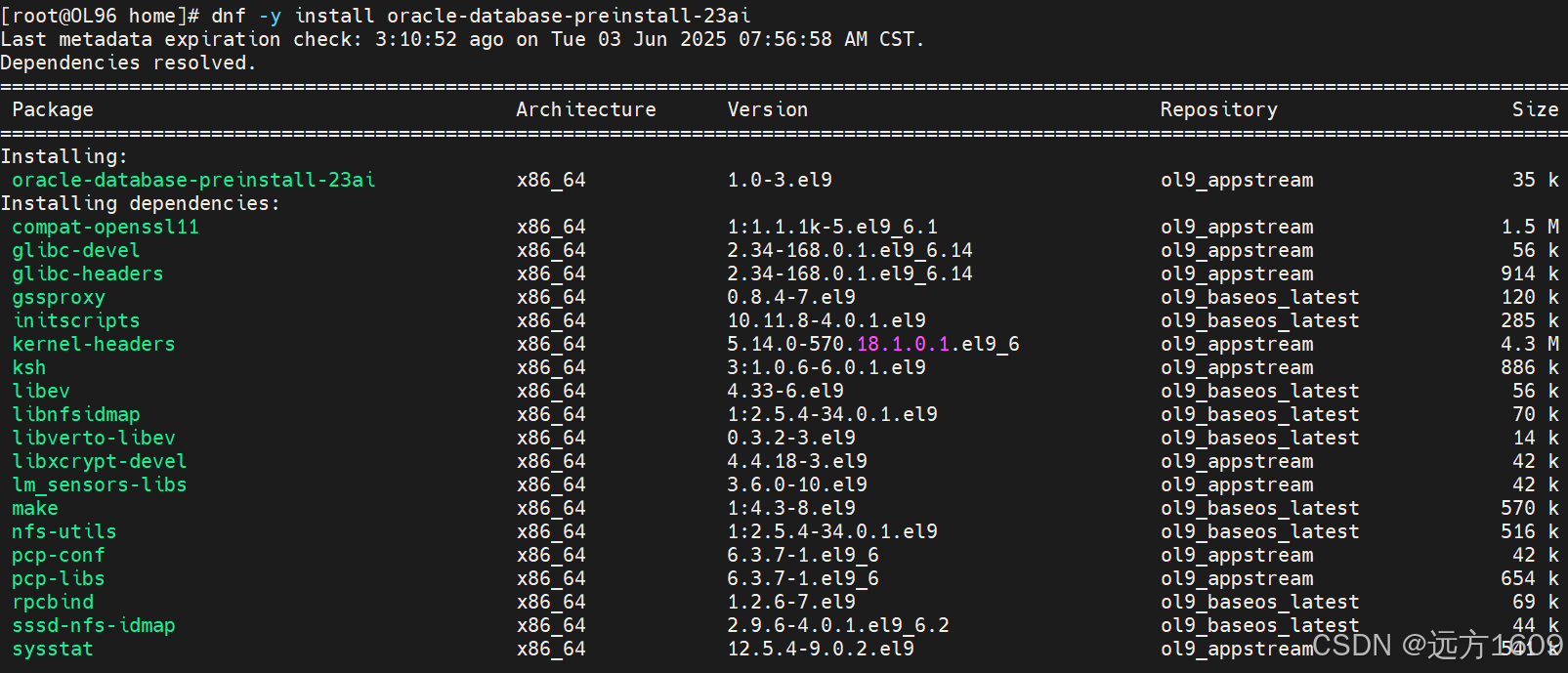
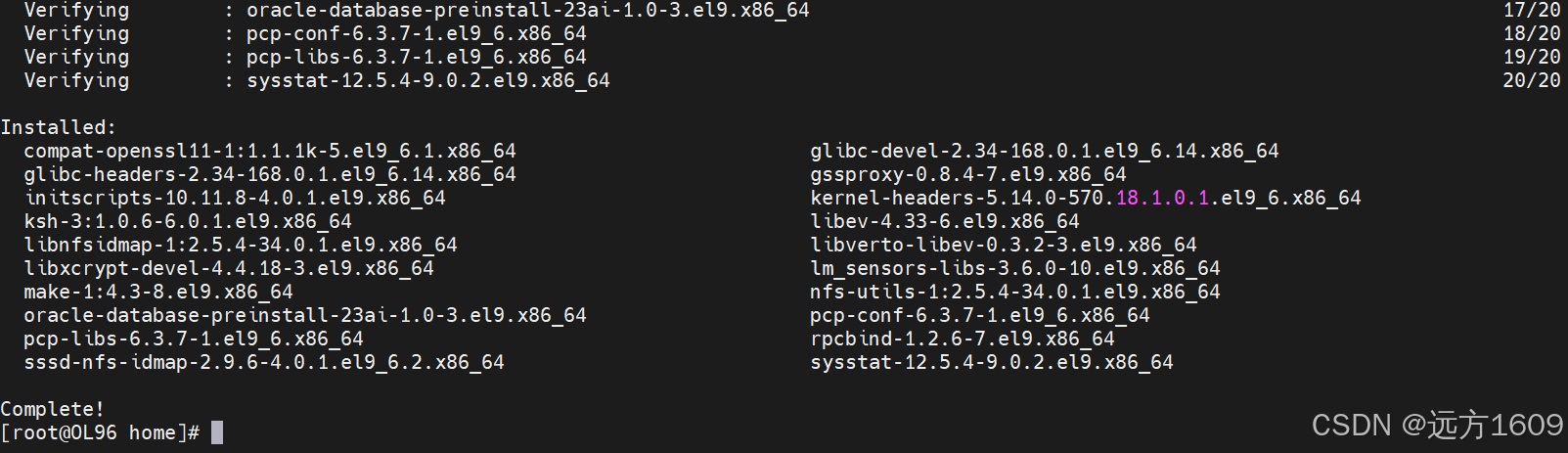
1、基于 RPM 的安装执行安装前检查、提取数据库软件、将提取的软件的所有权重新分配预配置的用户和组、维护 Oracle 清单,
[root@OL96 ~]# dnf -y install oracle-database-preinstall-23ai

2、Oracle Database Preinstallation RPM 会自动创建 Oracle 安装所有者和组
[root@OL96 ~]# id oracle
uid=54321(oracle) gid=54321(oinstall) groups=54321(oinstall),54322(dba),54323(oper),54324(backupdba),54325(dgdba),54326(kmdba),54330(racdba)
[root@OL96 ~]# cat /etc/passwd | grep oracle
oracle:x:54321:54321::/home/oracle:/bin/bash
[root@OL96 ~]# cat /etc/group | grep dba
dba:x:54322:oracle
backupdba:x:54324:oracle
dgdba:x:54325:oracle
kmdba:x:54326:oracle
racdba:x:54330:oracle
[root@OL96 ~]# cat /etc/group | grep oinstall
oinstall:x:54321:oracle
3、preinstall后,再查看操作系统软硬件资源设置
[root@OL96 ~]# cat /etc/security/limits.d/oracle-database-preinstall-23ai.conf
4、透明大页值为madvise
[root@OL96 ~]# cat /etc/default/grub
[root@OL96 ~]# cat /sys/kernel/mm/transparent_hugepage/enabled
5、系统内核参数配置
[root@OL96 ~]# cat /etc/sysctl.conf
1.4、使用RPM包安装 Oracle Database 23ai Free
按照23ai的版本OP版本目前还未发布,会不停更新,官网网站 Get Started with Oracle Database 23ai | Oracle 下载对应的OL8、9的最新rpm包
dnf -y install oracle-database-free-23ai-23.8-1.el9.x86_64.rpm
 最低0.47元/天 解锁文章






 扫一扫
扫一扫


 被折叠的 条评论
为什么被折叠?
被折叠的 条评论
为什么被折叠?
 到【灌水乐园】发言





