





引子
DeepSeek官网注册的API token是不支持联网搜索的,这导致它无法辅助分析一些最新的情况或是帮忙查一下互联网上的资料。本文从实战角度提供一种稳定可靠的方法使得DeepSeek R1支持联网搜索分析。
正文
首先登录火山方舟控制台,https://www.volcengine.com/product/ark
然后点这个链接一键创建DeepSeek-R1-联网搜索版。
或者
按如下步骤:
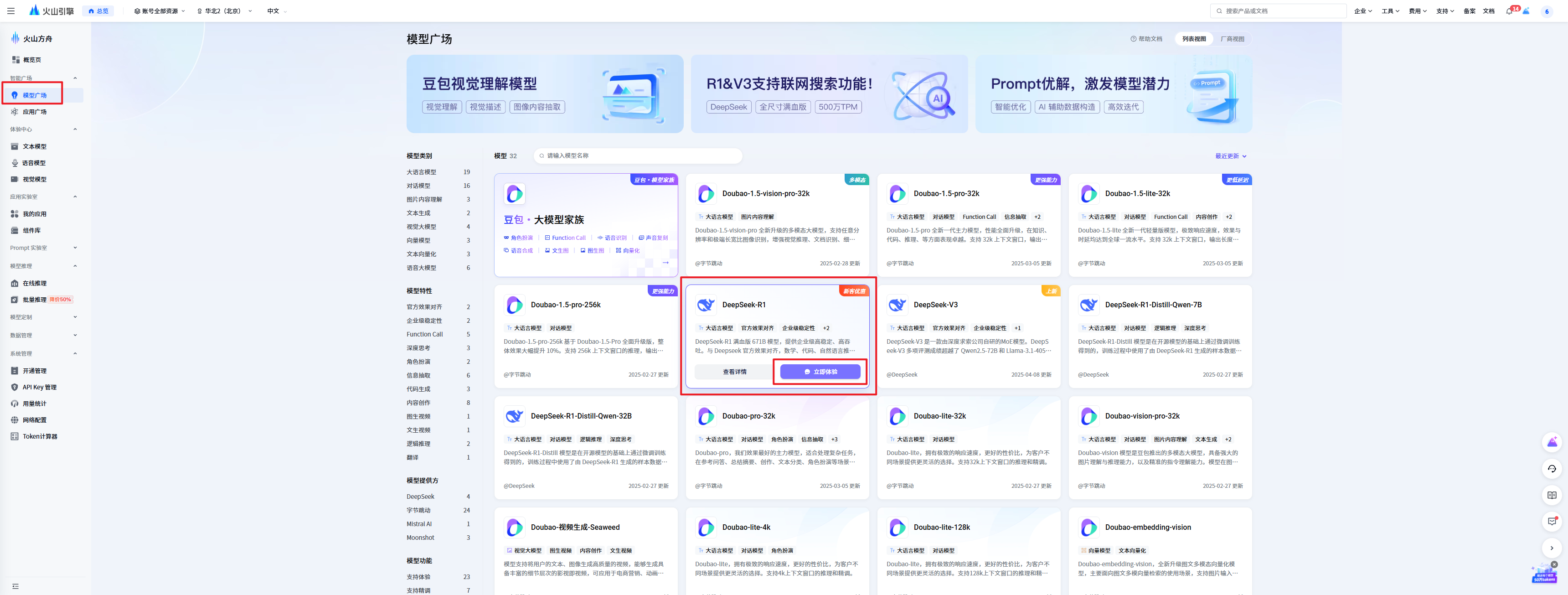
- 模型广场-》DeepSeek R1-》立即体验
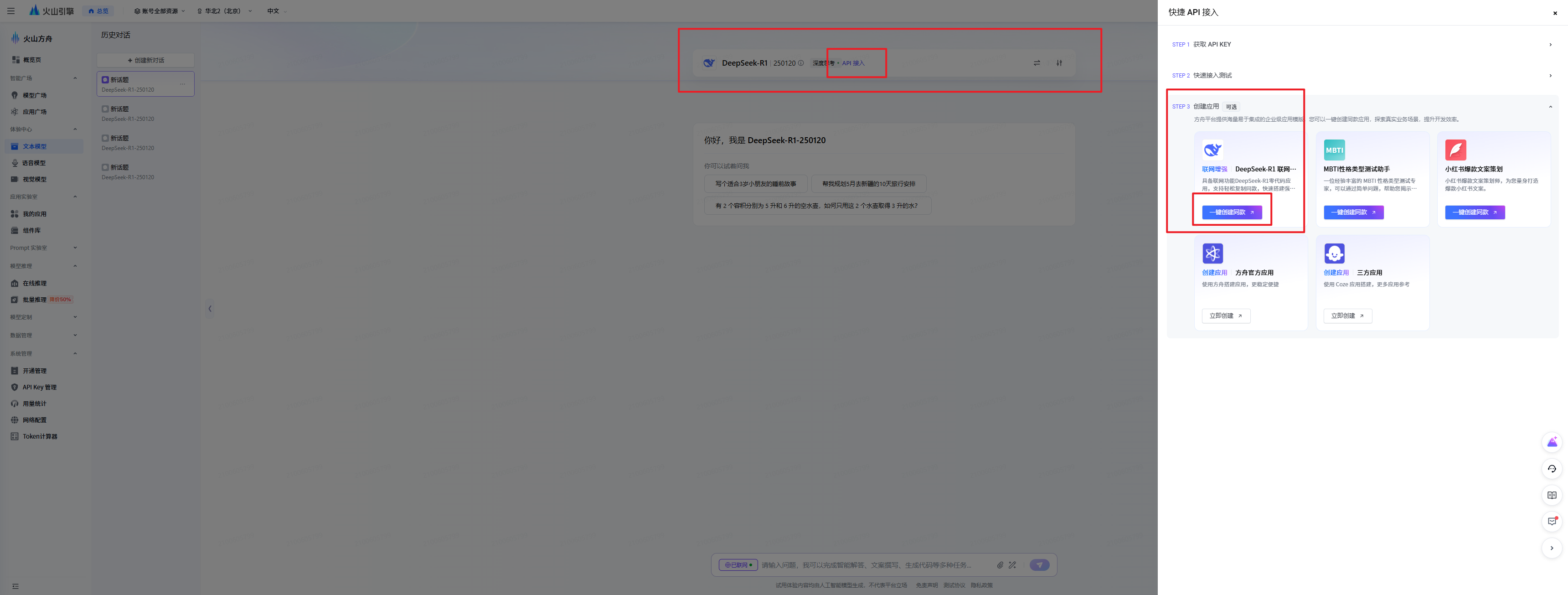
- 在如下图API接入点开后,先申请API KEY,然后一键创建同款DeepSeek-R1-联网搜索版即可。
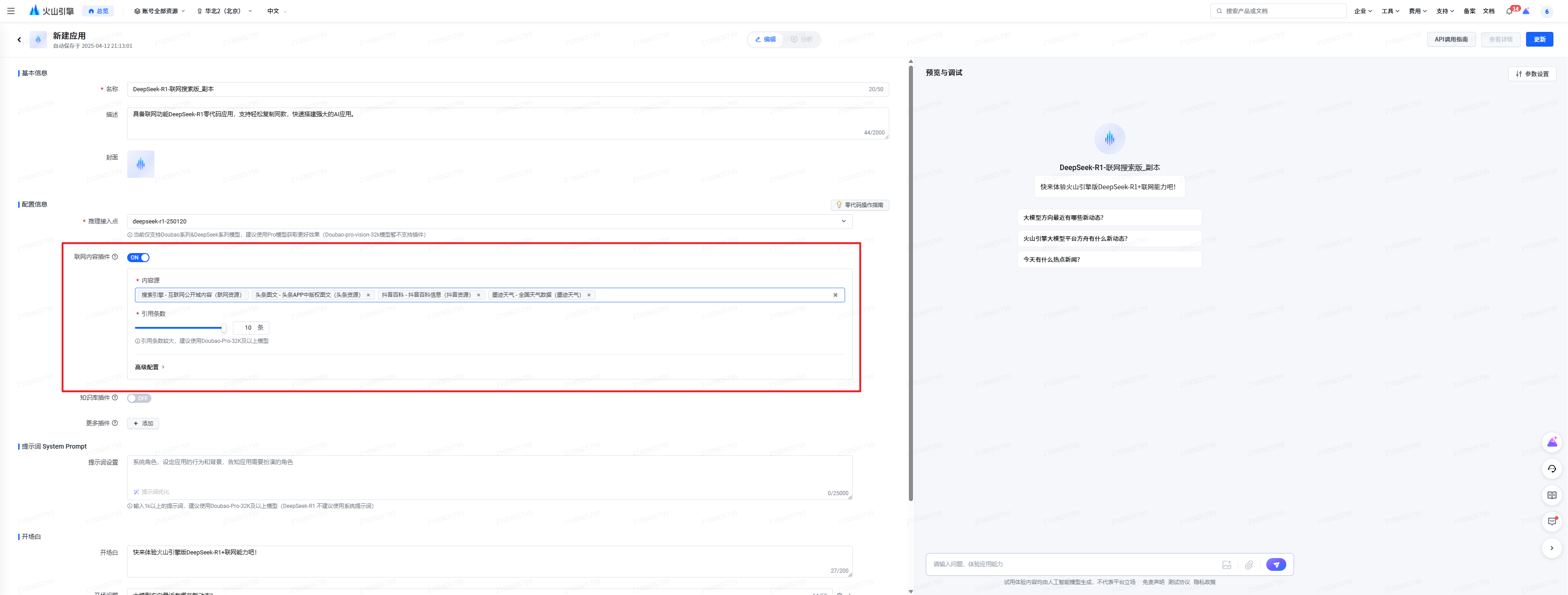
- 创建应用里,根据需求选择相应的联网搜索相关配置项
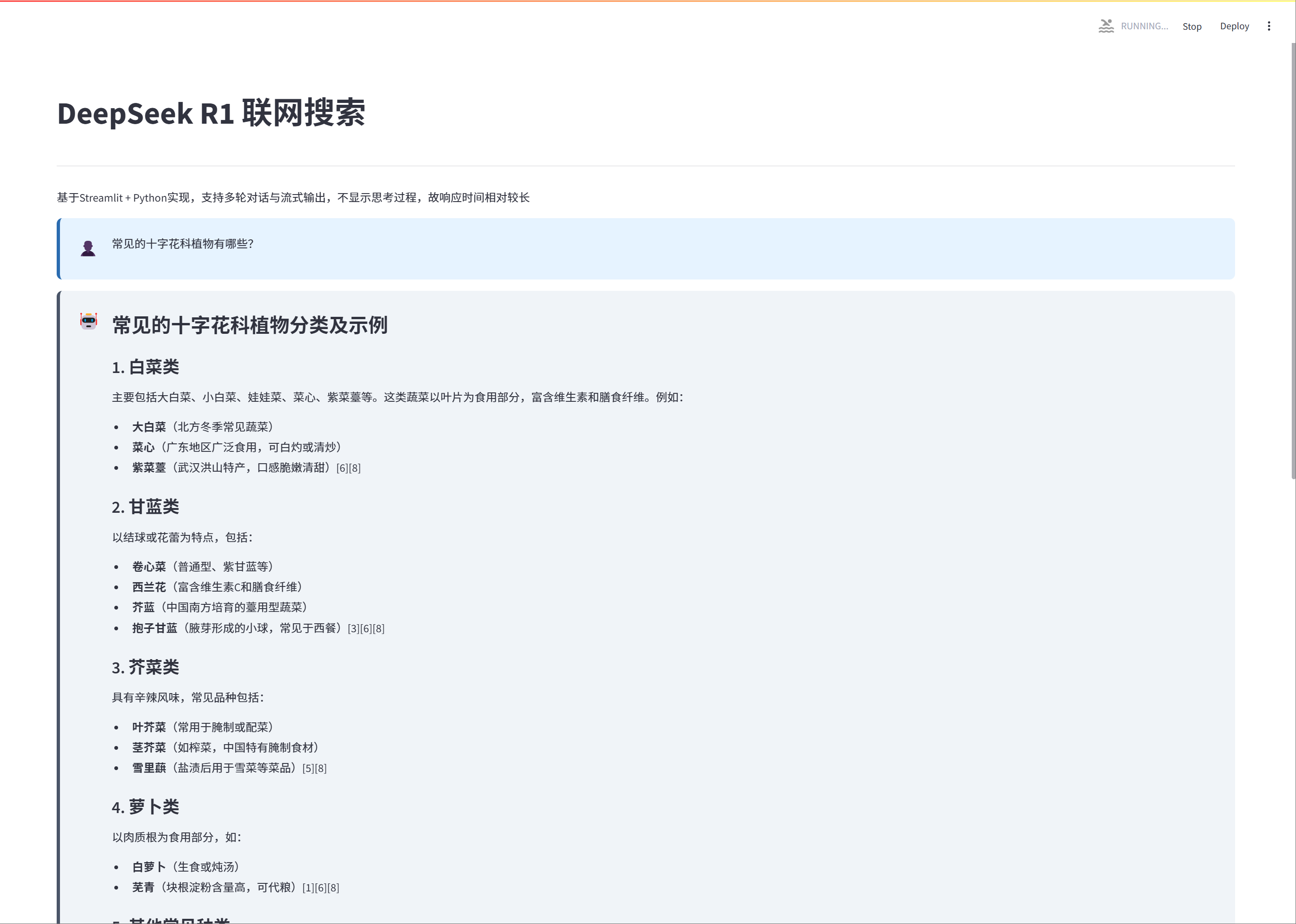
以上几步完成后,就得到一个可用的DeepSeek R1联网搜索bot,接下来演示下如何使用。我用streamlit做了一个可视版本的,大家可以到GitHub上下载代码体验。链接:https://github.com/sencloud/deepseek_r1_online_search
官方也有给python的示例,如下,非常简单;
- 选择API Key
请按如下方式设置 API Key 作为环境变量,其中
“YOUR_API_KEY”
需要替换为您在平台创建的 API Key
export ARK_API_KEY=“YOUR_API_KEY” - 请按如下命令安装环境
pip install --upgrade “openai>=1.0” - 请参考如下示例代码进行调用
import os
from openai import OpenAI

# 请确保您已将 API Key 存储在环境变量 ARK_API_KEY 中
# 初始化Openai客户端,从环境变量中读取您的API Key
client = OpenAI(
    # 此为默认路径,您可根据业务所在地域进行配置
    base_url="https://ark.cn-beijing.volces.com/api/v3/bots",
    # 从环境变量中获取您的 API Key
    api_key=os.environ.get("ARK_API_KEY")
)

# 非流式输出:
print("----- standard request -----")
completion = client.chat.completions.create(
    model="bot-20250329163710-8zcqm",  # bot-20250329163710-8zcqm 为您当前的智能体的ID,注意此处与Chat API存在差异。差异对比详见 SDK使用指南
    messages=[
        {"role": "system", "content": "你是DeepSeek,是一个 AI 人工智能助手"},
        {"role": "user", "content": "常见的十字花科植物有哪些?"},
    ],
)
print(completion.choices[0].message.content)
if hasattr(completion, "references"):
    print(completion.references)
if hasattr(completion.choices[0].message, "reasoning_content"):
    print(completion.choices[0].message.reasoning_content)  # 对于R1模型,输出reasoning content

# 多轮对话:
print("----- multiple rounds request -----")
completion = client.chat.completions.create(
    model="bot-20250329163710-8zcqm",  # bot-20250329163710-8zcqm 为您当前的智能体的ID,注意此处与Chat API存在差异。差异对比详见 SDK使用指南
    messages=[  # 通过会话传递历史信息,模型会参考上下文消息
        {"role": "system", "content": "你是DeepSeek,是一个 AI 人工智能助手"},
        {"role": "user", "content": "花椰菜是什么?"},
        {"role": "assistant", "content": "花椰菜又称菜花、花菜,是一种常见的蔬菜。"},
        {"role": "user", "content": "再详细点"},
    ],
)
print(completion.choices[0].message.content)
if hasattr(completion, "references"):
    print(completion.references)
if hasattr(completion.choices[0].message, "reasoning_content"):
    print(completion.choices[0].message.reasoning_content)  # 对于R1模型,输出reasoning content

# 流式输出:
print("----- streaming request -----")
stream = client.chat.completions.create(
    model="bot-20250329163710-8zcqm",  # bot-20250329163710-8zcqm 为您当前的智能体的ID,注意此处与Chat API存在差异。差异对比详见 SDK使用指南
    messages=[
        {"role": "system", "content": "你是DeepSeek,是一个 AI 人工智能助手"},
        {"role": "user", "content": "常见的十字花科植物有哪些?"},
    ],
    stream=True,
)
for chunk in stream:
    if hasattr(chunk, "references"):
        print(chunk.references)
    if not chunk.choices:
        continue
    if chunk.choices[0].delta.content:
        print(chunk.choices[0].delta.content, end="")
    elif hasattr(chunk.choices[0].delta, "reasoning_content"):
        print(chunk.choices[0].delta.reasoning_content)
print()





 扫一扫
扫一扫


 2368
2368

 被折叠的 条评论
为什么被折叠?
被折叠的 条评论
为什么被折叠?
 到【灌水乐园】发言





