



 本文探讨了Android View体系如何通过Composite和Leaf设计模式构建树状结构,以实现组件间操作的一致性,适用于层级关系明显的场景,如文件系统和视图管理。讲解了抽象Component接口、Leaf和Composite类,并通过代码实例展示了如何在树形结构中进行操作。
将对象组成树形结构以表示整体-部分的层次结构,使得用户对单个对象和组合对象的使用具有一致性。
Android的View体系的设计方式
使用场景
-
当你的程序结构有类似树一样的层级关系时,例如文件系统,视图树,公司组织架构等等
-
当你要以统一的方式操作单个对象和由这些对象组成的组合对象的时候。
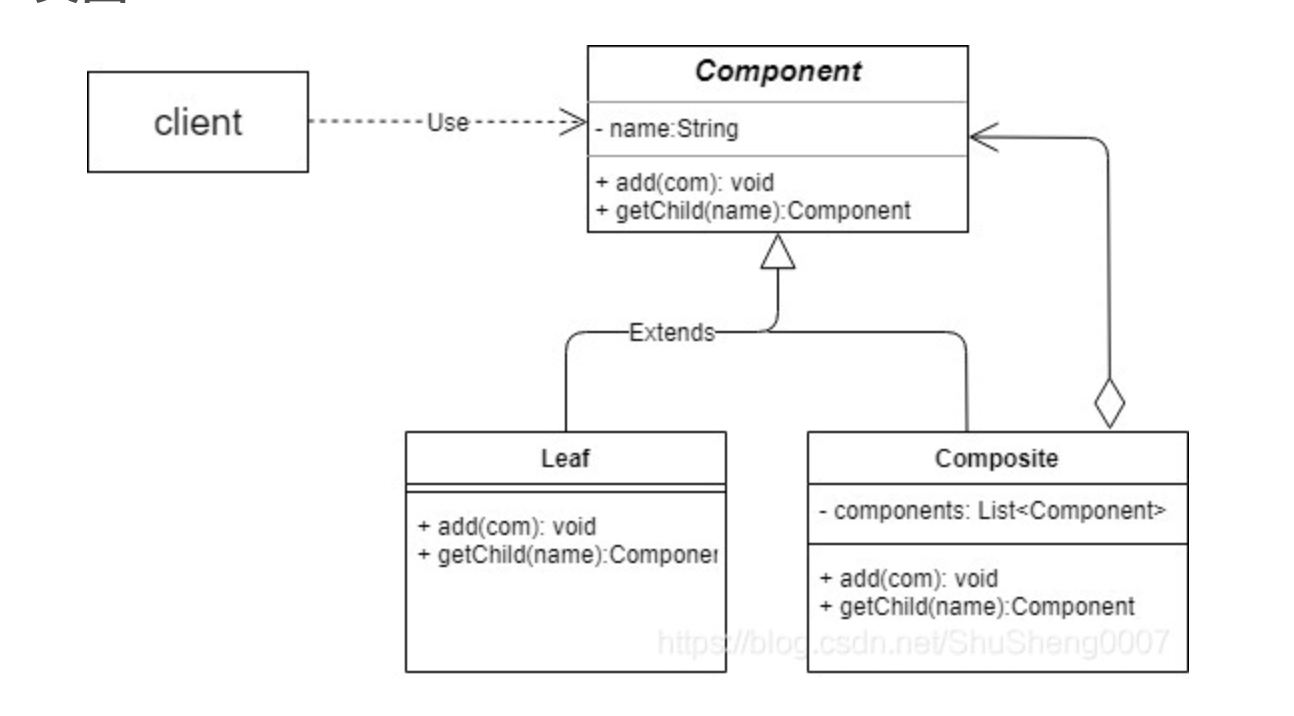
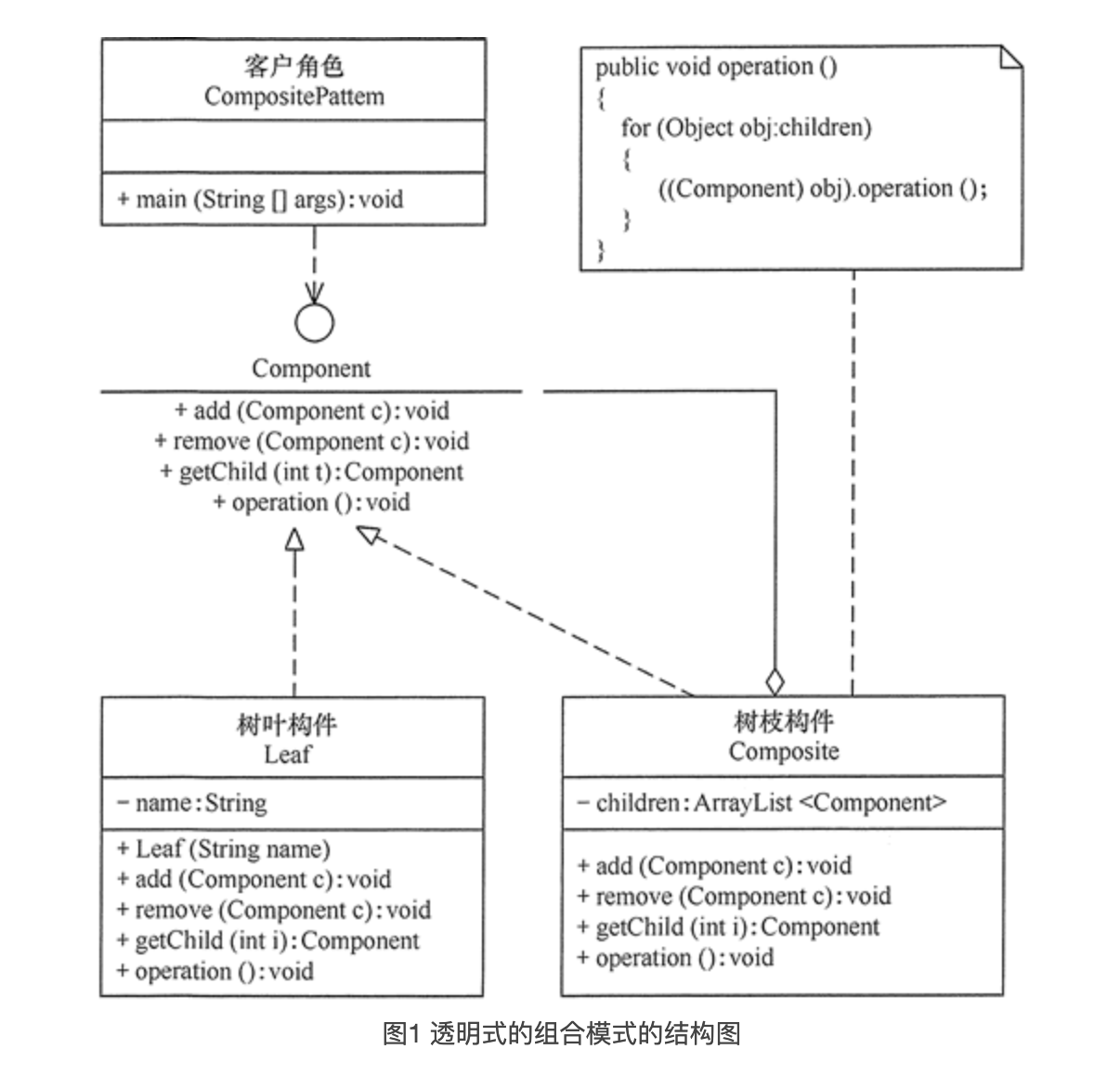
透明方式将所有对外操作都放在 Component,叶子节点也得提供这些接口,虽然它实际上不支持这些操作。
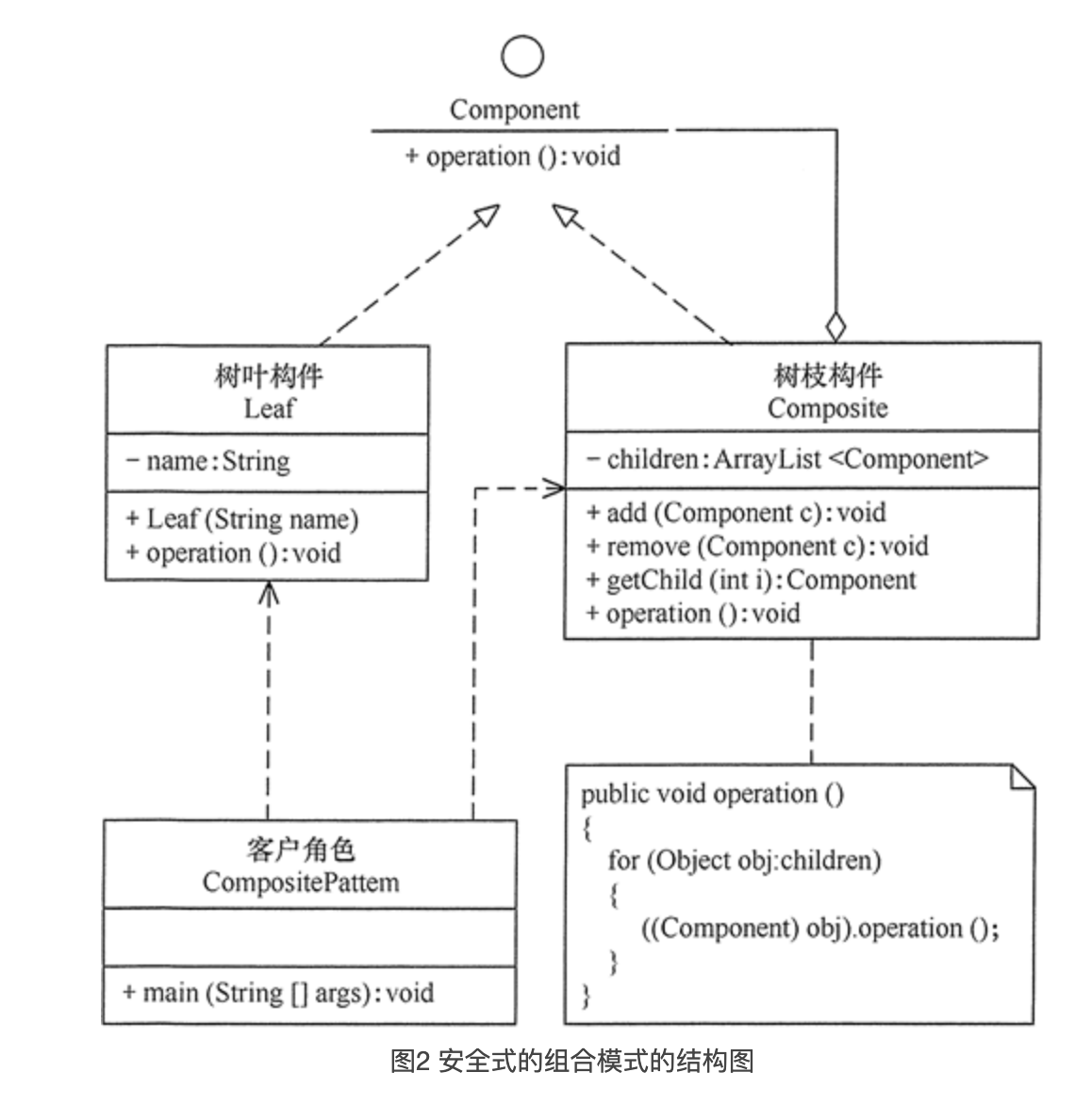
安全方式只将叶子节点与组合对象同时提供的操作放在 Component 。
public class CompositePattern {
    public static void main(String[] args) {
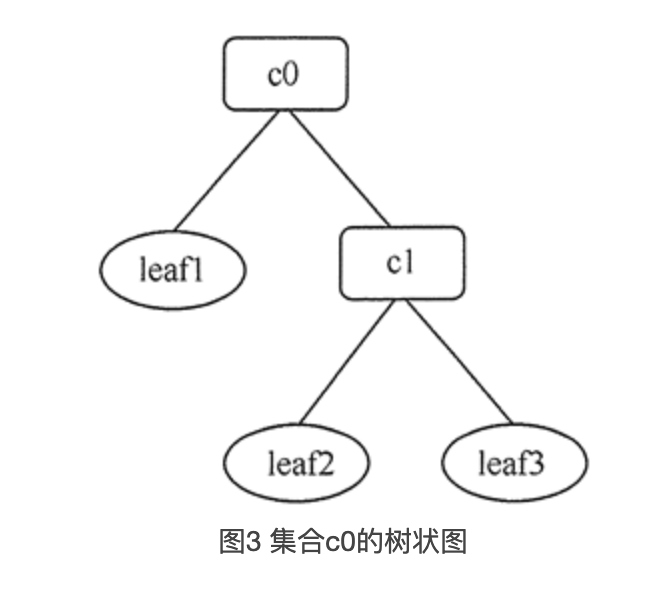
        Component c0 = new Composite();
        Component c1 = new Composite();
        Component leaf1 = new Leaf("1");
        Component leaf2 = new Leaf("2");
        Component leaf3 = new Leaf("3");
        c0.add(leaf1);
        c0.add(c1);
        c1.add(leaf2);
        c1.add(leaf3);
        c0.operation();
    }
}


//抽象构件
interface Component {
    public void operation();
}


//树叶构件
class Leaf implements Component {
    private String name;

    public Leaf(String name) {
        this.name = name;
    }
    public void operation() {
        System.out.println("树叶" + name + ":被访问!");
    }
}


//树枝构件
class Composite implements Component {
    private ArrayList<Component> children = new ArrayList<Component>();

    public void add(Component c) {
        children.add(c);
    }

    public void remove(Component c) {
        children.remove(c);
    }

    public Component getChild(int i) {
        return children.get(i);
    }

    public void operation() {
        for (Object obj : children) {
            ((Component) obj).operation();
        }
    }
}
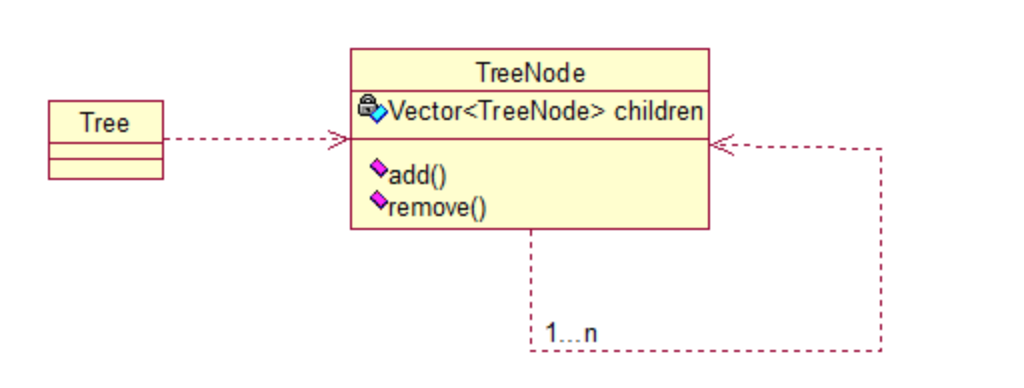
public class TreeNode {

	private String name;
	private TreeNode parent;
	private Vector<TreeNode> children = new Vector<TreeNode>();

	public TreeNode(String name){
		this.name = name;
	}

	public String getName() {
		return name;
	}

	public void setName(String name) {
		this.name = name;
	}

	public TreeNode getParent() {
		return parent;
	}

	public void setParent(TreeNode parent) {
		this.parent = parent;
	}

	//添加孩子节点
	public void add(TreeNode node){
		children.add(node);
	}

	//删除孩子节点
	public void remove(TreeNode node){
		children.remove(node);
	}

	//取得孩子节点
	public Enumeration<TreeNode> getChildren(){
		return children.elements();
	}
}


public class Tree {

	TreeNode root = null;

	public Tree(String name) {
		root = new TreeNode(name);
	}

	public static void main(String[] args) {
		Tree tree = new Tree("A");
		TreeNode nodeB = new TreeNode("B");
		TreeNode nodeC = new TreeNode("C");

		nodeB.add(nodeC);
		tree.root.add(nodeB);
		System.out.println("build the tree finished!");
	}
}
根据以下文章总结:
-
Java设计模式:23种设计模式全面解析(超级详细)HYPERLINK http://c.biancheng.net/design_pattern/
-
设计模式 https://blog.youkuaiyun.com/shusheng0007/category_8638565.html
-
java设计模式 https://blog.youkuaiyun.com/qq_37909508/category_8976362.html
-
设计模式 https://www.cnblogs.com/zuoxiaolong/category/509144.html
-
设计模式 在源码中的应用 https://blog.youkuaiyun.com/qq_36970993/category_10620886.html
-
Android系统设计中存在设计模式分析 https://www.2cto.com/kf/201208/150650.html
-
Android设计模式系列 - 基于android的各种代码分析各种设计模式 https://www.cnblogs.com/qianxudetianxia/category/312863.html





 扫一扫
扫一扫


 1411
1411

 被折叠的 条评论
为什么被折叠?
被折叠的 条评论
为什么被折叠?
 到【灌水乐园】发言





