


文章目录
概要
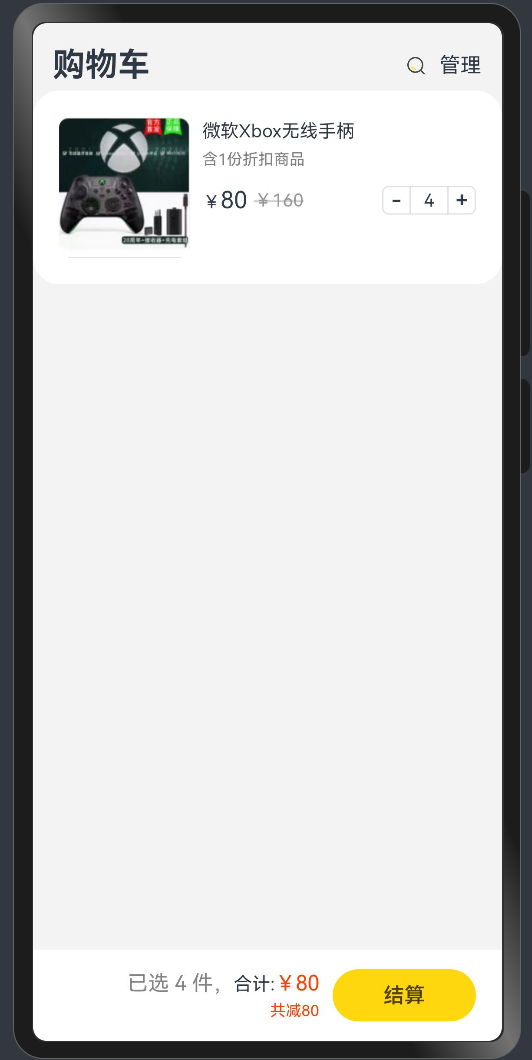
项目主要是通过基础算法:加减乘除,来进行商品价值的变化。
项目效果:
整体架构流程
1.构建商品订单框架
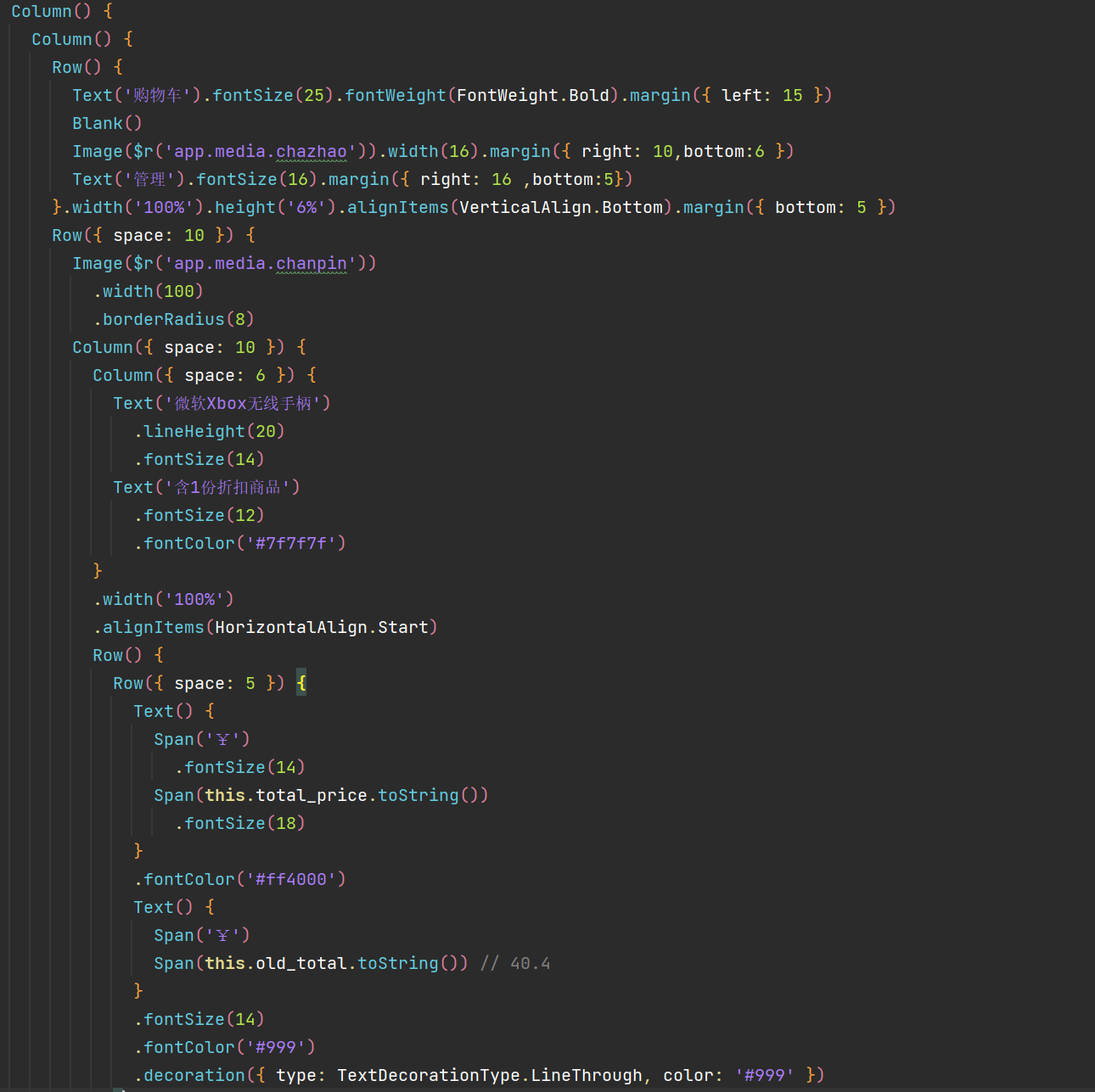
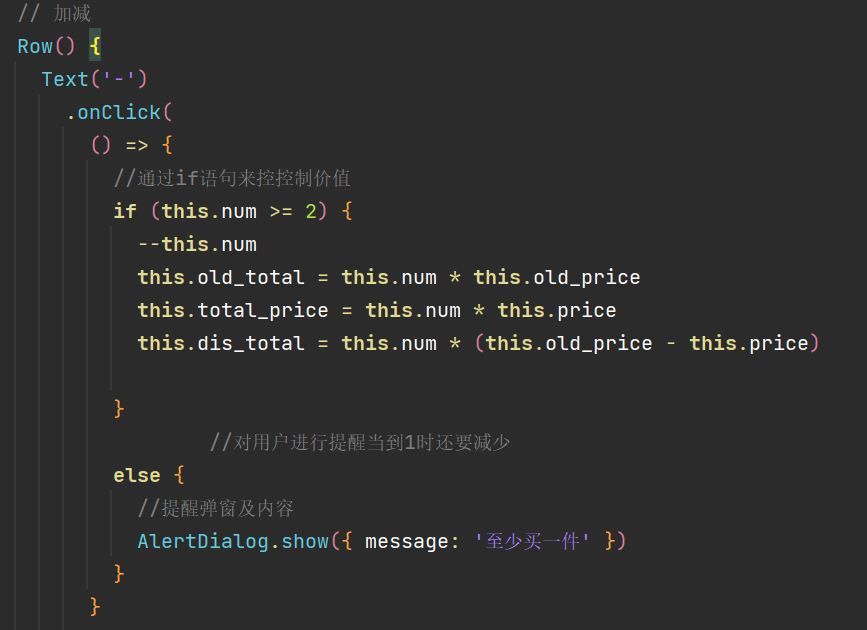
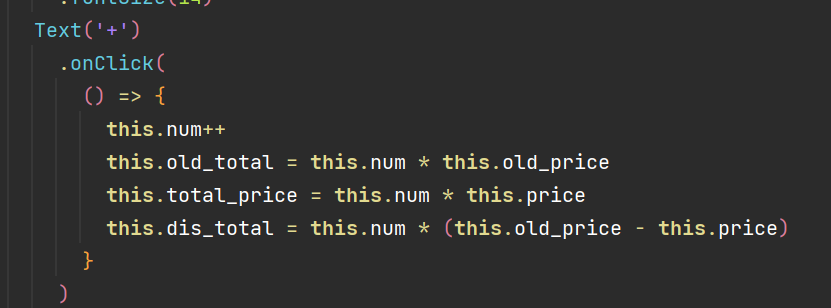
2.通过if语句与onclick点击事件计算并调控商品数量与价格。
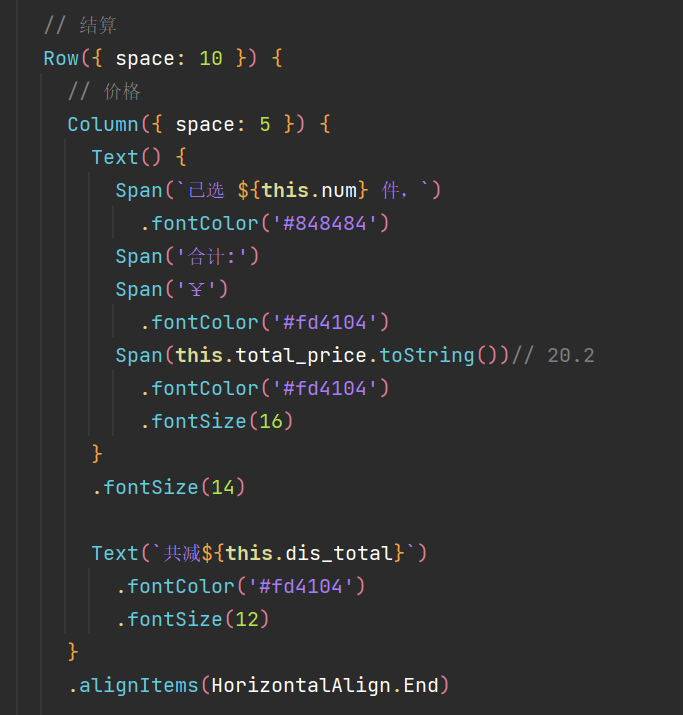
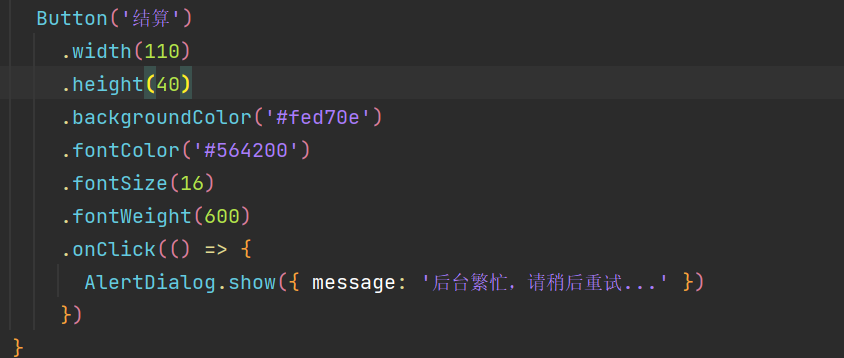
3.添加结算按钮进行最后结算。
技术名词解释与细节
AlerDialog.show :警告弹窗
具体细节:警告弹窗-弹窗-全局UI方法-组件参考(基于ArkTS的声明式开发范式)-ArkTS API参考 | 华为开发者联盟 (huawei.com)
Span :Text组件的子组件,用于显示行内文本的组件
具体细节:Span-基础组件-组件参考(基于ArkTS的声明式开发范式)-ArkTS API参考 | 华为开发者联盟 (huawei.com)
小结
可以在此基础上添加上数据持久化管理,并且我们还可以调用网络API实现商品的更新与删除。
源码:
@Entry
@Component
struct shop {
  @State num: number = 1
  @State price: number = 20
  @State old_price: number = 40
  @State old_total: number = this.num * this.old_price
  @State total_price: number = this.price * this.num
  @State dis_total: number = this.num * (this.old_price - this.price)

  build() {
    Column() {
      Column() {
        Row() {
          Text('购物车').fontSize(25).fontWeight(FontWeight.Bold).margin({ left: 15 })
          Blank()
          Image($r('app.media.chazhao')).width(16).margin({ right: 10,bottom:6 })
          Text('管理').fontSize(16).margin({ right: 16 ,bottom:5})
        }.width('100%').height('6%').alignItems(VerticalAlign.Bottom).margin({ bottom: 5 })
        Row({ space: 10 }) {
          Image($r('app.media.chanpin'))
            .width(100)
            .borderRadius(8)
          Column({ space: 10 }) {
            Column({ space: 6 }) {
              Text('微软Xbox无线手柄')
                .lineHeight(20)
                .fontSize(14)
              Text('含1份折扣商品')
                .fontSize(12)
                .fontColor('#7f7f7f')
            }
            .width('100%')
            .alignItems(HorizontalAlign.Start)
            Row() {
              Row({ space: 5 }) {
                Text() {
                  Span('¥')
                    .fontSize(14)
                  Span(this.total_price.toString())
                    .fontSize(18)
                }
                .fontColor('#ff4000')
                Text() {
                  Span('¥')
                  Span(this.old_total.toString()) // 40.4
                }
                .fontSize(14)
                .fontColor('#999')
                .decoration({ type: TextDecorationType.LineThrough, color: '#999' })
              }
              // 加减
              Row() {
                Text('-')
                  .onClick(
                    () => {
                      //通过if语句来控控制价值
                      if (this.num >= 2) {
                        --this.num
                        this.old_total = this.num * this.old_price
                        this.total_price = this.num * this.price
                        this.dis_total = this.num * (this.old_price - this.price)

                      }
                              //对用户进行提醒当到1时还要减少
                      else {
                        //提醒弹窗及内容
                        AlertDialog.show({ message: '至少买一件' })
                      }
                    }

                  )
                  .width(22)
                  .height(22)
                  .border({ width: 1, color: '#e1e1e1', radius: { topLeft: 5, bottomLeft: 5 } })
                  .textAlign(TextAlign.Center)
                  .fontWeight(700)
                Text(this.num.toString())
                  .height(22)
                  .border({ width: { top: 1, bottom: 1 }, color: '#e1e1e1' })
                  .padding({ left: 10, right: 10 })
                  .fontSize(14)
                Text('+')
                  .onClick(
                    () => {
                      this.num++
                      this.old_total = this.num * this.old_price
                      this.total_price = this.num * this.price
                      this.dis_total = this.num * (this.old_price - this.price)
                    }
                  )
                  .width(22)
                  .height(22)
                  .border({ width: 1, color: '#e1e1e1', radius: { topRight: 5, bottomRight: 5 } })
                  .textAlign(TextAlign.Center)
                  .fontWeight(700)
              }
            }
            .width('100%')
            .justifyContent(FlexAlign.SpaceBetween)
          }
          .height(75)
          .layoutWeight(1)
          .justifyContent(FlexAlign.SpaceBetween)
        }
        .width('100%')
        .alignItems(VerticalAlign.Top)
        .padding(20)
        .borderRadius('20')
        .backgroundColor('white')

        // 结算
        Row({ space: 10 }) {
          // 价格
          Column({ space: 5 }) {
            Text() {
              Span(`已选 ${this.num} 件,`)
                .fontColor('#848484')
              Span('合计:')
              Span('¥')
                .fontColor('#fd4104')
              Span(this.total_price.toString())// 20.2
                .fontColor('#fd4104')
                .fontSize(16)
            }
            .fontSize(14)

            Text(`共减${this.dis_total}`)
              .fontColor('#fd4104')
              .fontSize(12)
          }
          .alignItems(HorizontalAlign.End)

          // 结算按钮
          Button('结算')
            .width(110)
            .height(40)
            .backgroundColor('#fed70e')
            .fontColor('#564200')
            .fontSize(16)
            .fontWeight(600)
            .onClick(() => {
              AlertDialog.show({ message: '后台繁忙,请稍后重试...' })
            })
        }
        .width('100%')
        .height(70)
        .backgroundColor('#fff')
        .position({ x: 0, y: '100%' })
        .translate({ y: '-100%' })
        .padding({ left: 20, right: 20 })
        .justifyContent(FlexAlign.End)
      }
    }
    .width('100%')
    .height('100%')
    .backgroundColor('#f3f3f3')

  }
}





 扫一扫
扫一扫


 1015
1015

 被折叠的 条评论
为什么被折叠?
被折叠的 条评论
为什么被折叠?
 到【灌水乐园】发言





