


 本文详细介绍了如何在Ubuntu系统上通过CMake安装,以及如何使用CMake管理单个和多个源文件、头文件的编译,包括在VSCode中配置CMakeLists.txt和利用aux_source_directory功能处理大量源文件。
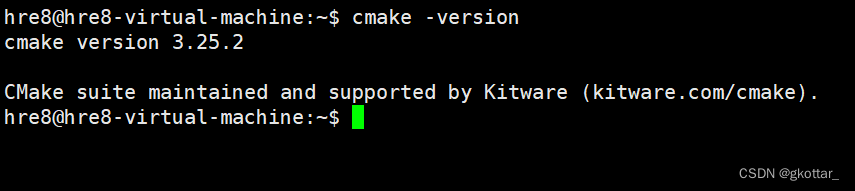
1.CMake安装:
第一步:
wget -O - https://apt.kitware.com/keys/kitware-archive-latest.asc 2>/dev/null | sudo apt-key add -
第二步:
sudo apt-add-repository 'deb https://apt.kitware.com/ubuntu/ bionic main' sudo apt-get update
第三步:(注意,不推荐直接第三步,不然会安装到很老的版本)
sudo apt install cmake
安装成功~
2.使用CMake编译程序
2.1 只有一个源文件的时候
源文件名:test.cpp
#include <iostream>

using namespace std;


int main()

{

    cout << "Hello World" << endl;

    return 0;

}
在vscode里面建立好CMakeLists.txt文件,注意大小写要一致
cmake_minimum_required(VERSION 2.8) #cmake 最低版本要求2.8
project(test) #要编译的项目工程名
add_executable(test test.cpp) #要生成的可执行文件名为hello, 后面的参数是需要的依赖
test.cpp CMakeLists.txt文件建立好后

使用命令行cmke . (注意中间有个空格 含义就是cmake生成工程会存在当前目录)
CMake Deprecation Warning at CMakeLists.txt:1 (cmake_minimum_required):
Compatibility with CMake < 2.8.12 will be removed from a future version of
CMake.Update the VERSION argument <min> value or use a ...<max> suffix to tell
CMake that the project does not need compatibility with older versions.
-- The C compiler identification is GNU 7.5.0
-- The CXX compiler identification is GNU 7.5.0
-- Detecting C compiler ABI info
-- Detecting C compiler ABI info - done
-- Check for working C compiler: /usr/bin/cc - skipped
-- Detecting C compile features
-- Detecting C compile features - done
-- Detecting CXX compiler ABI info
-- Detecting CXX compiler ABI info - done
-- Check for working CXX compiler: /usr/bin/c++ - skipped
-- Detecting CXX compile features
-- Detecting CXX compile features - done
-- Configuring done
-- Generating done
生成完之后会产生一系列文件,重要的是makefile文件

使用make生成可执行文件
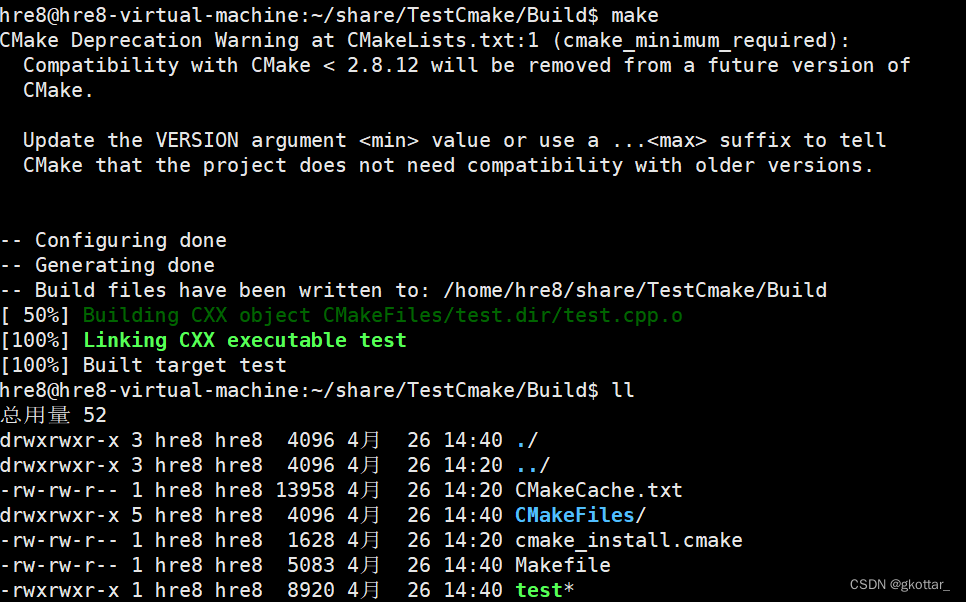 这样就得到了可执行文件./test

2.2 同一目录下很多源文件
我现在的目录结构:同一个目录下有test.cpp Max.cpp Max.h
test.cpp
#include <iostream>

#include "Max.h"

using namespace std;


int main()

{

    int ret=Max(10,20);

    cout << "Max number:"<<ret << endl;

    return 0;

}
Max.cpp
int Max(int a,int b)

{

    return a>b?a:b;

}
Max.h
int Max(int a,int b);
修改CMakeList.txt文件
cmake_minimum_required(VERSION 2.8)    #cmake 最低版本要求2.8


project(test)                                                      #要编译的项目工程名


add_executable(test test.cpp Max.cpp Max.h) #要生成的可执行文件名为hello, 后面的参数是需要的依赖
2.3 头文件居多源文件的时候
如果同一目录下有无穷多源文件,那么一个一个添加就很慢了。此时可以使用cmake中的函数存储这些源文件
aux_source_directory(dir var)
他的作用是把dir目录中的所有源文件都储存在var变量中
然后需要用到源文件的地方用 变量var来取代
此时 CMakeLists.txt 可以这样优化
cmake_minimum_required(VERSION 2.8) #cmake 最低版本要求2.8
project(test) #要编译的项目工程名
aux_source_directory(. SRC_LIST) #.代表的是当前目录 SRC_LIST是变量 把当前目录文件存放到SRC_LIST当中
add_executable(test ${SRC_LIST}) #要生成的可执行文件名为hello, 后面的参数是需要的依赖





 扫一扫
扫一扫


 6828
6828

 被折叠的 条评论
为什么被折叠?
被折叠的 条评论
为什么被折叠?
 到【灌水乐园】发言





