





 本文探讨了ASP.NET MVC框架的应用技巧,包括如何使用Model进行数据操作、实现角色授权,以及如何在视图中动态添加控件并获取其值等。此外,还深入介绍了Knockout.js在ASP.NET MVC项目中的集成方法,如双向数据绑定、视图模型的创建及维护等。
相关资源
开发要点(不一定正确)
- 定义了 Model,如果不添加数据,一般不会生成该表,所以,可以定义若干 Model,方便数据的操作。
- 若在某表中定义了 Navigation Properties,则可以往这样的属性中添加对象,即向被定义为 Navigation Properties 的表中添加了记录。
Identity
- ASP.NET Identity 2.0: Customizing Users and Roles
- ASP.NET MVC 5 Identity: Extending and Modifying Roles
- ASP.NET MVC 5: Extending ASP.NET Identity 2.0 Roles and Implementation of Role Based Authorization
- Extending Identity Accounts and Implementing Role-Based Authentication in ASP.NET MVC 5
- MVC and Identity Framework 2.0
- Embedded Application Identity Part 1: Basic Identity Management in ASP.NET MVC 5
- Embedded Application Identity Part 2: Role-Based Authorization in ASP.NET MVC 5
- ASP.NET Web Api and Identity 2.0 - Customizing Identity Models and Implementing Role-Based Authorization
- Displaying User Full Name instead of User Email in AspNet Identity 2.0
Multiple Models
- Multiple Models in a View in ASP.NET MVC 4 / MVC 5
- How to Choose the Best Way to Pass Multiple Models in ASP.NET MVC
- List Model Binding in MVC
MVC动态添加文本框,后台应用FormCollection接管
ASP.NET给Table动态添加控件并且得到控件的值
Getting Data From View to Controller in MVC
Introducing Dynamic Bundles for ASP.NET MVC
Dynamic DropDownList Binding in ASP.NET MVC With Database
ASP.NET MVC Chart Control
Dynamic Generation of Tabs to Host IFrames using jQuery and Json in ASP.NET MVC
Components, Aspects, and Dynamic Decorator for an MVC/AJAX/REST Application
Generate Dynamic Autocomplete Feature to a Textbox using JQuery in MVC
ASP.NET MVC Editable Table (jQuery DataTables and ASP.NET MVC integration - Part II)
Knockout js
- Knockout MVC
其中的示例:Model 代码在 Models 文件夹中创建相应的类文件,Razor 代码在相应的 Views 文件夹中创建相应的视图文件,Controller 代码在 Controller 文件夹中创建相应的 Controller 文件。
其中,在项目文件中需要先添加 KMVC,即 TOOLS → NuGet Package Manager → Manage NuGet Packages for Solution ⋯ 中搜索“KMVC”,或者,在 TOOLS → NuGet Package Manager → Package Manager Console 中输入
PM> Install-Package KMVC并且,在 View 文件的前面或者在 _Layout.cshtml 的 head 区中添加
<!-- Use your version of jQuery -->
<script src="@Url.Content("~/Scripts/jquery-x.y.z.min.js")" type="text/javascript"></script>
<!-- Use your version of knockout -->
<script src="@Url.Content("~/Scripts/knockout-x.y.z.js")" type="text/javascript"></script>
<script src="@Url.Content("~/Scripts/knockout.mapping-latest.js")" type="text/javascript"></script>
<script src="@Url.Content("~/Scripts/perpetuum.knockout.js")" type="text/javascript"></script>
以上可参见 Quick start
2. Knockout.js and Bootstrap with ASP.NET MVC: Step by Step (Part 1)
3. Knockout.js and Bootstrap with ASP.NET MVC: Step by Step (Part 2)
4. Bootstrap 3 with ASP.NET MVC 5 – Step by Step
5. KnockoutJS nested arrays in MVC
6. The “foreach” binding
7. ASP.NET MVC 4 with Knockout Js
Two sections of step-by-step implementations of KO: Basic Steps and Advanced Steps.
8. Knockout js for Beginners
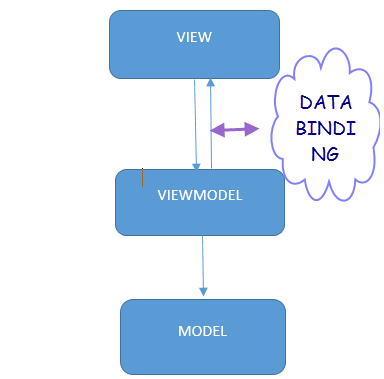
9. Hello world, with Knockout JS and ASP.NET MVC 4!
VS 2010
10. Getting Started With Knockout.js
A very simple example, there is only a html page.





 扫一扫
扫一扫


 1154
1154

 被折叠的 条评论
为什么被折叠?
被折叠的 条评论
为什么被折叠?
 到【灌水乐园】发言





