


 本文详细介绍如何在QT环境下调用MATLAB引擎,包括配置步骤、线程操作、窗口嵌入及Windows API调用等关键操作。通过实例代码,展示了从创建项目到实现MATLAB功能的全过程。
环境:win10+QT(编译器:MSVC 2017 64-bit)+Matlab 2016a 64-bit
先上效果图:
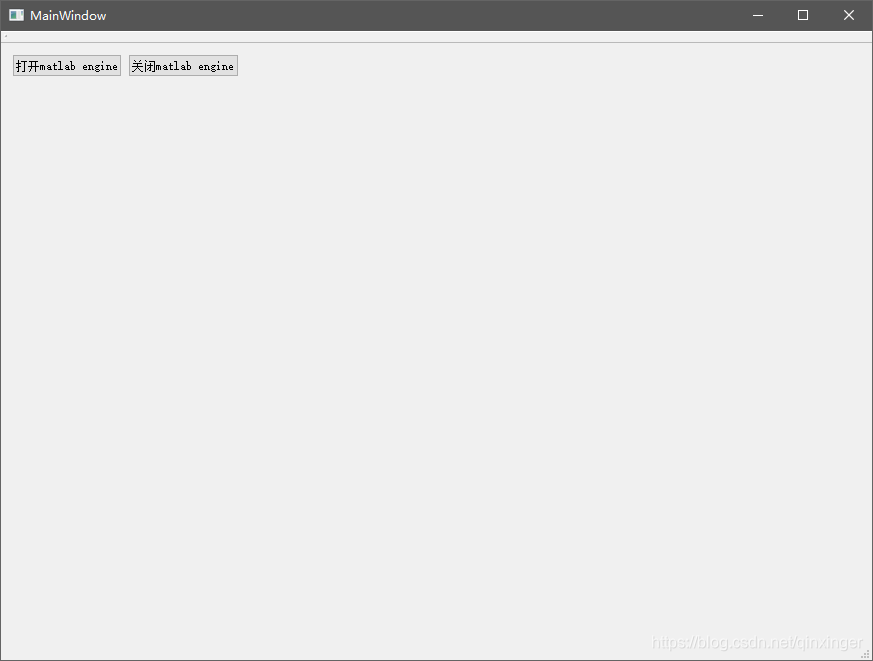
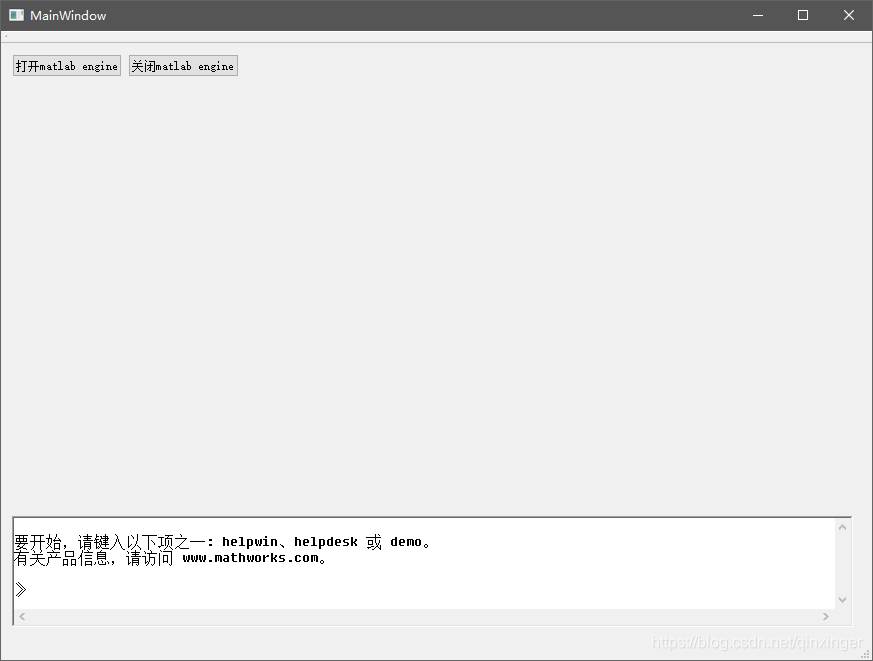
主体思路如下(参考:https://blog.youkuaiyun.com/humanking7/article/details/86040954,做了些简化)
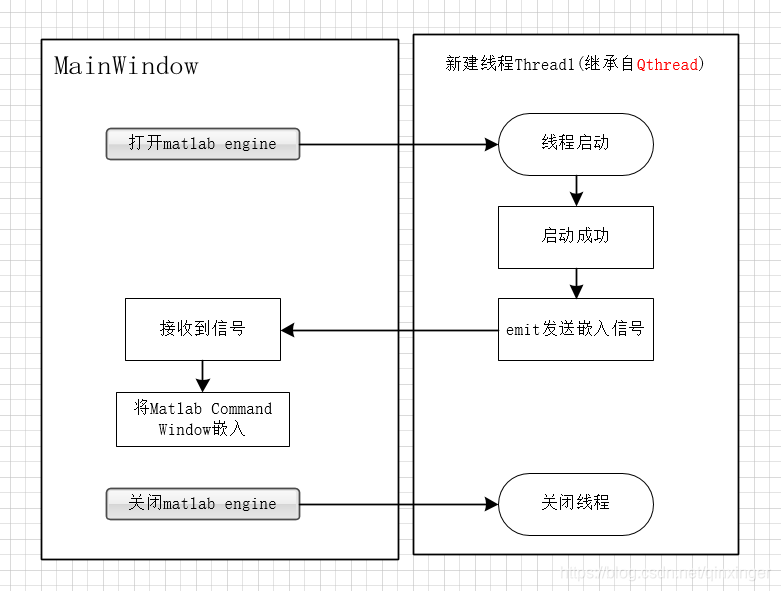
主要操作
涉及到的操作主要有:
- qt下启动线程操作;
- qt下调用matlab engine 的配置;
- qt嵌入外部程序的窗口;
- qt调用windows api;
多线程Qthread: https://blog.youkuaiyun.com/naibozhuan3744/article/details/81174681
qt下调用matlab engine的配置 http://blog.sina.com.cn/s/blog_89a45b020102vrr8.html
窗口的嵌入 https://blog.youkuaiyun.com/u013394556/article/details/78534833 https://blog.youkuaiyun.com/r5014/article/details/79286444
windows api 的调用 https://blog.youkuaiyun.com/ys_073/article/details/7770693>
代码和解释
UseMatlab.pro
#-------------------------------------------------
#
# Project created by QtCreator 2019-04-22T16:00:00
#
#-------------------------------------------------

QT       += core gui

greaterThan(QT_MAJOR_VERSION, 4): QT += widgets

TARGET = UseMatlab
TEMPLATE = app

# The following define makes your compiler emit warnings if you use
# any feature of Qt which has been marked as deprecated (the exact warnings
# depend on your compiler). Please consult the documentation of the
# deprecated API in order to know how to port your code away from it.
DEFINES += QT_DEPRECATED_WARNINGS

# You can also make your code fail to compile if you use deprecated APIs.
# In order to do so, uncomment the following line.
# You can also select to disable deprecated APIs only up to a certain version of Qt.
#DEFINES += QT_DISABLE_DEPRECATED_BEFORE=0x060000    # disables all the APIs deprecated before Qt 6.0.0

CONFIG += c++11

SOURCES += \
        main.cpp \
        mainwindow.cpp \
    usematlabthread.cpp

HEADERS += \
        mainwindow.h \
    usematlabthread.h

FORMS += \
 最低0.47元/天 解锁文章






 扫一扫
扫一扫


 1525
1525


 到【灌水乐园】发言



