


 本文介绍了一种基于ECharts的地图联动实现方案,包括省份点击后的二级市或区县地图展示,以及根据项目数据在地图上进行高亮标点的方法。
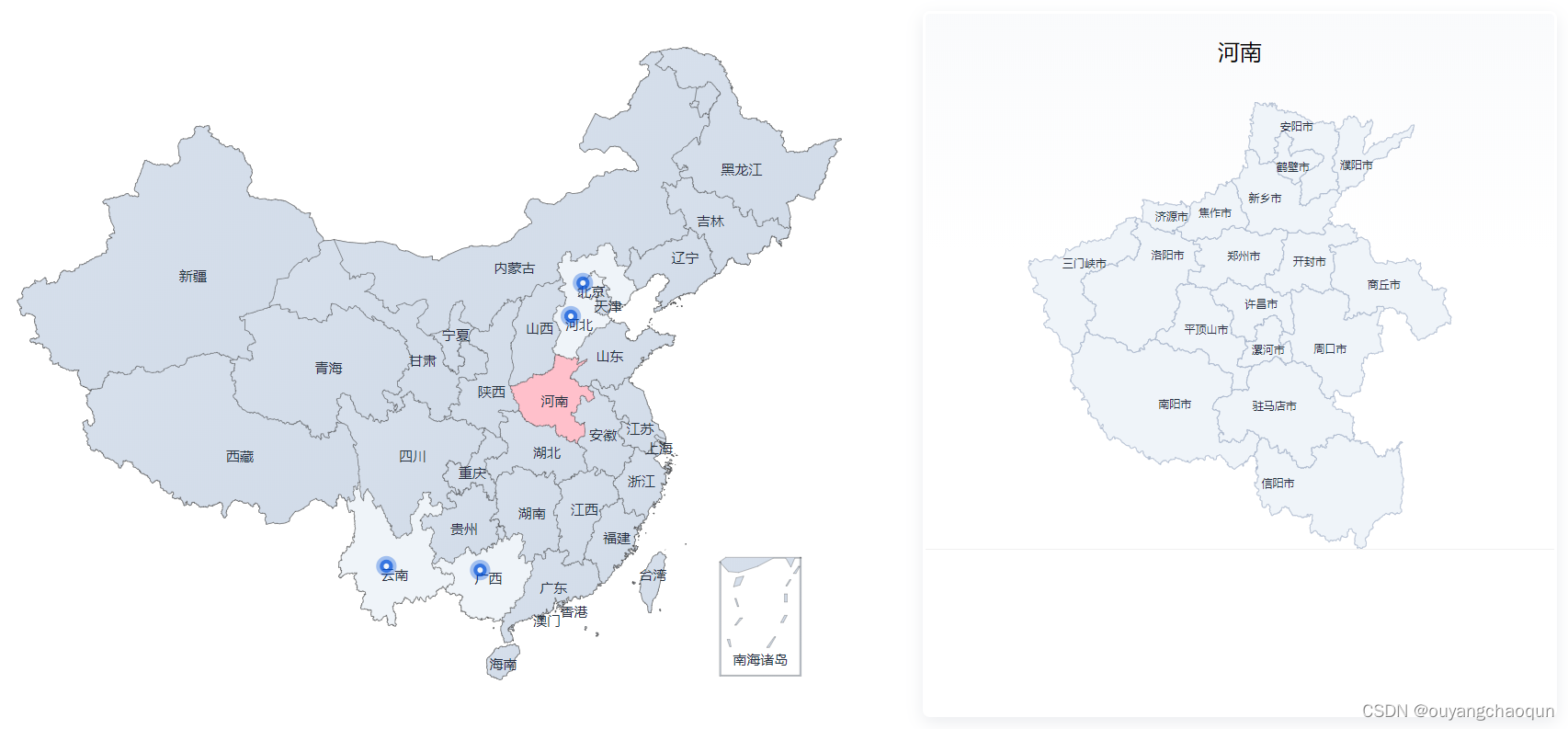
选中省份联动对应的二级市或三级区县,有项目的地区进行高亮标点,浮窗显示具体数值
//main.js 引入echarts
import * as echarts from 'echarts';
Vue.prototype.$echarts = echarts
<!--父组件 全国地图-->
<div class="map" id="map"></div>
<script>
//引用地址在下方
import china from '/public/json/china.json'
import {
Mapprovinces, MapprovincesText } from "./provinces.js";
export default {
data(){
return{
Mapprovinces,
MapprovincesText,
provinceInfo: {
},
projectMapVis:false
}
},
mounted(){
this.init()
},
methods:{
// 该需求为通过点击省份获取该省份下的所有市(二级)/区县(三级)
init(){
this.$echarts.registerMap('china', china);
const provinceList = china.features;
// axios 获取后端数据,通过循环对比获取对应的经纬度,进行标点
/**
let res = 'api/xxxxxxx'
provinceList.filter(pl => {
res.filter(al => {
if (al.areaCode === pl.id) {
projectNums.push({
name: pl.properties.name,
value: al.num,
})
effectScatterData.push({
name: pl.properties.name,
value: pl.properties.cp,
num: al.num
})
}
})
})
*/
// 所需数据格式
let projectNums = [{
name:'云南',value:5},{
name:'广西',value:1}]; // 项目省份
let effectScatterData = [
{
name:'云南',value:[101.712251, 24.040609],num:5},
{
name:'广西',value:[108.720004, 23.82402],num:1}
]; //散点数据
const myChart = this.$echarts.init(document.getElementById('map'), null, {
renderer: 'svg'});
let option = {
tooltip: {
//提示框组件
trigger: 'item',
formatter: function (item) {
if (item.componentSubType == 'map' && item.value) {
return item.name + `<strong style="fontStyle:normal">${
item.value}</strong>`
} else if (item.componentSubType == 'effectScatter' && item.data.num) {
return item.name + `<strong style="fontStyle:normal">${
item.data.num}</strong>`
} else {
return item.name
}
},
show: true,
borderColor: '#fff',
padding: [4, 15],
textStyle: {
color: "#262F3F",
fontSize:  最低0.47元/天 解锁文章






 扫一扫
扫一扫


 620
620

 被折叠的 条评论
为什么被折叠?
被折叠的 条评论
为什么被折叠?
 到【灌水乐园】发言





