



 本文介绍了如何在IntelliJIDEA中使用快捷方式创建SpringBoot项目,从官网配置版本并导入,以及在无网络情况下通过Maven离线依赖管理的方法,包括引入spring-boot-starter-parent和相关web、测试依赖。
1.直接在idea中通过快捷方式创建,如图所示,一直到finish即可
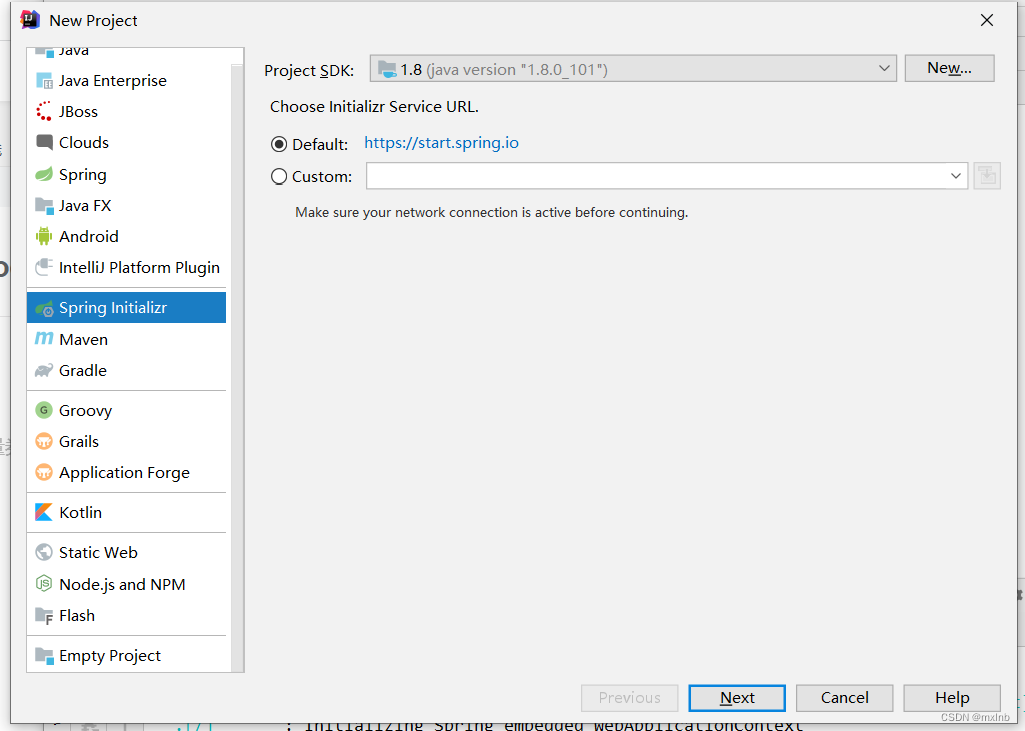
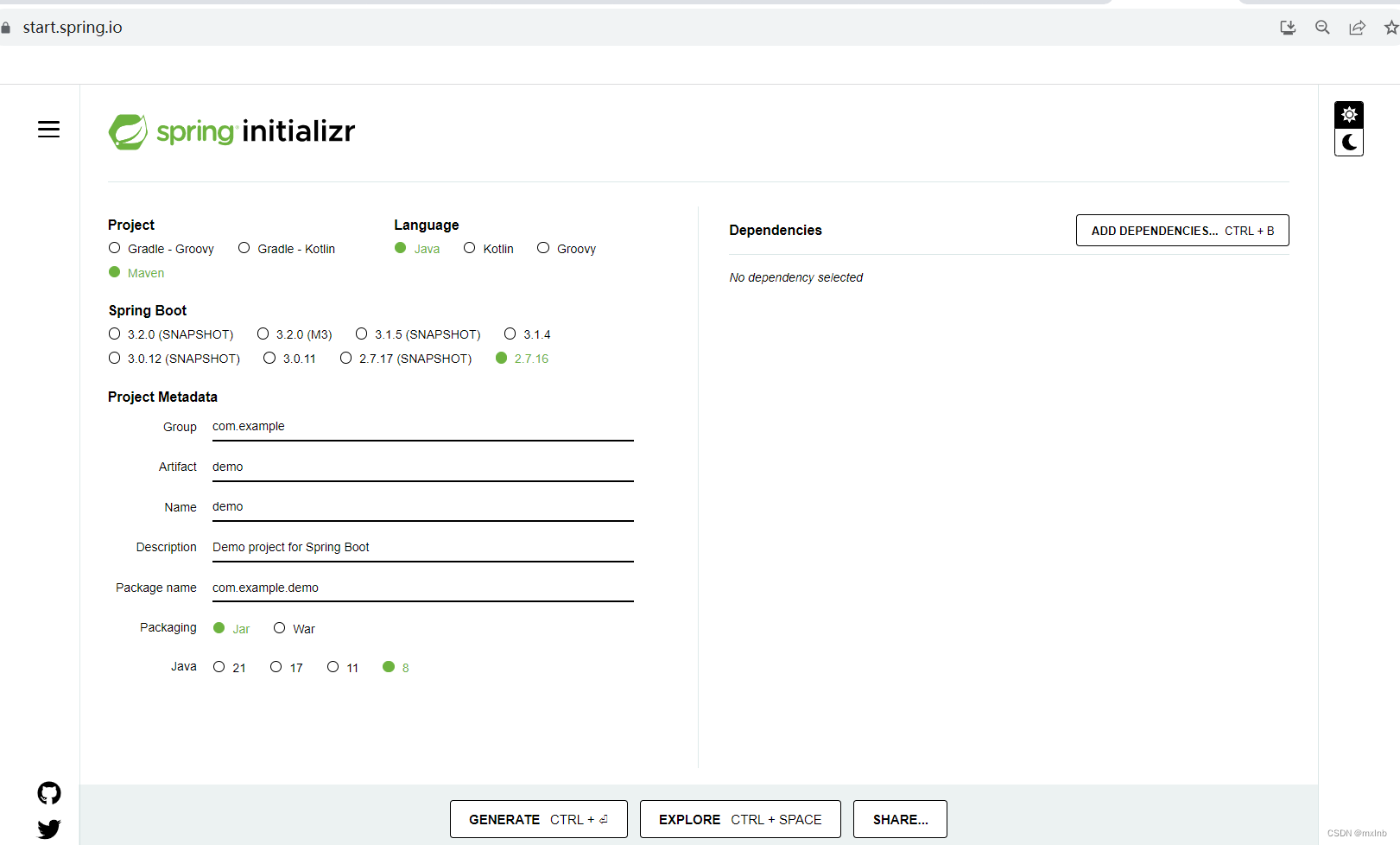
2.从spring官网选择相应的SpringBoot版本配置信息,打包后在本地IDE导入即可
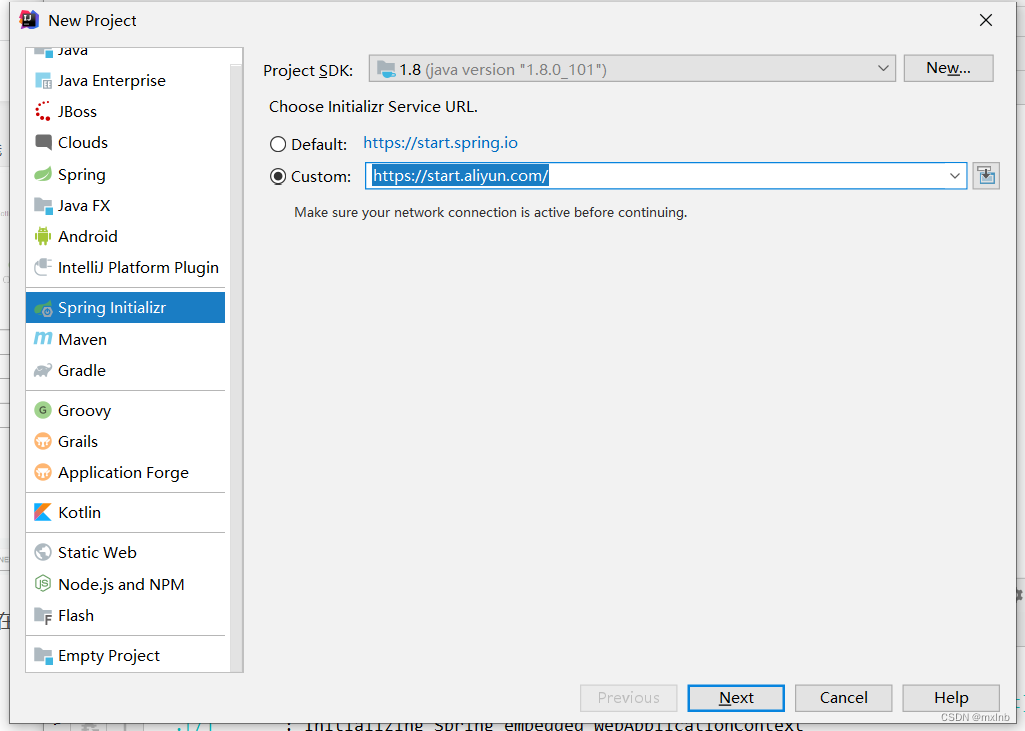
3.阿里云镜像一般速度较慢,可以在构建时替换为阿里云镜像
4.在无法联网的情况下,先创建一个maven工程,然后导入相关的依赖即可,如下:
<parent>
   <groupId>org.springframework.boot</groupId>
   <artifactId>spring-boot-starter-parent</artifactId>
   <version>2.5.4</version>
   <relativePath/> <!-- lookup parent from repository -->
</parent>
<dependencies>
   <dependency>
      <groupId>org.springframework.boot</groupId>
      <artifactId>spring-boot-starter-web</artifactId>
   </dependency>

   <dependency>
      <groupId>org.springframework.boot</groupId>
      <artifactId>spring-boot-starter-test</artifactId>
      <scope>test</scope>
   </dependency>
</dependencies>





 扫一扫
扫一扫


 813
813

 被折叠的 条评论
为什么被折叠?
被折叠的 条评论
为什么被折叠?
 到【灌水乐园】发言





