


 本文记录了一次使用FATE框架进行纵向联邦学习的练习,涉及数据输入、模型训练和模型评估。通过FATE的官方GitHub下载文件,完成数据处理和上传,并对模型参数进行调整后进行训练。最后,利用训练好的模型进行部署和预测。
考研复试问毕设,先做一部分,记录一下。复试完继续做。
经过之前的横向联邦学习练习,掌握了对 FATE-FLOW 的基本使用。
下面进行纵向联邦学习的练习。
首先去官方的github下载相关文件。
阅读《联邦学习实战(杨强)》第六章相关内容。
执行两个split文件后的原版的两个表格数据被分成4个,分别是A公司和B公司的本地数据和测试数据。
数据输入

进入/data/projects/fate/examples/dsl/v1
找到upload_data.json,在这里书上是直接修改,我选择了新建一个文件把upload_data.json里的内容改成要用的。

注意路径不要弄错,跟执行FLOW命令的位置有关系。下面是根据我fate文件中实际位置改过的路径

改完后上传数据

这里只是四个数据其中的一个,剩下三个文件同理,修改好json文件后上传。

样本对齐
这个暂时不做,后续学了第八章再看。
模型训练
在/data/projects/fate/examples/dsl/v1或者v2中找书中提到的文件,把里面的参数修改一下。
其中test_hetero_linr_train_job_dsl.json可以直接用,test_hetero_linr_train_job_conf.json需要修改,
我改成了test_hetero_linr_train_job_conf_house.json
就修改name,namespace,label_name
"host": {
                "0": {
                    "reader_0": {
                        "table": {
                            "name": "homo_housing_1_train",
                            "namespace": "homo_host_housing_train"
                        }
                    },
                    "data_transform_0": {
                        "with_label": false
                    }
                }
            },
            "guest": {
                "0": {
                    "reader_0": {
                        "table": {
                            "name": "homo_housing_2_train",
                            "namespace": "homo_host_housing_train2"
                        }
                    },
                    "data_transform_0": {
                        "with_label": true,
                        "label_name": "y",
                        "label_type": "float",
                        "output_format": "dense"
                    }
                }
            }
修改完提交任务。FATE-FLOW基本命令参考
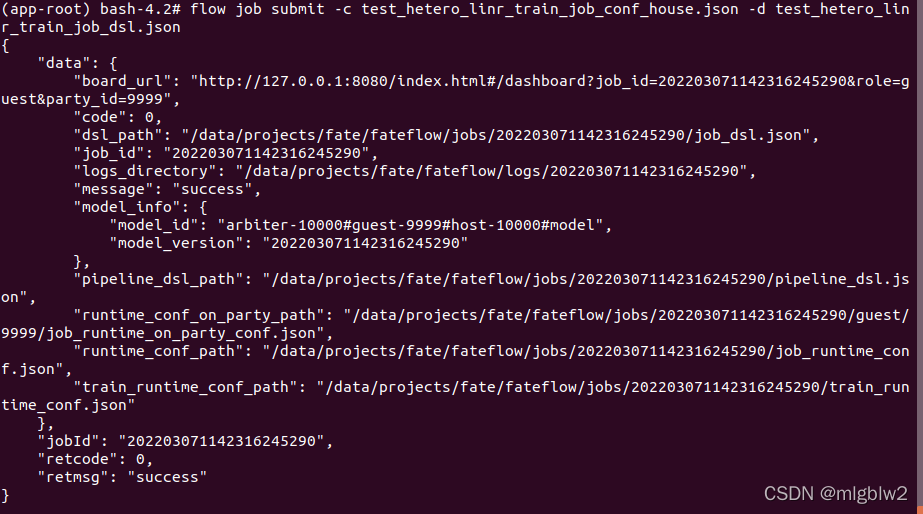
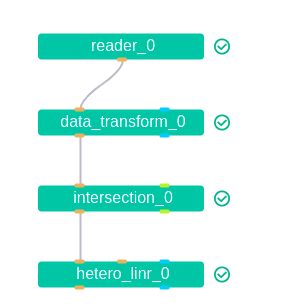
提交后点击链接,等结果。
模型评估
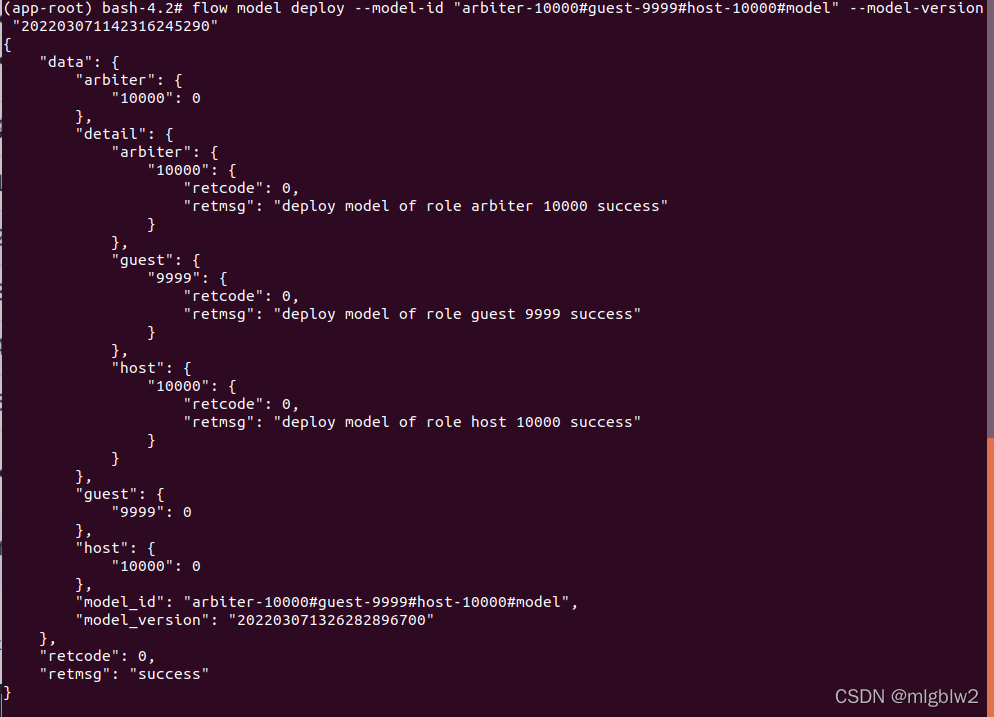
找到之前提交训练任务生成的
“model_id”: “arbiter-10000#guest-9999#host-10000#model”,
“model_version”: “202203071142316245290”
用这俩参数部署
接下来获取模型预测DSL和模型预测Conf模板
“model_id”: “arbiter-10000#guest-9999#host-10000#model”,
“model_version”: “202203071326282896700”
# 获取dsl
flow model get-predict-dsl --model-id "arbiter-10000#guest-9999#host-10000#model" --model-version "202203071326282896700" -o examples/dsl/v2/homo_logistic_regression/
# 获取conf
flow model get-predict-conf --model-id "arbiter-10000#guest-9999#host-10000#model" --model-version "202203071326282896700" -o examples/dsl/v2/homo_logistic_regression/
修改conf文件里的name和namespace,修改时参考一开始上传的测试数据。
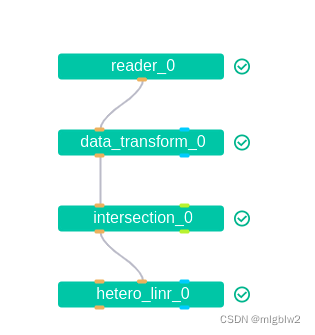
然后提交任务
(app-root) bash-4.2# flow model get-predict-dsl --model-id "arbiter-10000#guest-9999#host-10000#model" --model-version "202203071326282896700" -o examples/dsl/v2/homo_logistic_regression/
{
    "retcode": 0,
    "retmsg": "Query predict dsl successfully. File path is: /data/projects/fate/examples/dsl/v2/homo_logistic_regression/predict_dsl_20220307135437.json"
}

(app-root) bash-4.2# flow model get-predict-conf --model-id "arbiter-10000#guest-9999#host-10000#model" --model-version "202203071326282896700" -o examples/dsl/v2/homo_logistic_regression/
{
    "retcode": 0,
    "retmsg": "Query predict conf successfully. File path is: /data/projects/fate/examples/dsl/v2/homo_logistic_regression/predict_conf_20220307135444.json"
}
flow job submit -c examples/dsl/v2/homo_logistic_regression/predict_conf_20220307135444.json -d examples/dsl/v2/homo_logistic_regression/predict_dsl_20220307135437.json





 扫一扫
扫一扫


 1529
1529

 被折叠的 条评论
为什么被折叠?
被折叠的 条评论
为什么被折叠?
 到【灌水乐园】发言





