


问题
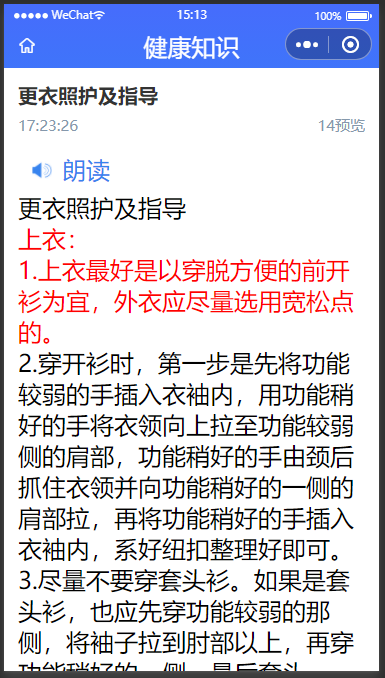
微信同声传译朗读有文字限制,文字过长就会朗读失败
解决思路
将文字进行分段,依次调用朗读功能

function splitTextByLength(text, length) {
const result = [];
for (let i = 0; i < text.length; i += length) {
result.push(text.slice(i, i + length));
}
return result;
}
完整代码
<template>
    <view>
        <view class="screen-card">
            <view class="bofang-box" @click="speech">

                <image :src="$staticUrl + 'bofang.png'" :class="{ 'breath-effect': onPlaying }" />
                朗读
            </view>
        </view>
    </view>
</template>

<script setup lang="ts" name='speech'>
import { onShow, onLoad, onUnload, onReady, onReachBottom } from '@dcloudio/uni-app'
import { ref, onMounted, computed, defineProps } from 'vue'
let  audio = null

let prop = defineProps({
    speechText: {
        type: String,
        default: ''
    }
})
let onPlaying = ref(false)
// #ifdef MP-WEIXIN
var plugin = requirePlugin("WechatSI")
let manager = plugin.getRecordRecognitionManager()
// #endif
let i = 0
let speechList = ref([])

const speech = () => {

    if (onPlaying.value) {
        onPlaying.value = false
        audio?.stop()

        return
    }


    speechVo()

}

const speechVo = () => {
    audio = uni.createInnerAudioContext()
    // #ifdef MP-WEIXIN
    plugin?.textToSpeech({
        content: speechList.value[i],
        lang: 'zh_CN',
        success: (res) => {
            audio.src = res.filename
            audio.play()
            onPlaying.value = true

            audio.onEnded(() => {
                if (i < speechList.value.length-1) {
                    console.log('结束'+i);

                    i += 1
                    speechVo()
                } else {

                    onPlaying.value = false
                }

            })
        },
        fail: (err) => {
            console.log('err: ', err)
            uni.showToast({
                icon: 'none',
                title: '朗读失败,请稍后重试',
            })
        }
    })

    // #endif
}


const handleSpeech = () => {

    speechList.value = splitTextByLength(prop.speechText, 80)

}
function splitTextByLength(text, length) {
    const result = [];
    for (let i = 0; i < text.length; i += length) {
        result.push(text.slice(i, i + length));
    }
    return result;
}

onMounted(() => {
    handleSpeech()
})
onUnload(() => {
    audio?.stop()
})
</script>

<style scoped lang='scss'>
@keyframes breath {

    0%,
    100% {
        opacity: 1;
        /* 完全可见 */
    }

    50% {
        opacity: 0.3;
        /* 半透明效果 */
    }
}

.screen-card {
    padding: 0 28rpx;
    margin: 25rpx 25rpx 0 0rpx;


    .bofang-box {
        display: flex;
        align-items: center;
        color: #3783ee;
        padding: 15rpx 0;

        image {
            height: 40rpx;
            width: 40rpx;
            margin-right: 20rpx;
        }

        .breath-effect {
            animation: breath 1.5s infinite ease-in-out;
            /* 呼吸动画,持续时间2秒,无限循环 */
        }

    }
}
</style>
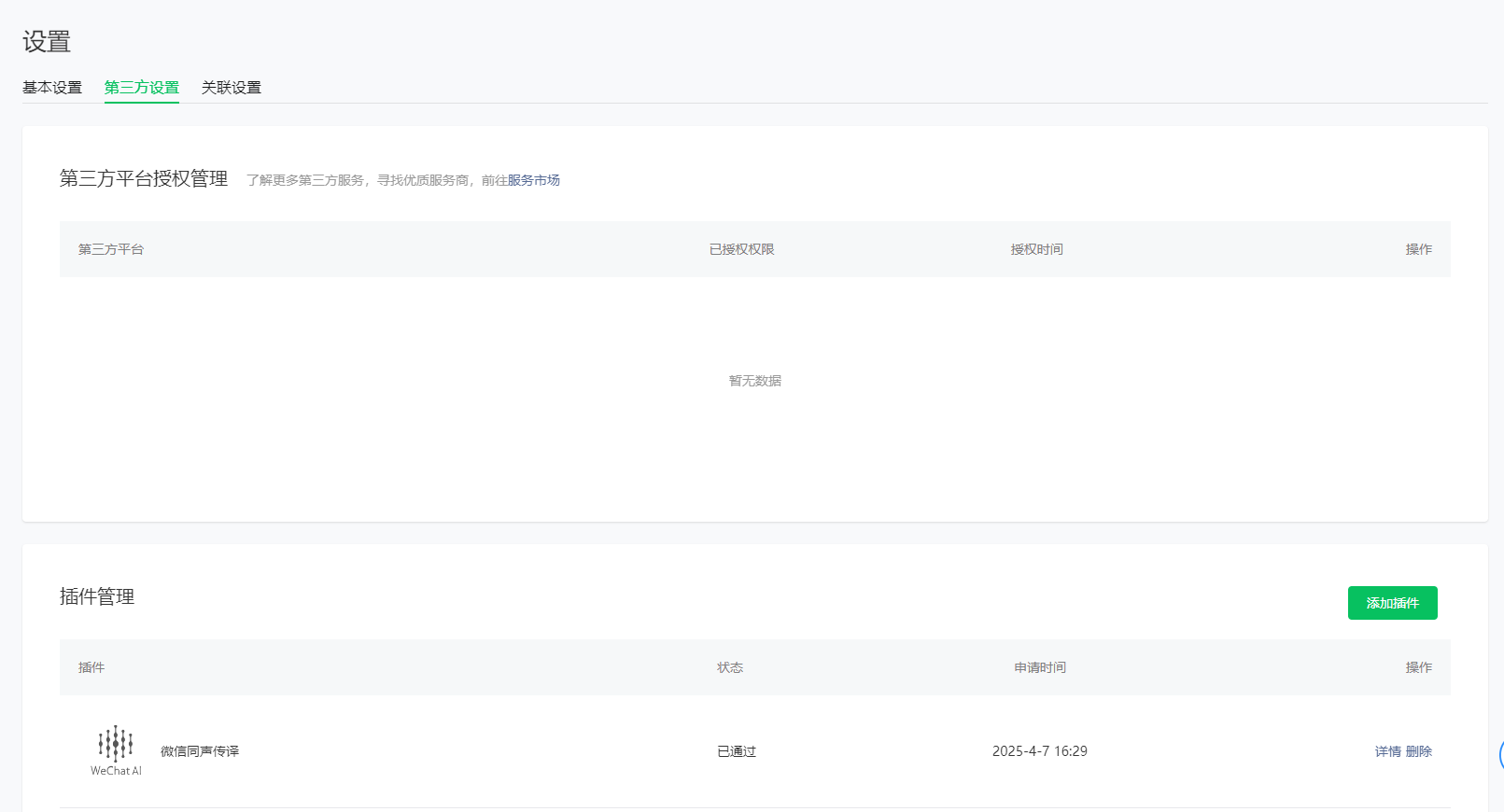
附引入插件

 //manifest.json

"mp-weixin" : {
        "appid" : "",
        "setting" : {
            "urlCheck" : false,
            "es6" : true,
            "minified" : true
        },
        "usingComponents" : true,
        "plugins" : {
            "WechatSI" : {
                "version" : "0.3.6",
                "provider" : "wx069ba97219f66d99"
            }
        }
    },






 扫一扫
扫一扫


 3001
3001

 被折叠的 条评论
为什么被折叠?
被折叠的 条评论
为什么被折叠?
 到【灌水乐园】发言





