



 本文介绍了一种使用OpenCV库批量裁剪长图片的方法,通过指定裁剪后的图片高度,可以将原始图片按高度等分,生成一系列宽度相同、高度一致的新图片。
1 基本需求
使用CV使用将一张长图片裁剪成高度相同宽度不变的多张图片。例如:"1.png" 转化为“1-1.png"、“1-2.png"、“1-3.png"、……
裁剪图片有两种方法,一种使用CV(推荐),另一种使用Pillow,我使用Pillow总是提示各种错误(可能是我没有弄懂他的开发文档)
2 截图
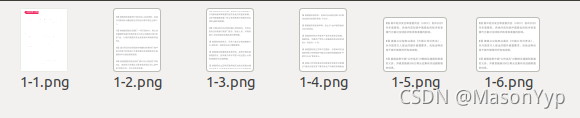
3 代码
cut_item_img_cv(file_name, in_img_path, out_dir): img = cv2.imread(in_img_path) # 新裁剪图片的高度 new_img_height = 900 # 获得图片的高度和宽度 img_height, img_width, _ = img.shape temp_height = 0 i = 1 while temp_height < img_height: # 裁剪坐标为[y0:y1, x0:x1] size = img[temp_height:temp_height + new_img_height, 0:img_width] # 图片最后结尾长度不够 if temp_height>img_height: size = img[temp_height-new_img_height:img_height, 0:img_width] # 保存图片 cv2.imwrite(os.path.join(out_dir, file_name+str(i) + ".png"), size) i = i + 1 # 向下移动高度 temp_height = temp_height + new_img_height if __name__ == '__main__': file_name = "1" in_img_path = r'./new_picture/test/3.png' out_dir = r'./new_picture/new_test' cut_item_img_cv(file_name, in_img_path, out_dir)





 扫一扫
扫一扫


 1万+
1万+

 被折叠的 条评论
为什么被折叠?
被折叠的 条评论
为什么被折叠?
 到【灌水乐园】发言





