


 本文通过多个实例介绍了如何在 Android 应用中使用 TextView 控件。包括设置文本内容、字体大小、颜色及背景色的方法,演示了如何在 XML 布局文件和 Java 代码中进行配置。
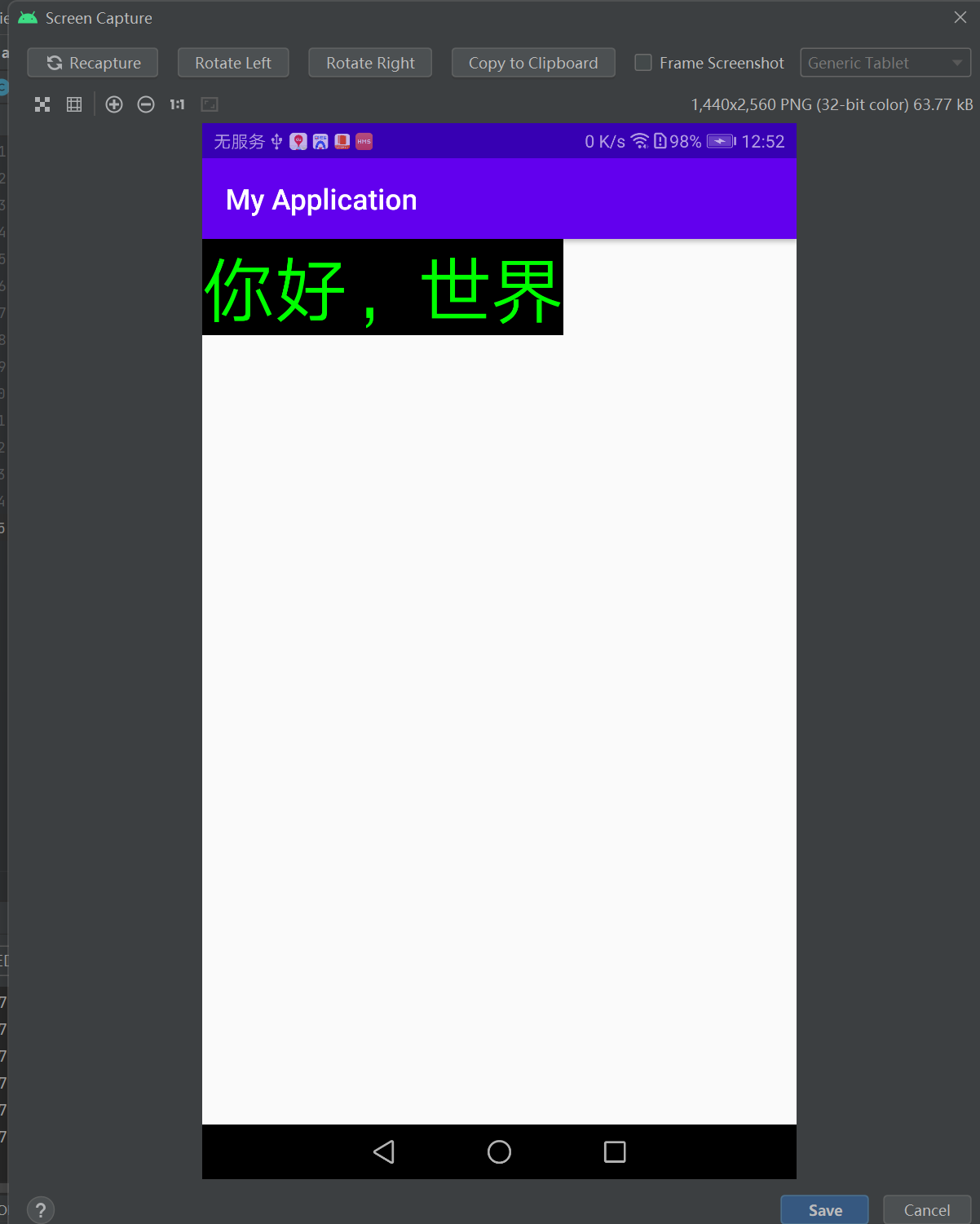
示例:
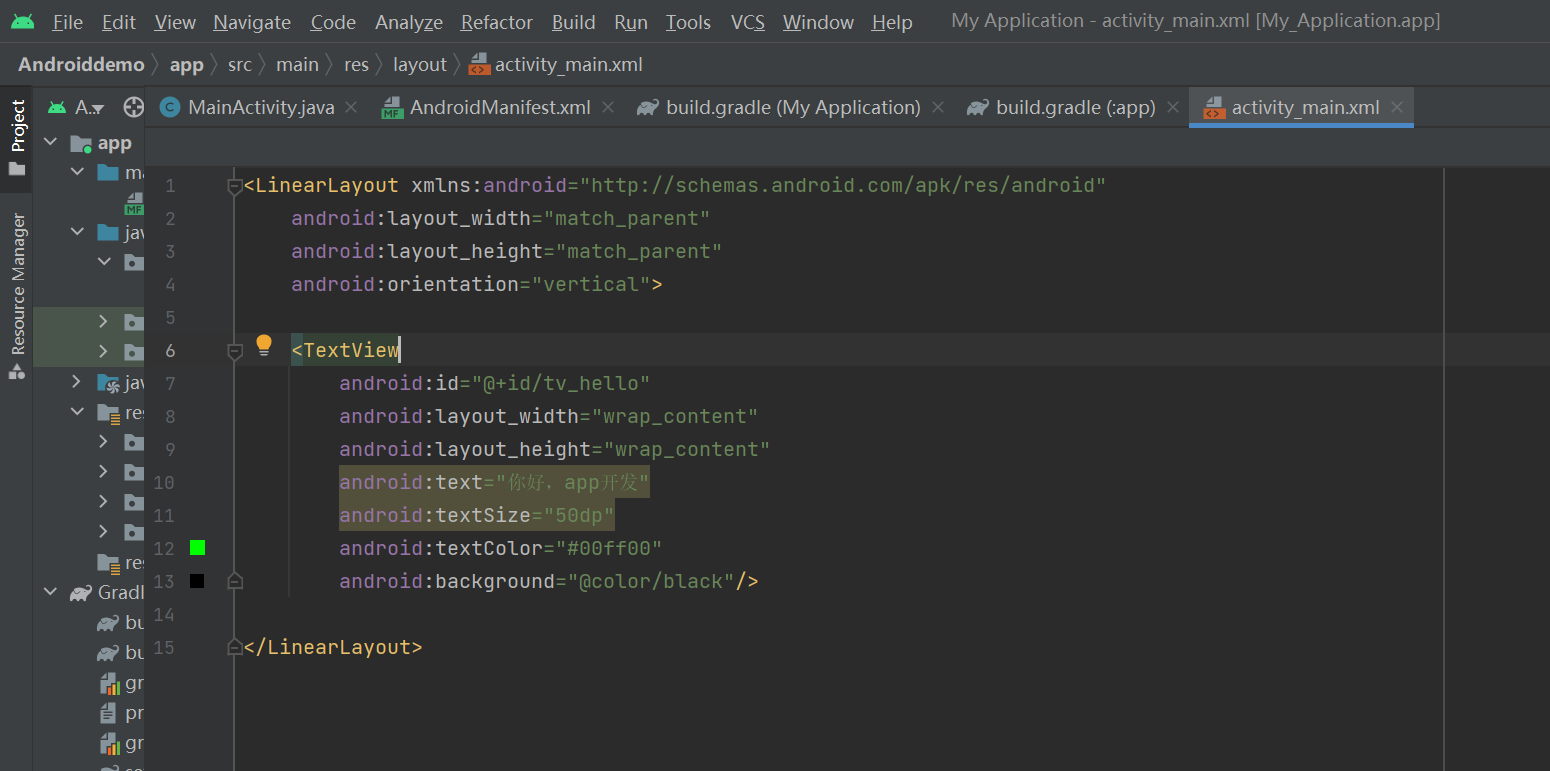
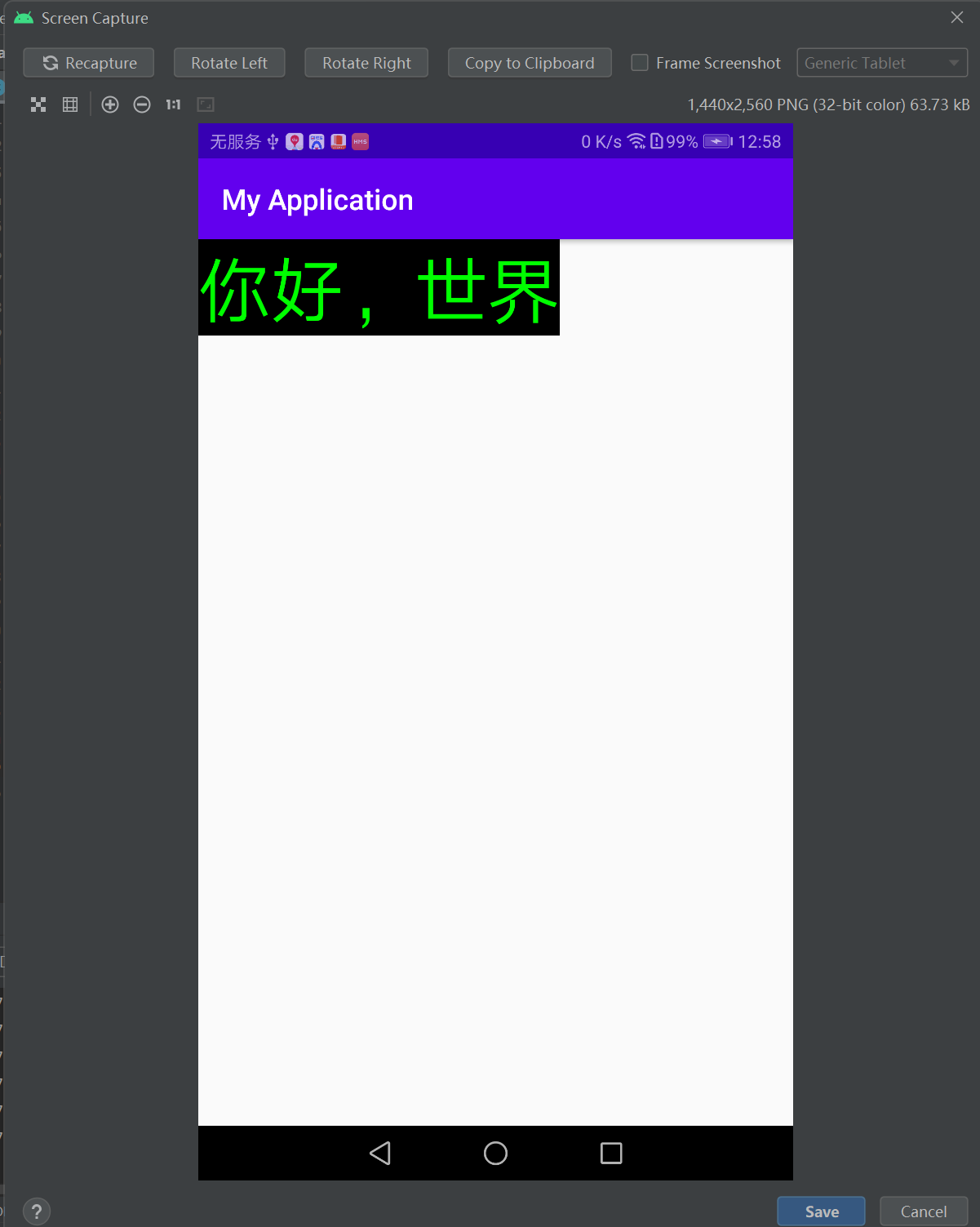
<LinearLayout xmlns:android="http://schemas.android.com/apk/res/android"
    android:layout_width="match_parent"
    android:layout_height="match_parent"
    android:orientation="vertical">

    <TextView
        android:id="@+id/tv_hello"
        android:layout_width="wrap_content"
        android:layout_height="wrap_content"
        android:text="你好,世界"
        android:textSize="50dp"
        android:textColor="#00ff00"
        android:background="@color/black"/>

</LinearLayout>
    <TextView
        android:id="@+id/tv_hello"
        android:layout_width="wrap_content"
        android:layout_height="wrap_content"
        android:text="你好,世界"           -------设置文本内容
        android:textSize="50dp"   -----设置字体大小
        android:textColor="#00ff00"            --------设置字体颜色
        android:background="@color/black"/>                ------设置文本框背景颜色
====================================================================
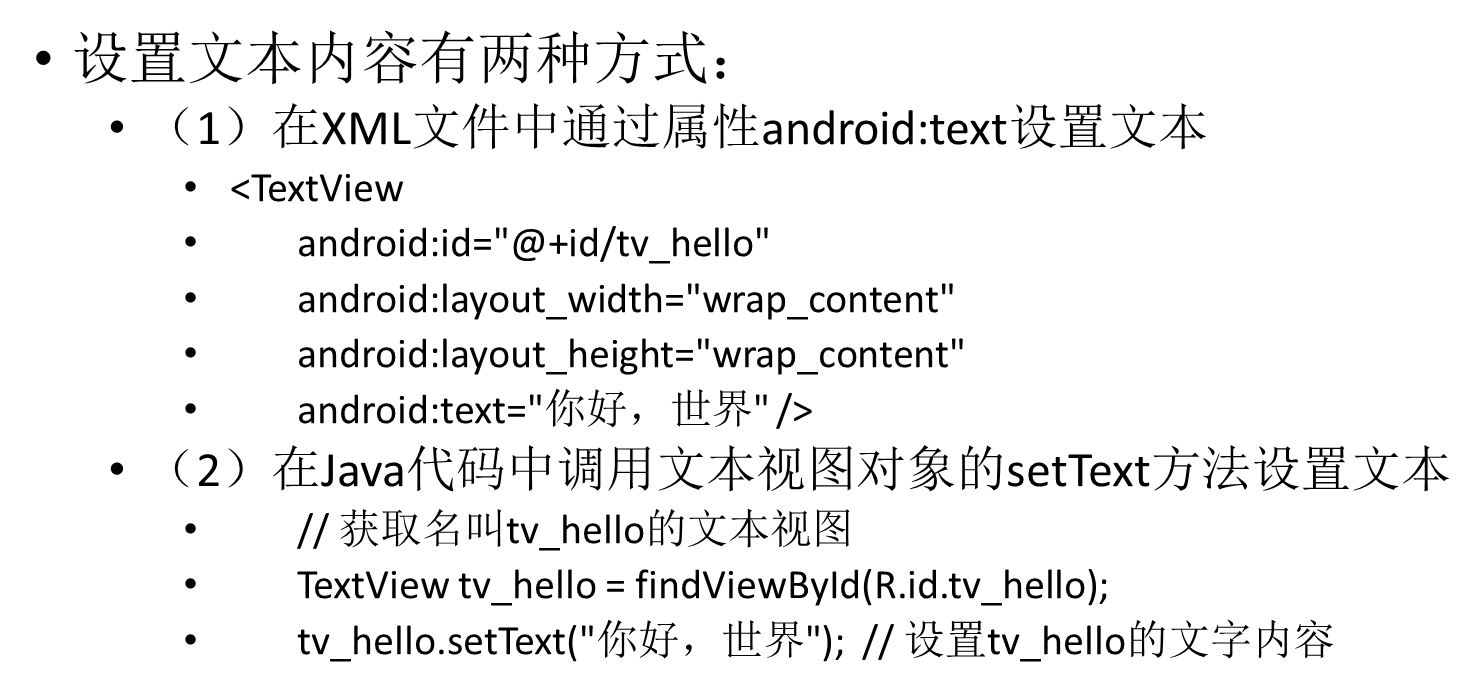
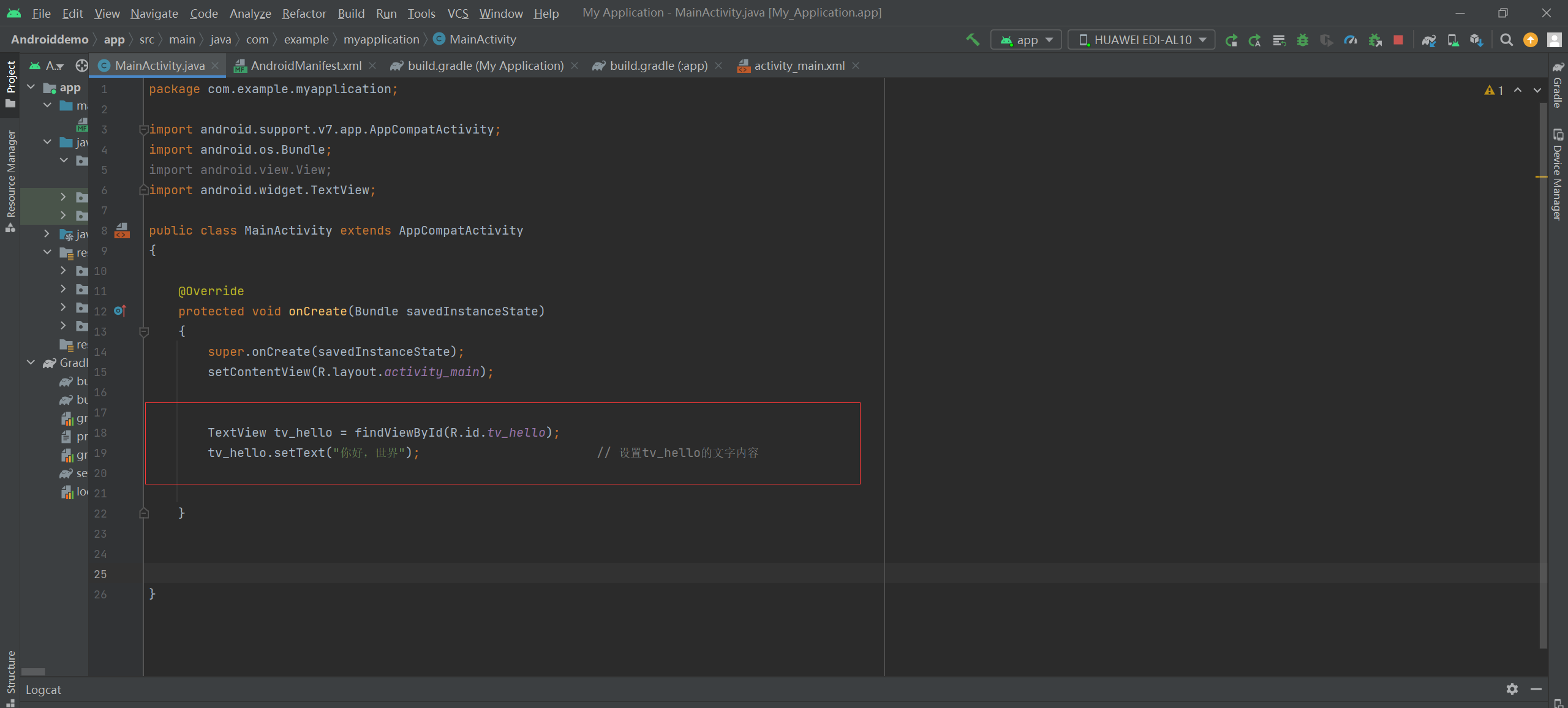
TextView tv_hello = findViewById(R.id.tv_hello);
tv_hello.setText("你好,世界");                        // 设置tv_hello的文字内容
====================================================================================
<LinearLayout xmlns:android="http://schemas.android.com/apk/res/android"
    android:layout_width="match_parent"
    android:layout_height="match_parent"
    android:orientation="vertical">

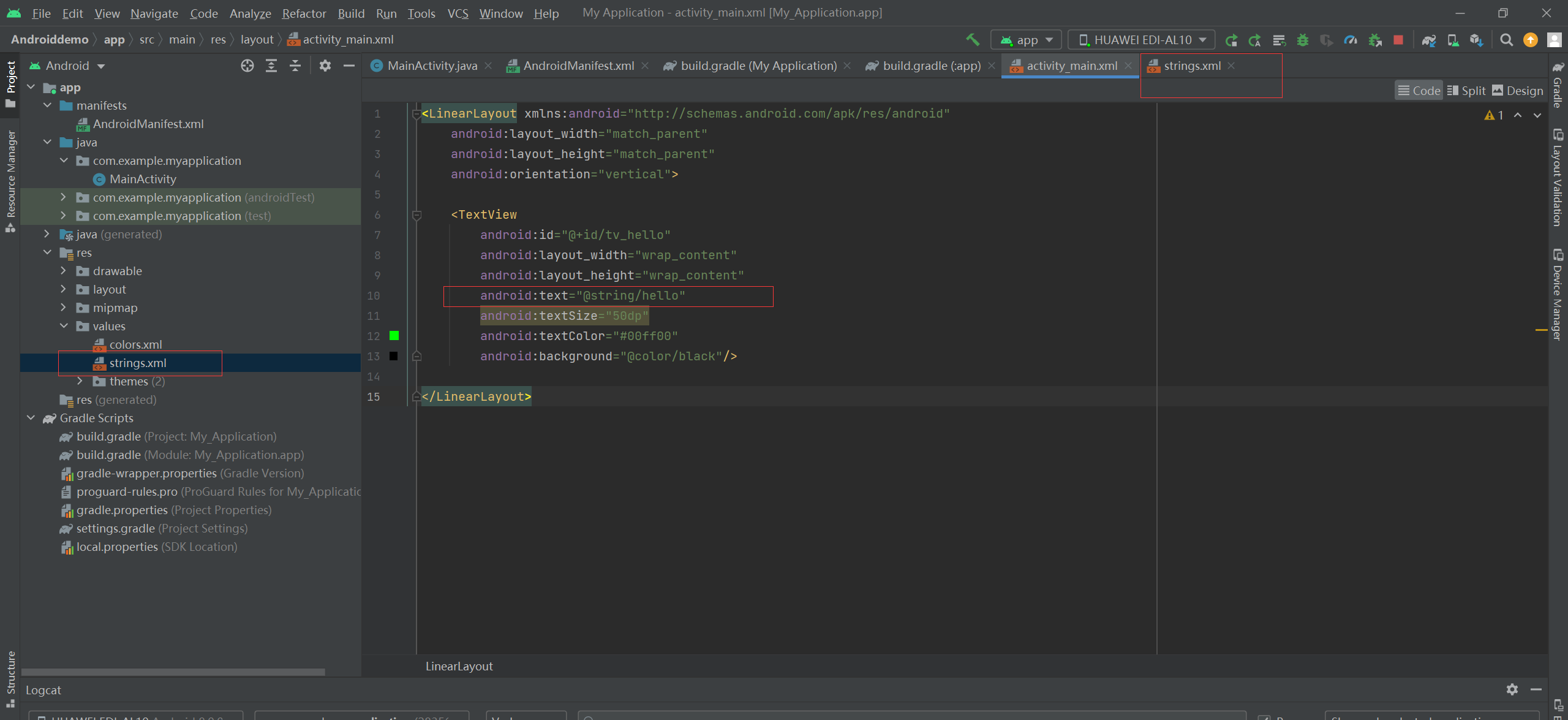
    <TextView
        android:id="@+id/tv_hello"
        android:layout_width="wrap_content"
        android:layout_height="wrap_content"
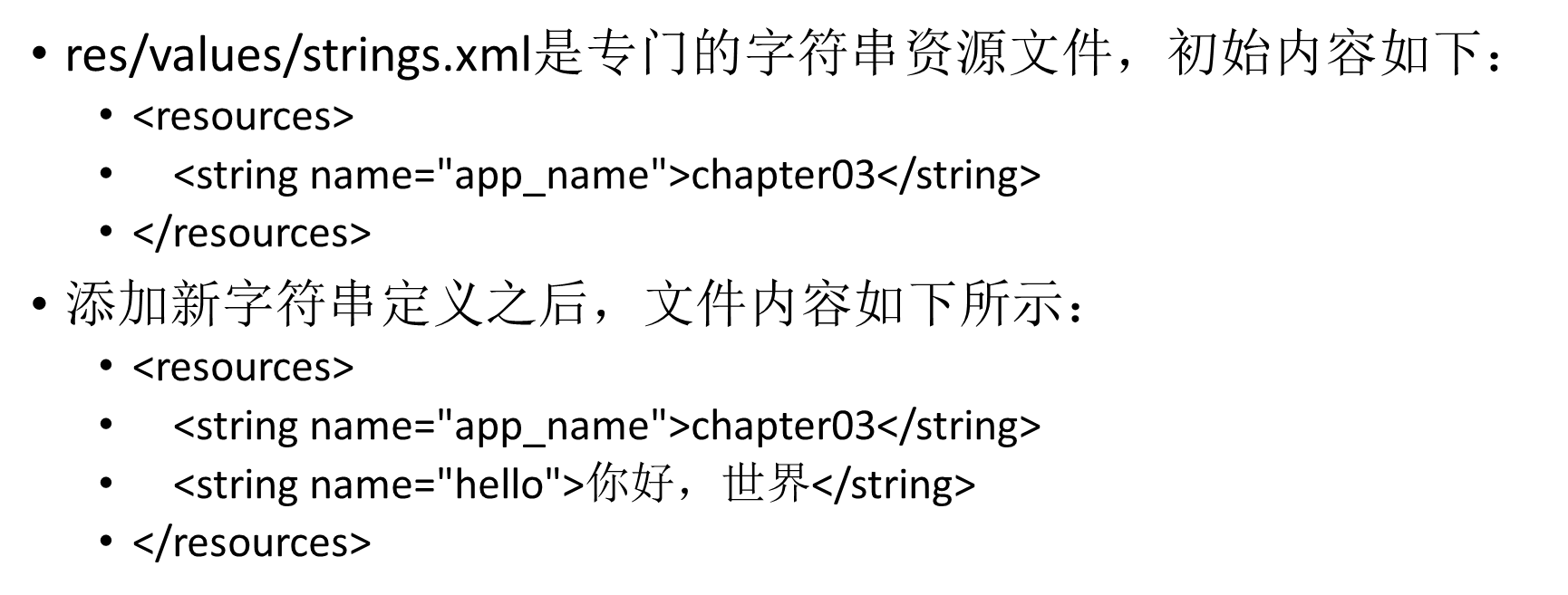
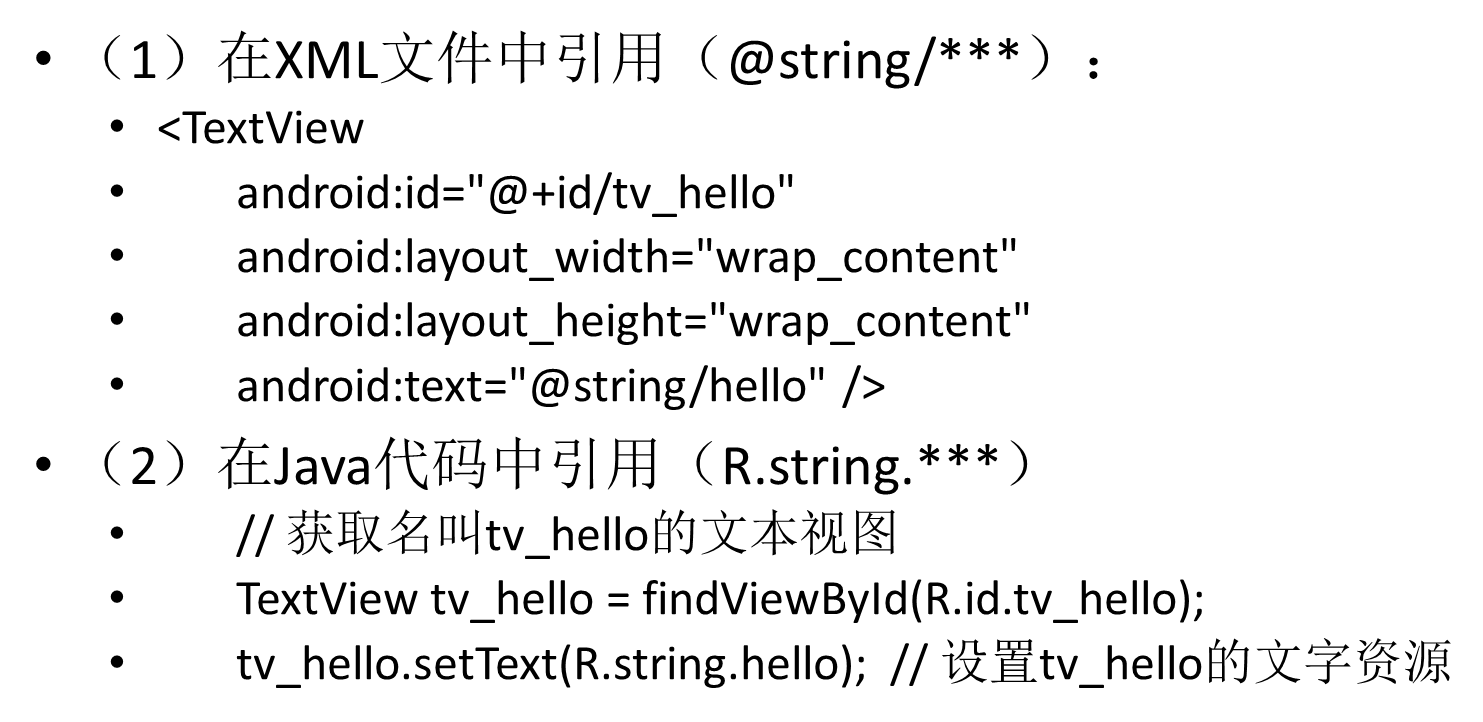
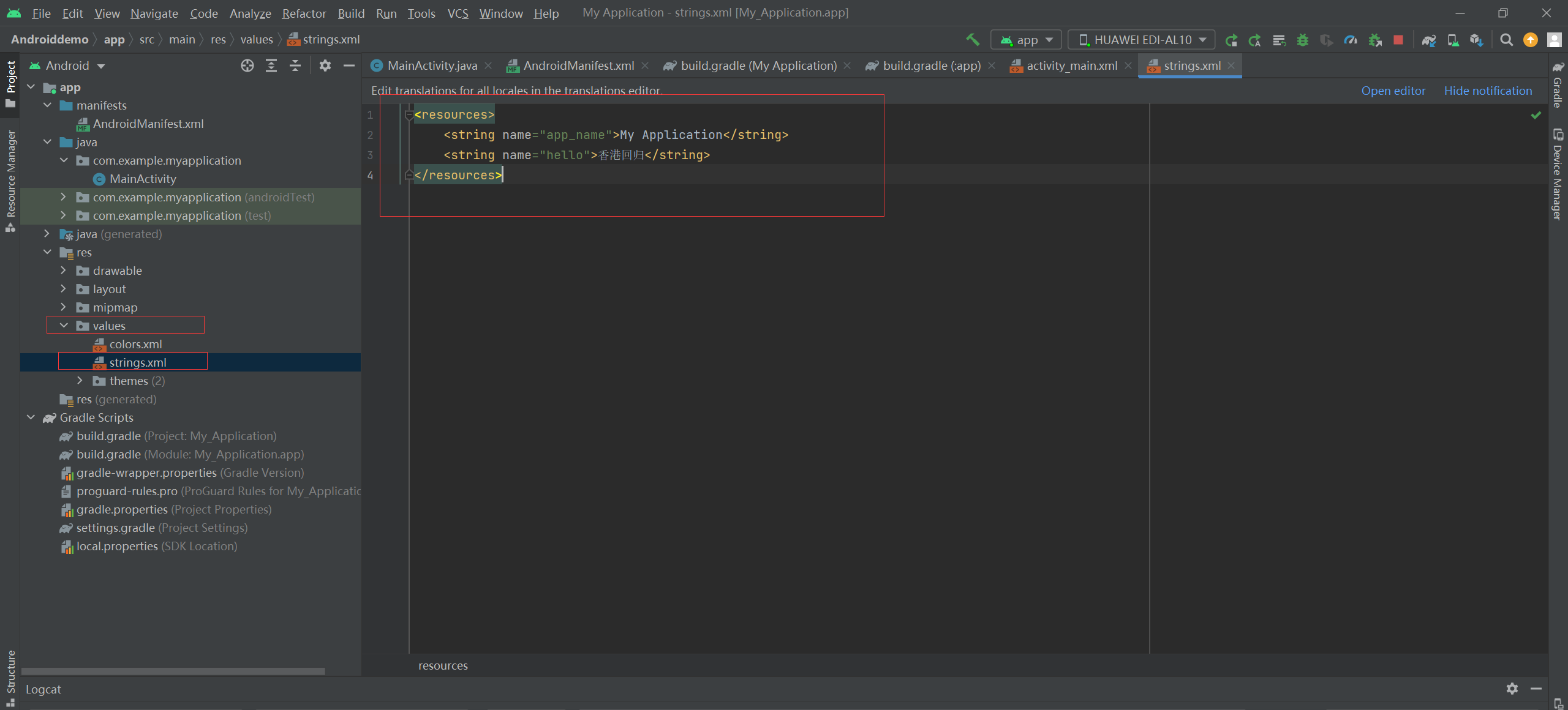
        android:text="@string/hello"
        android:textSize="50dp"
        android:textColor="#00ff00"
        android:background="@color/black"/>

</LinearLayout>
------------------------------------------------------------------------------------------------------------
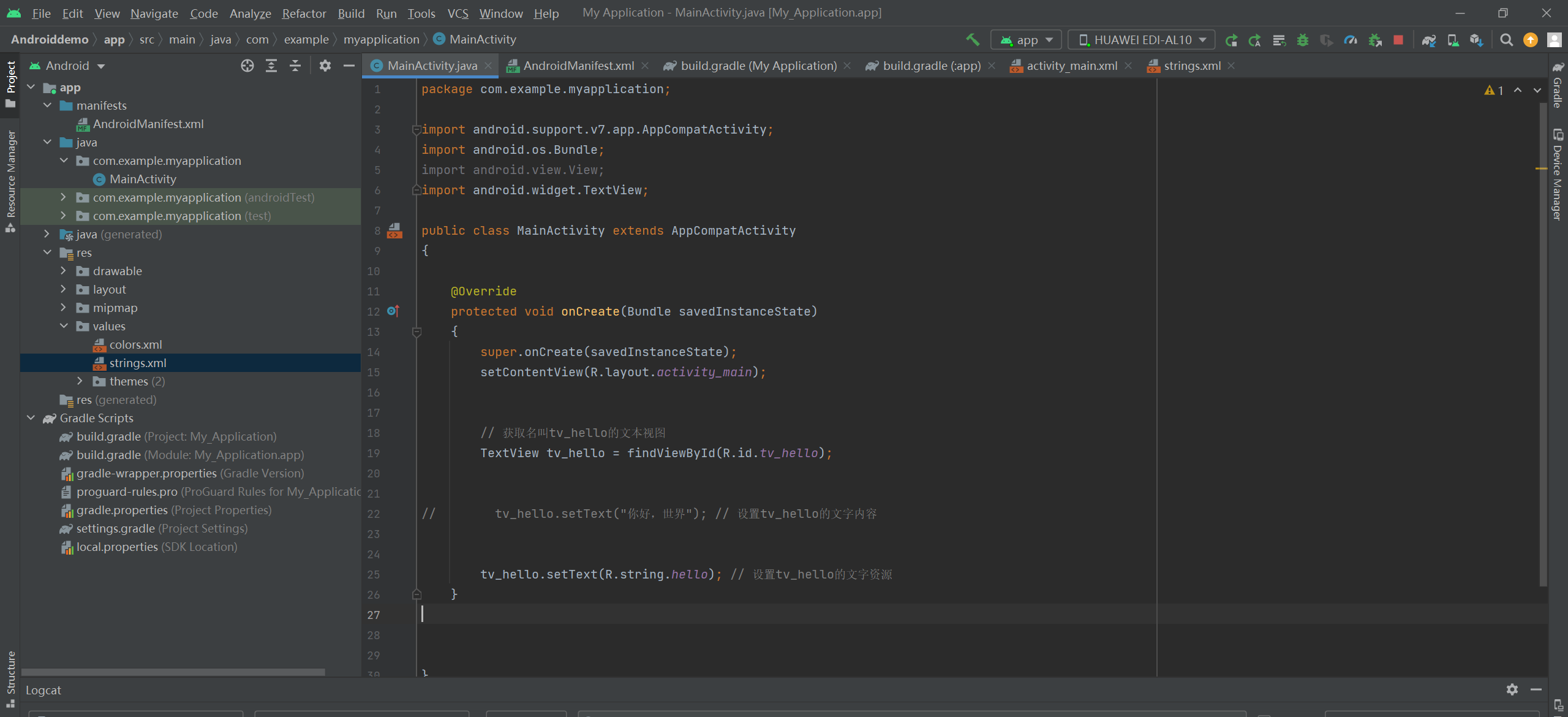
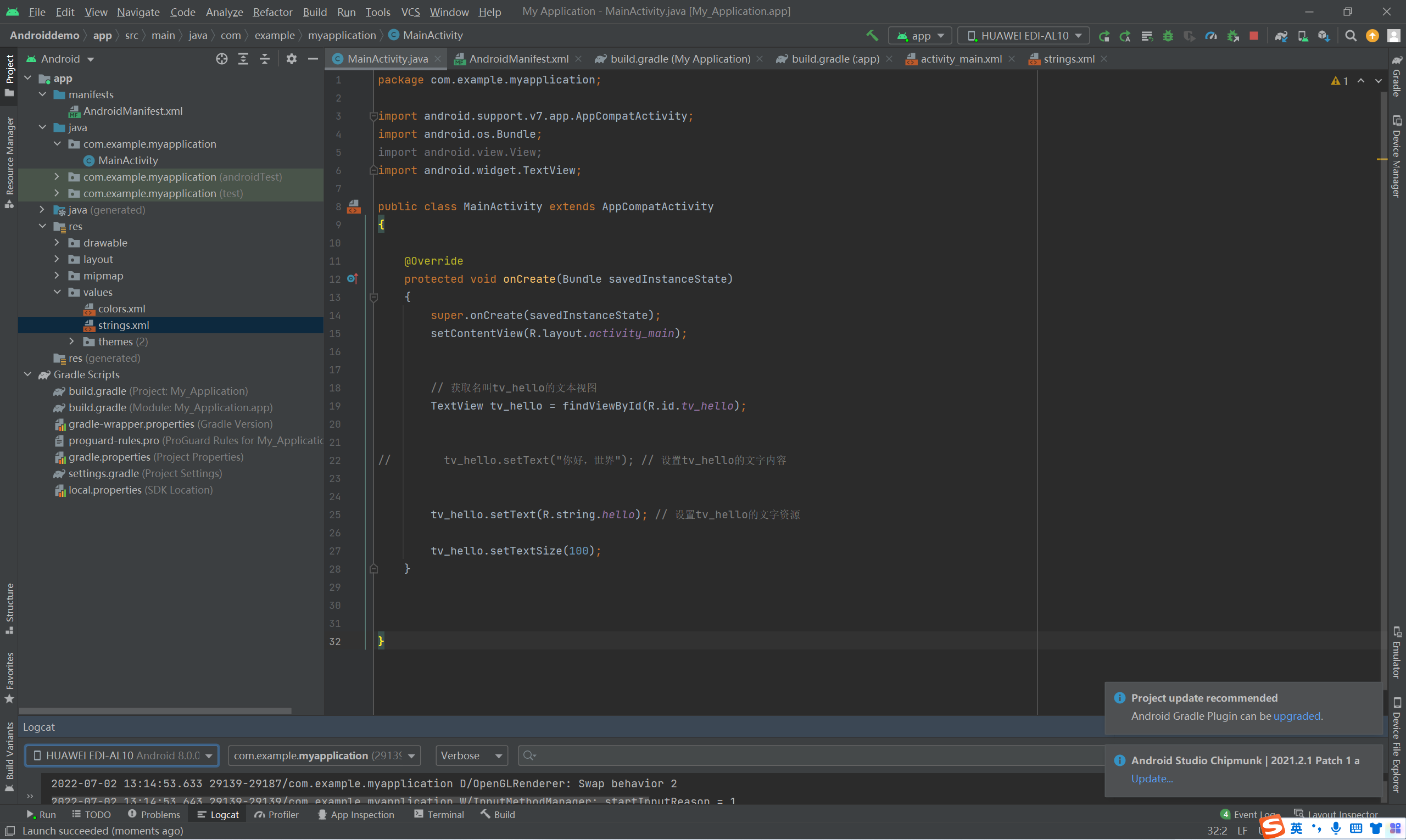
package com.example.myapplication;

import android.support.v7.app.AppCompatActivity;
import android.os.Bundle;
import android.view.View;
import android.widget.TextView;

public class MainActivity extends AppCompatActivity
{

    @Override
    protected void onCreate(Bundle savedInstanceState)
    {
        super.onCreate(savedInstanceState);
        setContentView(R.layout.activity_main);


        // 获取名叫tv_hello的文本视图
        TextView tv_hello = findViewById(R.id.tv_hello);


//        tv_hello.setText("你好,世界"); // 设置tv_hello的文字内容


        tv_hello.setText(R.string.hello); // 设置tv_hello的文字资源
    }


}
=======================================================================================
package com.example.myapplication;

import android.support.v7.app.AppCompatActivity;
import android.os.Bundle;
import android.view.View;
import android.widget.TextView;

public class MainActivity extends AppCompatActivity
{

    @Override
    protected void onCreate(Bundle savedInstanceState)
    {
        super.onCreate(savedInstanceState);
        setContentView(R.layout.activity_main);


        // 获取名叫tv_hello的文本视图
        TextView tv_hello = findViewById(R.id.tv_hello);


//        tv_hello.setText("你好,世界"); // 设置tv_hello的文字内容


        tv_hello.setText(R.string.hello); // 设置tv_hello的文字资源

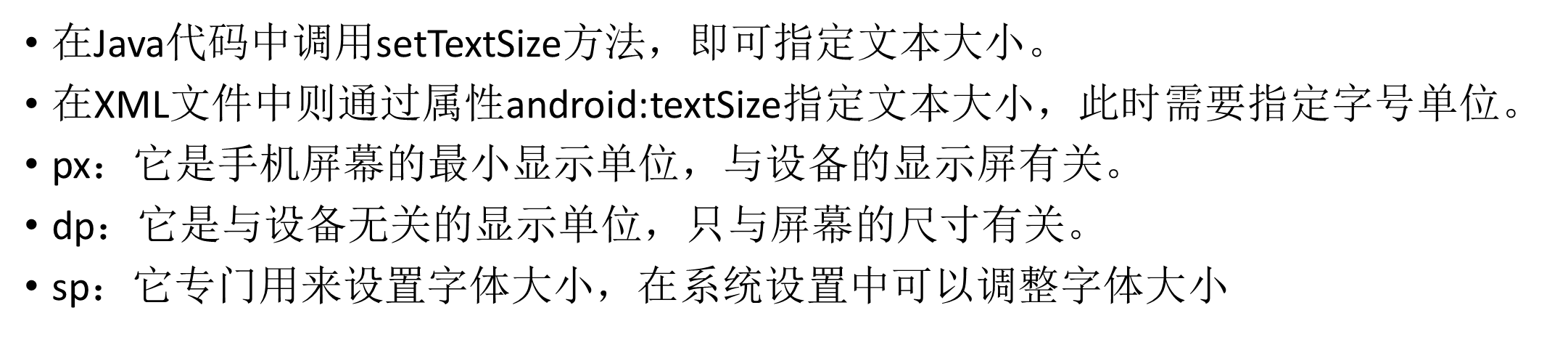
        tv_hello.setTextSize(100);
    }


}
=============================================================================


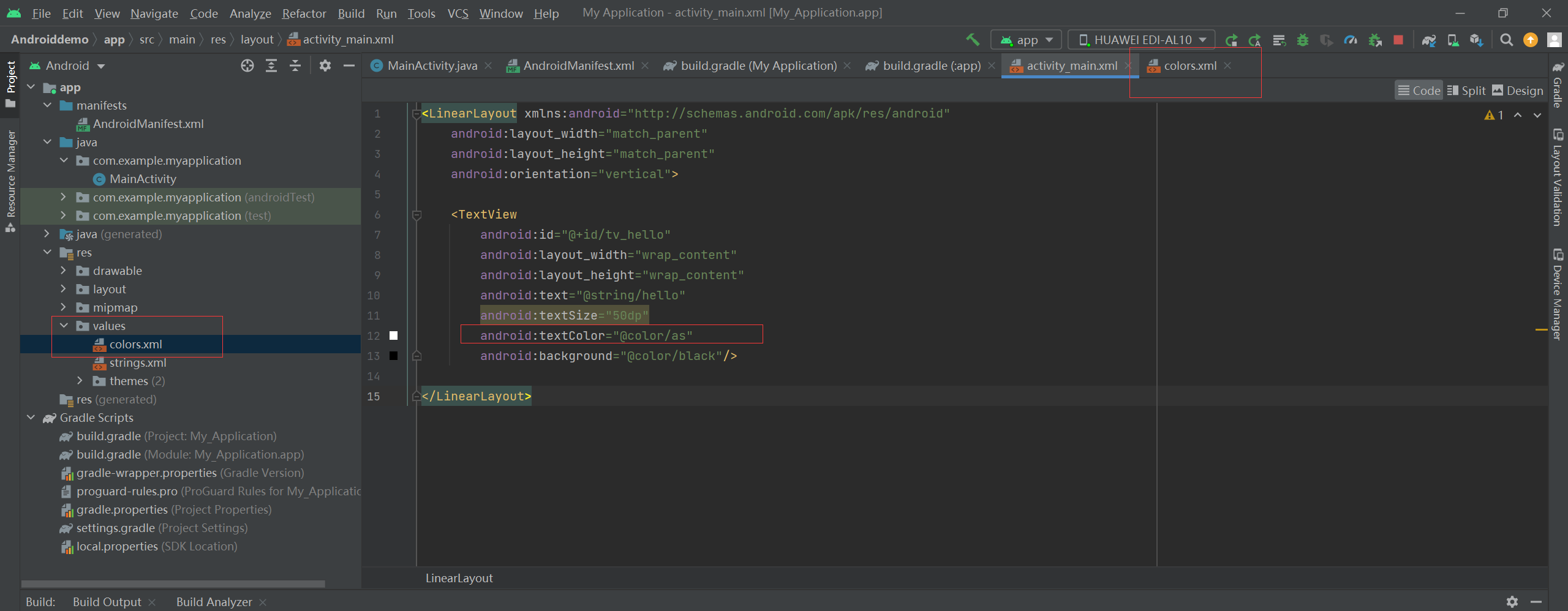
<LinearLayout xmlns:android="http://schemas.android.com/apk/res/android"
    android:layout_width="match_parent"
    android:layout_height="match_parent"
    android:orientation="vertical">

    <TextView
        android:id="@+id/tv_hello"
        android:layout_width="wrap_content"
        android:layout_height="wrap_content"
        android:text="@string/hello"
        android:textSize="50dp"
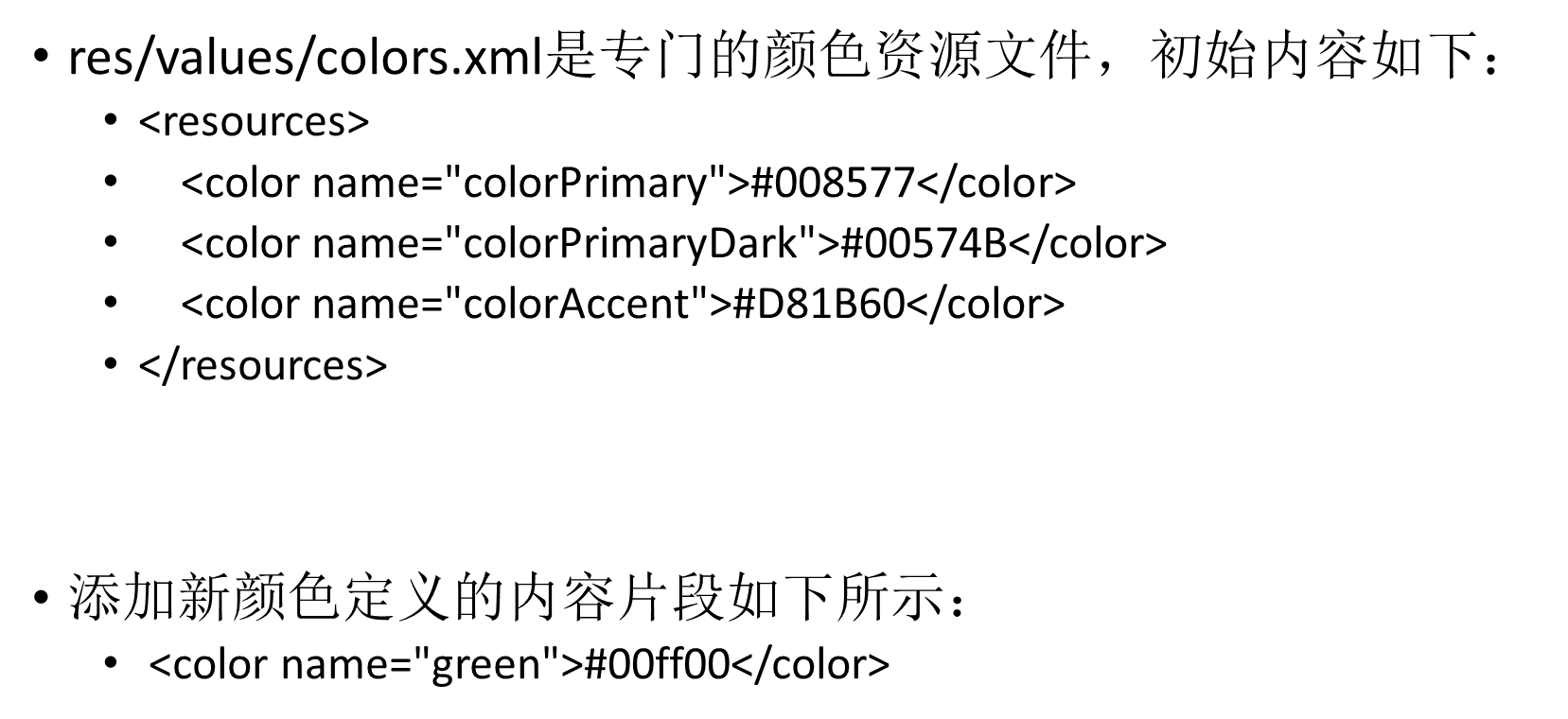
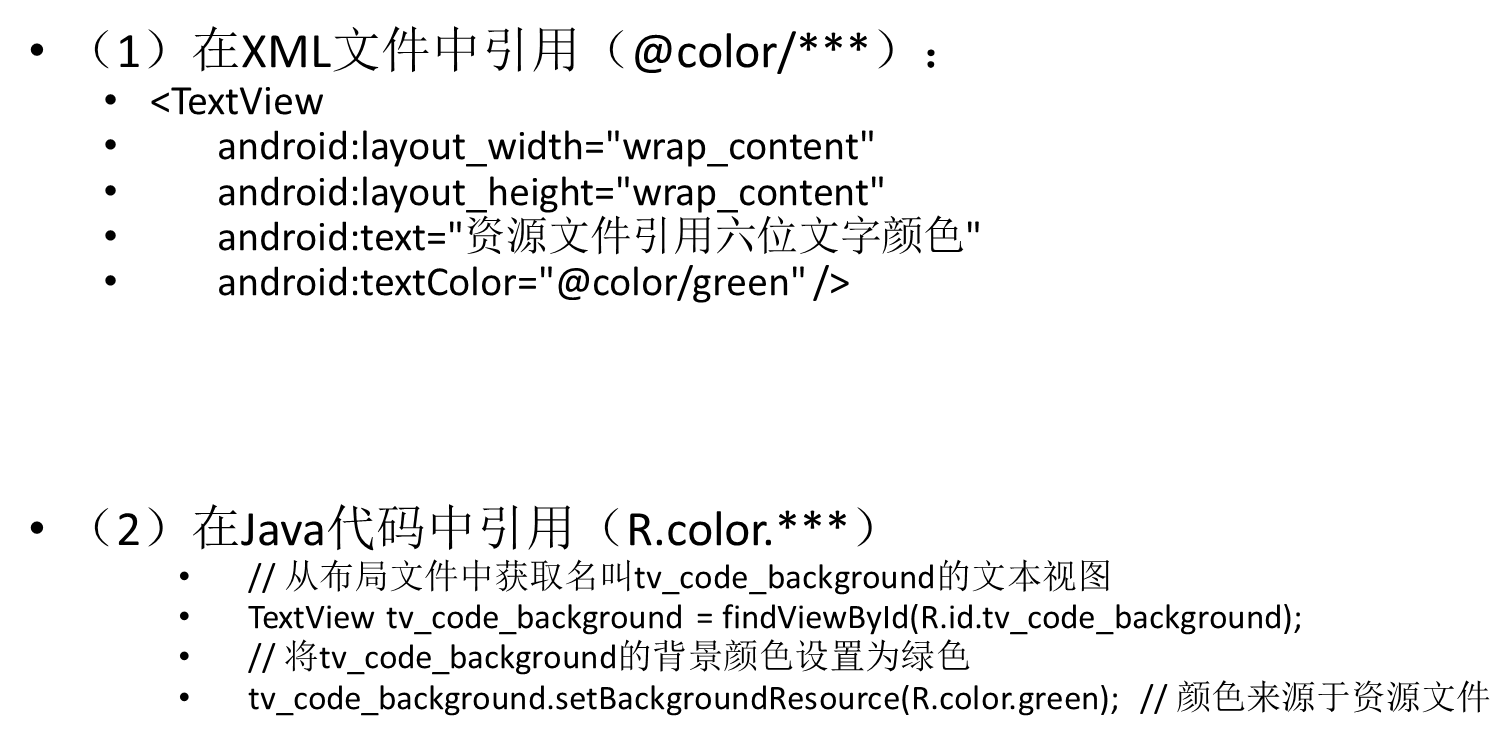
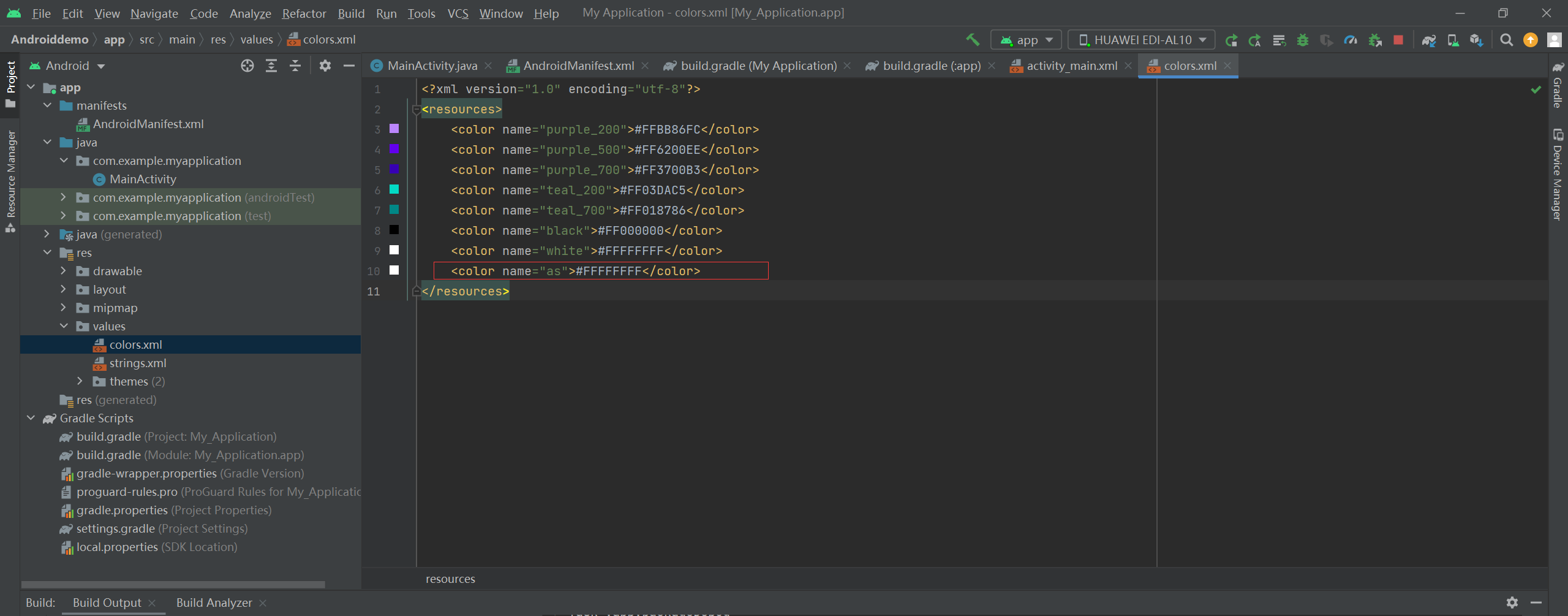
        android:textColor="@color/as"
        android:background="@color/black"/>

</LinearLayout>
---------------------------------------------------------------------------------------------------------------------------------
package com.example.myapplication;

import android.graphics.Color;
import android.support.v7.app.AppCompatActivity;
import android.os.Bundle;
import android.view.View;
import android.widget.TextView;

public class MainActivity extends AppCompatActivity
{

    @Override
    protected void onCreate(Bundle savedInstanceState)
    {
        super.onCreate(savedInstanceState);
        setContentView(R.layout.activity_main);


        // 获取名叫tv_hello的文本视图
        TextView tv_hello = findViewById(R.id.tv_hello);


//        tv_hello.setText("你好,世界"); // 设置tv_hello的文字内容


        tv_hello.setText(R.string.hello); // 设置tv_hello的文字资源

        tv_hello.setTextSize(100);

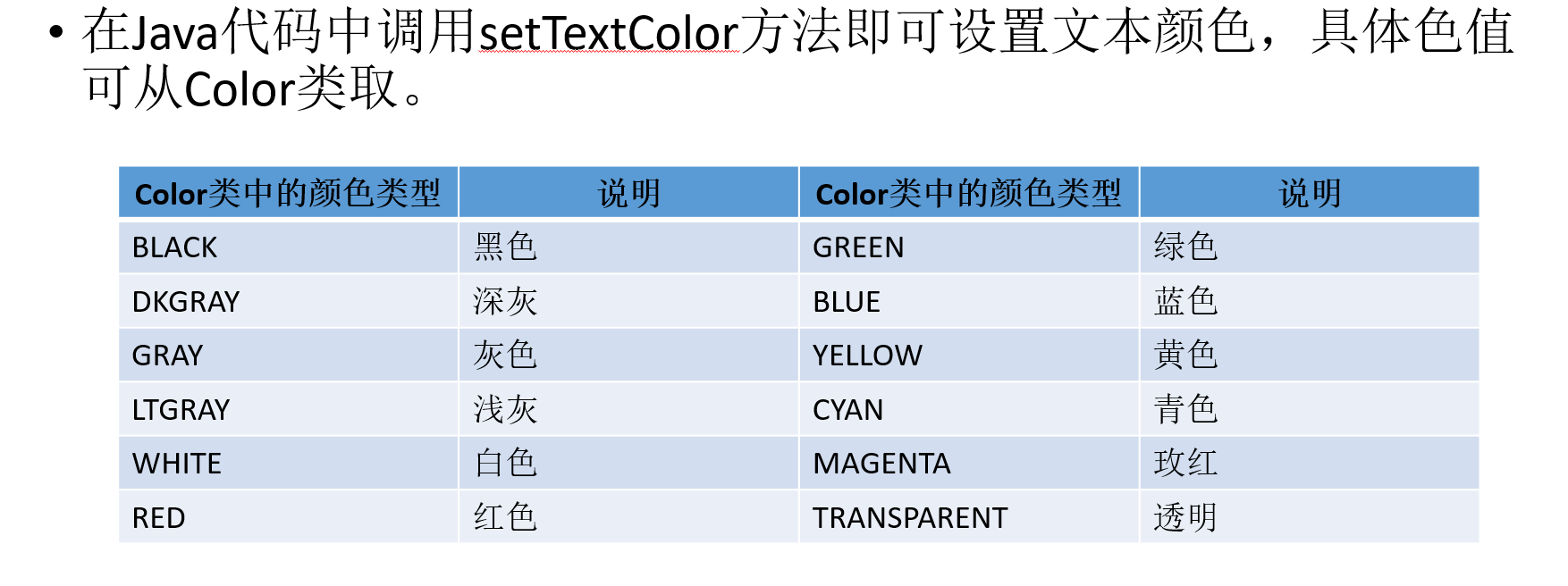
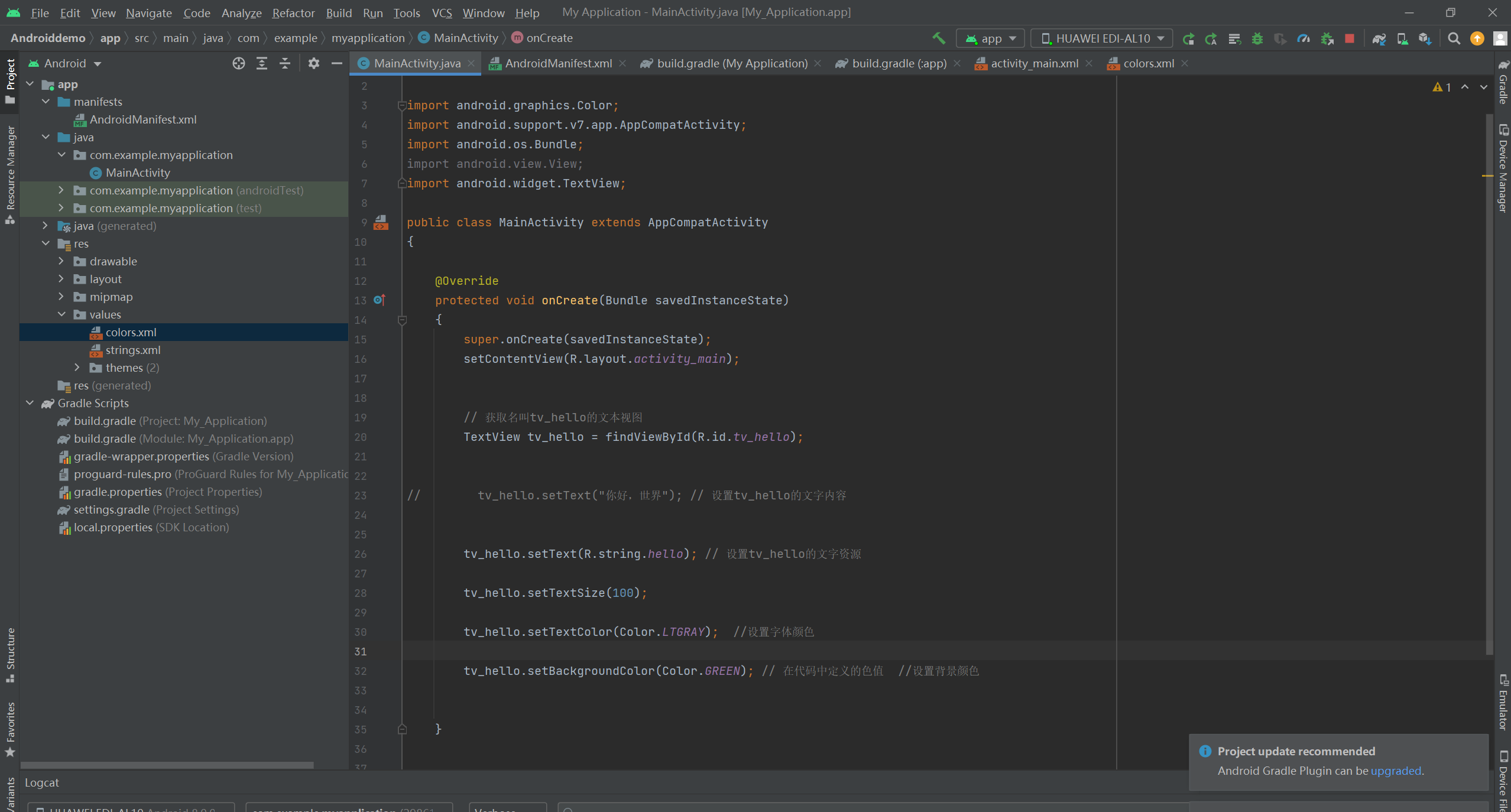
        tv_hello.setTextColor(Color.LTGRAY);  //设置字体颜色

        tv_hello.setBackgroundColor(Color.GREEN); // 在代码中定义的色值  //设置背景颜色


    }


}
===========================================================================
PS:
package com.example.chapter03;

import android.graphics.Color;
import android.os.Bundle;
import android.widget.TextView;

import androidx.appcompat.app.AppCompatActivity;

public class TextColorActivity extends AppCompatActivity {

    @Override
    protected void onCreate(Bundle savedInstanceState) {
        super.onCreate(savedInstanceState);
        setContentView(R.layout.activity_text_color);
        // 从布局文件中获取名叫tv_code_system的文本视图
        TextView tv_code_system = findViewById(R.id.tv_code_system);


        // 将tv_code_system的文字颜色设置系统自带的绿色
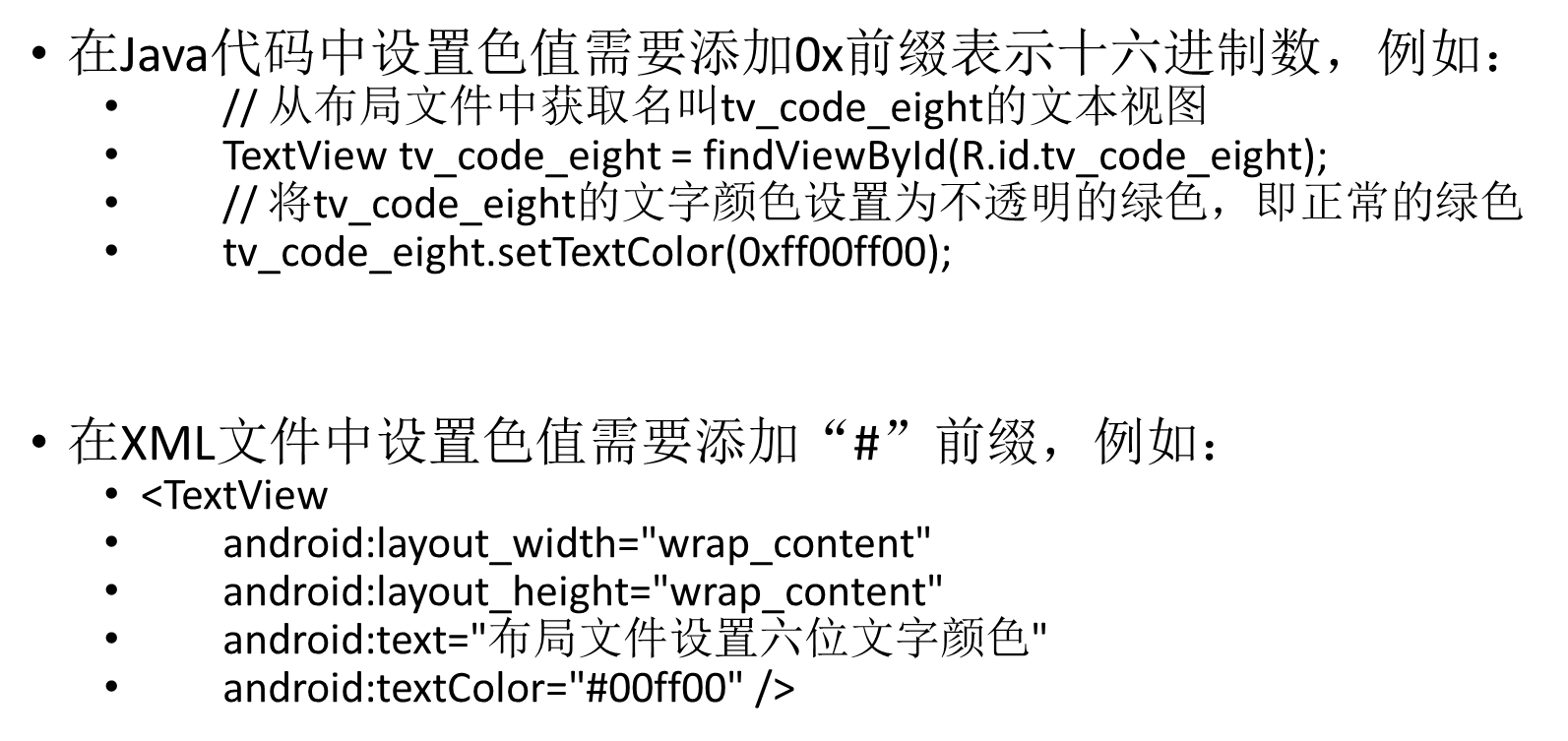
        tv_code_system.setTextColor(Color.GREEN);


        // 从布局文件中获取名叫tv_code_six的文本视图
        TextView tv_code_six = findViewById(R.id.tv_code_six);


        // 将tv_code_six的文字颜色设置为透明的绿色,透明就是看不到
        tv_code_six.setTextColor(0x00ff00);


        // 从布局文件中获取名叫tv_code_eight的文本视图
        TextView tv_code_eight = findViewById(R.id.tv_code_eight);


        // 将tv_code_eight的文字颜色设置为不透明的绿色,即正常的绿色
        tv_code_eight.setTextColor(0xff00ff00);


        // 从布局文件中获取名叫tv_code_background的文本视图
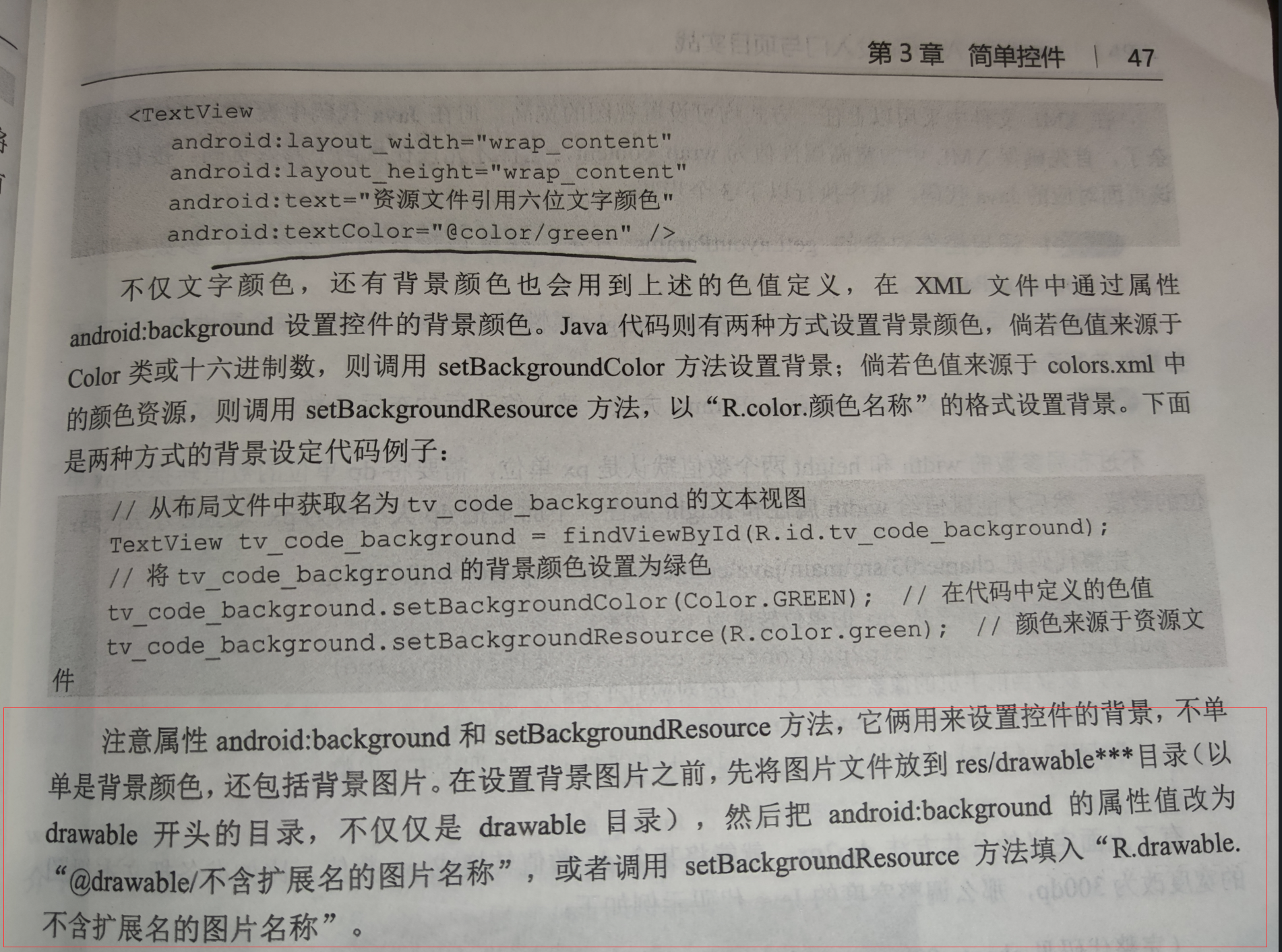
        TextView tv_code_background = findViewById(R.id.tv_code_background);


        // 将tv_code_background的背景颜色设置为绿色
        tv_code_background.setBackgroundColor(Color.GREEN); // 在代码中定义的色值
        tv_code_background.setBackgroundResource(R.color.green); // 颜色来源于资源文件
    }
}





 扫一扫
扫一扫


 1485
1485

 被折叠的 条评论
为什么被折叠?
被折叠的 条评论
为什么被折叠?
 到【灌水乐园】发言





