



#最近有项目需要#
1. 一堆日志上传到系统,日志量很大,有几十万条
2. 如果通过postman工具一个一个上传,非常费事
3. 代码实现,首先忘记如何写http上传代码
###思考点
####postman自带代码生成
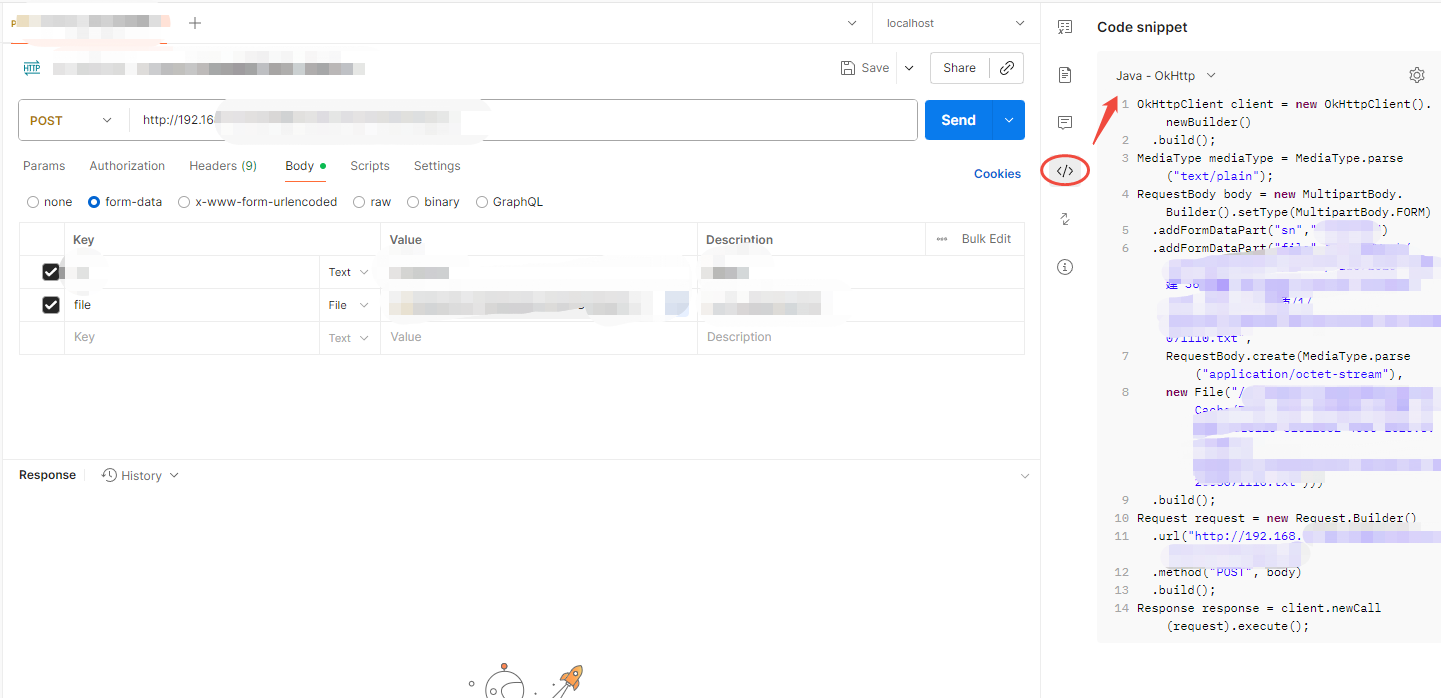
####构建代码,批量遍历文件
/**
     *
     * [功能简述] 获取文件并加入集合,超过maxCount个文件,返回
     *
     * @param filelist
     * @param newFileList
     * @param maxCount
     */
    private void getNewFileList(File[] filelist, List<File> newFileList, int maxCount)
    {
        for (int i = 0; i < filelist.length; i++)
        {
            File file = filelist[i];
            if (null != file)
            {
                if (newFileList.size() >= maxCount)
                {
                    return;
                }
                if (file.isDirectory())
                {
                    getNewFileList(file.listFiles(), newFileList, maxCount);
                }
                else if (file.isFile() && file.canWrite())//通过此种方式,判断文件是否写入完毕
                {
                    newFileList.add(file);
                }
            }
        }
    }
####拼上上传代码,完成
@SneakyThrows
    @org.junit.Test
    public void postLogTo70_103() {
        /**
         * 遍历目标文件夹,.txt结尾的文件上传到系统
         */
        File dir = new File("xxxxx");
        File[] filelist = dir.listFiles();

        List<File> newFileList = new ArrayList<>();
        getNewFileList(filelist, newFileList, Integer.MAX_VALUE);

        for (File file : newFileList) {
            String name = file.getName();
            String sn = name.split("_")[1];
            if(name.endsWith(".txt")) {

                boolean success = postLogToFactory2(file, name, sn);
                if(!success) {
                    System.out.println(file.getAbsolutePath());
                }
            }
        }
    }
@SneakyThrows
    private boolean postLogToFactory2(File file, String name, String sn) {
        OkHttpClient client = new OkHttpClient().newBuilder()
                .build();
        MediaType mediaType = MediaType.parse("text/plain");
        RequestBody body = new MultipartBody.Builder().setType(MultipartBody.FORM)
                .addFormDataPart("sn",sn)
                .addFormDataPart("file",name,
                        RequestBody.create(MediaType.parse("application/octet-stream"),
                                file))
                .build();
        Request request = new Request.Builder()
                .url("http://192.168xxxx")
                .method("POST", body)
                .addHeader("Cookie", "JSESSIONID=xxxxx")
                .build();
        Response response = client.newCall(request).execute();
        return response.isSuccessful();
    }
大功告成!postman也支持c# Dart go curl等方式。





 扫一扫
扫一扫


 2125
2125

 被折叠的 条评论
为什么被折叠?
被折叠的 条评论
为什么被折叠?
 到【灌水乐园】发言





