


MCP与数据库查询
[原创 快乐王子HP 快乐王子AI说 2025年03月24日 23:32 广东]--同步公众号
1、前置条件
a. Python 3.11;
b. mysql , 数据库中要增加数据;
c. 大模型的基座(最好有代码的);
d. 了解MCP;
MCP,全称是“模型上下文协议”(Model Context Protocol),是Anthropic开源的一个标准协议。
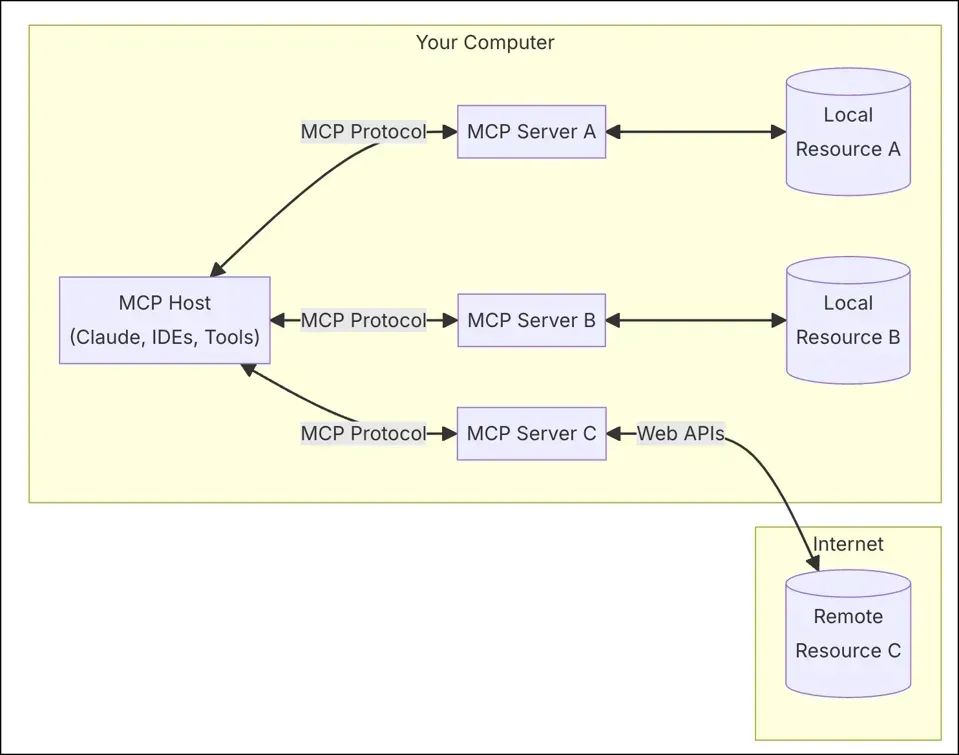
2、xiyan-mcp-server
xiyan-mcp-server是一个模型上下文协议 (MCP) 服务器,支持通过自然语言查询数据库。

参考: https://github.com/XGenerationLab/xiyan_mcp_server
2.1 安装
pip install xiyan-mcp-server设置配置文件:
model:name: "qwen2.5_7b"key: "sk-" # key可从https://www.modelscope.cn/my/myaccesstoken 页面获取url: "http://192.168.*.*:*/v1"database:host: "localhost"port: 3306user: "root"password: "********"database: "world"
3、MCP inspectory
The MCP inspector is a developer tool for testing and debugging MCP servers.(mcp inspector是测试与调试MCP服务的工具。)
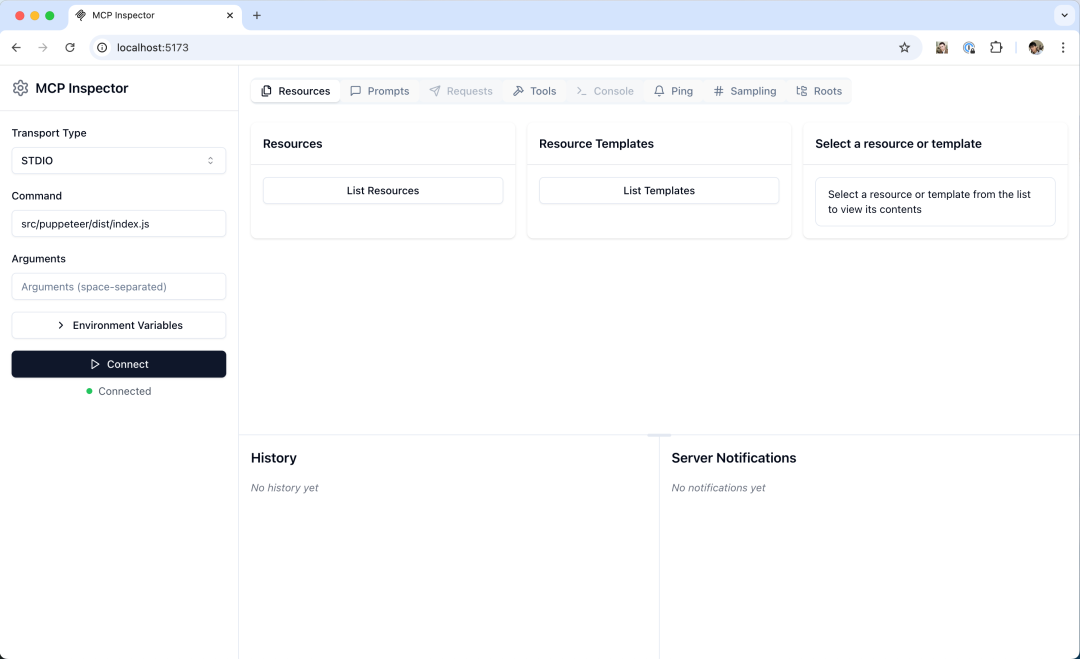
MCP inspector:
https://github.com/modelcontextprotocol/inspector
注: npx可以通过安装node来安装。
npx @modelcontextprotocol/inspector -e YML=C:/Users/liangr/Desktop/H20/mcp/config.yml python -m xiyan_mcp_server
打开http://localhost:5173
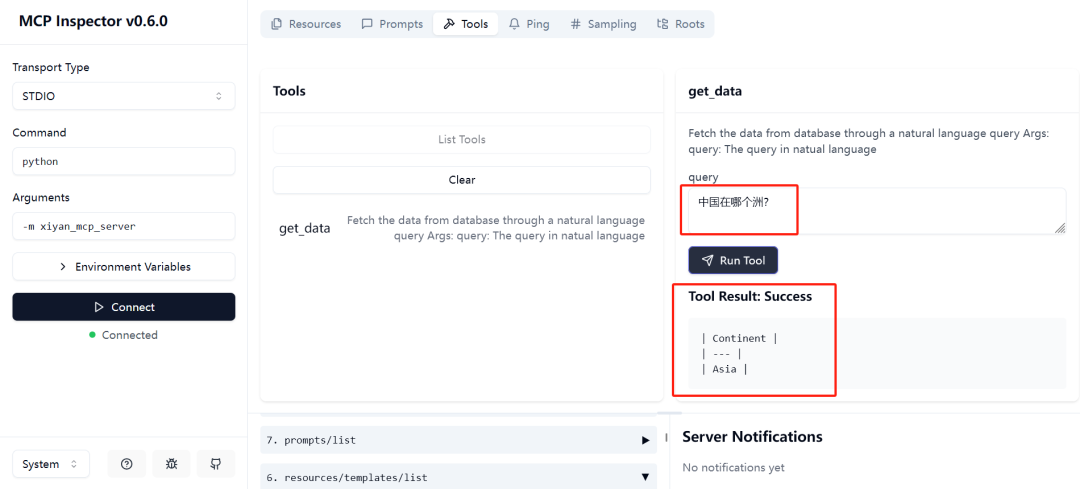
4、附相关的知识
查看大模型输出的日志:
<|im_start|>system你现在是一名mysql数据分析专家,你的任务是根据参考的数据库schema和用户的问题,编写正确的SQL来回答用户的问题,生成的SQL用``sql 和```包围起来。【数据库schema】【DB_ID】【Schema】# Table: countrylanguage[(IsOfficial:ENUM, Examples: [T, F]),(Percentage:DECIMAL, Examples: [5.3, 9.5, 76.7]),(Language:CHAR, Primary Key, Examples: [Dutch, English, Papiamento]),(CountryCode:CHAR, Primary Key, Examples: [ABW, AFG, AGO])]# Table: country[(HeadOfState:CHAR, Examples: [Beatrix]),(LifeExpectancy:DECIMAL, Examples: [78.4, 45.9, 38.3]),(Continent:ENUM, Examples: [North America, Asia, Africa]),(Name:CHAR, Examples: [Aruba, Afghanistan, Angola]),(GNPOld:DECIMAL, Examples: [793.0, 7984.0, 2500.0]),(Population:INTEGER, Examples: [103000, 22720000, 12878000]),(Region:CHAR, Examples: [Caribbean]),(GNP:DECIMAL, Examples: [828.0, 5976.0, 6648.0]),(SurfaceArea:DECIMAL, Examples: [193.0, 652090.0, 1246700.0]),(GovernmentForm:CHAR, Examples: [Nonmetropolitan Territory of The Netherlands]),(LocalName:CHAR, Examples: [Aruba]),(Code:CHAR, Primary Key, Examples: [ABW, AFG, AGO]),(Capital:INTEGER, Examples: [129, 1, 56]),(IndepYear:SMALLINT, Examples: [1919, 1975, 1912]),(Code2:CHAR, Examples: [AW, AF, AO])]# Table: city[(ID:INTEGER, Primary Key, Examples: [129, 1, 2]),(Population:INTEGER, Examples: [1780000, 237500, 186800]),(District:CHAR, Examples: [Kabol, Qandahar, Herat]),(CountryCode:CHAR, Examples: [ABW, AFG, AGO]),(Name:CHAR, Examples: [Kabul, Qandahar, Herat])]【Foreign keys】city.CountryCode=country.Codecountrylanguage.CountryCode=country.Code【问题】中国在哪个洲?<|im_end|><|im_start|>user用户的问题是: 中国在哪个洲?<|im_end|><|im_start|>assistant
从源码中也可以找到:
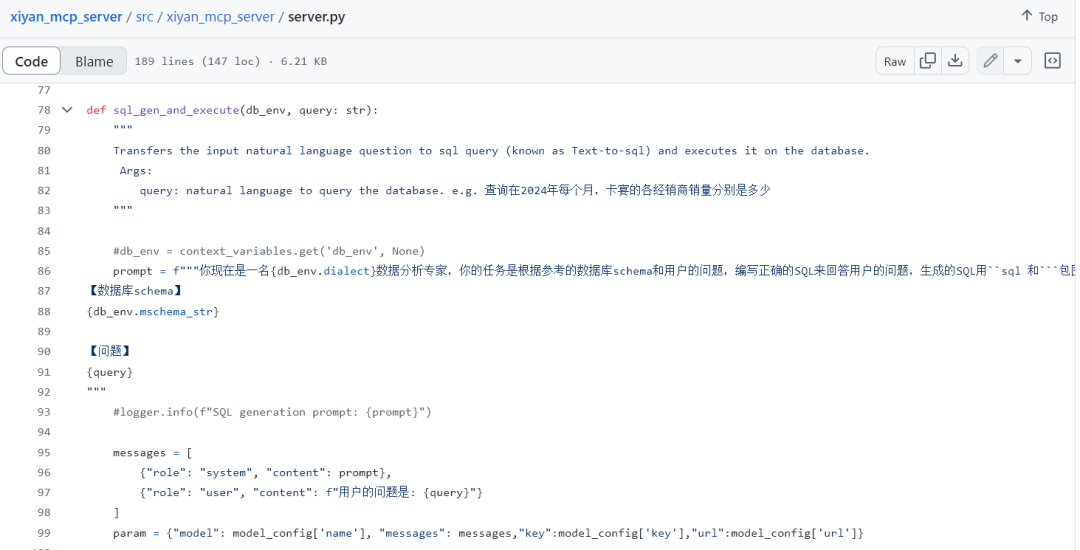
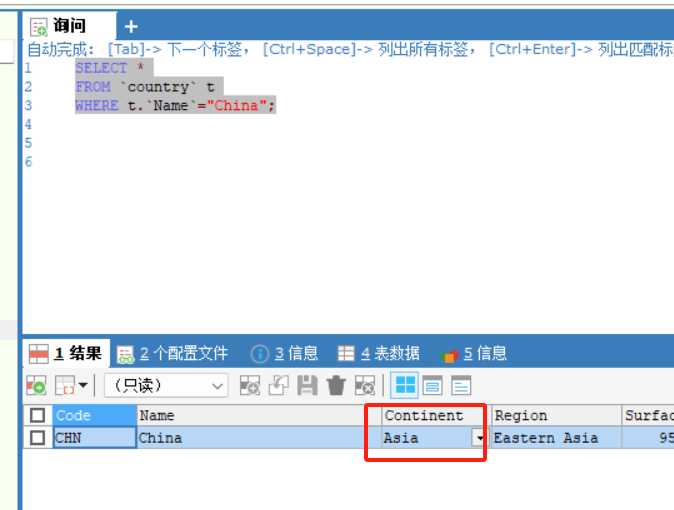
查看mysql数据库:
[更多相关内容关注公从号"快乐王子AI说" ]--同步公众号





 扫一扫
扫一扫


 3695
3695

 被折叠的 条评论
为什么被折叠?
被折叠的 条评论
为什么被折叠?
 到【灌水乐园】发言





