



Coverity Analysis 下载使用
User manual for windows
This part shows how to use coverity analysis(CA), named coverity wizard, in local desktop to analyze SDK source code with MISRA rules.
Notes you need to make sure that you have access to host, if you cann't, you can call IT(internal call: 6889) to apply for permission.
Firstly, you need to download the coverity analysis installer, which called coverity wizard, for windows in coverity with your core ID and password.
Click the drop down box and click downloads, select coverity analysis for windows and license and install it into you local computer.
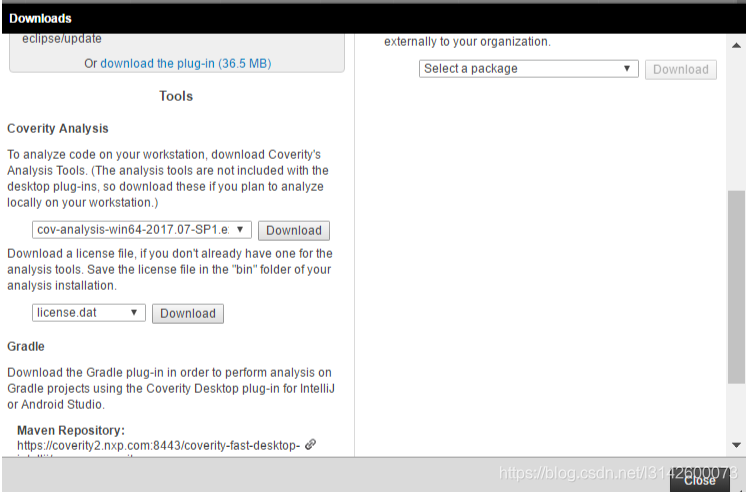
cov-analysis-win64-2018.09.exe
How to CA
When you installed completely following the install tips, open it and need another 6 steps to coverity analysis.
Workflow steps(need to update with flow figure):
- Introduction
- Select compiler
- Capture a build
- Analyze for defects
- Commit defects
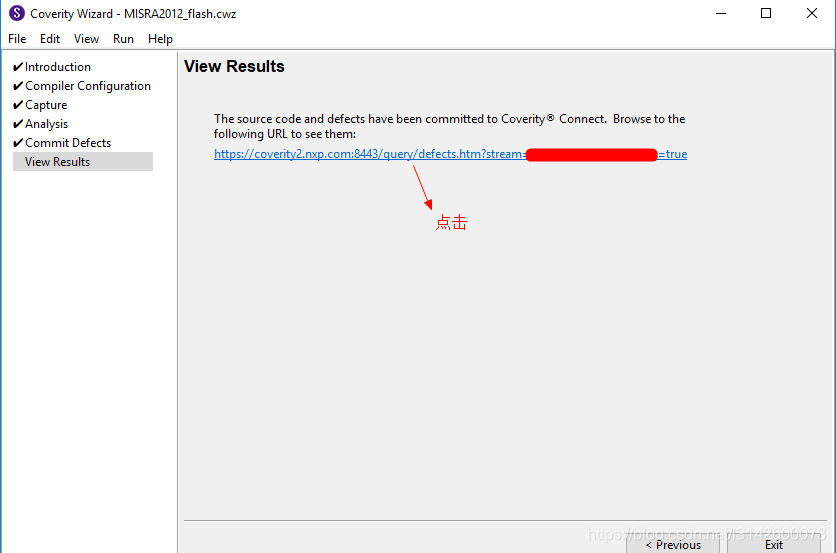
- View defects
1 Introduction
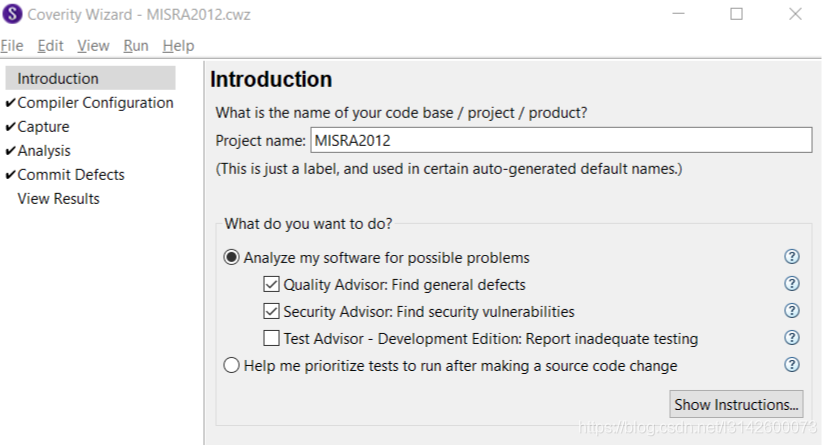
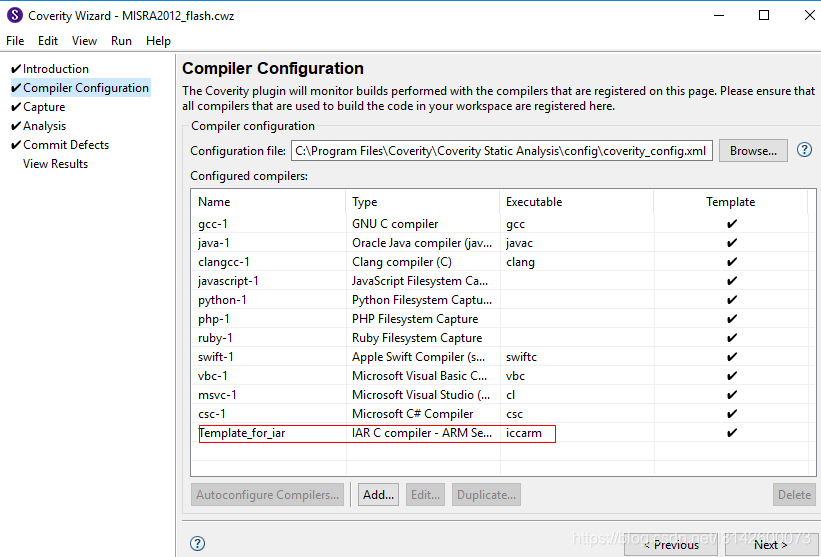
2 Compiler Configuration
There are some default compilers with coverity, such as gcc/clangcc/ruby and so on. If you need another compiler, you should add it into coverity wizard manually.
Add new compiler into coverity, which is not included by default, such as IAR toolchain.
Configure armgcc or IAR toolchain location in Coverity Wizard
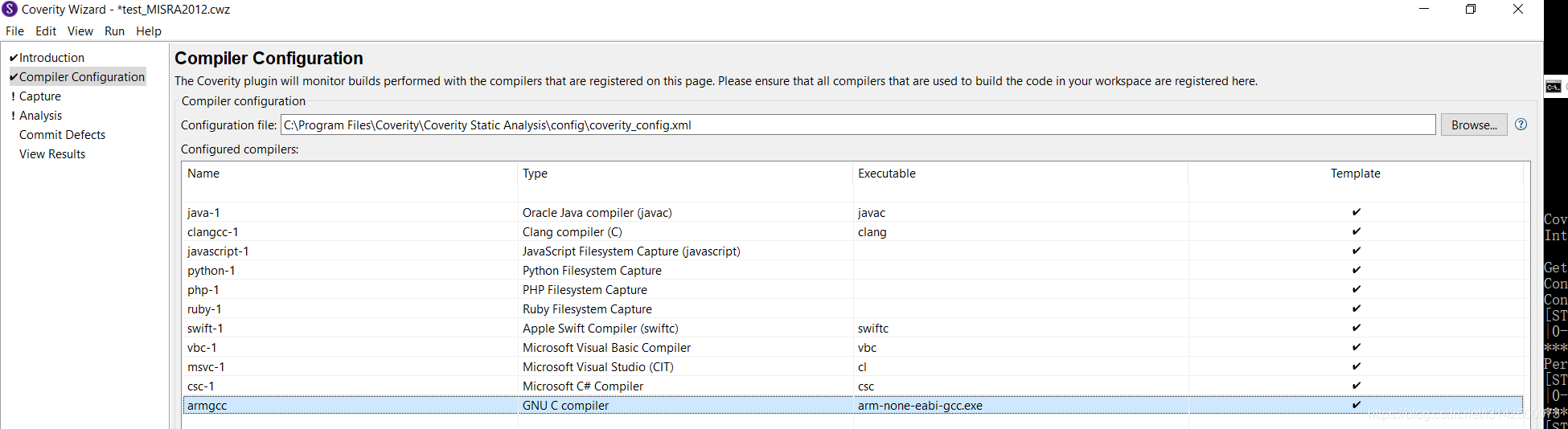
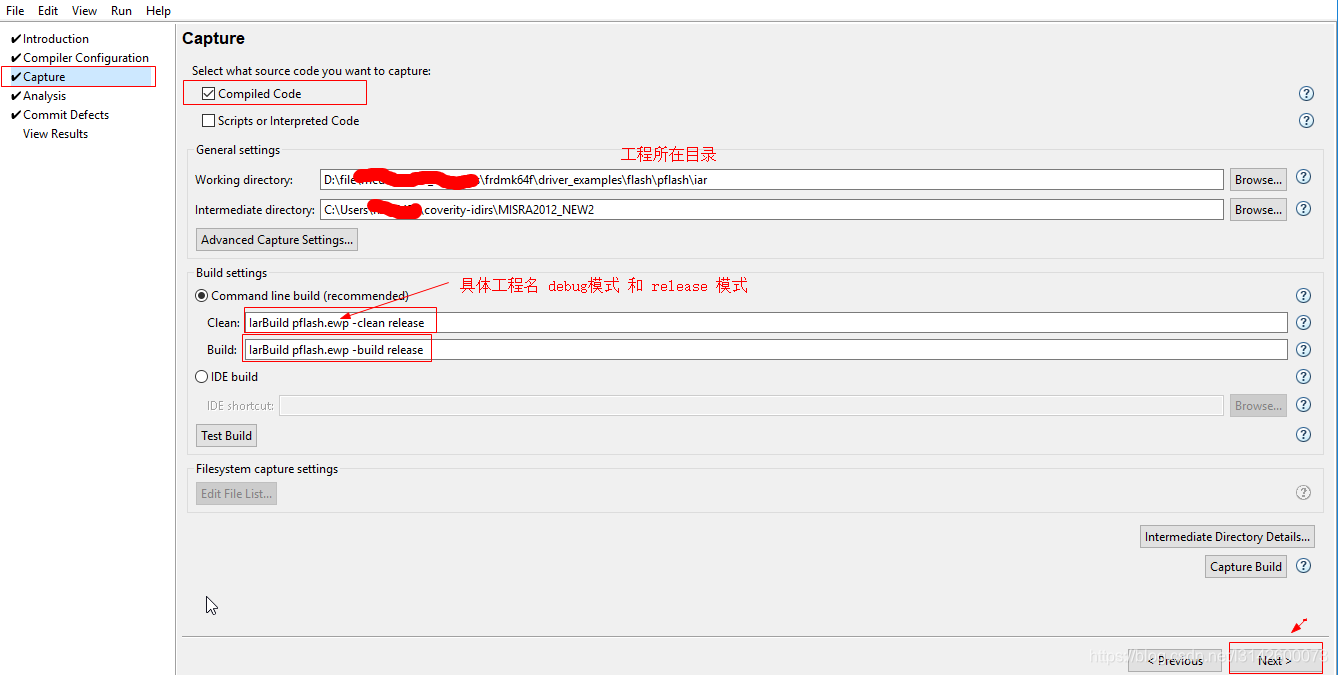
3 capture Configuration
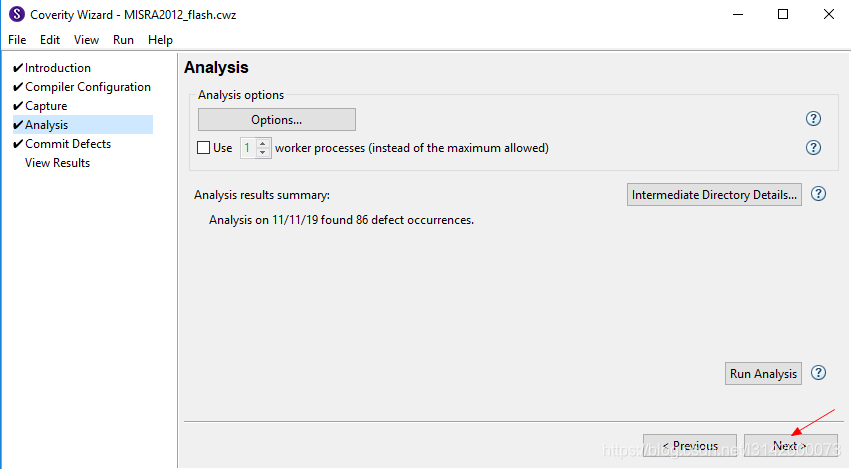
4 Analysis Configuration
4.1 first step Run Analysis
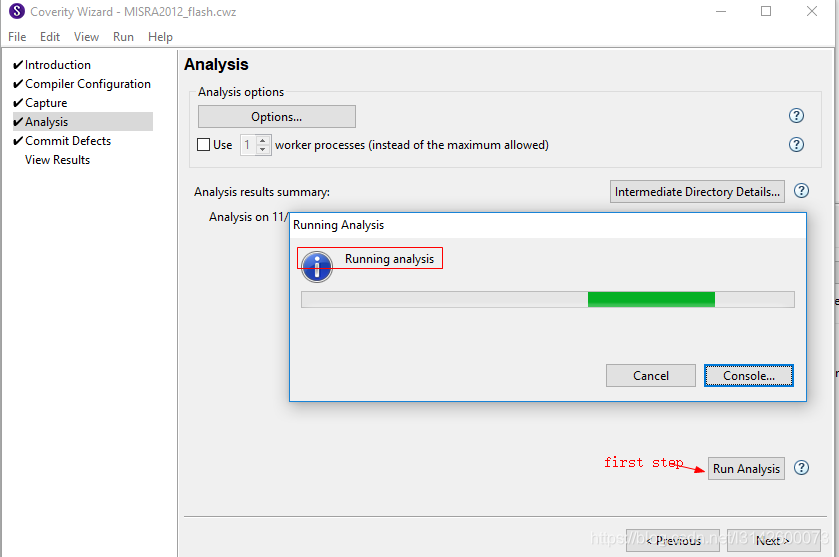
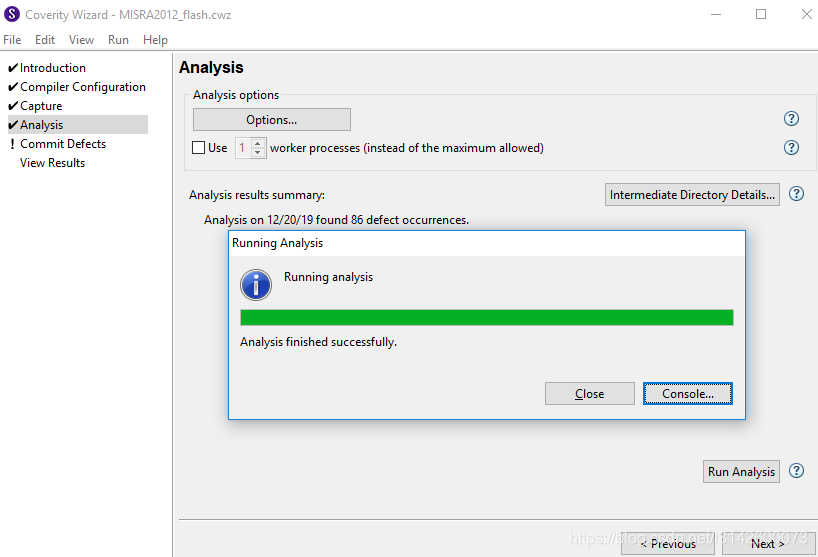
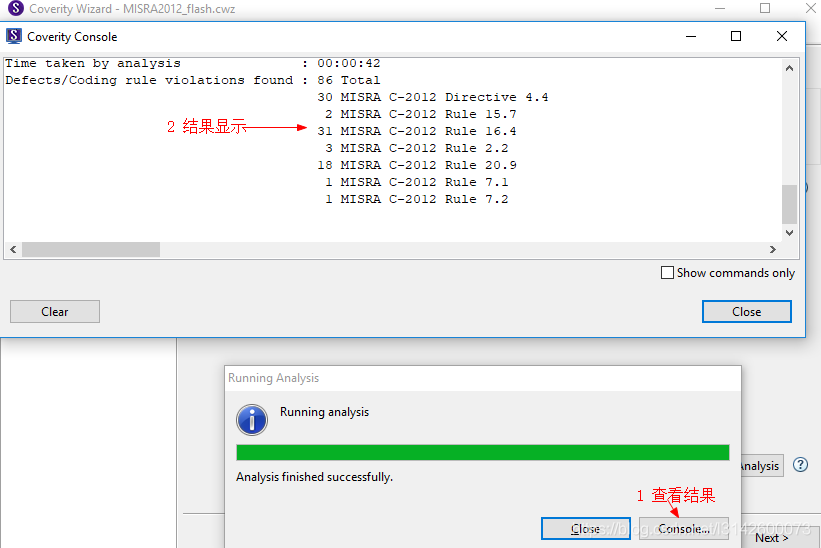
若出错请查看代码
4.2 press Next
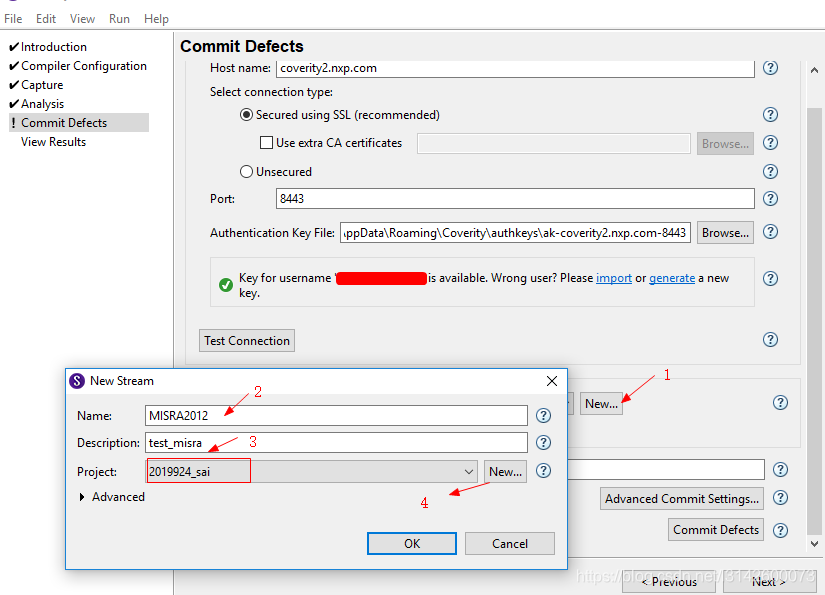
5 Commit Defects
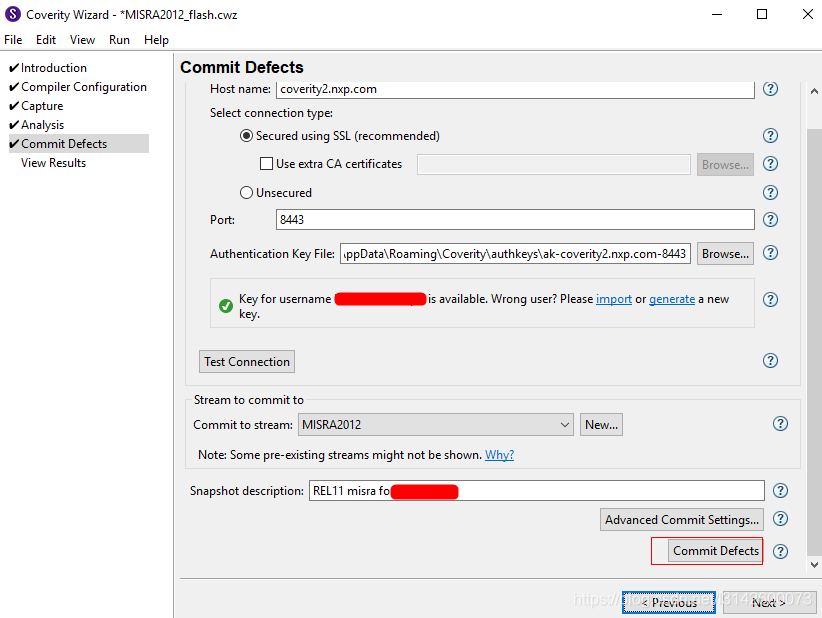
last





 扫一扫
扫一扫


 7741
7741


 到【灌水乐园】发言



