





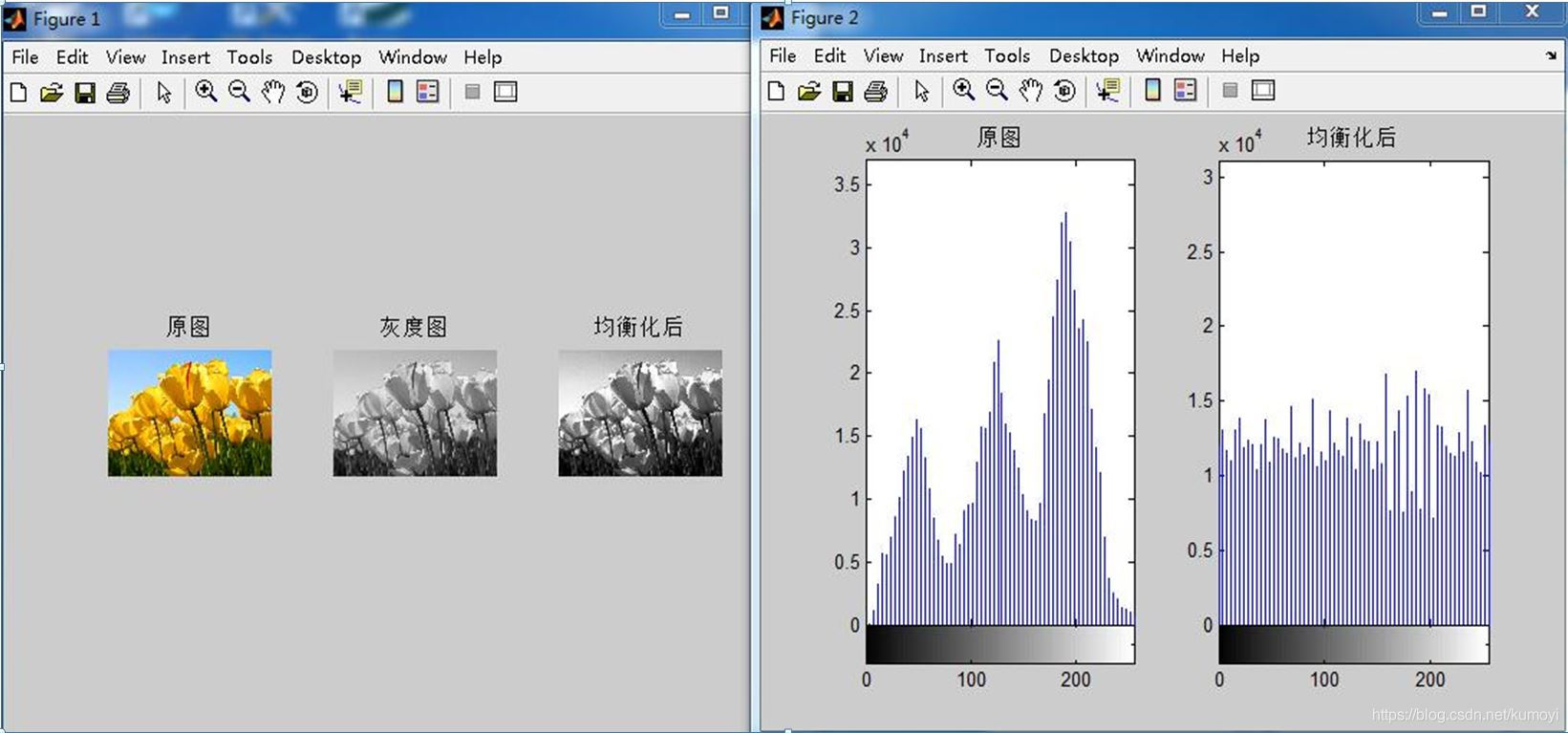
 本文介绍了一种图像处理技术——图像均衡化,通过使用rgb2gray()函数将图像转化为灰度图,然后运用histeq()函数进行均衡化操作,最后通过imhist()函数展示了均衡化前后的灰度直方图。实验结果表明,图像均衡化能有效改善图像对比度。
步骤
- 读取图像转化为灰度图( rgb2gray( )函数 )
- 进行均衡化操作( histeq( )函数 )
- 显示均衡化前后图像并显示对应的灰度直方图( imhist( )函数 )
代码
  img=imread(' 图像路径 . jpg ');            %导入图像
  imgGray=rgb2gray( img );                  %转化为灰度图
  img1=histeq( imgGray );                   %图像均衡化

  figure,
  subplot(1,3,1) , imshow( img );
  title( '原图' )
  subplot(1,3,2) , imshow( imgGray );
  title( '灰度图' )
  subplot(1,3,3) , imshow( img1 );
  title( '均衡化后' )                         %显示图像

  figure,
  subplot(1,2,1) , imhist( imgGray , 64 );
  title( '原图' )
  subplot(1,2,2) , imhist( img1 , 64 );
  title( '均衡化后' )                         %显示直方图
实验结果





 扫一扫
扫一扫


 3万+
3万+

 被折叠的 条评论
为什么被折叠?
被折叠的 条评论
为什么被折叠?
 到【灌水乐园】发言





