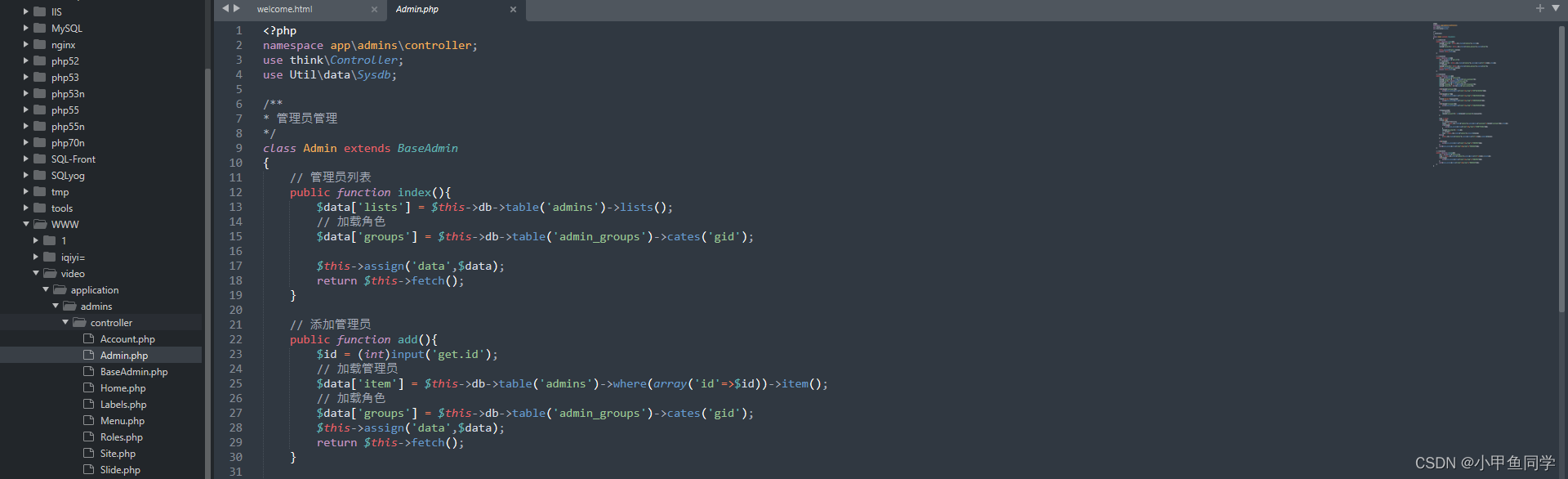
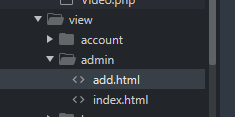
使用 ThinkPHP 6.0(后端) + Vue 2.x(前端)构建一个具备 **商城、多商户、权限管理、财务模块、系统配置** 的完整管理后台,需要分前后端协同开发。以下是一个完整的项目结构搭建方案与核心代码实现示例。
---
## ✅ 一、项目整体架构
### 后端:ThinkPHP 6.0
- 路由:RESTful API
- 数据库:MySQL
- 权限:基于 RBAC(角色-权限-用户)
- 多商户:`merchant_id` 隔离数据
- ORM:TP6 自带 Query Builder 和 Model
- JWT 认证(可选)
### 前端:Vue 2.x + Element UI + Axios + Vue Router + Vuex
- 管理界面:Element UI 组件库
- 路由控制:动态路由加载(根据权限)
- 状态管理:Vuex 存储用户信息、菜单、权限等
- 请求拦截:携带 token
---
## ✅ 二、数据库设计(关键表)
```sql
-- 用户表(管理员/平台运营)
CREATE TABLE `admin_users` (
`id` int(11) UNSIGNED AUTO_INCREMENT PRIMARY KEY,
`username` varchar(50) NOT NULL UNIQUE,
`password` varchar(255) NOT NULL,
`realname` varchar(50),
`status` tinyint(1) DEFAULT 1,
`created_at` datetime DEFAULT CURRENT_TIMESTAMP,
`updated_at` datetime ON UPDATE CURRENT_TIMESTAMP
);
-- 商户表
CREATE TABLE `merchants` (
`id` int(11) UNSIGNED AUTO_INCREMENT PRIMARY KEY,
`name` varchar(100) NOT NULL,
`contact` varchar(50),
`phone` varchar(20),
`status` tinyint(1) DEFAULT 1,
`created_at` datetime DEFAULT CURRENT_TIMESTAMP,
`updated_at` datetime ON UPDATE CURRENT_TIMESTAMP
);
-- 角色表
CREATE TABLE `roles` (
`id` int(11) UNSIGNED AUTO_INCREMENT PRIMARY KEY,
`name` varchar(50) NOT NULL,
`desc` varchar(100)
);
-- 权限节点表
CREATE TABLE `permissions` (
`id` int(11) UNSIGNED AUTO_INCREMENT PRIMARY KEY,
`name` varchar(50) NOT NULL, -- 如 'goods.view'
`title` varchar(50) NOT NULL, -- 如 '查看商品'
`type` enum('menu','button') DEFAULT 'menu',
`path` varchar(100), -- 前端路由路径
`component` varchar(100), -- 组件路径
`parent_id` int(11) DEFAULT 0
);
-- 用户-角色关联
CREATE TABLE `admin_user_roles` (
`user_id` int(11),
`role_id` int(11),
PRIMARY KEY (`user_id`, `role_id`)
);
-- 角色-权限关联
CREATE TABLE `role_permissions` (
`role_id` int(11),
`permission_id` int(11),
PRIMARY KEY (`role_id`, `permission_id`)
);
-- 商品表(支持多商户)
CREATE TABLE `goods` (
`id` int(11) UNSIGNED AUTO_INCREMENT PRIMARY KEY,
`merchant_id` int(11) DEFAULT 0, -- 0为平台自营
`title` varchar(100) NOT NULL,
`price` decimal(10,2) NOT NULL,
`stock` int(11) DEFAULT 0,
`status` tinyint(1) DEFAULT 1,
`created_at` datetime DEFAULT CURRENT_TIMESTAMP
);
-- 财务流水表
CREATE TABLE `finance_logs` (
`id` int(11) UNSIGNED AUTO_INCREMENT PRIMARY KEY,
`merchant_id` int(11) NOT NULL,
`amount` decimal(10,2) NOT NULL,
`type` enum('income','expense','refund'),
`desc` varchar(200),
`order_id` varchar(50),
`created_at` datetime DEFAULT CURRENT_TIMESTAMP
);
-- 系统配置表
CREATE TABLE `system_configs` (
`id` int(11) UNSIGNED AUTO_INCREMENT PRIMARY KEY,
`name` varchar(50) NOT NULL UNIQUE,
`value` text,
`desc` varchar(100)
);
```
---
## ✅ 三、ThinkPHP 6.0 后端实现
### 1. 安装 TP6
```bash
composer create-project topthink/think tp6-admin
cd tp6-admin
composer require firebase/php-jwt think-auth
```
> 或者使用 `topthink/think-auth` 实现 RBAC。
---
### 2. JWT 中间件(用于认证)
创建中间件:`app/middleware/AuthMiddleware.php`
```php
<?php
namespace app\middleware;
use Firebase\JWT\JWT;
use Firebase\JWT\Key;
use think\App;
use think\Request;
use think\Response;
class AuthMiddleware
{
public function handle(Request $request, \Closure $next)
{
$token = $request->header('Authorization');
if (!$token) {
return json(['code' => 401, 'msg' => '缺少Token'])->code(401);
}
$key = config('jwt.key'); // 在 config/jwt.php 中定义
try {
$decoded = JWT::decode($token, new Key($key, 'HS256'));
$request->auth = $decoded;
} catch (\Exception $e) {
return json(['code' => 401, 'msg' => 'Token无效'])->code(401);
}
return $next($request);
}
}
```
注册中间件到 `app/middleware.php`:
```php
return [
'auth' => \app\middleware\AuthMiddleware::class
];
```
---
### 3. 登录接口(生成 Token)
```php
// app/controller/AdminController.php
<?php
namespace app\controller;
use Firebase\JWT\JWT;
use think\Request;
use app\model\AdminUser;
class AdminController
{
public function login(Request $request)
{
$data = $request->post();
$user = AdminUser::where('username', $data['username'])->find();
if (!$user || !password_verify($data['password'], $user->password)) {
return json(['code' => 400, 'msg' => '账号或密码错误']);
}
$payload = [
'uid' => $user->id,
'username' => $user->username,
'exp' => time() + 7200 // 2小时过期
];
$token = JWT::encode($payload, config('jwt.key'), 'HS256');
return json(['code' => 200, 'token' => $token, 'user' => $user]);
}
}
```
配置 `config/jwt.php`:
```php
return [
'key' => 'your-secret-key-here-change-it'
];
```
---
### 4. 获取菜单和权限(动态路由)
```php
// app/controller/PermissionController.php
<?php
namespace app\controller;
use app\model\Permission;
use app\model\RolePermission;
use think\Controller;
class PermissionController extends Controller
{
public function getMenuList()
{
$uid = $this->request->auth->uid; // 从 JWT 解析
// 这里简化:假设用户只有一个角色
$roleIds = \app\model\AdminUserRole::where('user_id', $uid)->column('role_id');
$permIds = RolePermission::whereIn('role_id', $roleIds)->column('permission_id');
$perms = Permission::whereIn('id', $permIds)
->where('type', 'menu')
->order('id', 'asc')
->select()
->toArray();
// 构建树形结构
$tree = $this->buildTree($perms);
return json(['code' => 200, 'data' => $tree]);
}
private function buildTree($list, $parentId = 0) {
$tree = [];
foreach ($list as $item) {
if ($item['parent_id'] == $parentId) {
$children = $this->buildTree($list, $item['id']);
if (!empty($children)) {
$item['children'] = $children;
}
$tree[] = $item;
}
}
return $tree;
}
}
```
---
### 5. 商品管理(支持多商户隔离)
```php
// app/controller/GoodsController.php
<?php
namespace app\controller;
use app\model\Goods;
use think\Controller;
class GoodsController extends Controller
{
public function index()
{
$merchantId = $this->request->get('merchant_id', 0); // 可筛选商户
$list = Goods::when($merchantId, function ($query) use ($merchantId) {
$query->where('merchant_id', $merchantId);
})->paginate(10);
return json(['code' => 200, 'data' => $list]);
}
public function save()
{
$data = $this->request->post();
$goods = new Goods();
$goods->save($data);
return json(['code' => 200, 'msg' => '添加成功']);
}
}
```
---
## ✅ 四、Vue 2.x 前端实现
### 1. 项目初始化
```bash
vue create admin-frontend
cd admin-frontend
vue add router
vue add vuex
npm install element-ui axios vue-router@3 vue-cli-plugin-electron-builder -D
```
引入 Element UI(`main.js`):
```js
import Vue from 'vue'
import App from './App.vue'
import router from './router'
import store from './store'
import ElementUI from 'element-ui'
import 'element-ui/lib/theme-chalk/index.css'
Vue.use(ElementUI)
Vue.config.productionTip = false
new Vue({
router,
store,
render: h => h(App)
}).$mount('#app')
```
---
### 2. 登录页调用登录接口
```vue
<!-- Login.vue -->
<template>
<el-form @submit.native.prevent="onLogin">
<el-form-item label="用户名">
<el-input v-model="form.username" />
</el-form-item>
<el-form-item label="密码">
<el-input type="password" v-model="form.password" />
</el-input>
<el-button native-type="submit">登录</el-button>
</el-form>
</template>
<script>
export default {
data() {
return { form: { username: '', password: '' } }
},
methods: {
async onLogin() {
const res = await this.$http.post('/admin/login', this.form)
if (res.code === 200) {
localStorage.setItem('token', res.token)
this.$store.commit('setUser', res.user)
this.$router.push('/')
}
}
}
}
</script>
```
---
### 3. 动态生成菜单(权限控制)
```js
// store/modules/user.js
const state = {
user: null,
menus: []
}
const mutations = {
SET_USER(state, user) {
state.user = user
},
SET_MENUS(state, menus) {
state.menus = menus
}
}
const actions = {
async fetchMenus({ commit }) {
const res = await this.$http.get('/permission/getMenuList')
commit('SET_MENUS', res.data)
return res.data
}
}
```
在 `router/index.js` 中动态添加路由:
```js
import { createRouter, createWebHistory } from 'vue-router'
const constantRoutes = [
{ path: '/login', component: () => import('@/views/Login.vue') }
]
const router = createRouter({
history: createWebHistory(),
routes: constantRoutes
})
// 全局前置守卫
router.beforeEach(async (to, from, next) => {
const token = localStorage.getItem('token')
if (!token && to.path !== '/login') {
next('/login')
} else if (token && to.path === '/login') {
next('/')
} else {
if (store.state.user.menus.length === 0) {
await store.dispatch('fetchMenus')
const menus = store.state.user.menus
// 将菜单转为路由
const routes = convertToRoutes(menus)
routes.forEach(r => router.addRoute(r))
}
next()
}
})
function convertToRoutes(menus) {
return menus.map(m => ({
path: m.path,
name: m.name,
component: () => import(`@/views/${m.component}.vue`),
children: m.children ? convertToRoutes(m.children) : undefined
}))
}
```
---
### 4. 请求拦截器(自动加 Token)
```js
// utils/request.js
import axios from 'axios'
const http = axios.create({ baseURL: '/api' })
http.interceptors.request.use(config => {
const token = localStorage.getItem('token')
if (token) {
config.headers.Authorization = token
}
return config
})
http.interceptors.response.use(res => {
if (res.data.code === 401) {
localStorage.removeItem('token')
window.location.href = '/login'
}
return res.data
})
export default http
```
---
## ✅ 五、功能模块划分建议
| 模块 | 功能 |
|------|------|
| 系统管理 | 用户、角色、权限、日志 |
| 商城管理 | 商品、分类、订单、评价 |
| 多商户管理 | 商户入驻、审核、结算 |
| 财务中心 | 收入/支出记录、对账单、提现审核 |
| 系统配置 | 网站标题、支付参数、短信设置 |
---
## ✅ 六、部署建议
- 后端:Nginx + PHP-FPM + MySQL
- 前端:打包后由 Nginx 托管,API 反向代理到 TP6
- CORS:TP6 中启用跨域中间件
```php
// app/middleware/CorsMiddleware.php
public function handle($request, \Closure $next)
{
header('Access-Control-Allow-Origin: *');
header('Access-Control-Allow-Methods: GET,POST,OPTIONS,DELETE,PUT');
header('Access-Control-Allow-Headers: Authorization, Content-Type');
if ($request->isOptions()) return response('', 200);
return $next($request);
}
```
---
## ✅ 总结
以上是一个 **ThinkPHP 6 + Vue 2** 的基础管理后台框架,包含:
- ✅ JWT 登录认证
- ✅ RBAC 权限控制
- ✅ 多商户数据隔离
- ✅ 动态菜单渲染
- ✅ 财务与系统配置模块
你可以在此基础上扩展:
- 订单模块
- 支付对接(微信/支付宝)
- 文件上传(OSS)
- 数据统计图表(ECharts)
---