



1.python 实用之百度文字识别批量修改证件照文件名(百度OCR百度文字识别)
一、场景描述:
1.工地有4个工队,每个队30号人,要收集他们的1寸电子证件照片,要求是:图片文件需要用工人名字命名。
2.因为各个员工没有电脑,只有手机,用手机制作证件照后,在照片上添加了自己的名字(如图示),最后用微信发给我;
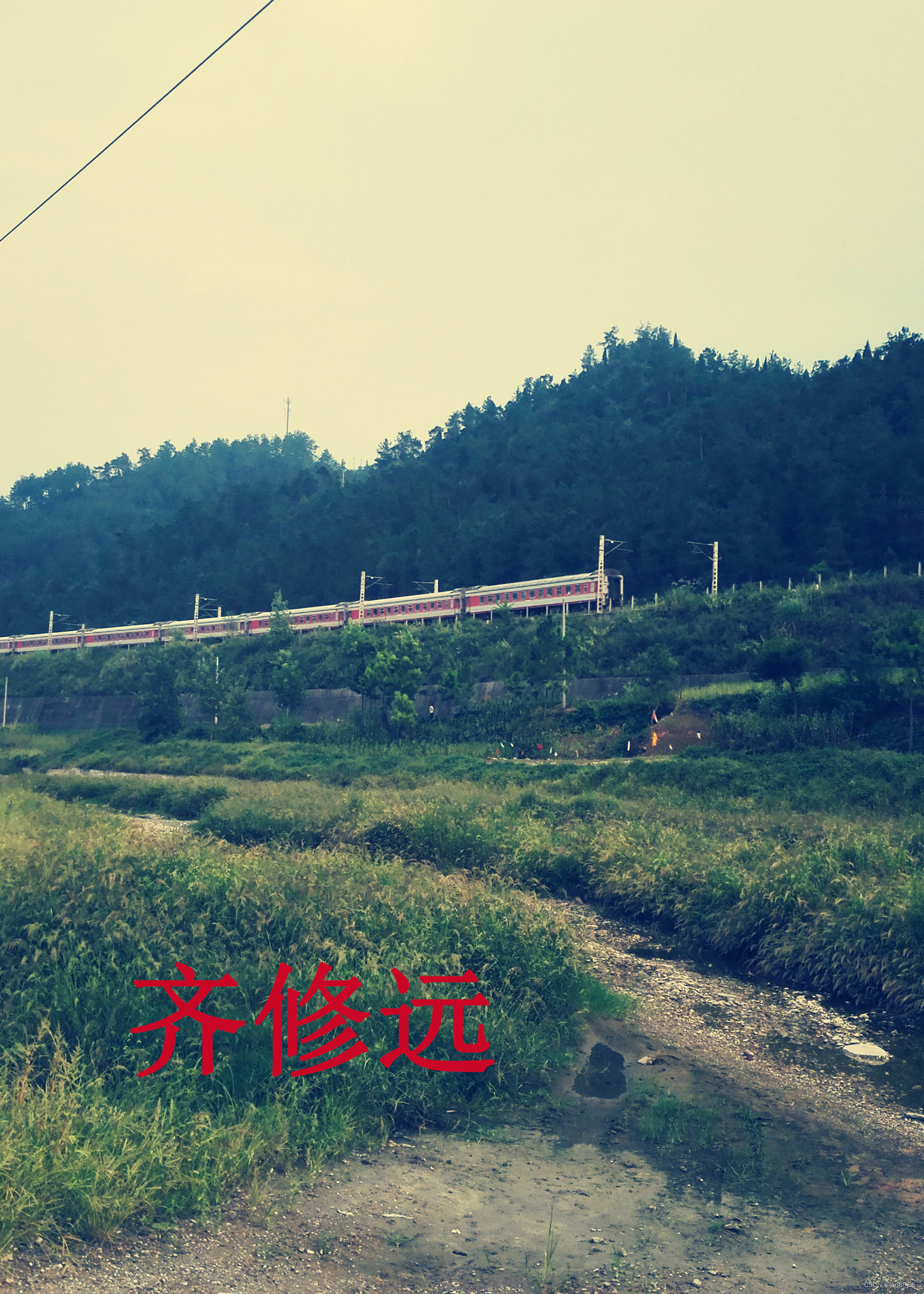
3.把图片下载在一个文件夹下,发现图片文件名格式为
”微信图片_20210508162510.jpg“;
4.把图片文件名修改为图片上P的名字;**
二、需求分析及实现原理
1.识别图片上的文字,并用该文字重命名图片文件;
①实现文字识别方案有
1)python +pytesseract+tesseract.exe
2)python +百度OCR
3)python +阿里云
等…
2.尝试过程,安装tesseract.exe, 比较复杂,主要是配置环境变量以及修改pytesseract.py 文件一定要注意路径文件要改成原始字符串,或者用转义字符,因为是离线的,所以识别精度不高,出现乱码;
3.最后选择实用方案二。因为百度OCR,个人用户每个月免费实用1000次;而且,实例代码非常易懂,易修改。
三、实现过程及源码
1.注册百度智能云,并登录;
2.找到百度OCR,如图示
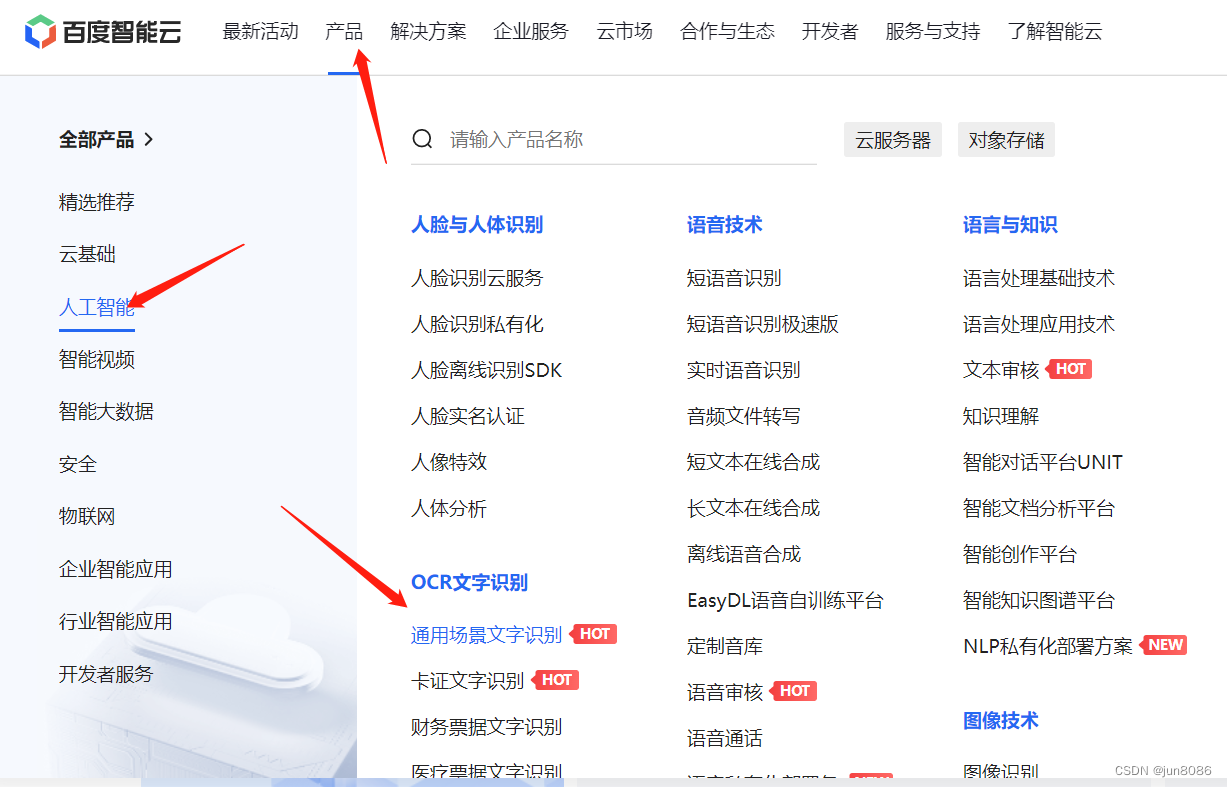
3.进入通用场景文字识别,点立即使用,创建应用,最后创建成功会有三元组。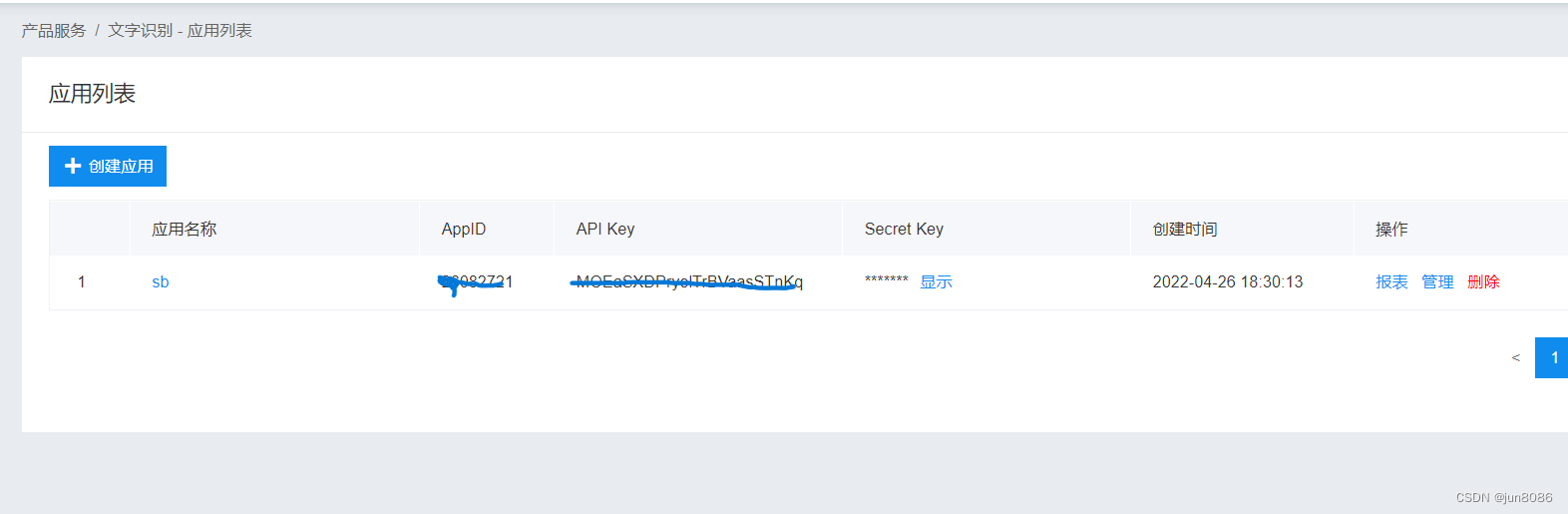
4.下载SDK,可点击下载。
5.用IDE打开(python ide 或者vscode),把三元组修改成你的,
6.把一张有中文的图片(文件名名命为:test.jpg)放入该代码工作的文件夹内,点调试,则可输出一个字符串(不是字典),需要把该字符串转换成字典,用result=eval(str)方法,通过读取字典内容获得识别的名字。
7.最后把所得的名字(字符串型数据),文件重命名即可:
os.rename(before_name,new_name).
8.代码如下
get_name.py
# -*- coding: utf-8 -*-

import time
import base64
import requests
from datetime import datetime
#print(datetime.now()) #打印当前时间
"""
API接口数据
"""
appid = "你自己的"
client_id = "你自己的"
client_secret = "你自己的"


# 获取access_token
# client_id 为官网获取的AK, client_secret 为官网获取的SK

token_url = "https://aip.baidubce.com/oauth/2.0/token"
host = f"{token_url}?grant_type=client_credentials&client_id={client_id}&client_secret={client_secret}"

response = requests.get(host)
access_token = response.json().get("access_token")


def get_words(file_path="1.jpg"):

    start = time.time()

# 调用通用文字识别高精度版接口
    request_url = "https://aip.baidubce.com/rest/2.0/ocr/v1/accurate_basic"
# 以二进制方式打开图文件
# 参数image:图像base64编码
# 下面图片路径请自行切换为自己环境的绝对路径
    file_p="./"+file_path
    with open(file_p, "rb") as f:
        image = base64.b64encode(f.read())

    body = {
        "image": image,
        "language_type": "auto_detect",
        "detect_direction": "true",
        "paragraph": "true",
        "probability": "true",
    }
    headers = {"Content-Type": "application/x-www-form-urlencoded"}
    request_url = f"{request_url}?access_token={access_token}"
    response = requests.post(request_url, headers=headers, data=body)
    content = response.content.decode("UTF-8")
    # 打印调用结果
    #print("###"+content+"%%%")
    content=eval(content)
    #print(type(content))
    r_result=content.get("words_result")

    #print(type(r_result))
    #print(r_result)
    f_result=r_result[0]
    t_result=f_result.get("words")
    #print(t_result)
    #print(type(t_result))
    return t_result
    t_tesult.clear()
    #end = time.time()
    #打印识别时间
    #print(f"Running time: {(end-start):.2f} Seconds")

if __name__=='__main__':

    print(get_words())
change_name.py #下面这个是运行的文件
import os
import  get_name
import time

"""
1.遍历文件夹,生成图片列表
"""
#新建一个列表存储筛选出来的.jpg 文件
jpg_file=[]
#chdir(path)方法将path设置为工作路径
os.chdir(r"e:\desktop\调度相关\皮带巷一寸照片")
#获得工作文件夹下所有文件,生成列表
file_name=os.listdir("./")
for f_n in file_name:
    if os.path.splitext(f_n)[-1]==".jpg":
        jpg_file.append(f_n)

    else:
        pass
for i in jpg_file:
    f_name=get_name.get_words(i)

    os.rename(i,f_name+".jpg")
    time.sleep(1)







 扫一扫
扫一扫


 1432
1432

 被折叠的 条评论
为什么被折叠?
被折叠的 条评论
为什么被折叠?
 到【灌水乐园】发言





