



(译)开发第一个Html5游戏(三)
这一章加入了图片滚动功能,已经实现了一个游戏对话框。
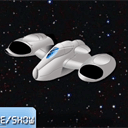
 本文介绍如何在HTML5游戏中实现图片滚动功能,并展示了一个包含游戏对话框的实例。通过详细代码解析,展示了如何使用JavaScript创建按钮、背景图像、飞船对象,以及如何处理鼠标事件来实现游戏交互。
(译)开发第一个Html5游戏(三)
这一章加入了图片滚动功能,已经实现了一个游戏对话框。
JS代码:(完整代码请看文章结尾链接)
// inner variables
var canvas, ctx;
var button;
var backgroundImage;
var spaceShip;
var iBgShiftX = 1024;
var bDrawDialog = true;
var iDialogPage = 1;
// -------------------------------------------------------------

// objects :
function Button(x, y, w, h, state, image) {
    this.x = x;
    this.y = y;
    this.w = w;
    this.h = h;
    this.state = state;
    this.imageShift = 0;
    this.image = image;
}
function SpaceShip(x, y, w, h, image) {
    this.x = x;
    this.y = y;
    this.w = w;
    this.h = h;
    this.image = image;
    this.bDrag = false;
}
// -------------------------------------------------------------

// draw functions :

function clear() { // clear canvas function
    ctx.clearRect(0, 0, ctx.canvas.width, ctx.canvas.height);
}

function drawDialog() { // draw dialog function
    if (bDrawDialog) {
        var bg_gradient = ctx.createLinearGradient(0, 200, 0, 400);
        bg_gradient.addColorStop(0.0, 'rgba(160, 160, 160, 0.8)');
        bg_gradient.addColorStop(1.0, 'rgba(250, 250, 250, 0.8)');

        ctx.beginPath(); // custom shape begin
        ctx.fillStyle = bg_gradient;
        ctx.moveTo(100, 100);
        ctx.lineTo(700, 100);
        ctx.lineTo(700, 500);
        ctx.lineTo(100, 500);
        ctx.lineTo(100, 100);
        ctx.closePath(); // custom shape end
        ctx.fill(); // fill custom shape

        ctx.lineWidth = 2;
        ctx.strokeStyle = 'rgba(128, 128, 128, 0.5)';
        ctx.stroke(); // draw border

        // draw the title text
        ctx.font = '42px DS-Digital';
        ctx.textAlign = 'center';
        ctx.textBaseline = 'top';
        ctx.shadowColor = '#000';
        ctx.shadowOffsetX = 2;
        ctx.shadowOffsetY = 2;
        ctx.shadowBlur = 2;
        ctx.fillStyle = '#fff';
        if (iDialogPage == 1) {
            ctx.fillText('Welcome to lesson #3', ctx.canvas.width/2, 150);
            ctx.font = '24px DS-Digital';
            ctx.fillText('After closing dialog you will able', ctx.canvas.width/2, 250);
            ctx.fillText('to handle with spaceship with your mouse', ctx.canvas.width/2, 280);
        } else if (iDialogPage == 2) {
            ctx.fillText('Second page of dialog', ctx.canvas.width/2, 150);
            ctx.font = '24px DS-Digital';
            ctx.fillText('Any another text', ctx.canvas.width/2, 250);
        }
    }
}

function drawScene() { // main drawScene function
    clear(); // clear canvas

    // draw background
    iBgShiftX -= 10;
    if (iBgShiftX <= 0) {
        iBgShiftX = 1024;
    }
    ctx.drawImage(backgroundImage, 0 + iBgShiftX, 0, 1024, 768, 0, 0, 800, 600);

    // draw space ship
    ctx.drawImage(spaceShip.image, 0, 0, spaceShip.w, spaceShip.h, spaceShip.x-128, spaceShip.y-128, spaceShip.w, spaceShip.h);

    // draw dialog
    drawDialog();

    // draw button
    ctx.drawImage(button.image, 0, button.imageShift, button.w, button.h, button.x, button.y, button.w, button.h);

    // draw button's text
    ctx.font = '22px DS-Digital';
    ctx.fillStyle = '#ffffff';
    ctx.fillText('next/hide/show', 400, 465);
    ctx.fillText('dialog', 400, 500);
}

// -------------------------------------------------------------

// initialization
$(function(){
    canvas = document.getElementById('scene');
    ctx = canvas.getContext('2d');

    var width = canvas.width;
    var height = canvas.height;

    // load background image
    backgroundImage = new Image();
    backgroundImage.src = 'images/stars.jpg';
    backgroundImage.onload = function() {
    }
    backgroundImage.onerror = function() {
        console.log('Error loading the background image.');
    }

    // initialization of space ship
    var oSpShipImage = new Image();
    oSpShipImage.src = 'images/space_ship.png';
    oSpShipImage.onload = function() {
    }
    spaceShip = new SpaceShip(400, 300, 256, 256, oSpShipImage);

    // load the button sprite image
    var buttonImage = new Image();
    buttonImage.src = 'images/button.png';
    buttonImage.onload = function() {
    }
    button = new Button(310, 450, 180, 120, 'normal', buttonImage);

    $('#scene').mousedown(function(e) { // binding mousedown event (for dragging)

        var mouseX = e.layerX || 0;
        var mouseY = e.layerY || 0;

        if (!bDrawDialog &&
            mouseX > spaceShip.x-128 && mouseX < spaceShip.x-128+spaceShip.w &&
            mouseY > spaceShip.y-128 && mouseY < spaceShip.y-128+spaceShip.h) {

            spaceShip.bDrag = true;
            spaceShip.x = mouseX;
            spaceShip.y = mouseY;
        }

        // button behavior
        if (mouseX > button.x && mouseX < button.x+button.w && mouseY > button.y && mouseY < button.y+button.h) {
            button.state = 'pressed';
            button.imageShift = 262;
        }
    });

    $('#scene').mousemove(function(e) { // binding mousemove event
        var mouseX = e.layerX || 0;
        var mouseY = e.layerY || 0;

        if (!bDrawDialog && spaceShip.bDrag) {
            spaceShip.x = mouseX;
            spaceShip.y = mouseY;
        }

        // button behavior
        if (button.state != 'pressed') {
            button.state = 'normal';
            button.imageShift = 0;
            if (mouseX > button.x && mouseX < button.x+button.w && mouseY > button.y && mouseY < button.y+button.h) {
                button.state = 'hover';
                button.imageShift = 131;
            }
        }
    });

    $('#scene').mouseup(function(e) { // binding mouseup event
        spaceShip.bDrag = false;

        // button behavior
        if (button.state == 'pressed') {
            if (iDialogPage == 0) {
                iDialogPage++;
                bDrawDialog = !bDrawDialog;
            } else if (iDialogPage == 2) {
                iDialogPage = 0;
                bDrawDialog = !bDrawDialog;
            } else {
                iDialogPage++;
            }
        }
        button.state = 'normal';
        button.imageShift = 0;
    });

    setInterval(drawScene, 30); // loop drawScene
});
原文地址 http://www.script-tutorials.com/html5-game-development-navigating-your-spaceship-lesson-3/
Demo地址 http://www.script-tutorials.com/demos/166/index.html
源码下载 http://www.script-tutorials.com/demos/166/source.zip

 被折叠的 条评论
为什么被折叠?
被折叠的 条评论
为什么被折叠?
 到【灌水乐园】发言








 扫一扫
扫一扫


 358
358


