



 本篇继续介绍HTML5游戏开发,涵盖颜色渐变、文本绘制与样式定制及动画效果。通过实例演示如何创建按钮等UI元素,并实现交互功能。
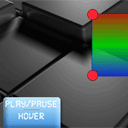
开发第一个Html5游戏(二)
今天我们继续学习Html5系列游戏开发,我们会在第一章的基础上做一些扩展,加入颜色渐变、
绘制文本、自定义文本样式、以及动画,我们还将学习UI中一个非常重要的元素,按钮。
我们的上一篇文章: (译)开发第一个Html5游戏(一) .
JS代码:(完整代码请看文章结尾链接)
var canvas, ctx;
var circles = [];
var selectedCircle;
var hoveredCircle;
var button;
var moving = false;
var speed = 2.0;

// -------------------------------------------------------------

// objects :

function Circle(x, y, radius){
    this.x = x;
    this.y = y;
    this.radius = radius;
}

function Button(x, y, w, h, state, image) {
    this.x = x;
    this.y = y;
    this.w = w;
    this.h = h;
    this.state = state;
    this.imageShift = 0;
    this.image = image;
}
// -------------------------------------------------------------

// draw functions :

function clear() { // clear canvas function
    ctx.clearRect(0, 0, ctx.canvas.width, ctx.canvas.height);
}

function drawCircle(ctx, x, y, radius) { // draw circle function
    ctx.fillStyle = 'rgba(255, 35, 55, 1.0)';

    ctx.beginPath();
    ctx.arc(x, y, radius, 0, Math.PI*2, true);
    ctx.closePath();

    ctx.fill();

    ctx.lineWidth = 1;
    ctx.strokeStyle = 'rgba(0, 0, 0, 1.0)';
    ctx.stroke(); // draw border
}

function drawScene() { // main drawScene function
    clear(); // clear canvas

    // 绘制文本
    ctx.font = '42px DS-Digital';
    ctx.textAlign = 'center';
    ctx.fillStyle = '#ffffff';
    ctx.fillText('Welcome to lesson #2', ctx.canvas.width/2, 50);

    //这里实现颜色渐变
    var bg_gradient = ctx.createLinearGradient(0, 200, 0, 400);
    bg_gradient.addColorStop(0.0, 'rgba(255, 0, 0, 0.8)');
    bg_gradient.addColorStop(0.5, 'rgba(0, 255, 0, 0.8)');
    bg_gradient.addColorStop(1.0, 'rgba(0, 0, 255, 0.8)');

    ctx.beginPath(); // custom shape begin
    ctx.fillStyle = bg_gradient;
    ctx.moveTo(circles[0].x, circles[0].y);
    for (var i=0; i<circles.length; i++) {
        ctx.lineTo(circles[i].x, circles[i].y);
    }
    ctx.closePath(); // custom shape end
    ctx.fill(); // fill custom shape

    ctx.lineWidth = 2;
    ctx.strokeStyle = 'rgba(0, 0, 255, 0.5)';
    ctx.stroke(); // draw border

    // reverting direction
    if (circles[0].x <= 300 || circles[0].x >= 385) {
        speed = -speed;
    }

    // 实现图像抖动
    if (moving) {
        circles[0].x -= speed;
        circles[0].y -= speed;
        circles[1].x += speed;
        circles[1].y -= speed;
        circles[2].x += speed;
        circles[2].y += speed;
        circles[3].x -= speed;
        circles[3].y += speed;
    }

    drawCircle(ctx, circles[0].x, circles[0].y, (hoveredCircle == 0) ? 25 : 15);
    drawCircle(ctx, circles[1].x, circles[1].y, (hoveredCircle == 1) ? 25 : 15);
    drawCircle(ctx, circles[2].x, circles[2].y, (hoveredCircle == 2) ? 25 : 15);
    drawCircle(ctx, circles[3].x, circles[3].y, (hoveredCircle == 3) ? 25 : 15);

    // draw button
    ctx.drawImage(button.image, 0, button.imageShift, button.w, button.h, button.x, button.y, button.w, button.h);

    // draw text
    ctx.font = '30px DS-Digital';
    ctx.fillStyle = '#ffffff';
    ctx.fillText('Play/Pause', 135, 480);
    ctx.fillText(button.state, 135, 515);
}

// -------------------------------------------------------------

// initialization

$(function(){
    canvas = document.getElementById('scene');
    ctx = canvas.getContext('2d');

    var circleRadius = 15;
    var width = canvas.width;
    var height = canvas.height;

    // lets add 4 circles manually
    circles.push(new Circle(width / 2 - 20, height / 2 - 20, circleRadius));
    circles.push(new Circle(width / 2 + 20, height / 2 - 20, circleRadius));
    circles.push(new Circle(width / 2 + 20, height / 2 + 20, circleRadius));
    circles.push(new Circle(width / 2 - 20, height / 2 + 20, circleRadius));

    // 图片按钮
    buttonImage = new Image();
    buttonImage.src = 'images/button.png';
    buttonImage.onload = function() {
    }
    button = new Button(50, 450, 180, 120, 'normal', buttonImage);

    // binding mousedown event (for dragging)
    $('#scene').mousedown(function(e) {

        var mouseX = e.layerX || 0;
        var mouseY = e.layerY || 0;
        for (var i=0; i<circles.length; i++) { // checking through all circles - are mouse down inside circle or not
            var circleX = circles[i].x;
            var circleY = circles[i].y;
            var radius = circles[i].radius;
            if (Math.pow(mouseX-circleX,2) + Math.pow(mouseY-circleY,2) < Math.pow(radius,2)) {
                selectedCircle = i;
                break;
            }
        }

        // button behavior
        if (mouseX > button.x && mouseX < button.x+button.w && mouseY > button.y && mouseY < button.y+button.h) {
            button.state = 'pressed';
            button.imageShift = 262;
        }
    });

    $('#scene').mousemove(function(e) { // binding mousemove event for dragging selected circle
        var mouseX = e.layerX || 0;
        var mouseY = e.layerY || 0;
        if (selectedCircle != undefined) {
            // var canvasPosition = $(this).offset();

            var radius = circles[selectedCircle].radius;
            circles[selectedCircle] = new Circle(mouseX, mouseY,radius); // changing position of selected circle
        }

        hoveredCircle = undefined;
        for (var i=0; i<circles.length; i++) { // checking through all circles - are mouse down inside circle or not
            var circleX = circles[i].x;
            var circleY = circles[i].y;
            var radius = circles[i].radius;

            if (Math.pow(mouseX-circleX,2) + Math.pow(mouseY-circleY,2) < Math.pow(radius,2)) {
                hoveredCircle = i;
                circles[hoveredCircle] = new Circle(circleX, circleY, 25);
                break;
            }
        }

        // button behavior
        if (button.state != 'pressed') {
            button.state = 'normal';
            button.imageShift = 0;
            if (mouseX > button.x && mouseX < button.x+button.w && mouseY > button.y && mouseY < button.y+button.h) {
                button.state = 'hover';
                button.imageShift = 131;
            }
        }
    });

    $('#scene').mouseup(function(e) { // on mouseup - cleaning selectedCircle
        selectedCircle = undefined;

        // button behavior
        if (button.state == 'pressed') {
            moving = !moving;
        }
        button.state = 'normal';
        button.imageShift = 0;
    });

    setInterval(drawScene, 30); // loop drawScene
});





 扫一扫
扫一扫


 355
355

 被折叠的 条评论
为什么被折叠?
被折叠的 条评论
为什么被折叠?
 到【灌水乐园】发言





