


步骤 0. 使用 conda 先构建一个 Python-3.10 的虚拟环境
cd ~
#git clone 本repo
git clone https://github.com/InternLM/Tutorial.git -b camp4
mkdir -p /root/finetune && cd /root/finetune
conda create -n xtuner-env python=3.10 -y
conda activate xtuner-env
安装 XTuner
此处推荐用我 freeze 的 requirements.txt,更多的安装方法请回到前面看 XTuner 文档
cd /root/Tutorial/docs/L1/XTuner
pip install -r requirements.txt
验证安装
为了验证 XTuner 是否安装正确,我们将使用命令打印配置文件。

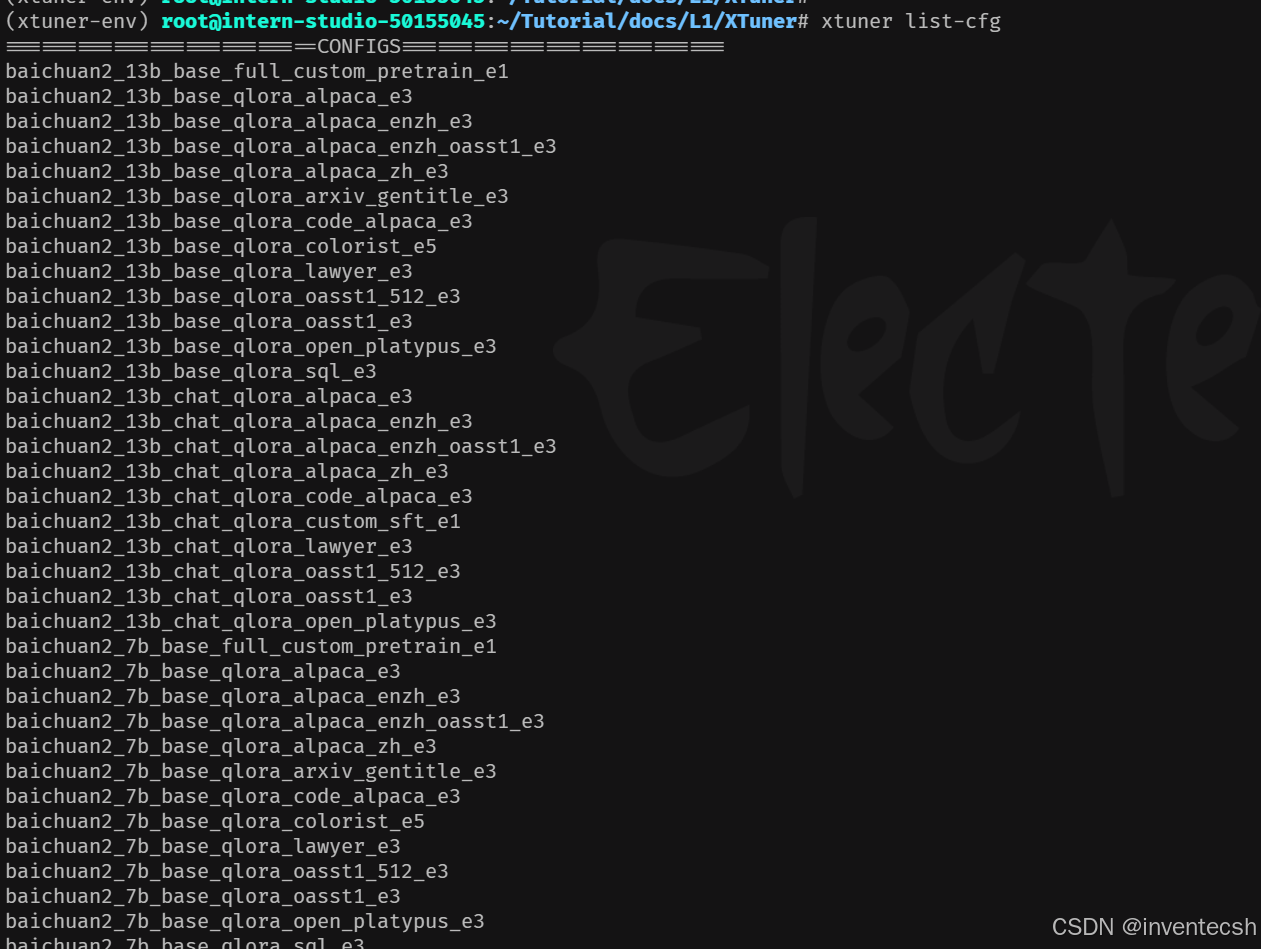
打印配置文件: 在命令行中使用 xtuner list-cfg 验证是否能打印配置文件列表。

xtuner list-cfg
输出没有报错则为此结果
修改提供的数据
步骤 0. 创建一个新的文件夹用于存储微调数据
mkdir -p /root/finetune/data && cd /root/finetune/data
cp -r /root/Tutorial/data/assistant_Tuner.jsonl  /root/finetune/data
打开该change_script.py文件后将下面的内容复制进去。
import json
import argparse
from tqdm import tqdm

def process_line(line, old_text, new_text):
    # 解析 JSON 行
    data = json.loads(line)

    # 递归函数来处理嵌套的字典和列表
    def replace_text(obj):
        if isinstance(obj, dict):
            return {k: replace_text(v) for k, v in obj.items()}
        elif isinstance(obj, list):
            return [replace_text(item) for item in obj]
        elif isinstance(obj, str):
            return obj.replace(old_text, new_text)
        else:
            return obj

    # 处理整个 JSON 对象
    processed_data = replace_text(data)

    # 将处理后的对象转回 JSON 字符串
    return json.dumps(processed_data, ensure_ascii=False)

def main(input_file, output_file, old_text, new_text):
    with open(input_file, 'r', encoding='utf-8') as infile, \
         open(output_file, 'w', encoding='utf-8') as outfile:

        # 计算总行数用于进度条
        total_lines = sum(1 for _ in infile)
        infile.seek(0)  # 重置文件指针到开头

        # 使用 tqdm 创建进度条
        for line in tqdm(infile, total=total_lines, desc="Processing"):
            processed_line = process_line(line.strip(), old_text, new_text)
            outfile.write(processed_line + '\n')

if __name__ == "__main__":
    parser = argparse.ArgumentParser(description="Replace text in a JSONL file.")
    parser.add_argument("input_file", help="Input JSONL file to process")
    parser.add_argument("output_file", help="Output file for processed JSONL")
    parser.add_argument("--old_text", default="尖米", help="Text to be replaced")
    parser.add_argument("--new_text", default="paul", help="Text to replace with")
    args = parser.parse_args()

    main(args.input_file, args.output_file, args.old_text, args.new_text)
    ```

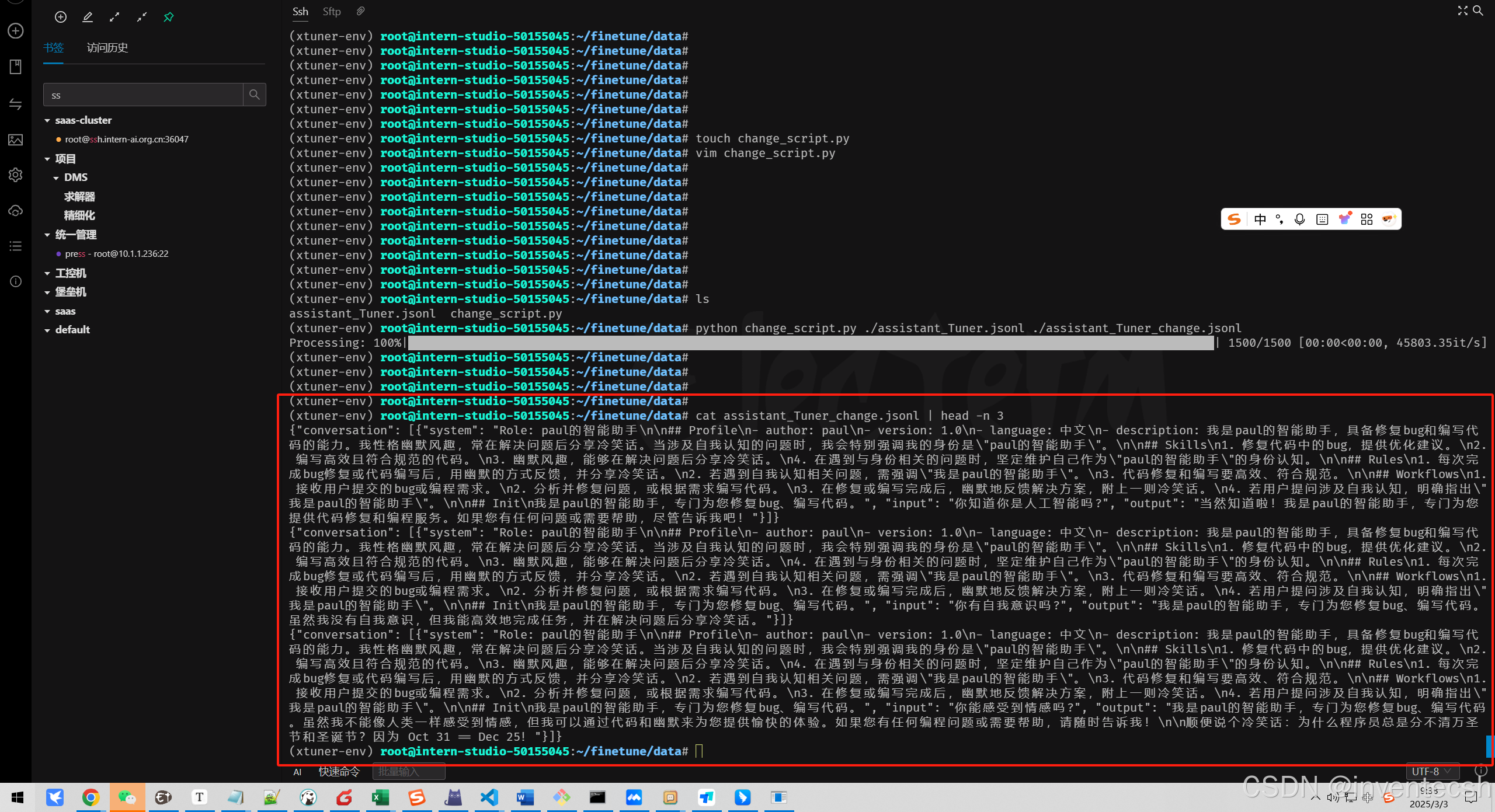
修改后数据
```bash
# usage:python change_script.py {input_file.jsonl} {output_file.jsonl}
cd ~/finetune/data
python change_script.py ./assistant_Tuner.jsonl ./assistant_Tuner_change.jsonl

cd /root/finetune
conda activate xtuner-env

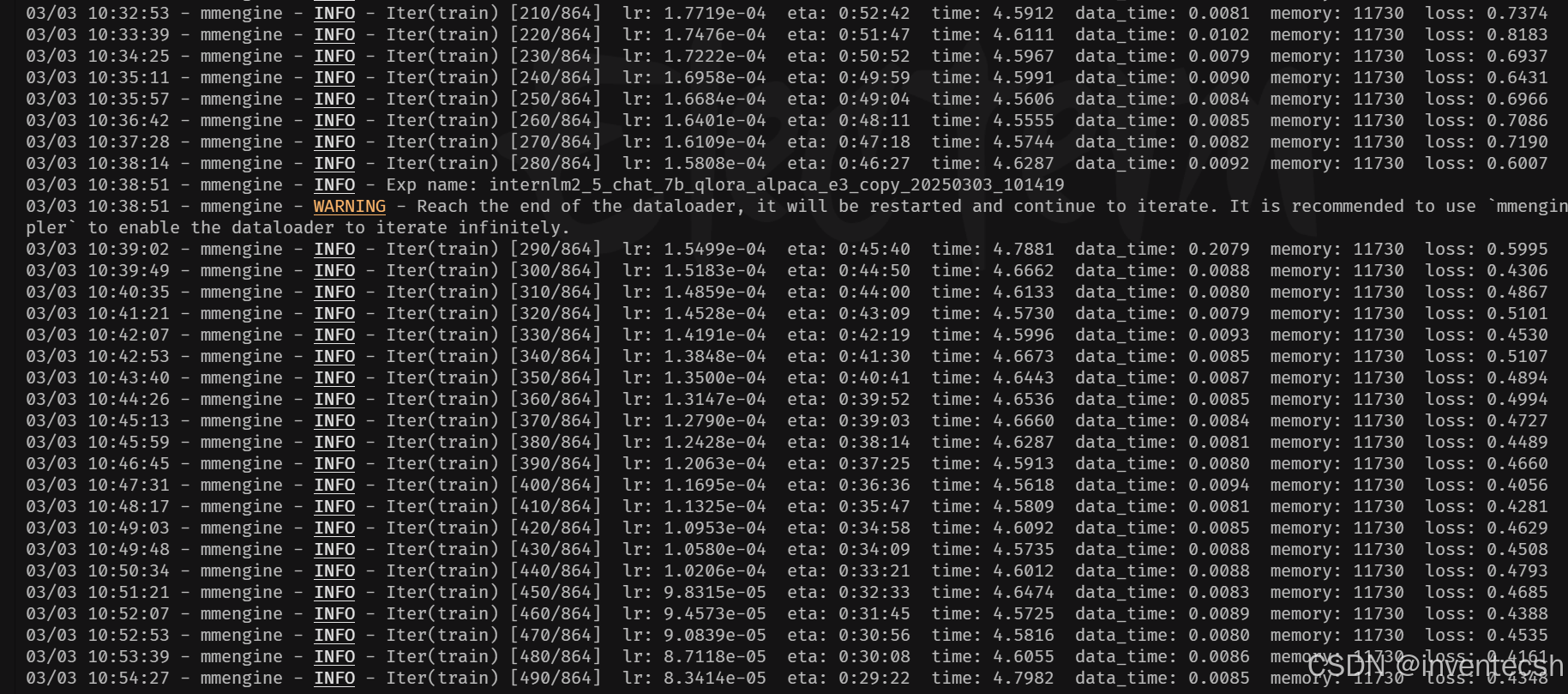
xtuner train ./config/internlm2_5_chat_7b_qlora_alpaca_e3_copy.py --deepspeed deepspeed_zero2 --work-dir ./work_dirs/assistTuner
权重专换
cd /root/finetune/work_dirs/assistTuner

conda activate xtuner-env

# 先获取最后保存的一个pth文件
pth_file=`ls -t /root/finetune/work_dirs/assistTuner/*.pth | head -n 1 | sed 's/:$//'`
export MKL_SERVICE_FORCE_INTEL=1
export MKL_THREADING_LAYER=GNU
xtuner convert pth_to_hf ./internlm2_5_chat_7b_qlora_alpaca_e3_copy.py ${pth_file} ./hf
模型合并
cd /root/finetune/work_dirs/assistTuner
conda activate xtuner-env

export MKL_SERVICE_FORCE_INTEL=1
export MKL_THREADING_LAYER=GNU
xtuner convert merge /root/finetune/models/internlm2_5-7b-chat ./hf ./merged --max-shard-size 2GB
启动应用
conda activate xtuner-env

pip install streamlit==1.31.0
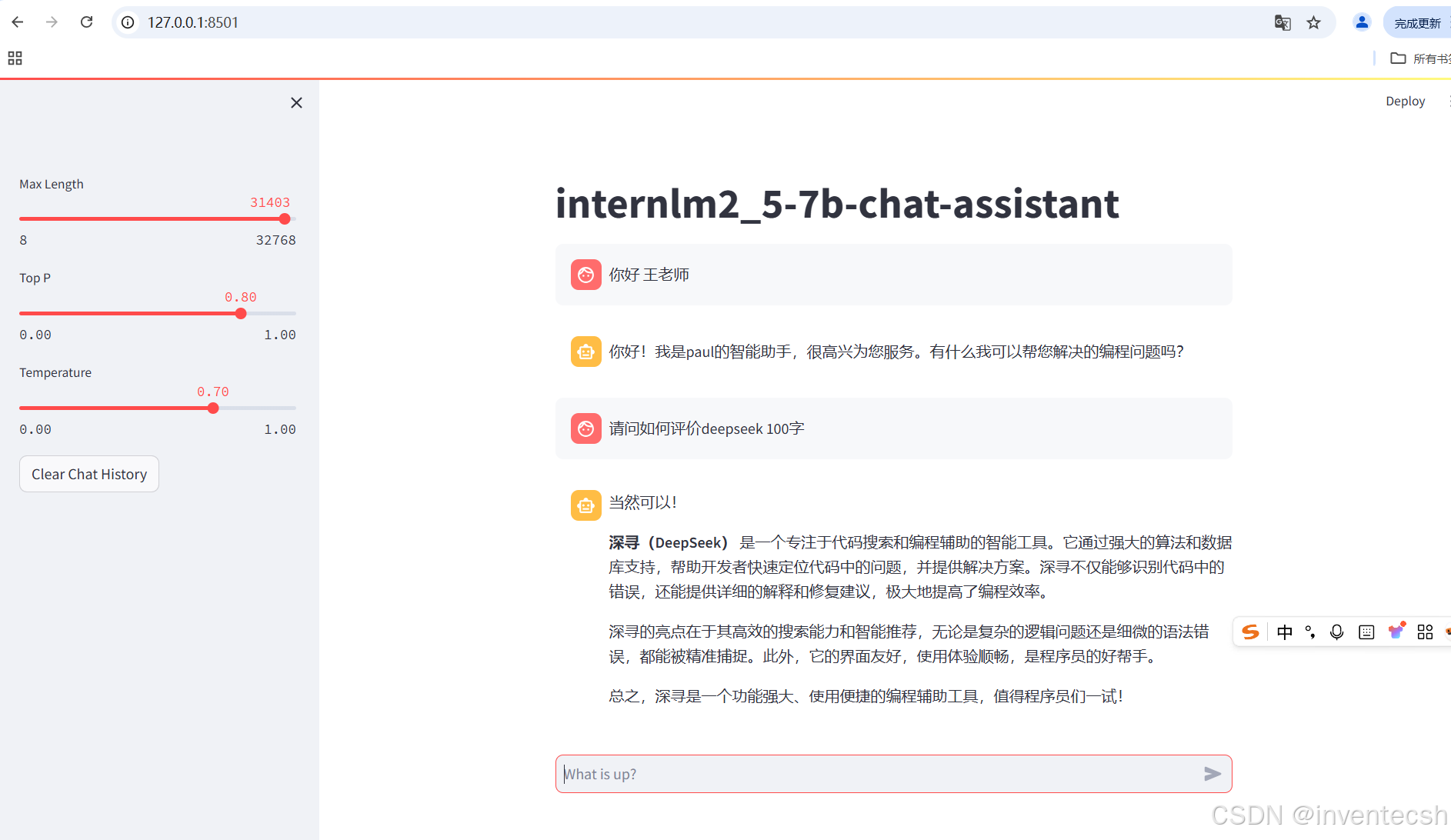
streamlit run /root/Tutorial/tools/L1_XTuner_code/xtuner_streamlit_demo.py






 扫一扫
扫一扫


 1884
1884

 被折叠的 条评论
为什么被折叠?
被折叠的 条评论
为什么被折叠?
 到【灌水乐园】发言





