



参考链接
1、如何生成自己的token
注意:在note中随意写内容,但不能和之前重复,下面select scope复选框全勾选上。
Git提交或者报错fatal:unable to access ‘https://github.com/xxx‘: Failed to connect to github.com
idea-使用idea的github添加账号连接github报错
2、新手第一次在GitHub上提交代码完整教程
**
补充:
**
把token直接添加远程仓库链接中,这样就可以避免同一个仓库每次提交代码都要输入token了
git remote set-url origin https://<your_token>@github.com//.git
- <your_token>:换成你自己得到的token
- :是你自己github的用户名
- :是你的仓库名称
git remote set-url origin https://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@github.com/zary118/toutiao-pc.git/
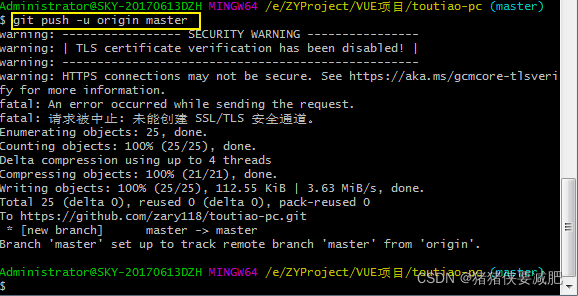
git push -u origin master
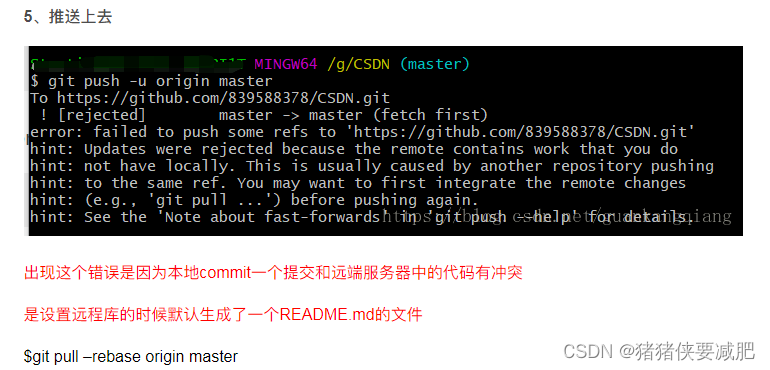
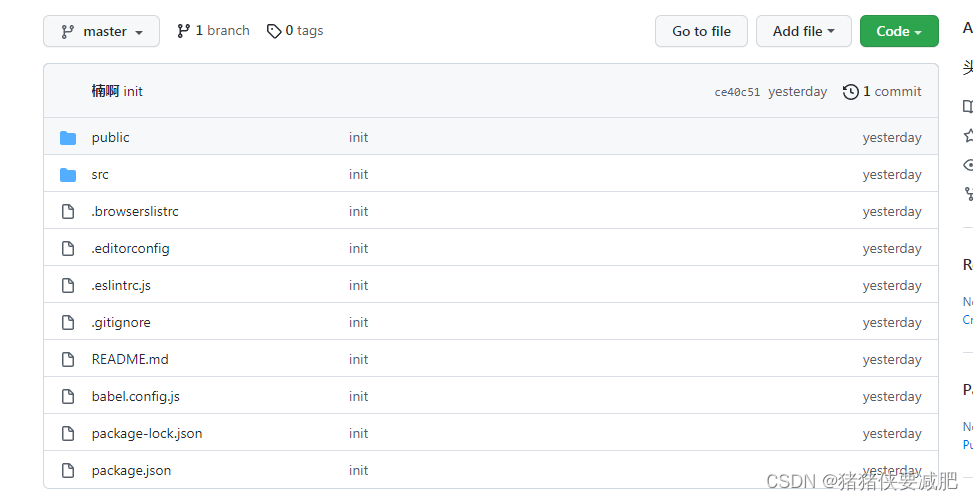
git pull –rebase origin master





 扫一扫
扫一扫


 406
406

 被折叠的 条评论
为什么被折叠?
被折叠的 条评论
为什么被折叠?
 到【灌水乐园】发言





