


Software defined storage is not something new. One of the most popular is Ceph. I started with Ceph five years ago because I was looking into unified storage for OpenStack. There are many other solutions, but I like the Ceph because it is all in one solution for the block, object and file storage, and it is opensource. Inktank the company behind Ceph is later acquired by RedHat, but that made things even better. If you already have Ceph cluster running, it is easy to make use of it for Kubernetes. But, if you are designing completely new on-premises Kubernetes cluster you can run Ceph on top of it, and still use it for other resources running on Kubernetes. This is where Rook comes into place. It provides deep Kubernetes integration made for cloud native environments.
I'm excited about Rook. Not only because it solves persistent storage problems for Kubernetes, but also because it uses Ceph in the background. I designed at least five production grade Ceph clusters, so I'm pretty familiar with Ceph. For weeks I've been looking to write a post about Rook and I finally made it.
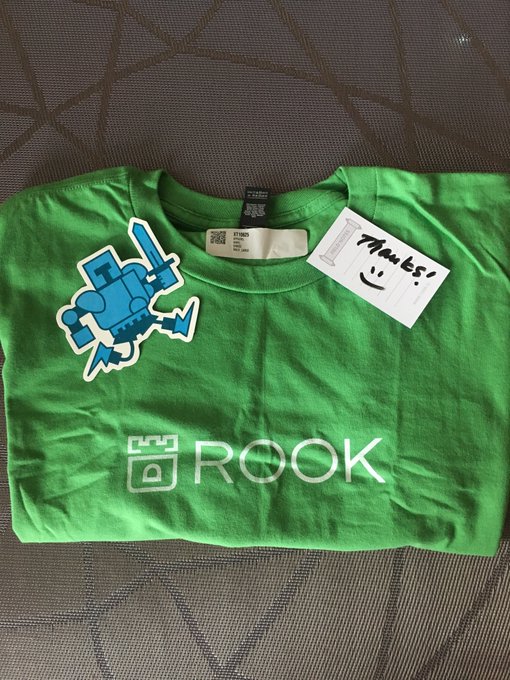
Thanks @rook_io!
If you didn't hear about Rook.io yet, it is a Ceph on Kubernetes. In short, a cloud-native storage service.

The Rook Way of Ceph deployment
The good news, you can run Ceph on Kubernetes and then use that storage for other Kubernetes resources. Rook, in a nutshell, is an operator which means that Rook will manage Ceph cluster for you. To learn more about operators, a few weeks ago I wrote about Elasticsearch operator and how it works, so you might take a look if you want to dig deeper. Rook architecture diagram:

Of course, because Ceph requires extra drives to store the data you would need to have a set of dedicated Kubernetes nodes. Currently, Rook is in an alpha state, but I'm expecting it to be production ready soon.
The easiest way to install Rook is using Helm. If you still didn't try Helm, it is the right time to do that. Add the new Helm repo and install Rook operator in kube-system namespace:
⚡ helm repo add rook-master https://charts.rook.io/master

⚡ helm search rook
NAME                CHART VERSION         APP VERSION    DESCRIPTION
rook-master/rook    v0.7.0-10.g3bcee98                   File, Block, and Object Storage Services for yo...

⚡ helm install --name rook rook-master/rook \
  --namespace kube-system \
  --version v0.7.0-10.g3bcee98 \
  --set rbacEnable=false
This Helm chart will install Rook operator and agents on each node. Check if everything is running and ready:
⚡ kubectl -n kube-system get pods -l 'app in (rook-operator, rook-agent)'
NAME                            READY     STATUS    RESTARTS   AGE
rook-agent-4rhwt                1/1       Running   0          4m
rook-agent-6s9v8                1/1       Running   0          4m
rook-agent-8kgr9                1/1       Running   0          4m
rook-agent-wqg9l                1/1       Running   0          4m
rook-operator-845b8b8d4-p6cln   1/1       Running   0          4m
NOTE: If you are installing Rook on Kubernetes nodes running CoreOS or RancherOS you need to configure flexible volume first!
With Rook operator in place we have the new custom resources available. But, we still don't have Ceph cluster running.
To better understand Rook, first, you need to understand Ceph. Ceph is all in one solution for the block, object and file storage. The block storage (think of EBS) is what will probably be more interesting to you. Each time you create a Kubernetes Persistent Volume Claim or PVC, the Ceph will create the new volume. The main component responsible for block storage is Ceph OSD along with Ceph MON which provides cluster membership, configuration, and state. Those two components are enough to have a distributed block storage. There are other daemons for extra storage types and some helpers like API, etc.
Object storage (think of S3) is another layer and Ceph component responsible for it is Ceph RadosGW. If you want to learn more about Ceph check official architecture docs.
Each Ceph OSD daemon handles only one physical drive. OSD stores the data in small objects which are part of placements groups or PGs. The placement groups are part of one pool which is distributed across other OSD nodes. Of course, you can have many pools and each pool has defined number of replicas. Which means when you create a PVC, the data is everywhere, on each storage node and replicated.
For HA Ceph cluster you need at least three nodes. It is advisable to run an odd-number of monitors to have a quorum and default is set to three. Let's define the new Ceph cluster in rook namespace:
⚡ kubectl create namespace rook

⚡ cat <<EOF | kubectl create -n rook -f -
apiVersion: rook.io/v1alpha1
kind: Cluster
metadata:
  name: rook
spec:
  dataDirHostPath: /var/lib/rook
  storage:
    useAllNodes: true
    useAllDevices: false
    storeConfig:
      storeType: bluestore
      databaseSizeMB: 1024
      journalSizeMB: 1024
EOF
Please check the docs for all available options and explanation for above config. Wait a few minutes and Ceph cluster should be up and running:
⚡ kubectl get pods -n rook
NAME                              READY     STATUS    RESTARTS   AGE
rook-api-854ffcf7b-6hnmw          1/1       Running   0          15m
rook-ceph-mgr0-7957dc8d6c-xndkn   1/1       Running   0          15m
rook-ceph-mon0-x6782              1/1       Running   0          16m
rook-ceph-mon1-262tl              1/1       Running   0          16m
rook-ceph-mon2-v2xv8              1/1       Running   0          16m
rook-ceph-osd-6jfmh               1/1       Running   0          15m
rook-ceph-osd-9f7w2               1/1       Running   0          15m
rook-ceph-osd-ds4h7               1/1       Running   1          15m
rook-ceph-osd-hkx87               1/1       Running   0          15m
For an experienced Ceph user, you want to be able to run ceph commands to check your cluster state. The easiest way is to deploy a separate rook-toolbox Pod and run commands from there:
⚡ cat <<EOF | kubectl create -n rook -f -
apiVersion: v1
kind: Pod
metadata:
  name: rook-tools
  namespace: rook
spec:
  dnsPolicy: ClusterFirstWithHostNet
  containers:
  - name: rook-tools
    image: rook/toolbox:master
    imagePullPolicy: IfNotPresent
    env:
      - name: ROOK_ADMIN_SECRET
        valueFrom:
          secretKeyRef:
            name: rook-ceph-mon
            key: admin-secret
    securityContext:
      privileged: true
    volumeMounts:
      - mountPath: /dev
        name: dev
      - mountPath: /sys/bus
        name: sysbus
      - mountPath: /lib/modules
        name: libmodules
      - name: mon-endpoint-volume
        mountPath: /etc/rook
  hostNetwork: false
  volumes:
    - name: dev
      hostPath:
        path: /dev
    - name: sysbus
      hostPath:
        path: /sys/bus
    - name: libmodules
      hostPath:
        path: /lib/modules
    - name: mon-endpoint-volume
      configMap:
        name: rook-ceph-mon-endpoints
        items:
        - key: data
          path: mon-endpoints
EOF
Now, for example, you can run a Ceph status check command:
⚡ kubectl -n rook exec rook-tools -- ceph -s
  cluster:
    id:     053cd70f-9b43-4854-862e-5bed29f1060d
    health: HEALTH_OK

  services:
    mon: 3 daemons, quorum rook-ceph-mon1,rook-ceph-mon0,rook-ceph-mon2
    mgr: rook-ceph-mgr0(active)
    osd: 4 osds: 4 up, 4 in

  data:
    pools:   0 pools, 0 pgs
    objects: 0 objects, 0 bytes
    usage:   8199 MB used, 145 GB / 153 GB avail
    pgs:
Ceph should report HEALTH_OK status, but we have 0 pools available. Before we can consume this cluster we need to create at least one pool with the desired number of replicas. The number of replicas is usually set to three:
⚡ cat <<EOF | kubectl create -n rook -f -
apiVersion: rook.io/v1alpha1
kind: Pool
metadata:
  name: replicapool
spec:
  replicated:
    size: 3
EOF
And finally, it is time to define the StorageClass for the above pool. Then we will be able to create new PVCs:
⚡ cat <<EOF | kubectl create -f -
apiVersion: storage.k8s.io/v1
kind: StorageClass
metadata:
   name: rook-block
provisioner: rook.io/block
parameters:
  pool: replicapool
EOF
Let's create a simple PVC to test if Ceph cluster is working fine:
⚡ cat <<EOF | kubectl create -f -
kind: PersistentVolumeClaim
apiVersion: v1
metadata:
  name: myclaim
spec:
  accessModes:
    - ReadWriteOnce
  resources:
    requests:
      storage: 8Gi
  storageClassName: rook-block
EOF

⚡ kubectl get pvc
NAME      STATUS    VOLUME                                     CAPACITY   ACCESS MODES   STORAGECLASS   AGE
myclaim   Bound     pvc-5f162665-1fa5-11e8-9056-525400474652   8Gi        RWO            rook-block     3s
There are a lot of options for how to configure Ceph cluster. Sometimes you have mixed drive types and you want to have different pools for them. For example, fast storage with SSDs and slow with HDDs. Also, you may want to tune the Ceph cluster a little bit, but all those are advanced features. I recommend that you learn more about Ceph before moving forward with Rook.
Summary
A few weeks ago Rook became CNCF project which is a good news. Keep in mind that Rook is not production ready yet, and some things can change. Can't wait to put it in place someday for large on-premises distributed storage. For any questions or concerns please leave a comment. Stay tuned for the next one.

 414


 扫一扫


 被折叠的 条评论
为什么被折叠?
 到【灌水乐园】发言


