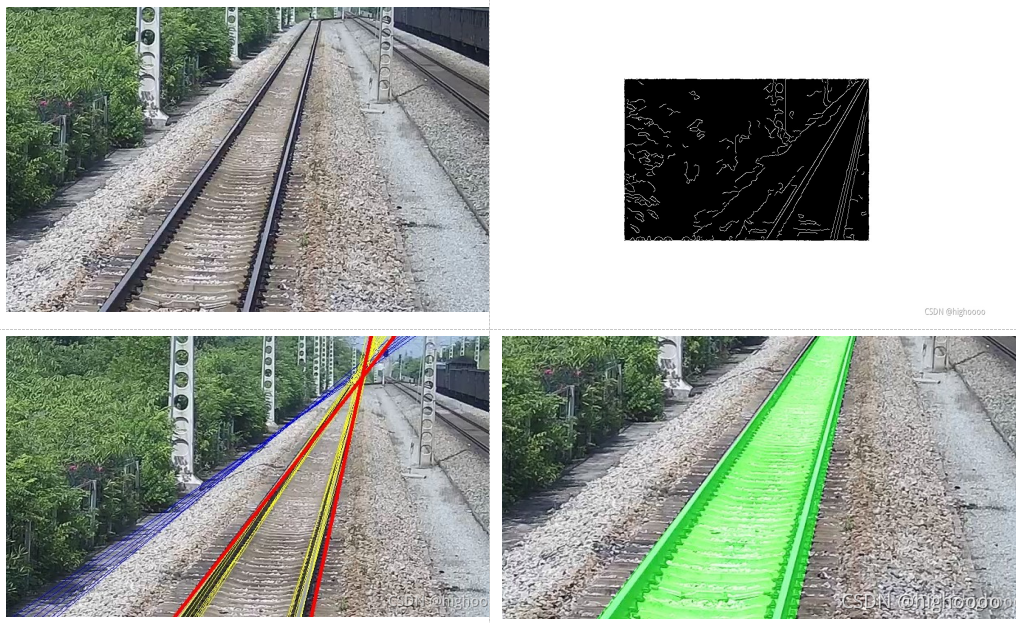
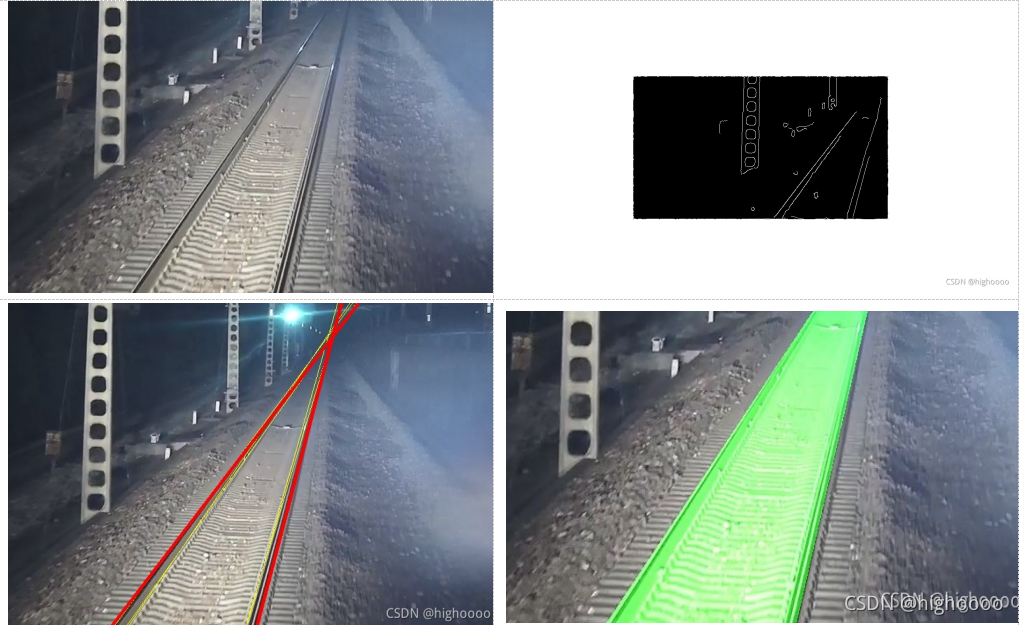
效果演示:(顺时针方向 - Ori-image(裁剪过)/After canny/Final area/Hough lines)
Main
def getline(imgpath):
save_Edges = True
save_Lines = True
img, general_point = img_Preprocess(imgpath)
gray, edges, orgb, orgb_lines, lines = mask_Preprocess(img, general_point)
filted_lines, slopes = line_filter(lines)
try:
orgb, orgb_lines = draw_rail(orgb, orgb_lines, filted_lines, slopes)
except:
pass
return orgb_lines,edges, orgb
1.传入图片路径或者图片 对应ROI区域坐标(默认为原图中间1/2大小区域)
def img_Preprocess(imgpath, rate = 0.25):

    if str(imgpath):
        img = cv2.imread(imgpath)
    else :
        img = imgpath

    h, w = img.shape[:2]
    left_top, right_top, right_buttom, left_buttom = (int(w * rate), int(h * rate)), \
                                                     (int(w



 该博客介绍了一种图像处理方法,包括从图片中裁剪ROI区域、灰度转换、高斯模糊、Canny边缘检测和霍夫变换。通过过滤直线并根据斜率找到主要线条,绘制轨道区域。涉及的技术包括边缘检测、直线检测和图像分割。
 最低0.47元/天 解锁文章






 扫一扫
扫一扫


 4308
4308


 到【灌水乐园】发言



