


 本文详细介绍了Flutter中Image Widget的使用,包括加载网络、本地文件和资源图片的方法,如Image.network、Image.file和Image.asset。还讨论了构造方法、属性如semanticLabel、fit、width、height、color、colorBlendMode、alignment、centerSlice、gaplessPlayback和repeat等,帮助开发者掌握图片在Flutter应用中的各种展示技巧。
博客地址:flutterall.com
Flutter imgae支持的图片格式为:JPEG, PNG, GIF, Animated GIF, WebP, Animated WebP, BMP, and WBMP。Flutter Image是显示图片的一个Widget。
Flutter Image的几个构造方法:
| 方法 | 释义 |
|---|---|
| Image() | 从ImageProvider中获取图片,从本质上看,下面的几个方法都是他的具体实现。 |
| Image.asset(String name) | 从AssetBundler中获取图片 |
| Image.network(String src) | 显示网络图片 |
| Image.file(File file) | 从File中获取图片 |
| Image.memory(Uint8List bytes) | 从Uint8List中显示图片 |
这里来看下继承关系,就知道“从本质上看,下面的几个方法都是他的具体实现”的意思了。
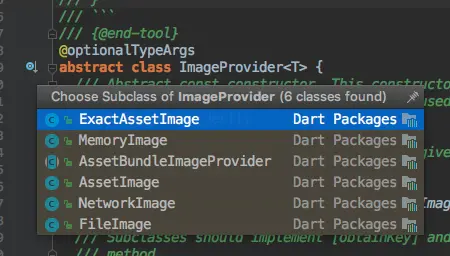
下面来一一介绍
加载图片的几种基本使用方式
- 加载网络图片 Image.network
Image.network(String src, {


    Key key,
    double scale = 1.0,
    this.semanticLabel,
    this.excludeFromSemantics = false,
    this.width,
    this.height,
    this.color,
    this.colorBlendMode,
    this.fit,
    this.alignment = Alignment.center,
    this.repeat = ImageRepeat.noRepeat,
    this.centerSlice,
    this.matchTextDirection = false,
    this.gaplessPlayback = false,
    this.filterQuality = FilterQuality.low,
    Map<String, String> headers,
  })
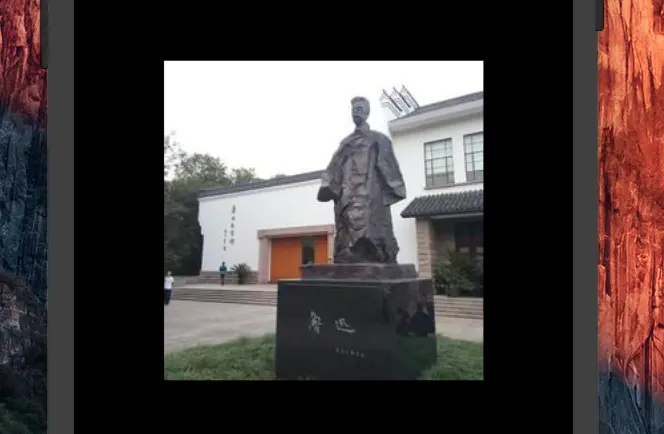
此方法中固定参数为src表示图片的URL地址,其他为可选参数。我们指定src来加载显示图片。
Image.network("https://upload.jianshu.io/users/upload_avatars/3884536/d847a50f1da0.jpg?imageMogr2/auto-orient/strip|imageView2/1/w/240/h/240")
- 加载File图片 Image.file
Image.file(File file,  最低0.47元/天 解锁文章






 扫一扫
扫一扫


 2744
2744

 被折叠的 条评论
为什么被折叠?
被折叠的 条评论
为什么被折叠?
 到【灌水乐园】发言





