


 本文详细介绍了如何使用GitHub API来获取用户信息。通过实例演示了API调用的具体流程,并展示了API返回的JSON数据,包括用户登录名、ID、头像URL、关注者链接等详细信息。
测试api采用github的
注意:
1.github的api是区分大小写的
具体测试流程:
https://api.github.com/users/i3344
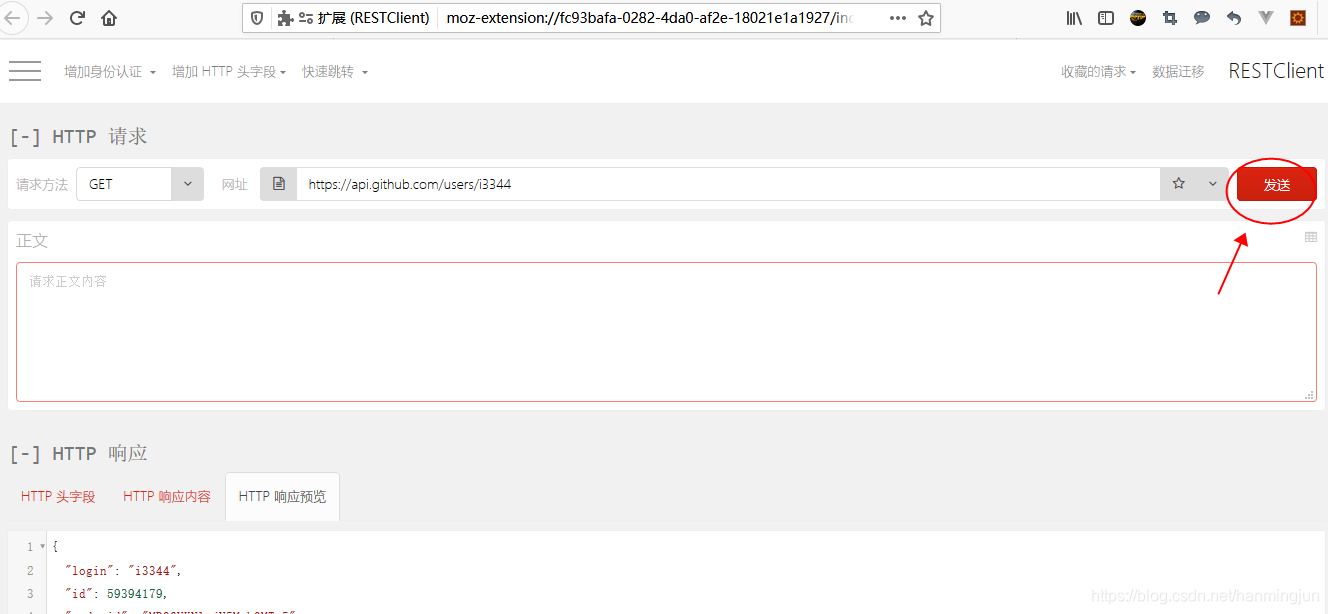
{
  "login": "i3344",
  "id": 59394179,
  "node_id": "MDQ6VXNlcjU5Mzk0MTc5",
  "avatar_url": "https://avatars2.githubusercontent.com/u/59394179?v=4",
  "gravatar_id": "",
  "url": "https://api.github.com/users/i3344",
  "html_url": "https://github.com/i3344",
  "followers_url": "https://api.github.com/users/i3344/followers",
  "following_url": "https://api.github.com/users/i3344/following{/other_user}",
  "gists_url": "https://api.github.com/users/i3344/gists{/gist_id}",
  "starred_url": "https://api.github.com/users/i3344/starred{/owner}{/repo}",
  "subscriptions_url": "https://api.github.com/users/i3344/subscriptions",
  "organizations_url": "https://api.github.com/users/i3344/orgs",
  "repos_url": "https://api.github.com/users/i3344/repos",
  "events_url": "https://api.github.com/users/i3344/events{/privacy}",
  "received_events_url": "https://api.github.com/users/i3344/received_events",
  "type": "User",
  "site_admin": false,
  "name": null,
  "company": null,
  "blog": "",
  "location": null,
  "email": null,
  "hireable": null,
  "bio": null,
  "public_repos": 1,
  "public_gists": 0,
  "followers": 0,
  "following": 0,
  "created_at": "2019-12-31T14:15:18Z",
  "updated_at": "2019-12-31T23:44:29Z"
}





 扫一扫
扫一扫


 1950
1950

 被折叠的 条评论
为什么被折叠?
被折叠的 条评论
为什么被折叠?
 到【灌水乐园】发言





