[root@server ~]# mkdir  -p  /www/file

#写入网站数据
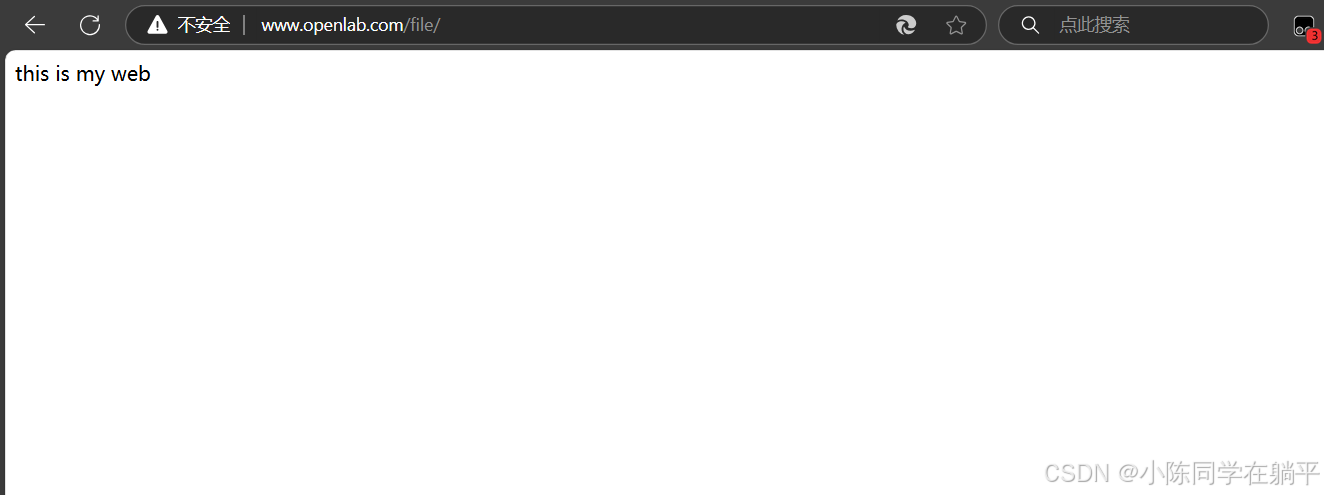
[root@server ~]# echo  "this is my web"  >  /www/file/index.html
3. 建立本地hosts域名映射
[root@server ~]# vim /etc/hosts
 # 添加如下内容: 192.168.48.130  www.openlab.com //添加自己的ip
4. 建立file网站
[root@server ~]# vim /etc/nginx/nginx.conf
#添加内容如下
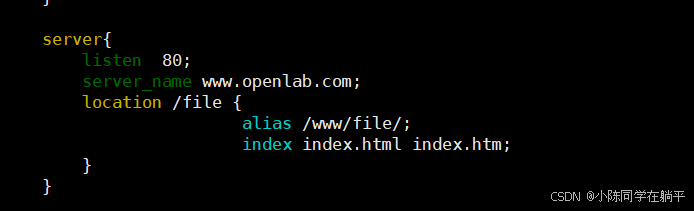
server {
                listen       80;

             server_name  www.openlab.com;
                location   /file {
                                        alias /www/file/;
                                        index index.html index.htm;
                                }
           }
5. 建立https的file网站
[root@server ~]# openssl  genrsa  -aes128  2048 > /etc/nginx/file.key
Generating RSA private key, 2048 bit long modulus (2 primes)
.................................................................................................+++++
.........................+++++
e is 65537 (0x010001)
Enter pass phrase:        //密码:1234
Verifying - Enter pass phrase:       //再次输入

# 制作证书
[root@server ~]# openssl  req  -utf8  -new  -key  /etc/nginx/file.key  -x509  -days  365  -out  /etc/nginx/file.crt
Enter pass phrase for /etc/nginx/file.key:    # 需要输入加密私钥的密码
You are about to be asked to enter information that will be incorporated
into your certificate request.
What you are about to enter is what is called a Distinguished Name or a DN.
There are quite a few fields but you can leave some blank
For some fields there will be a default value,
If you enter '.', the field will be left blank.
-----
# 注意:下列证书信息项目
Country Name (2 letter code) [AU]:86							  # 国家代码
State or Province Name (full name) [Some-State]:ningxia		  # 省份
Locality Name (eg, city) []:yinchuan                                      #市
Organization Name (eg, company) [Internet Widgits Pty Ltd]:openlab    #公司
Organizational Unit Name (eg, section) []:rhce   #职位
Common Name (e.g. server FQDN or YOUR name) []:xiaochen    #姓名
Email Address []:123456@qq.com     #邮箱

# 在加载SSL支持的Nginx并使用上述私钥时除去必须的口令
[root@server ~]# cd  /etc/nginx
[root@server nginx]# cp  file.key  file.key.org
[root@server nginx]# openssl rsa -in file.key.org -out file.key
Enter pass phrase for file.key.org:  # 输入加密私钥的密码
writing RSA key

 # 编辑配置文件
[root@server ~]# vim  /etc/nginx/nginx.conf
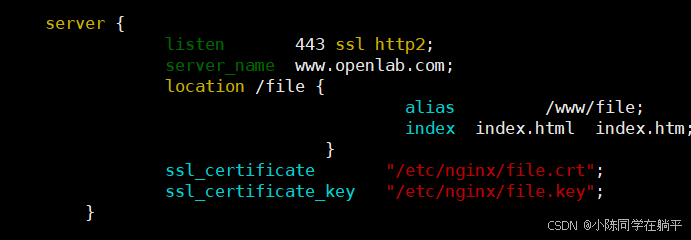
server {
                listen       443 ssl http2;
                server_name  www.openlab.com;
                location /ftp {
                                        alias         /www/file;
                                        index  index.html  index.htm;
                                }
                ssl_certificate       "/etc/nginx/file.crt";
                ssl_certificate_key   "/etc/nginx/file.key";
        }

[root@server nginx]# nginx -t
nginx: the configuration file /etc/nginx/nginx.conf syntax is ok
nginx: configuration file /etc/nginx/nginx.conf test is successful







 扫一扫
扫一扫


 2261
2261

 被折叠的 条评论
为什么被折叠?
被折叠的 条评论
为什么被折叠?
 到【灌水乐园】发言





