


 本文详细介绍了如何使用R语言的基本图形库和ggplot2库来绘制折线图,包括单条折线、多条折线、添加数据点、调整线条样式以及创建多重折线图。同时展示了如何通过geom_point()和geom_line()函数添加数据标记和改变线条属性,以及如何根据分类变量映射线条颜色和线型。此外,还提到了修改线条样式的方法,如线型、线宽和颜色的设置。
R绘制折线图
参考资料:
《R语言数据分析与可视化从入门到精通》
《R数据可视化手册》
基本图形
R基础函数
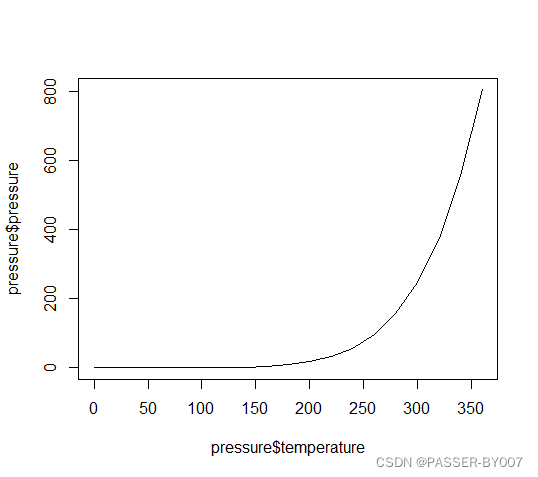
使用plot()函数绘制折线图时需向其传递一个包含x值的向量和一
个包含y值的向量,并使用参数type="l":
plot(pressure$temperature, pressure$pressure, type="l")
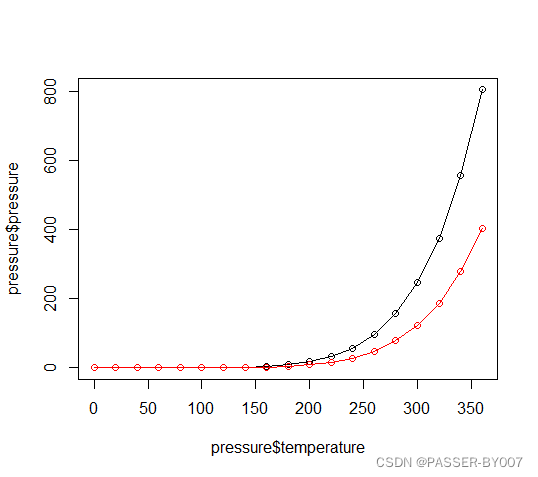
若要向图形中添加数据点或者多条折线,则需先用plot()函数绘制第一条折线,再通过points()函数和lines()函数分别添加数据点和更多折线:
plot(pressure$temperature, pressure$pressure, type="l")
points(pressure$temperature,pressure$pressure)
lines(pressure$temperature, pressure$pressure/2, col="red")
points(pressure$temperature, pressure$pressure/2, col="red")
ggplot2绘图系统
library(ggplot2)
ggplot(pressure, aes(x=temperature, y=pressure)) +
  geom_line()
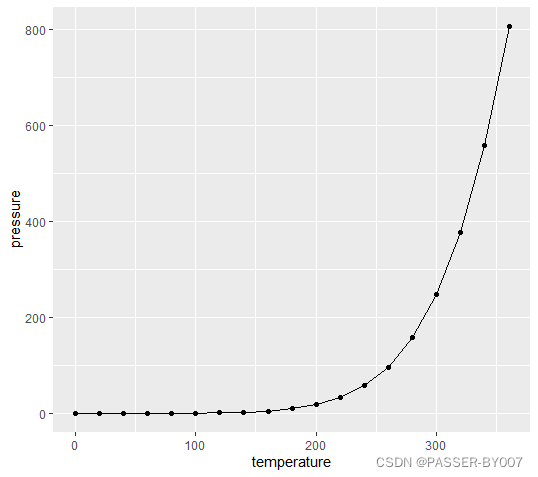
添加数据标记
在代码中加入geom_point(),如下:
library(ggplot2)
ggplot(pressure, aes(x=temperature, y=pressure)) +
  geom_line() +
  geom_point()
运行结果:
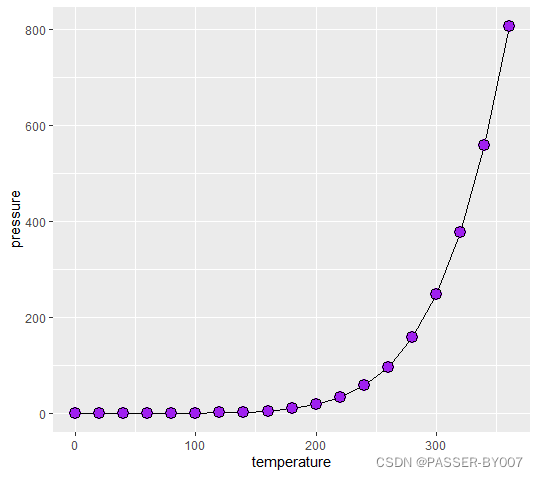
可以在geom_point()函数中,指定size或shape参数调整点的大小和形状。
library(ggplot2)
ggplot(pressure, aes(x=temperature, y=pressure)) +
  geom_line() +
  geom_point(size=4, shape=21, fill="purple")
多重折线图
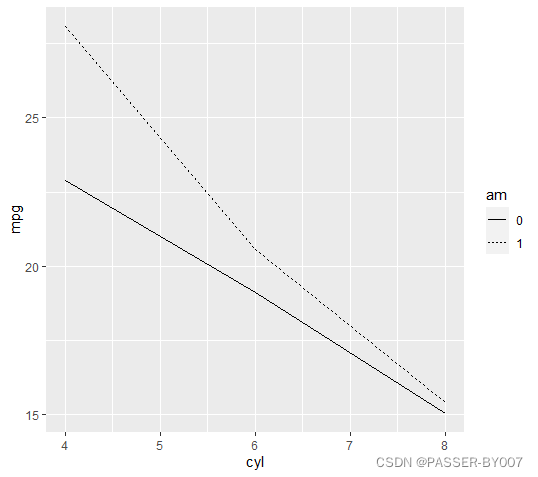
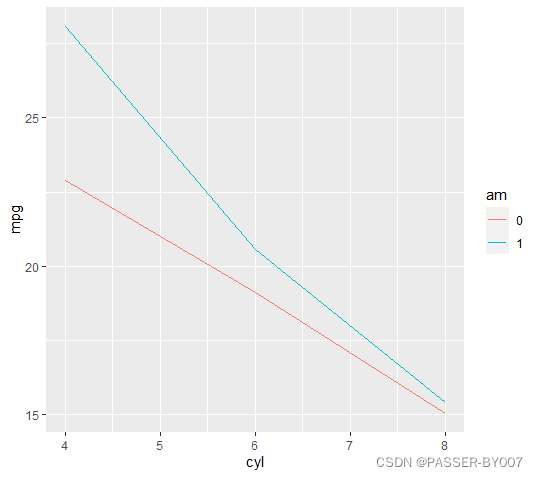
在分别设定一个映射给x和y的基础上,再将另外一个(离散型)变量映射给颜色
(colour)或者线型(linetype)即可。
library(ggplot2)
library(dplyr)
data <- mtcars %>%
  group_by(am, cyl) %>%
  summarize_at(.vars = "mpg", .funs = mean) %>%
  ungroup() %>%
  mutate(am = as.character(am))

# 将am映射给线型
ggplot(data, aes(x = cyl,y = mpg, linetype = am )) +
  geom_line()

# 将am映射给线条颜色
ggplot(data, aes(x = cyl,y = mpg, color = am )) +
  geom_line()
library(dplyr)
data <- mtcars %>%
  group_by(am, cyl) %>%
  summarize_at(.vars = "mpg", .funs = mean) %>%
  ungroup() %>%
  mutate(am = as.character(am))

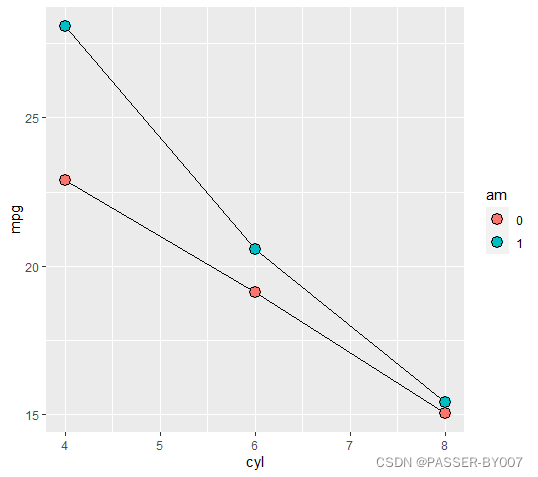
# 使用数据标记
ggplot(data, aes(x = cyl,y = mpg, fill = am )) +
  geom_line() +
  geom_point(size=4, shape=21)  # 使用有填充色的点

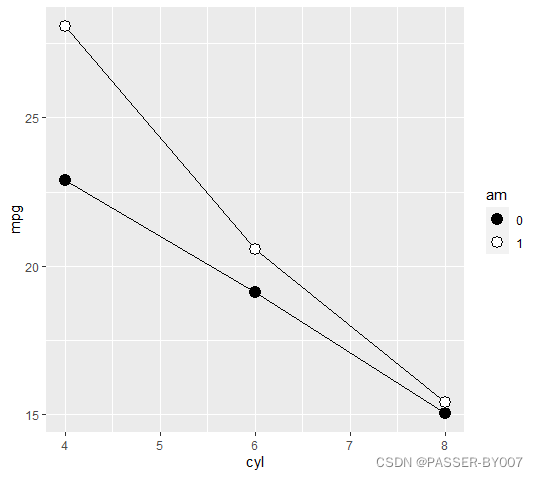
# 手动设置填充色
ggplot(data, aes(x = cyl,y = mpg, fill = am )) +
  geom_line() +
  geom_point(size=4, shape=21) +  # 使用有填充色的点
  scale_fill_manual(values=c("black","white"))
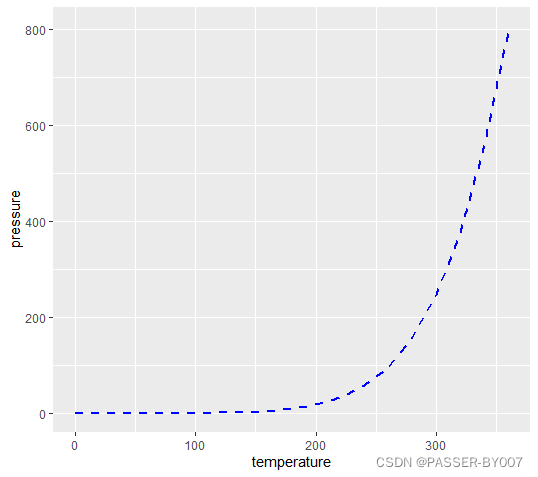
修改线条样式
通过设置线型(linetype)、线宽(size)和颜色(colour)参数可以分别修改折线
的线型、线宽和颜色。如下:
library(ggplot2)
ggplot(pressure, aes(x=temperature, y=pressure)) +
  geom_line(linetype="dashed", size=1, colour="blue")





 扫一扫
扫一扫


 548
548

 被折叠的 条评论
为什么被折叠?
被折叠的 条评论
为什么被折叠?
 到【灌水乐园】发言





