


 本文详细介绍了如何使用TensorFlow的Dataset API高效读取TFRecord文件,并提供了两种解析tfrecord的不同方法。同时涵盖了将numpy数组转换为TFRecord和回溯数据的过程。重点在于数据加载和预处理在深度学习项目中的实践应用。
通常做法是使用Tensorflow的Dataset来读取我们的tfRecord,但是老的版本也有通过TFRecordReader进行解析,这里我们先介绍使用Dataset方式读取
- 加载TFRecord文件
- 通过parse_fn方法对每条样本机型解析
- 重复N epochs
- batch
def parse_fn(example_proto):
    features = {

   "state": tf.FixedLenFeature((), tf.string),
                "action": tf.FixedLenFeature((), tf.int64),
                "reward": tf.FixedLenFeature((), tf.int64)}
    parsed_features = tf.parse_single_example(example_proto, features)
    return tf.decode_raw(parsed_features['state'], tf.float32), parsed_features['action'], parsed_features['reward']


with tf.Session() as sess:
    dataset = tf.data.TFRecordDataset(output_file)  # 加载TFRecord文件
    dataset = dataset.map(parse_fn)  # 解析data到Tensor
    dataset = dataset.repeat(1)  # 重复N epochs
    dataset = dataset.batch(3)  # batch size

    iterator = dataset.make_one_shot_iterator()
    next_data = iterator.get_next()

    while True:
        try:
            state, action, reward = sess.run(next_data)
            print(state)
            print(action)
            print(reward)
        except tf.errors.OutOfRangeError:
            break
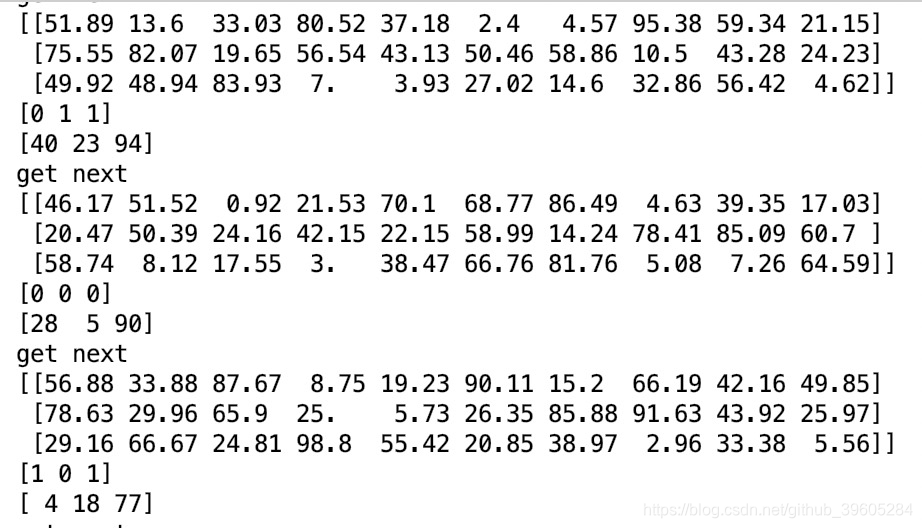
遍历结果:
解析tfrecord的2种方式
for example in tf.io.tf_record_iterator(output_file):
print("first method")
print(tf 最低0.47元/天 解锁文章






 扫一扫
扫一扫


 1027
1027

 被折叠的 条评论
为什么被折叠?
被折叠的 条评论
为什么被折叠?
 到【灌水乐园】发言





