



 该博客介绍了如何通过CSS和JavaScript处理键盘弹出时导致的页面布局变化。通过添加一个名为.focusState的CSS类,并在键盘弹出和收起时动态添加或移除该类,可以实现页面布局的适配。具体实现包括监听窗口大小变化事件,当键盘弹出时给最外层div添加.focusState类,调整其定位。
解决方法:
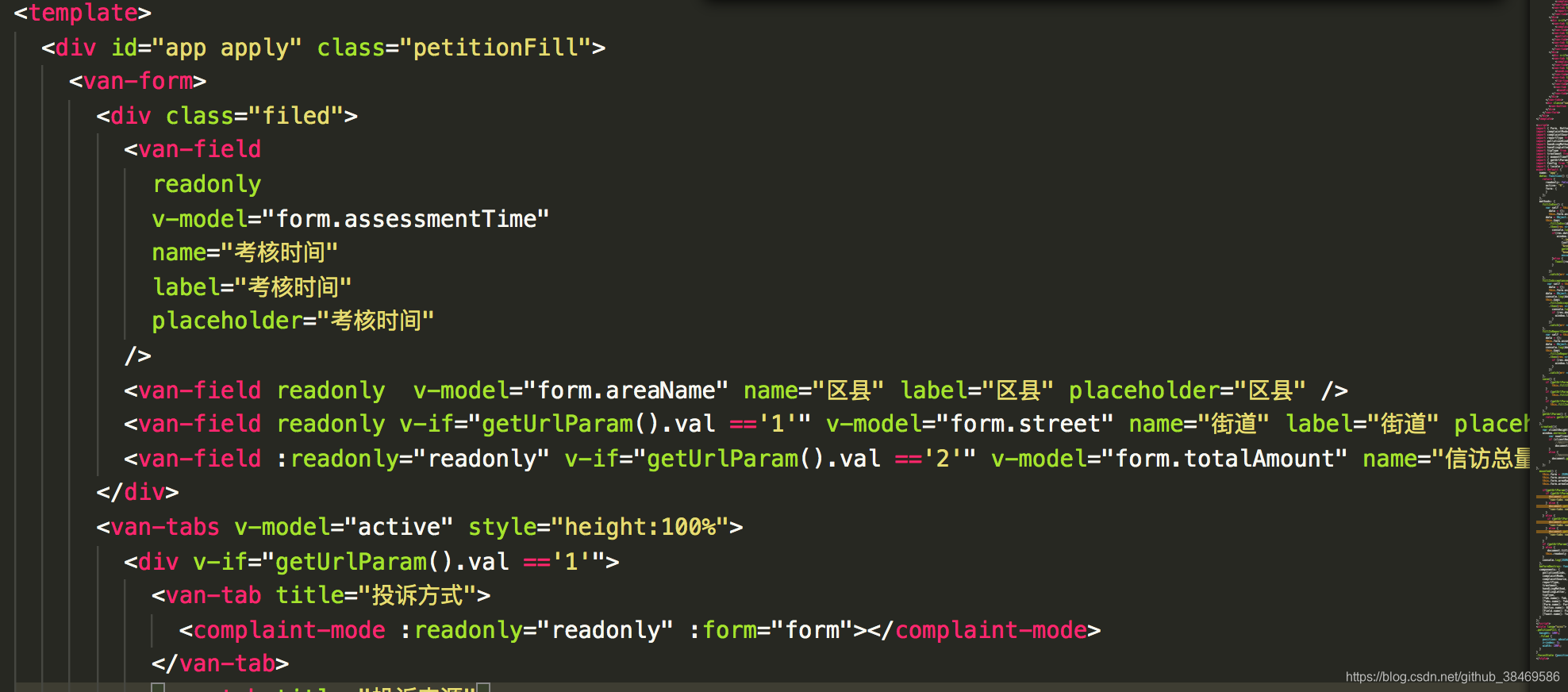
1.先给最外层的div一个ID取名比如 id="apply"如下图:
2.定义一个class:
.focusState {position: absolute;}
3.利用监听键盘的收起展开事件来添加移除定义的focusState 样式
  created(){
    var clientHeight = document.documentElement.clientHeight || document.body.clientHeight;
    window.onresize = function() {
        var nowClientHeight = document.documentElement.clientHeight || document.body.clientHeight;
        if (clientHeight - nowClientHeight > 60 ) {//因为ios有自带的底部高度
            //键盘弹出的事件处理
            document.getElementById("apply").classList.add("focusState");
        }
        else {
            //键盘收起的事件处理
        	document.getElementById("apply").classList.remove("focusState");
        }
    };
},
完美解决~~~





 扫一扫
扫一扫


 2424
2424


 到【灌水乐园】发言



