






效果图

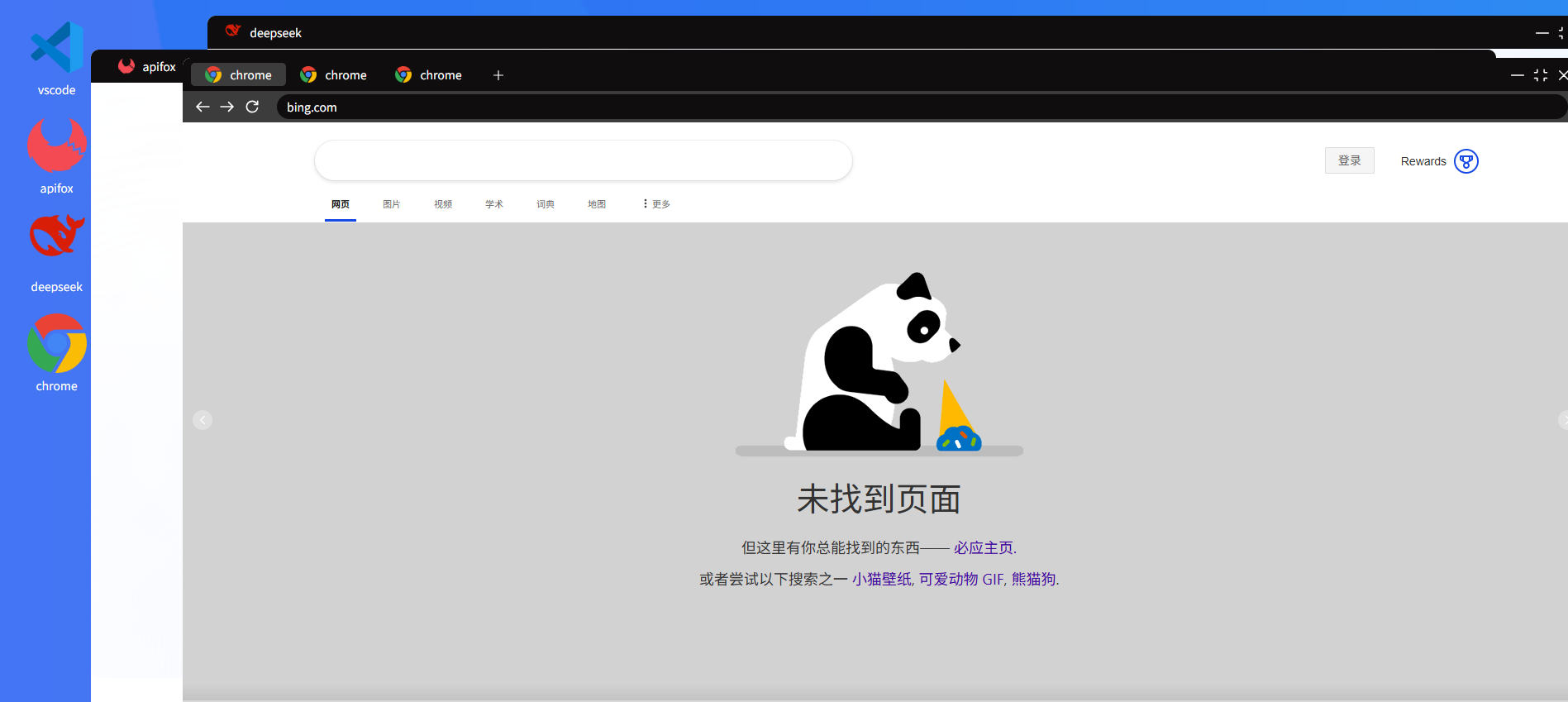
功能介绍
- 图标常规操作,拖拽移动,删除,打开,控制台模拟运行,
- 浏览器多窗口模拟
- 多应用访问
- 系统通知
- 系统设置
- 在线coding
- 第三方应用嵌入
- 后续继续开发
- 文档在线编辑查看
- 流文件查看,
- 桌面端打包
- 本机内存存储,开启服务在线模式和单机模式
- 想到后继续补充
部分代码
<template>
    <!-- browser   -->
    <div
        class="brower-modal-box"  :class="`brower-modal-box-${viewApp.id}`"
        :style="{
            top: viewApp.modalTop + 'px',
            left: viewApp.modalLeft + 'px',
            width: viewApp.modalWidth + 'px',
            height: viewApp.modalHeight + 'px',
        }"
        @click="appViewClick"
        >
        <!--  -->
        <!-- 浏览器头部---模拟浏览器访问才展示 -->
        <div class="brower-header">
            <!-- app tab -->
            <div class="brower-header-top">
                <!-- app -tab  打开应用类型为浏览器-->
                <div class="app-tab" v-if="appType=='brower'">
                    <div class="app-tab-item" v-for="(item,index) in expandApps"
                        :class="{active:(index+1) === activeInex}"
                        @click="onAppClick(item,index)"
                        :key="index">
                        <div class="app-tab-item-img">
                            <img :src="item.endpointImg" alt="">
                        </div>
                        <div class="app-tab-item-name">{{item.endpointName}}</div>
                    </div>
                </div>
                <!-- app tab 打开应用类型为应用时-->
                 <div class="app-tab" v-if="appType=='app'">
                    <div>
                        <div class="app-tab-item">
                            <div class="app-tab-item-img">
                                <img :src="viewApp.endpointImg" alt="">
                            </div>
                            <div class="app-tab-item-name">{{viewApp.endpointName}}</div>
                        </div>
                    </div>
                 </div>
                <!-- add url tab  打开应用类型为浏览器-->
                    <div class="add-tab-dynamic" v-if="appType=='brower'">
                    <icon-plus @click="addUrlTab" class="icon-plus" />
                    </div>
                <!-- draggable area-- 拖拽区域-->
                    <div class="app-tab-draggable-area" :class="`app-tab-draggable-area-${viewApp.id}`" @mousedown="(e)=>{
                        opreatApp(viewApp)
                        startDragging(e)
                    }">
                    </div>
                <!-- icon -->
                <div class="brower-header-icon">
                    <icon-minus class="icon-item" @click="onCollapse" />
                    <icon-fullscreen-exit class="icon-item" @click="onClickZoom" />
                    <icon-close @click="closeApp" class="icon-item" />
                </div>
            </div>
            <!-- app search-box  打开应用类型为浏览器;显示访问地址-->
            <div class="app-search-box" v-if="appType=='brower'">
                <icon-arrow-left class="app-search-box-icon" />
                <icon-arrow-right class="app-search-box-icon" />
                <icon-refresh class="app-search-box-icon" @click="refreshApp" />
                <a-input v-model="viewApp.endpointUrl"
                    class="app-search-box-search"
                    @press-enter="enterSearch"
                    placeholder="输入地址" />
            </div>
        </div>
        <!-- 嵌入iframe -->
        <div class="iframe-container">
            <!-- 模拟浏览器打开的应用,浏览器可开多个tab标签访问 -->
            <a-carousel
                v-if="!endpointCode"
                :style="{
                width: '100%',
                height: '100%',
                }"
                :current="activeInex"
            >
                <a-carousel-item v-for="item in expandApps" :key="item.id">
                    <iframe
                    :src="item.endpointUrl"
                    :key="`${item.id}${item.refreshTime}`"
                    sandbox='allow-downloads allow-presentation allow-scripts allow-same-origin allow-forms allow-modals allow-popups-to-escape-sandbox allow-popups allow-top-navigation'
                    class="app-iframe">
                </iframe>
                </a-carousel-item>
            </a-carousel>
            <!-- endpointCode代表是发布的应用, 单独应用iframe begin -->
            <iframe
                v-if="endpointCode"
                :src="viewApp.endpointUrl"

                :style=" {
                    borderRadius:'10px'
                } "
                sandbox='allow-downloads allow-presentation allow-scripts allow-same-origin allow-forms allow-modals allow-popups-to-escape-sandbox allow-popups allow-top-navigation'
                class="app-iframe">
            </iframe>
         <!-- 单独应用iframe end -->
        </div>
        <div class="resizer" @mousedown="(e)=>{
            opreatApp(viewApp);
            startResizing(e);
        }"></div>
        </div>
</template>
<script setup lang="ts">
import { computed,ref } from 'vue';
import { useMainStore } from '@/store';
import {startDragging,
    opreatApp, startResizing, isValidUrl,
     baseWidth, baseHeight, baseTop, baseLeft} from "./index"
import { anonResIO,appTypeIO } from '@/enums/Home';
const props = defineProps<{
    app: anonResIO,
    appType:appTypeIO,
    zIndex:number
}>();
const mainStore = useMainStore();
const expandApps = computed(()=>mainStore.expandApps);
const {endpointCode} = computed(()=>props.app).value;
const viewApp = ref({
    ...props.app
});
const appType = ref<appTypeIO>(props.appType);
const isFullscreen =  ref<boolean>(false);
const activeInex = computed(()=>mainStore.browserIndex)
const emits = defineEmits(["submit-data"]);
/**
 * @abstract 点击table切换的时候,索引图标跟着切换
 *  对应浏览的浏览器页面也跟着切换
 * @param index
 */
const onAppClick = (app:anonResIO,index:number) => {
    mainStore.setBrowserIndex(index+1)
    viewApp.value = {
        ...viewApp.value,
        ...app
    }
}
/**
 * @abstract 点击浏览器缩小放大按钮,根据visible控制显示隐藏,不关闭控制
 *运行的程序,如果是直接点击clsose,则关闭程序,也关闭控制台程序
 *  */
const onCollapse = () => {
    mainStore.orVisibleApp(viewApp.value);
}
const onClickZoom = () => {
    if(isFullscreen.value){
        viewApp.value.modalWidth = baseWidth;
        viewApp.value.modalHeight = baseHeight;
        viewApp.value.modalTop = baseTop;
        viewApp.value.modalLeft = baseLeft;
    }else{
        viewApp.value.modalTop = 0;
        viewApp.value.modalLeft = 0;
        viewApp.value.modalHeight = (document.querySelector(".home-box")?.clientHeight || 920) - 40;
        viewApp.value.modalWidth = document.querySelector(".home-box")?.clientWidth  || 1920;
    }
    isFullscreen.value = !isFullscreen.value;
}
/**
 * 关闭运行程序
 */
const closeApp = () => {
    mainStore.closeApp(viewApp.value);
}
const enterSearch = () => {
    const isUrl = isValidUrl(viewApp.value.endpointUrl);
    if(isUrl) {
       mainStore.accessPage(viewApp.value);
    } else {
        throw  new Error("请输入正确的网址");
    }
}
// add brower urls to tab
const addUrlTab = () => {
    mainStore.addUrlTab(viewApp.value);
}
/**
 * @abstract 主要实现点击哪个一个应用,需要把哪个应用放在最上层
 */
const appViewClick = ()=>{
    emits("submit-data",viewApp.value)
}
/**
 * @abstract 刷新嵌套应用访问
 */
const refreshApp = ()=>{
    mainStore.refreshApp(viewApp.value);

}
</script>
<style lang="less">
.brower-modal-box{
    position: fixed;
    background-color: #fff;
    border-radius: 10px;
}
</style>
<style scoped lang="less">
@import url("./index.less");
</style>






 扫一扫
扫一扫


 4549
4549

 被折叠的 条评论
为什么被折叠?
被折叠的 条评论
为什么被折叠?
 到【灌水乐园】发言





