


1、文件加载流程,引入onlyoffice插件
#前端以为vue为例,在index.html引入插件
<script src="http://localhost/web-apps/apps/api/documents/api.js"></script>
#config 配置
export const documentConfig = {
	"document": {
		"fileType": "docx",
		"isForm": true,
		"info": {
			"favorite": true,
			"folder": "Example Files",
			"owner": "John Smith",
			"sharingSettings": [{
				"permissions": "Full Access",
				"user": "John Smith"
			},
			{
				"isLink": true,
				"permissions": "Read Only",
				"user": "External link"
			}],
			"uploaded": "2010-07-07 3:46 PM"
		},
		"key": "Khirz6zTPdfd7",
		"permissions": {
			"chat": true,
			"comment": false,
			"commentGroups": [{
				"edit": ["Group2", ""],
				"remove": [""],
				"view": ""
			}],
			"copy": true,
			"deleteCommentAuthorOnly": false,
			"download": true,
			"edit": true,
			"editCommentAuthorOnly": false,
			"fillForms": true,
			"modifyContentControl": true,
			"modifyFilter": true,
			"print": true,
			"protect": true,
			"review": true,
			"reviewGroups": ["Group1", "Group2", ""],
			"userInfoGroups": ["Group1", ""]
		},
		"referenceData": {
			"fileKey": "BCFA2CED",
			"instanceId": "https://example.com"
		},
		"title": "Example Document Title.docx",
		"url": "192.168.48.1:3000/劳动合同2.docx"
	},
	"documentType": "word",
	"editorConfig": {
		"actionLink": "ACTION_DATA",
		"callbackUrl": "",
		"coEditing": {
			"mode": "fast",
			"change": true
		},
		"createUrl": "https://example.com/url-to-create-document/",
		"customization": {
			"about": true,
			"anonymous": {
				"request": true,
				"label": "Guest"
			},
			"autosave": true,
			"close": {
				"visible": true,
				"text": "Close file"
			},
			"comments": true,
			"compactHeader": false,
			"compactToolbar": false,
			"compatibleFeatures": false,
			"customer": {
			},
			"features": {
				"featuresTips": true,
				"roles": true,
				"spellcheck": {
					"mode": true,
					"change": true
				},
				"tabBackground": {
					"mode": "header",
					"change": true
				},
				"tabStyle": {
					"mode": "fill",
					"change": true
				}
			},
			"feedback": {
			},
			// "font": {
			// 	"name": "Arial",
			// 	"size": "11px"
			// }, //社区版本无权限
			"forcesave": true,
			"forceWesternFontSize": false,
			"goback": {
			},
			"help": true,
			"hideNotes": false,
			"hideRightMenu": true,
			"hideRulers": false,
			"integrationMode": "embed",
			"layout": {
				"header": {
					"editMode": true,
					"save": true,
					"user": true,
					"users": true
				},
				"leftMenu": {
					"mode": true,
					"navigation": true,
					"spellcheck": true
				},
				"rightMenu": {
					"mode": true
				},
				"statusBar": {
					"actionStatus": true,
					"docLang": true,
					"textLang": true
				},
				"toolbar": {
					"collaboration": {
						"mailmerge": true
					},
					"draw": true,
					"file": {
						"close": true,
						"info": true,
						"save": true,
						"settings": true
					},
					"home": {},
					"layout": true,
					"plugins": true,
					"protect": true,
					"references": true,
					"save": true,
					"view": {
						"navigation": true
					}
				}
			},
			// "loaderLogo": "https://example.com/loader-logo.png", //社区版本无权限
			// "loaderName": "The document is loading, please wait...",//社区版本无权限
			"logo": {
				"image": "https://example.com/logo.png",
				"imageDark": "https://example.com/dark-logo.png",
				"imageLight": "https://example.com/light-logo.png",
				"url": "https://example.com",
				"visible": true
			},
			"macros": false,
			"macrosMode": "warn",
			"mentionShare": true,
			"mobile": {
				"forceView": true,
				"info": false,
				"standardView": false
			},
			"plugins": true,
			"pointerMode": "select",
			// "review": {
			// 	"hideReviewDisplay": false,
			// 	"showReviewChanges": false,
			// 	"reviewDisplay": "original",
			// 	"trackChanges": true,
			// 	"hoverMode": false
			// },
			"showHorizontalScroll": true,
			"showVerticalScroll": true,
			"slidePlayerBackground": "#000000",
			"submitForm": {
				"visible": true,
				"resultMessage": "text"
			},
			"toolbarHideFileName": false,
			"uiTheme": "theme-dark",
			"unit": "cm",
			"wordHeadingsColor": "#00ff00",
			"zoom": 100
		},
		"embedded": {
		},
		"lang": "zh",
		"mode": "edit",
		"plugins": {},
		"recent": [],
		"region": "en-US",

		"user": {
		}
	},
	"events": {},
	"height": "100%",
	"token": ",
	"type": "desktop",
	"width": "100%"
}
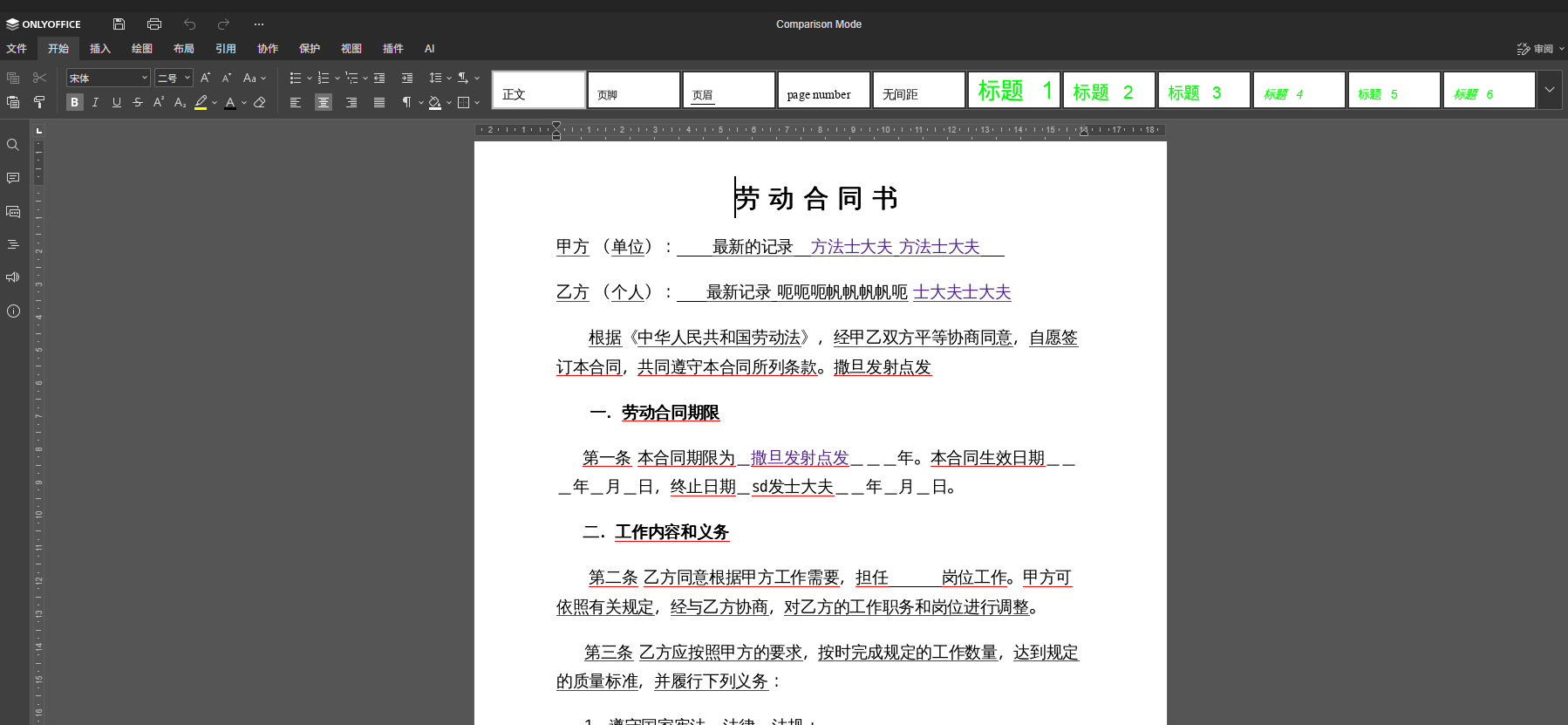
2、前端加载文件
const initOnlyofficeEditor = () => {
vueOnlyoffceEditor.value =  new window.DocsAPI.DocEditor(tempEleId.value, {
    ...editConfig.value,
    document: {
      ...editConfig.value.document,
      fileType: 'docx',
      title: 'Comparison Mode',
      permissions: {
        ...editConfig.value.document.permissions,
        edit: true,
        download: true
      }
    },
    editorConfig: {
      ...editConfig.value.editorConfig,
      mode: 'edit',
      callbackUrl: 'http://192.168.48.1:8000/service/onlyoffice/callback', // 回调地址
    },
    events: {
      onAppReady: () => {
        console.log('onAppReady: 编辑器初始化完成');
      },
      onDocumentReady: () => {
        console.log('onDocumentReady: 文档加载完成');
      },
      onDocumentStateChange: () => {
        console.log('onDocumentStateChange: 文档状态变更');
      },
      onError: (error: any) => {
        console.error('onError:', error);
      },
      onRequestClose: () => {
        console.log('onRequestClose: 用户请求关闭编辑器');
      },
      onRequestHistory: onRequestHistory,
      onRequestHistoryData:onRequestHistoryData,
      onRequestSaveAs: (event: any) => {
        console.log('onRequestSaveAs:', event);
      },
      onRequestEditRights: () => {
        console.log('onRequestEditRights: 用户请求编辑权限');
      }
    }
  });
}
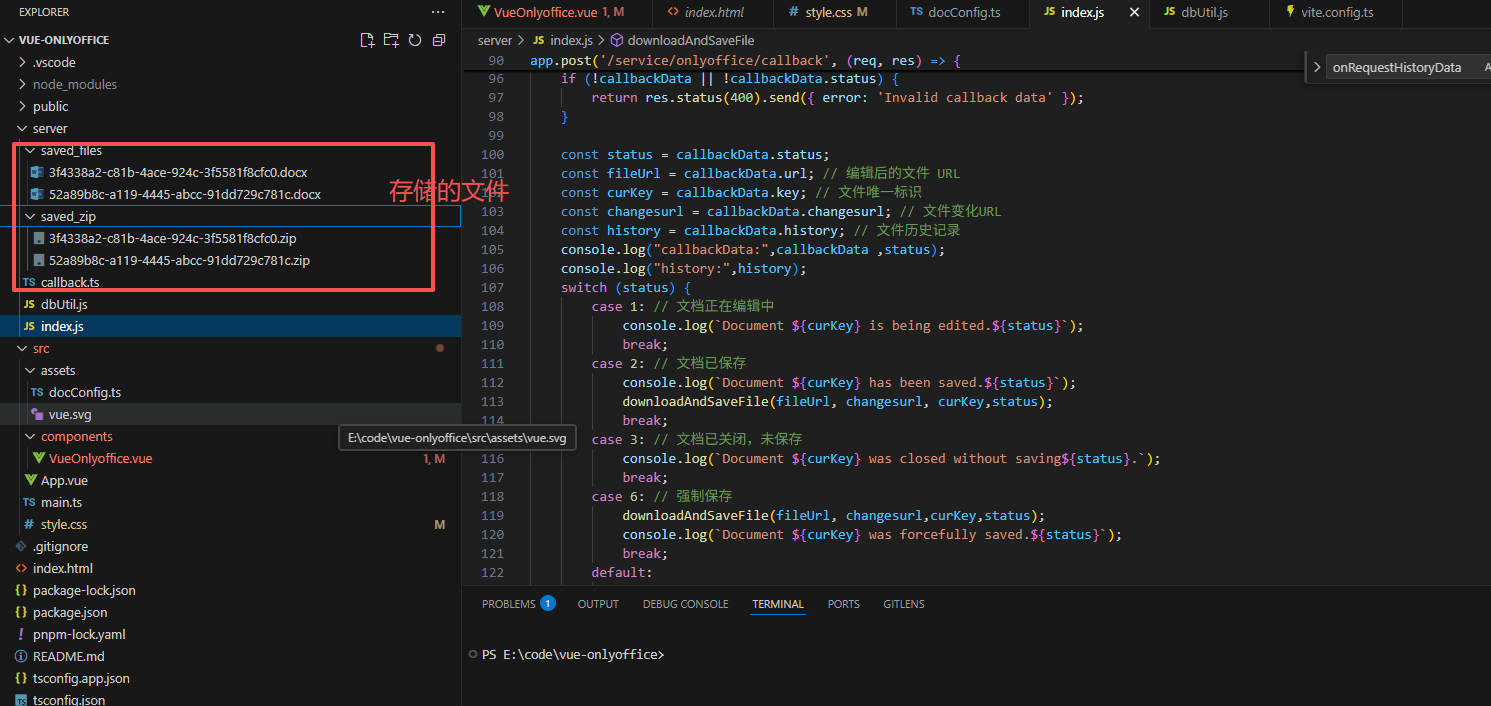
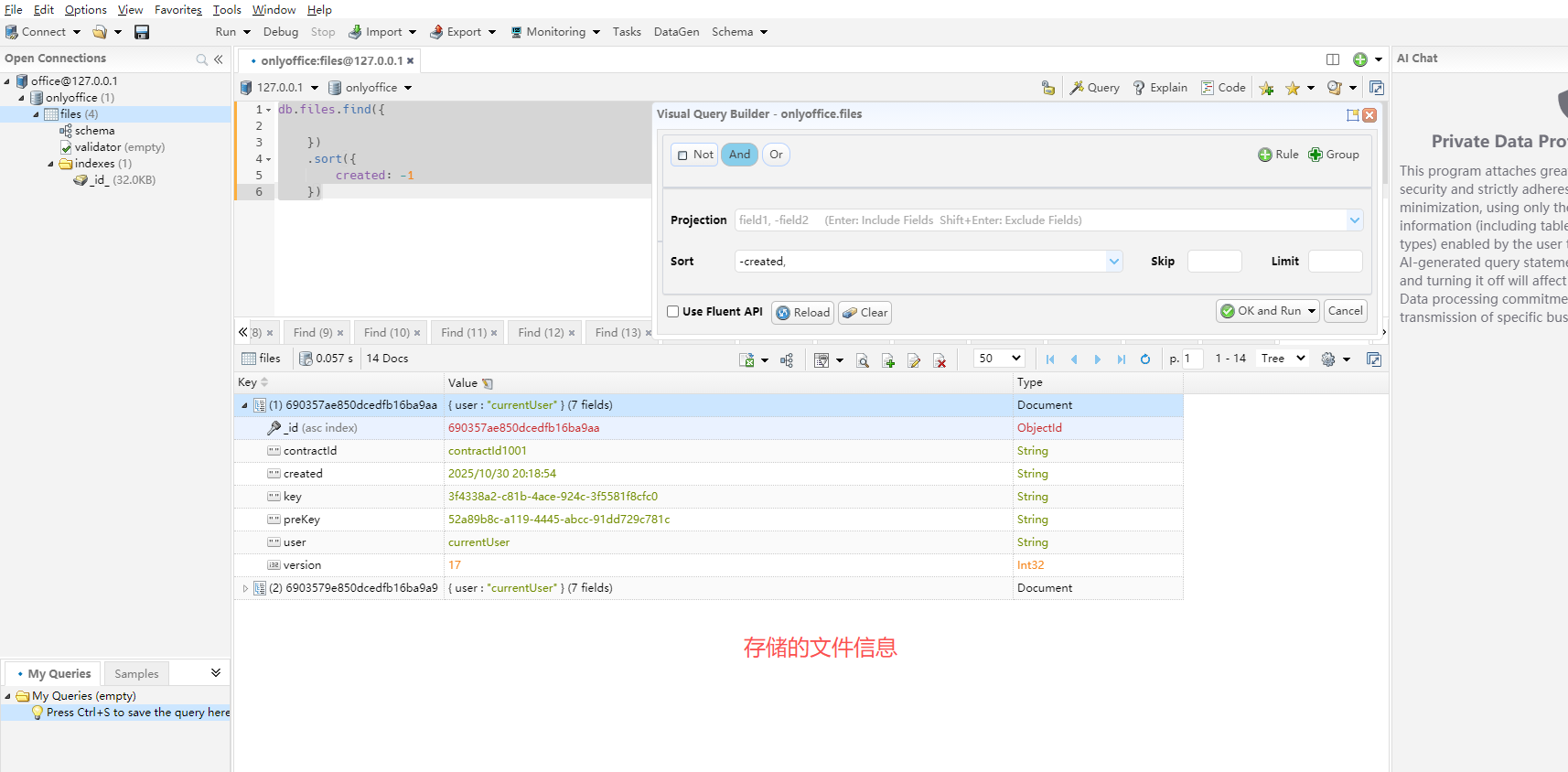
3、后台回调函数地址,包含获取文件,存储文件,存储文件信息
import express from 'express';
import path from 'path';
import fs from 'fs';
import https from 'https';
import http from 'http';
import { fileURLToPath } from 'url';
import { dirname } from 'path';
import cors from 'cors';
import { v4 as uuidv4 } from 'uuid';


import {saveFileInfo,openDB,getFileListByContractId} from './dbUtil.js';


const __filename = fileURLToPath(import.meta.url);
const __dirname = dirname(__filename);

// 配置 saved_files 目录路径
const SAVED_FILES_DIR = path.join(__dirname, 'saved_files');
const SAVED_ZIP_DIR = path.join(__dirname, 'saved_zip');

const app = express();
const port = 8000;

// 解析 JSON 请求体
app.use(express.json());
app.use(cors({
    origin: '*', // 允许所有来源
    methods: 'GET, POST, PUT, DELETE',
    allowedHeaders: 'Content-Type, Authorization'
}))
// 封装 HTTP 返回函数
const sendResponse = (res, status, msg, data = null) => {
  res.status(status).json({
    status: status,
    msg: msg,
    data: data
  });
}

// 示例路由:返回欢迎消息
app.get('/', (req, res) => {
  sendResponse(res, 200, 'Welcome to the OnlyOffice backend service!');
});
//把下载文件和保存文件部分代码抽出来作为一个函数
function downloadAndSaveFile(fileUrl, changesurl,curKey,status) {
    console.log("status:",status );
    const key = uuidv4();
    if (fileUrl) {
        const filePath = path.join(__dirname, 'saved_files', `${key}.docx`);
        const zipPath = path.join(__dirname, 'saved_zip', `${key}.zip`);
        const file = fs.createWriteStream(filePath);
        const zip = fs.createWriteStream(zipPath);
        const protocol = fileUrl.startsWith('https') ? https : http;
        /**
         * 写入docx文件
         */
        protocol.get(fileUrl, (response) => {
            response.pipe(file);
            file.on('finish', () => {
                file.close();
                // 保存文件信息到 MongoDB
                saveFileInfo(key,curKey)
                    .then(() => {
                        console.log(`File info for ${key,curKey} saved to MongoDB`);
                    })
                    .catch((error) => {
                        console.error('Error saving file info to MongoDB:', error);
                    });
                console.log(`File saved to ${filePath}`);
            });
        }).on('error', (err) => {
            console.error('Error downloading file:', err.message);
        });
        /**
         * 写入zip文件
         */
        protocol.get(changesurl, (response) => {
            response.pipe(zip);
            zip.on('finish', () => {
                zip.close();
                console.log(`Changes file saved to ${zipPath}`);
            });
        }).on('error', (err) => {
            console.error('Error downloading changes file:', err.message);
        });
    }
}
// 回调处理函数
app.post('/service/onlyoffice/callback', (req, res) => {
    const callbackData = req.body;
    const savedDir = path.join(__dirname, 'saved_files');
    if (!fs.existsSync(savedDir)) {
        fs.mkdirSync(savedDir, { recursive: true });
    }
    if (!callbackData || !callbackData.status) {
        return res.status(400).send({ error: 'Invalid callback data' });
    }

    const status = callbackData.status;
    const fileUrl = callbackData.url; // 编辑后的文件 URL
    const curKey = callbackData.key; // 文件唯一标识
    const changesurl = callbackData.changesurl; // 文件变化URL
    const history = callbackData.history; // 文件历史记录
    console.log("callbackData:",callbackData ,status);
    console.log("history:",history);
    switch (status) {
        case 1: // 文档正在编辑中
            console.log(`Document ${curKey} is being edited.${status}`);
            break;
        case 2: // 文档已保存
            console.log(`Document ${curKey} has been saved.${status}`);
            downloadAndSaveFile(fileUrl, changesurl, curKey,status);
            break;
        case 3: // 文档已关闭,未保存
            console.log(`Document ${curKey} was closed without saving${status}.`);
            break;
        case 6: // 强制保存
            downloadAndSaveFile(fileUrl, changesurl,curKey,status);
            console.log(`Document ${curKey} was forcefully saved.${status}`);
            break;
        default:
            console.log(`Unhandled status: ${status}`);
    }

    // 响应 ONLYOFFICE 回调
    res.status(200).send({ error: 0 });
});
/**
 * 获取所有文件信息,根据合同id
 */
app.get('/service/onlyoffice/files/:contractId', (req, res) => {
    const contractId = req.params.contractId;
    getFileListByContractId(contractId)
        .then((files) => {
            sendResponse(res, 200, 'Files retrieved successfully', files);
        })
        .catch((error) => {
            console.error('Error getting files by contractId:', error);
            sendResponse(res, 500, 'Failed to get files', { error: 'Failed to get files' });
        });
});

/**
 * 根据文件名获取文件内容
 */
app.get('/service/onlyoffice/files/content/:fileName', (req, res) => {
    const fileName = req.params.fileName;
    const filePath = path.join(SAVED_FILES_DIR, `${fileName}.docx`);

    if (!fs.existsSync(filePath)) {
        return sendResponse(res, 404, 'File not found');
    }

    res.sendFile(filePath, (err) => {
        if (err) {
            console.error('Error sending file:', err);
            sendResponse(res, 500, 'Failed to send file');
        }
    });
});
app.get('/service/onlyoffice/files/zip/:fileName', (req, res) => {
    const fileName = req.params.fileName;
    const filePath = path.join(SAVED_ZIP_DIR, `${fileName}.zip`);

    if (!fs.existsSync(filePath)) {
        return sendResponse(res, 404, 'File not found');
    }
    res.sendFile(filePath, (err) => {
        if (err) {
            console.error('Error sending file:', err);
            sendResponse(res, 500, 'Failed to send file');
        }
    });
});

// 启动服务
// 启动服务前连接数据库
openDB()
    .then(() => {
        console.log('Database connected successfully.');
        app.listen(port, () => {
            console.log(`Server is running at http://localhost:${port}`);
        });
    })
    .catch((error) => {
        console.error('Failed to connect to the database:', error);
        process.exit(1); // 终止服务
    });
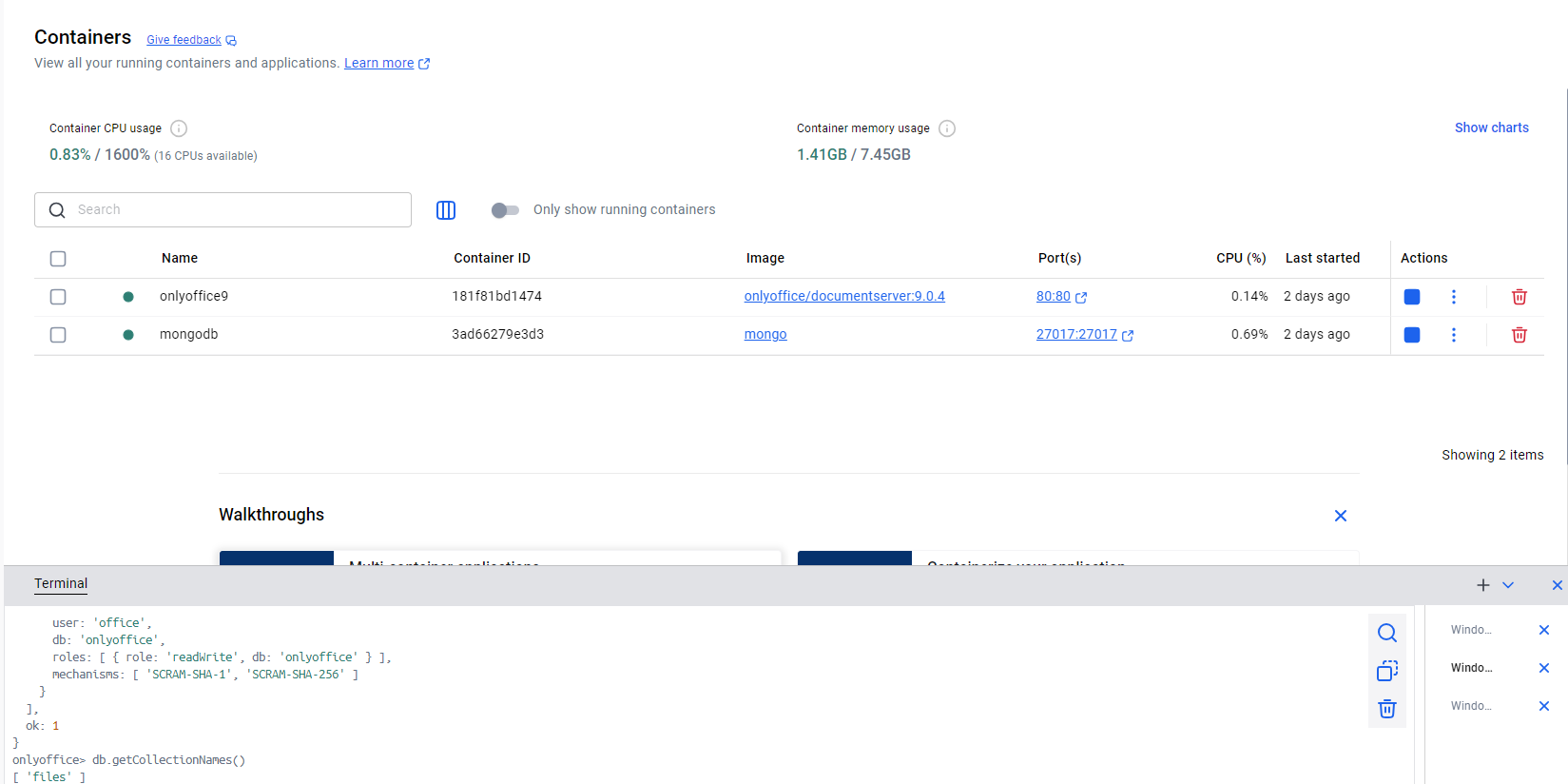
4、整个开发流程纯前端编写,服务也是,后续会把仓库代码发到git,感兴趣的小伙伴可以下载运行






 扫一扫
扫一扫


 6478
6478

 被折叠的 条评论
为什么被折叠?
被折叠的 条评论
为什么被折叠?
 到【灌水乐园】发言





