



 本文档介绍了如何在Linux系统中安装并配置openssh-server,包括安装openssh-client,编辑sshd_config文件以增强安全性,特别强调了添加特定的KexAlgorithms以提升加密强度,并提供了重启sshd服务的步骤。此过程对于系统管理员确保远程访问的安全性至关重要。
首先先安装openssh-server
sudo apt-get install -y openssh-server
然后修改/etc/ssh目录下的sshd_config文件,添加
只安装openssh-server不太行,还要安装l openssh-client
执行命令:
sudo apt install openssh-client
cd /etc/ssh
vi sshd_config
 添加下面这行代码就可以了
KexAlgorithms curve25519-sha256@libssh.org,ecdh-sha2-nistp256,ecdh-sha2-nistp384,ecdh-sha2-nistp521,diffie-hellman-group-exchange-sha256,diffie-hellman-group14-sha1,diffie-hellman-group-exchange-sha1,diffie-hellman-group1-sha1
配置成下面这样:
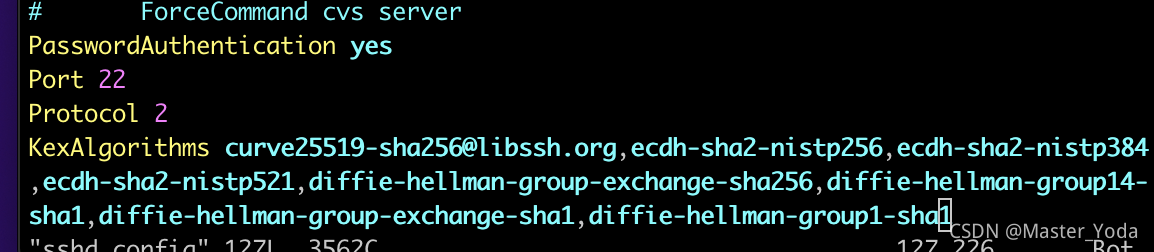
然后重启sshd服务器就可以了
sudo /etc/init.d/ssh restart
首发于:个人网站





 扫一扫
扫一扫


 1068
1068

 被折叠的 条评论
为什么被折叠?
被折叠的 条评论
为什么被折叠?
 到【灌水乐园】发言





