


 本文详细介绍了Cypress的三种安装方式:基础环境安装、通过npm和yarn以及直接下载。每种方法包括步骤、注意事项和可能的问题解决。安装完成后,通过验证环境和启动命令来确保Cypress正确配置。此外,还提到了package.json文件的作用和配置Cypress的启动命令。
基础环境安装
安装与配置
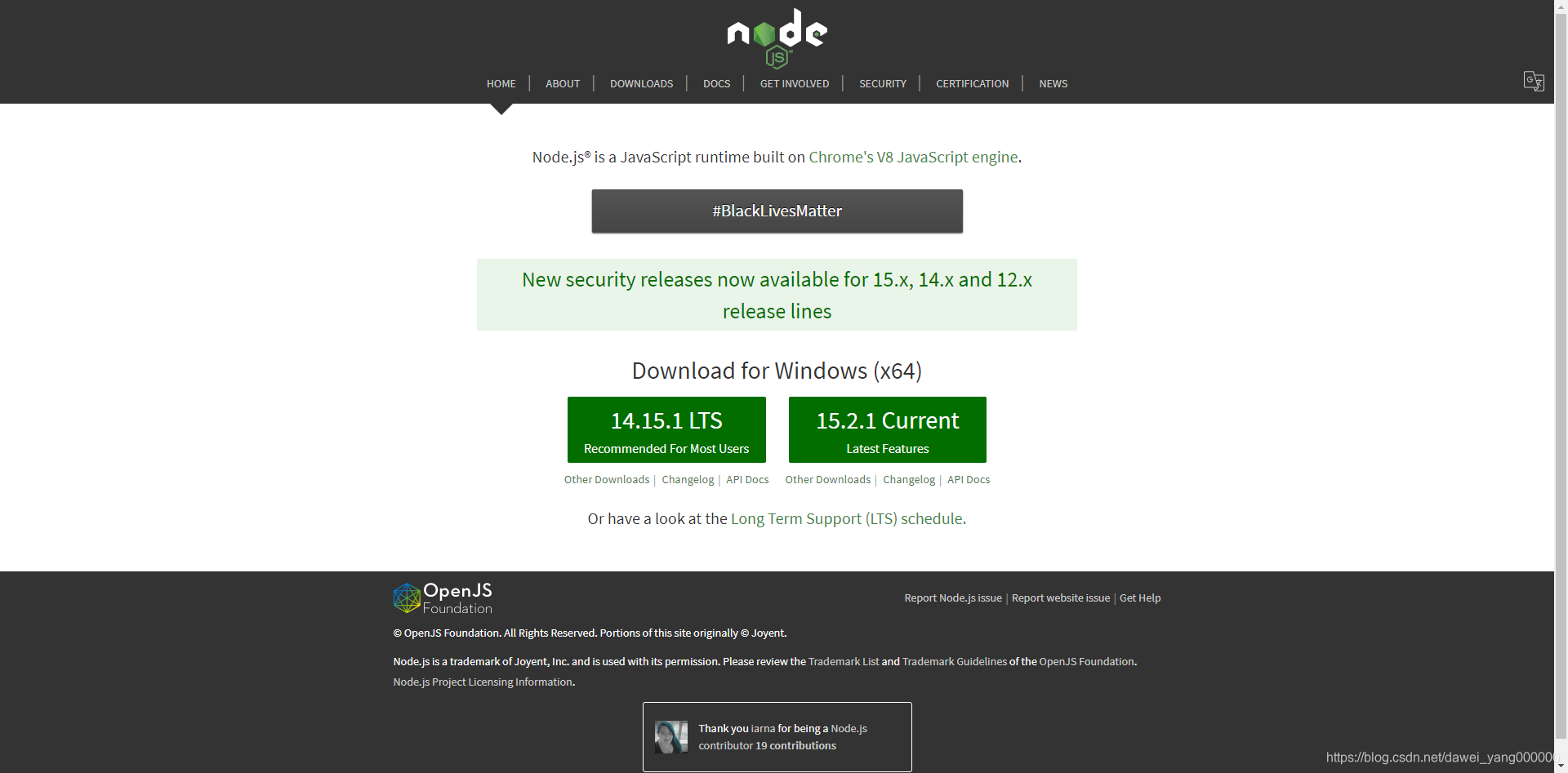
首先从Node.js官网下载node-v14.15.1-x64.msi
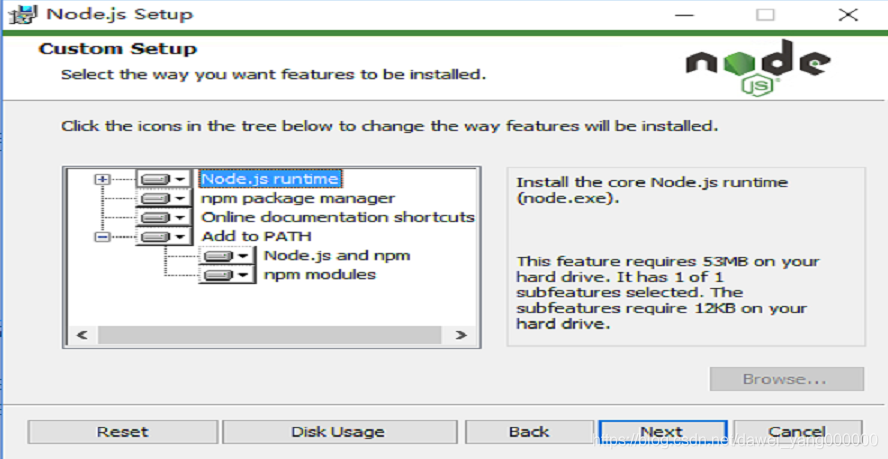
下载完成后,双击安装,在Custom Setup阶段,注意确保添加系统环境变量的选项(Add to PATH)是选中的否则后续还需要自行配制
环境验证
C:\Users\Administrator>node --version
v14.15.1

C:\Users\Administrator>npm --version
6.14.8
Cypress安装与配置
通过npm安装及配置(推荐模式)
- 新建一个Cypress的文件夹,然后在文件夹内执行命令
npm init从而生成package.json文件 - 使用
npm install cypress --save-dev命令安装CypressD:\cypress>npm install cypress --save-dev npm WARN deprecated har-validator@5.1.5: this library is no longer supported > cypress@5.6.0 postinstall D:\cypress\node_modules\cypress > node index.js --exec install Installing Cypress (version: 5.6.0) √ Downloaded Cypress √ Unzipped Cypress √ Finished Installation C:\Users\Administrator\AppData\Local\Cypress\Cache\5.6.0 You can now open Cypress by running: node_modules\.bin\cypress open https://on.cypress.io/installing-cypress npm WARN saveError ENOENT: no such file or directory, open 'D:\cypress\package.json' npm notice created a lockfile as package-lock.json. You should commit this file. npm WARN enoent ENOENT: no such file or directory, open 'D:\cypress\package.json' npm WARN cypress No description npm WARN cypress No repository field. npm WARN cypress No README data npm WARN cypress No license field. + cypress@5.6.0 added 216 packages from 147 contributors and audited 216 packages in 540.664s 12 packages are looking for funding run `npm fund` for details found 0 vulnerabilities
在D:\cypress\node_modules\cypress目录下会自动生成一个package.json文件,作用是一样的
通过yarn安装及配置
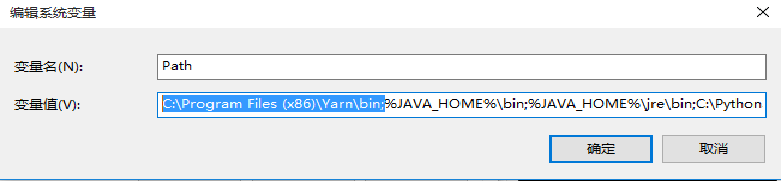
yarn是一个JavaScript包管理工具,它是为了弥补npm的一些缺陷而出现的,通过其官方地址下载yarn-x.xx.x.msi文件,然后双击完成安装即可,然后将yarn的执行文件路径C:\Program Files (x86)\Yarn\bin;配置到系统环境变量中
然后启动命令行验证环境
C:\Users\Administrator>yarn
yarn install v1.22.5
info No lockfile found.
[1/4] Resolving packages...
[2/4] Fetching packages...
[3/4] Linking dependencies...
[4/4] Building fresh packages...

success Saved lockfile.
Done in 0.06s.

C:\Users\Administrator>yarn -version
1.22.5
实际上使用npm也可以安装yarn,命令是npm install -g yarn安装成功后,便可以使用yarn安装cypress,与上一个安装方式一样,新建一个Cypress目录,然后在目录下执行命令yarn add cypress --dev即可
Microsoft Windows [版本 10.0.10240]
(c) 2015 Microsoft Corporation. All rights reserved.

D:\cypress>yarn add cypress --dev
yarn add v1.22.5
info No lockfile found.
warning package-lock.json found. Your project contains lock files generated by tools other than Yarn. It is advised not to mix package managers in order to avoid resolution inconsistencies caused by unsynchronized lock files. To clear this warning, remove package-lock.json.
[1/4] Resolving packages...
warning cypress > @cypress/request > har-validator@5.1.5: this library is no longer supported
[2/4] Fetching packages...
[3/4] Linking dependencies...
[4/4] Building fresh packages...
success Saved lockfile.
success Saved 165 new dependencies.
info Direct dependencies
└─ cypress@5.6.0
info All dependencies
├─ @cypress/listr-verbose-renderer@0.4.1
├─ @cypress/request@2.88.5
├─ @cypress/xvfb@1.2.4
├─ @samverschueren/stream-to-observable@0.3.1
├─ @types/sinonjs__fake-timers@6.0.2
├─ @types/sizzle@2.3.2
├─ ajv@6.12.6
├─ ansi-escapes@3.2.0
├─ ansi-styles@2.2.1
├─ any-observable@0.3.0
├─ arch@2.2.0
├─ asn1@0.2.4
├─ async@3.2.0
├─ asynckit@0.4.0
├─ at-least-node@1.0.0
├─ aws-sign2@0.7.0
├─ aws4@1.11.0
├─ balanced-match@1.0.0
├─ bcrypt-pbkdf@1.0.2
├─ blob-util@2.0.2
├─ bluebird@3.7.2
├─ brace-expansion@1.1.11
├─ buffer-crc32@0.2.13
├─ buffer-from@1.1.1
├─ cachedir@2.3.0
├─ caseless@0.12.0
├─ chalk@1.1.3
├─ check-more-types@2.24.0
├─ ci-info@2.0.0
├─ cli-cursor@2.1.0
├─ cli-table3@0.6.0
├─ cli-truncate@0.2.1
├─ code-point-at@1.1.0
├─ color-convert@2.0.1
├─ color-name@1.1.4
├─ colors@1.4.0
├─ combined-stream@1.0.8
├─ commander@5.1.0
├─ common-tags@1.8.0
├─ concat-map@0.0.1
├─ concat-stream@1.6.2
├─ core-util-is@1.0.2
├─ cross-spawn@7.0.3
├─ cypress@5.6.0
├─ dashdash@1.14.1
├─ debug@4.3.1
├─ delayed-stream@1.0.0
├─ ecc-jsbn@0.1.2
├─ elegant-spinner@1.0.1
├─ emoji-regex@8.0.0
├─ end-of-stream@1.4.4
├─ eventemitter2@6.4.3
├─ execa@4.1.0
├─ executable@4.1.1
├─ exit-hook@1.1.1
├─ extend@3.0.2
├─ extract-zip@1.7.0
├─ extsprintf@1.3.0
├─ fast-deep-equal@3.1.3
├─ fast-json-stable-stringify@2.1.0
├─ fd-slicer@1.1.0
├─ forever-agent@0.6.1
├─ form-data@2.3.3
├─ fs-extra@9.0.1
├─ fs.realpath@1.0.0
├─ get-stream@5.2.0
├─ getos@3.2.1
├─ getpass@0.1.7
├─ glob@7.1.6
├─ global-dirs@2.0.1
├─ graceful-fs@4.2.4
├─ har-schema@2.0.0
├─ har-validator@5.1.5
├─ has-ansi@2.0.0
├─ has-flag@4.0.0
├─ http-signature@1.2.0
├─ human-signals@1.1.1
├─ indent-string@3.2.0
├─ inflight@1.0.6
├─ inherits@2.0.4
├─ ini@1.3.5
├─ is-ci@2.0.0
├─ is-fullwidth-code-point@3.0.0
├─ is-installed-globally@0.3.2
├─ is-observable@1.1.0
├─ is-path-inside@3.0.2
├─ is-promise@2.2.2
├─ is-stream@1.1.0
├─ is-typedarray@1.0.0
├─ isarray@1.0.0
├─ isexe@2.0.0
├─ isstream@0.1.2
├─ json-schema-traverse@0.4.1
├─ json-schema@0.2.3
├─ json-stringify-safe@5.0.1
├─ jsonfile@6.1.0
├─ jsprim@1.4.1
├─ lazy-ass@1.6.0
├─ listr-silent-renderer@1.1.1
├─ listr-update-renderer@0.5.0
├─ listr-verbose-renderer@0.5.0
├─ listr@0.14.3
├─ lodash.once@4.1.1
├─ lodash@4.17.20
├─ log-symbols@4.0.0
├─ log-update@2.3.0
├─ merge-stream@2.0.0
├─ mime-db@1.44.0
├─ mime-types@2.1.27
├─ mimic-fn@1.2.0
├─ minimatch@3.0.4
├─ mkdirp@0.5.5
├─ moment@2.29.1
├─ ms@2.1.2
├─ npm-run-path@4.0.1
├─ number-is-nan@1.0.1
├─ oauth-sign@0.9.0
├─ onetime@2.0.1
├─ ospath@1.2.2
├─ p-map@2.1.0
├─ path-is-absolute@1.0.1
├─ path-key@3.1.1
├─ pend@1.2.0
├─ performance-now@2.1.0
├─ pify@2.3.0
├─ pretty-bytes@5.4.1
├─ process-nextick-args@2.0.1
├─ psl@1.8.0
├─ pump@3.0.0
├─ punycode@2.1.1
├─ qs@6.5.2
├─ querystring@0.2.0
├─ ramda@0.26.1
├─ readable-stream@2.3.7
├─ request-progress@3.0.0
├─ restore-cursor@2.0.0
├─ rimraf@3.0.2
├─ rxjs@6.6.3
├─ safe-buffer@5.1.2
├─ safer-buffer@2.1.2
├─ shebang-command@2.0.0
├─ shebang-regex@3.0.0
├─ slice-ansi@0.0.4
├─ sshpk@1.16.1
├─ string_decoder@1.1.1
├─ string-width@4.2.0
├─ strip-final-newline@2.0.0
├─ supports-color@7.2.0
├─ symbol-observable@1.2.0
├─ throttleit@1.0.0
├─ tmp@0.2.1
├─ tough-cookie@2.5.0
├─ tslib@1.14.1
├─ tunnel-agent@0.6.0
├─ tweetnacl@0.14.5
├─ typedarray@0.0.6
├─ universalify@1.0.0
├─ untildify@4.0.0
├─ uri-js@4.4.0
├─ url@0.11.0
├─ util-deprecate@1.0.2
├─ uuid@3.4.0
├─ verror@1.10.0
├─ which@2.0.2
└─ wrap-ansi@3.0.1
Done in 20.32s.

D:\cypress>
通过直接下载安装及配置
首先从Cypress官网下载Cypress的zip包,从该地址下载的Cypress为最新版本的,如果想获取指定版本的Cypress可以从此地址找对应版本
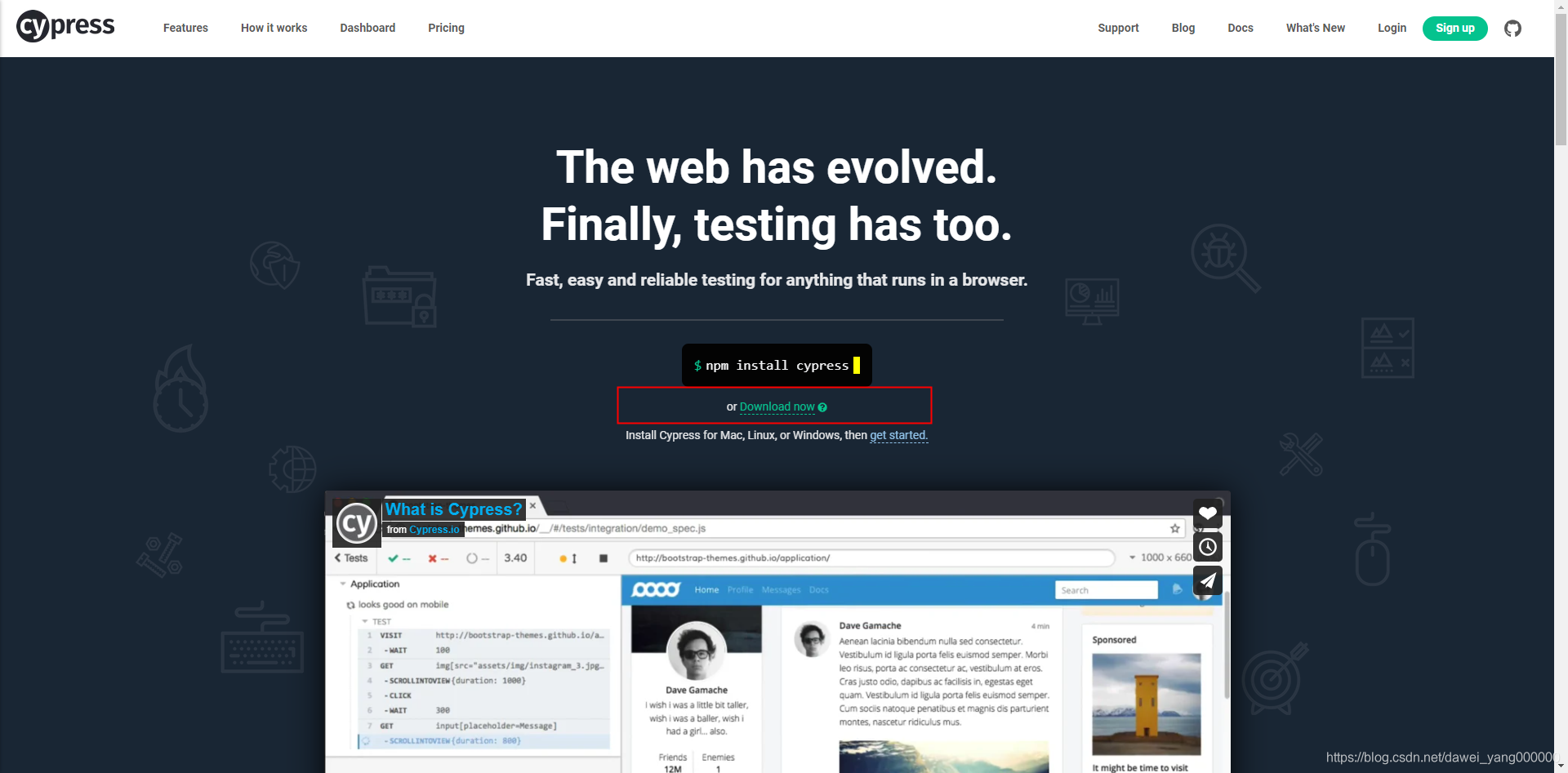
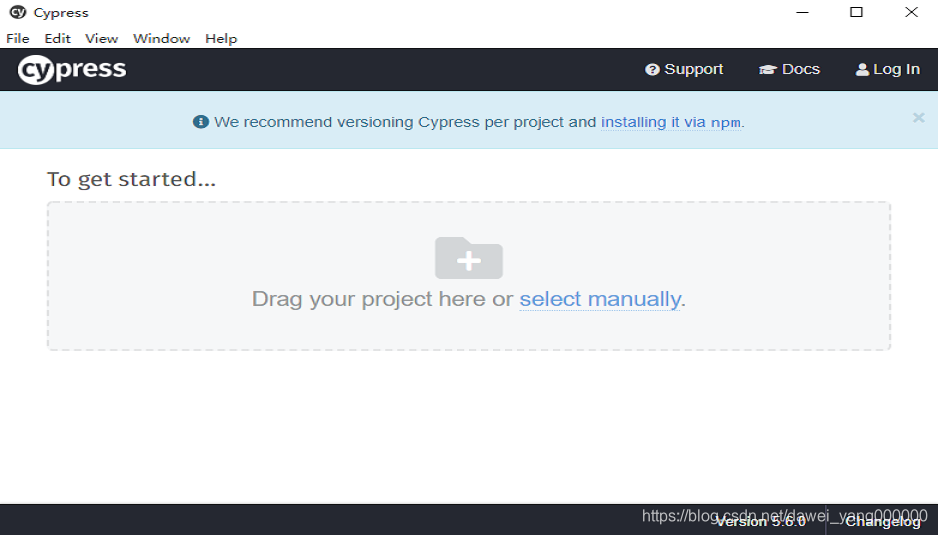
下载解压后,双击.exe文件即可启动Cypress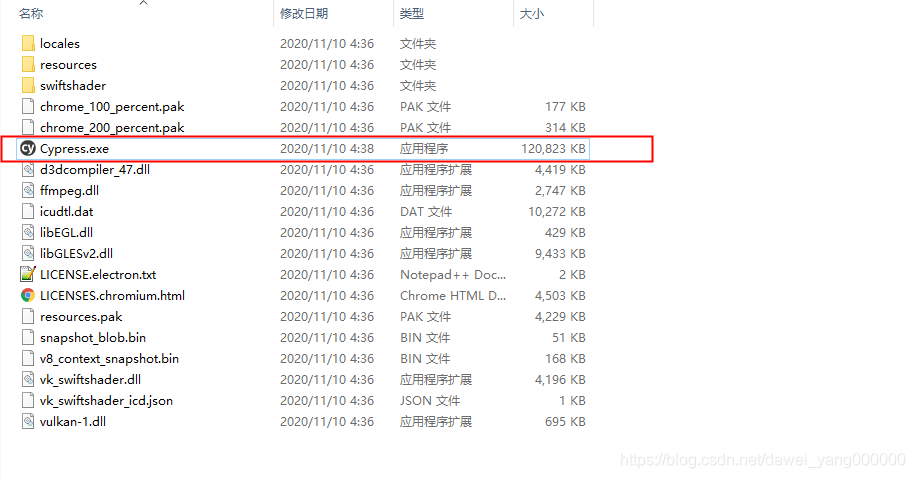
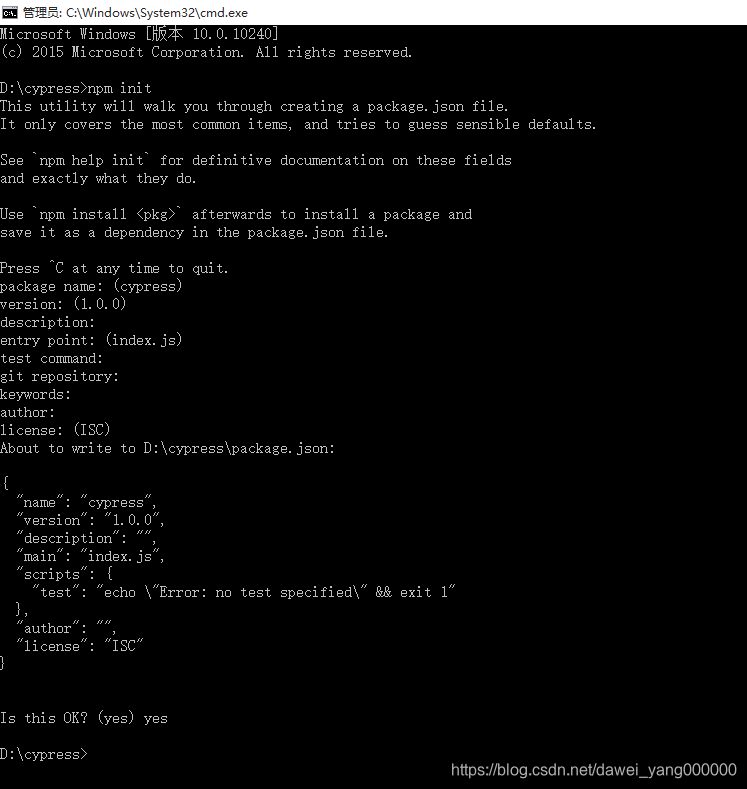
执行npm init命令来生成package.json文件,首先将命令行引导到解压好的cypress目录下,然后执行npm init它会引导你配置生成package.json文件
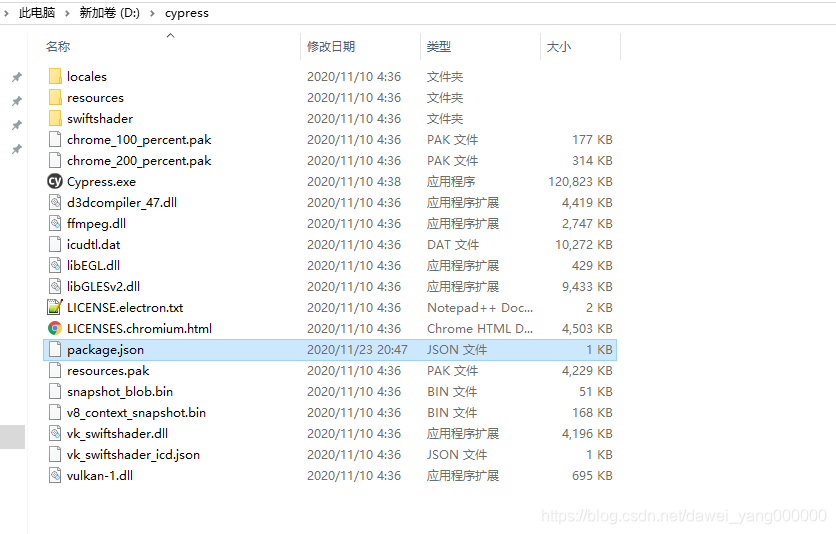
然后在命令行所在路径下就会生成package.json文件
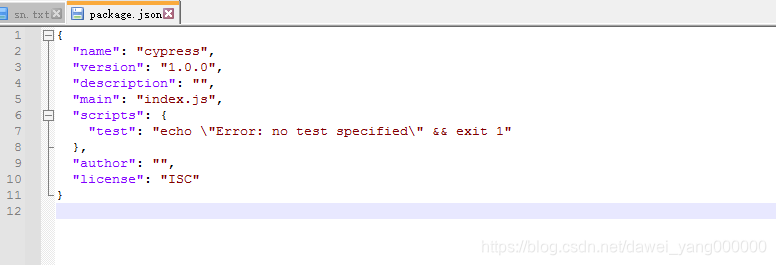
package.json文件也可以手动创建,通常存在于项目的根目录下,它定义了这个项目所需要的各种模块及项目的各项配置信息,例如名称、版本、依赖、脚本等等
使用直接下载的方式存在 一些麻烦,官方给出的说明如下
Recording runs to the Dashboard is not possible from the direct download. This download is only intended as a quick way to try out Cypress. To record tests to the Dashboard, you’ll need to install Cypress as an npm dependency.
启动Cypress
执行cypress open启动Cypress
```bash
D:\cypress\node_modules\.bin>cypress open
It looks like this is your first time using Cypress: 5.6.0
√  Verified Cypress! C:\Users\Administrator\AppData\Local\Cypress\Cache\5.6.0\Cypress

Opening Cypress...
```
此时在打开的窗口可能会遇到报错,报错内容类似于
Error: EEXIST: file already exists, mkdir 'C:\cypress\node_modules\.bin\cypress'
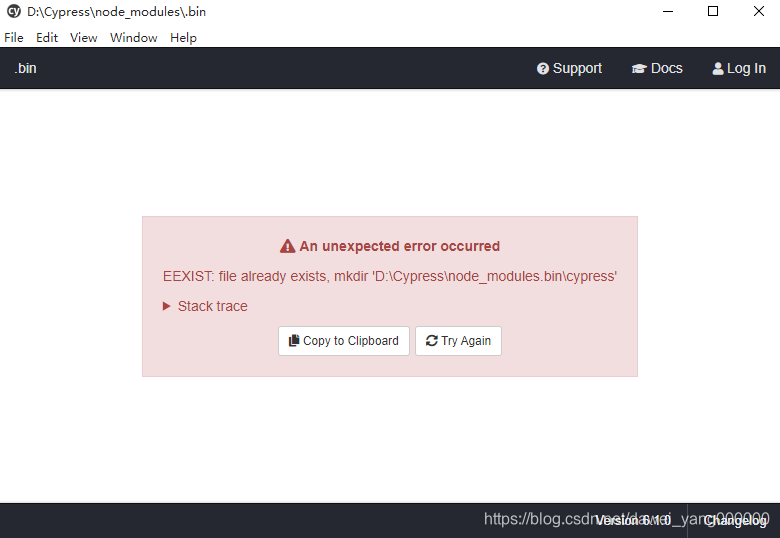
这种情况下找到C:\cypress\node_modules.bin\下的cypress文件,将其改名,然后再执行命令就可以了
如果启动Cypress的时候,缺少依赖等等错误,可以尝试重新安装Cypress,命令如下
.\node_modules\.bin\cypress.cmd install --force
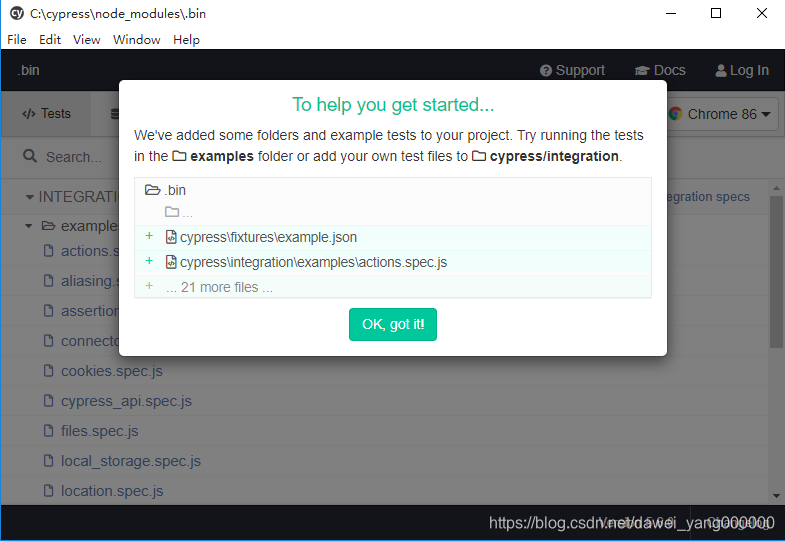
执行npm run cypress:open启动Cypress
在package.json文件中添加脚本
{
  "scripts": {
    "cypress:open": "cypress open",
    "cypress:run":"cypress run",
  }
}
然后执行npm run cyrepss:open即可
D:\Cypress>npm run cypress:open

> cypress@1.0.0 cypress:open D:\Cypress
> cypress open
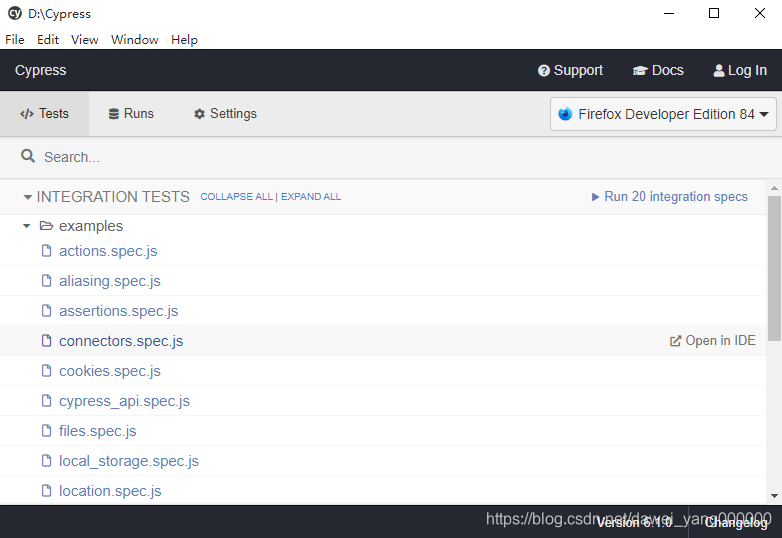
执行npx cypress open启动Cypress
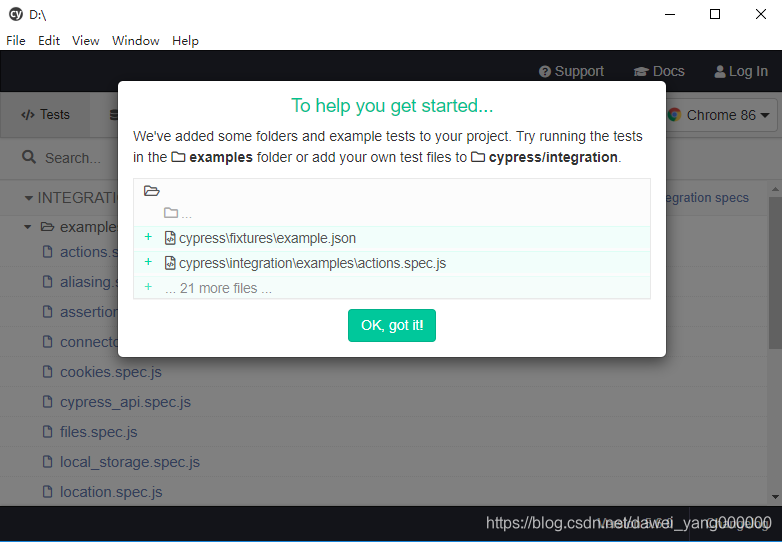
npm从5.2开始增加了npx命令,主要用于提升从npm注册表使用软件包的提前,它会随着npm自动安装,当然也可以手动安装
bash D:\>npx cypress open
执行yarn run cypress open启动Cypress
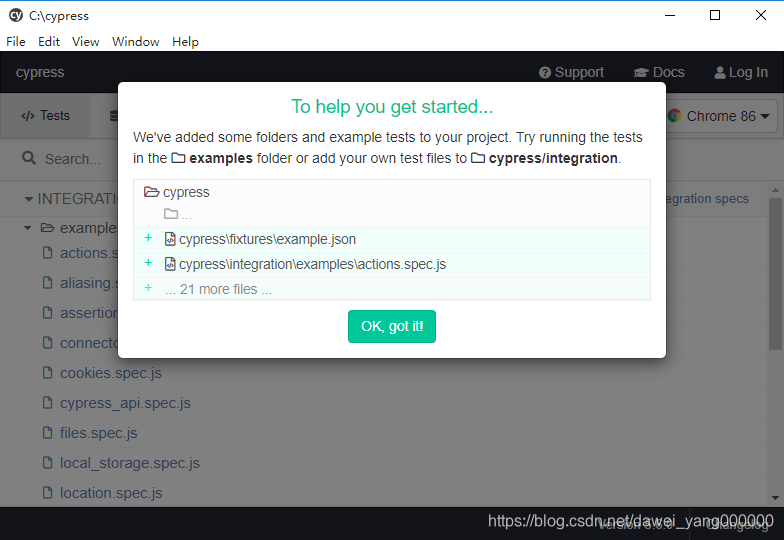
如果是使用yarn命令安装的Cypress,那么还可以通过执行yarn run cypress open启动Cypress
	C:\cypress>yarn run cypress open
	yarn run v1.22.5
	$ C:\cypress\node_modules\.bin\cypress open
直接启动.exe文件
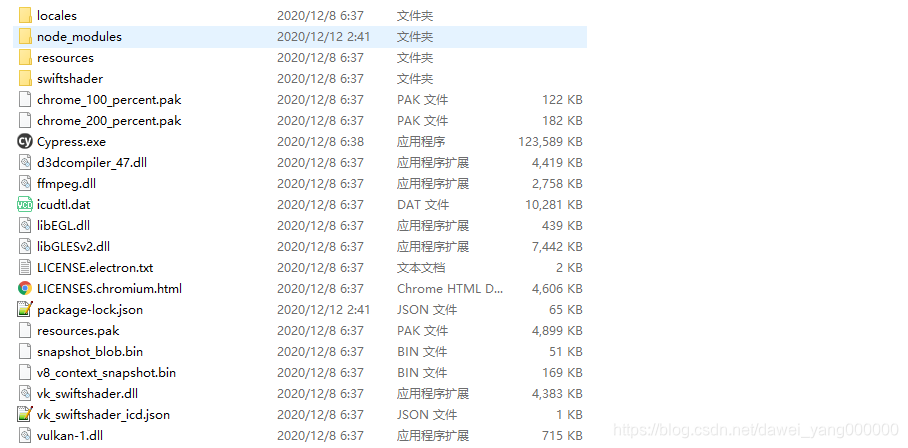
如果是下载的windows版本的,那么它包含一个.exe文件,双击即可启动
配置Cypress
在package.json文件中,增加启动命令,如下所示
{
  "name": "davieyang",
  "version": "1.0.0",
  "description": "trainning",
  "main": "index.js",
  "scripts": {
	"cypress:open": "cypress open",
	"cypress:run": "cypress run",
    "test": "echo \"Error: no test specified\" && exit 1"
  },
  "author": "",
  "license": "ISC"
}
然后再启动和运行cypress的时候便可以直接使用命令
yarn cypress:open
yarn cypress:run






 扫一扫
扫一扫


 3057
3057

 被折叠的 条评论
为什么被折叠?
被折叠的 条评论
为什么被折叠?
 到【灌水乐园】发言





