



 文章介绍了heatmappy库在Python中的应用,包括如何绘制RGB图像热力图,单波段图像热力图,以及透视效果的实现。该插件基于PIL并支持视频热力图的制作。
一、heatmappy
安装:pip install heatmappy
二、示例
1.RGB图像绘制热力图
代码如下(示例):
from heatmappy import Heatmapper

from PIL import Image

example_points = [(100, 20), (120, 25), (200, 50), (60, 300), (170, 250)]
example_img_path = 'cat.jpg'
example_img = Image.open(example_img_path)
heatmapper = Heatmapper()
heatmap = heatmapper.heatmap_on_img(example_points, example_img)
heatmap.save('heatmap.png')
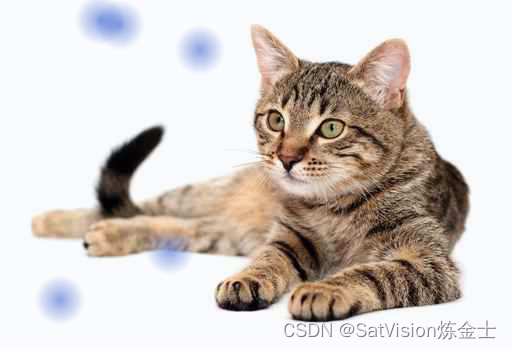
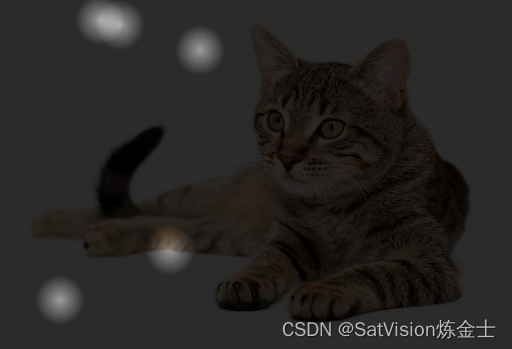
绘制透视热力图
heatmapper = Heatmapper(opacity=0.9, colours='reveal')
heatmap = heatmapper.heatmap_on_img_path(example_points, example_img_path)
heatmap.save('heatmap.png')
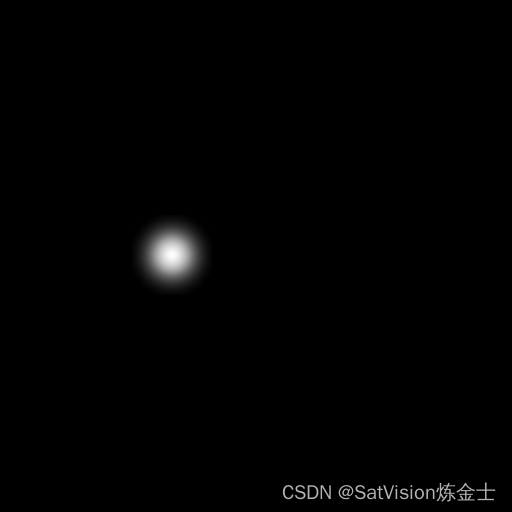
2.单波段图像绘制热力图代码如下(示例):
from heatmappy import Heatmapper
from heatmappy import PILGreyHeatmapper
from PIL import Image
# 根据图像坐标点绘制热力图
# pip install heatmappy
example_points = [(100, 20),]
heatmapper = PILGreyHeatmapper(point_diameter=120, point_strength=1)
heatmap = heatmapper.heatmap(512,512, example_points)
# heatmap.convert('L')
heatmap.save('heatmap.png')
总结
该插件基于PIL开发,还可以支持视频热力图的绘制。






 扫一扫
扫一扫


 2451
2451

 被折叠的 条评论
为什么被折叠?
被折叠的 条评论
为什么被折叠?
 到【灌水乐园】发言





