


 本文探讨了办公场所网络的智能与效率,分析了网络设备如路由器、交换机、防火墙的作用,以及子网划分、ARP协议对网络通信的影响,强调了在相同子网内通信时,网络的高效性和智能化。

scrum如何布置办公场所
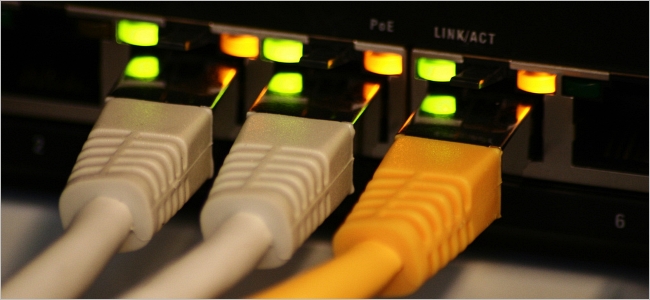
When you set up a network in your office, and depending on the equipment and setup used, just how smart and/or efficient could that network actually be? Today’s SuperUser Q&A post has the answer to a curious reader’s question.
当您在办公室中建立网络时,并根据所使用的设备和设置,该网络实际上有多智能和/或高效? 今天的“超级用户问答”帖子回答了一个好奇的读者的问题。
Today’s Question & Answer session comes to us courtesy of SuperUser—a subdivision of Stack Exchange, a community-driven grouping of Q&A web sites.
今天的“问答”环节由SuperUser提供,它是Stack Exchange的一个分支,该社区是由社区驱动的Q&A网站分组。
Photo courtesy of felixtriller (Flickr).
问题 (The Question)
SuperUser reader bizzehdee wants to know just how smart and/or efficient the network in his workplace office really is:
超级用户阅读器bizzehdee想知道他的工作间办公室中的网络到底有多聪明和/或高效:
There is an argument within my office about how smart/efficient the network we have set up really is. We have a fiber line and a cable line running into a load balancing router, which has a hardware firewall and a 64 port switch connected to it. Each of our workstations are connected to the switch (about 30 machines) plus an NAS and a couple of internal test servers (all assigned 192.168.0.x addresses).
我办公室里有一个争论,关于我们实际上建立的网络有多聪明/效率。 我们有一条光纤线和一条电缆线连接到负载平衡路由器,该路由器具有一个硬件防火墙和与其连接的64端口交换机。 我们的每个工作站都连接到交换机(大约30台计算机),一个NAS和几个内部测试服务器(都分配了192.168.0.x地址)。
If workstation A wants to communicate with workstation B, is our network smart enough to go:
如果工作站A要与工作站B通信,我们的网络是否足够智能:
A → Switch → B and only travel via the first most common connection, or would the path be A → Switch → Firewall → Router → Firewall → Switch → B and have to use that full route every time?
A→交换机→B,并且仅通过第一个最常用的连接传播,或者路径是A→交换机→防火墙→路由器→防火墙→交换机→B ,每次都必须使用该完整路由?
How smart and/or efficient could their workplace office network actually be?
他们的工作场所办公室网络实际上有多聪明和/或高效?
答案 (The Answer)
SuperUser contributors Ben N and Nathan Adams have the answer for us. First up, Ben N:
超级用户贡献者Ben N和Nathan Adams为我们提供了答案。 首先是Ben N:
Routers are not necessary unless your traffic needs to move to a different subnet. When a computer wants to send some IP traffic to a different machine on its subnet, it needs the recipient’s MAC address, since IP addresses are not a thing at the switch level/layer (Layer 2 of the OSI model).
除非您的流量需要移动到其他子网,否则不需要路由器。 当计算机希望将某些IP通信发送到其子网上的另一台计算机时,它需要收件人的MAC地址,因为IP地址不是交换机级别/层(OSI模型的第2层)上的东西。
If it does not know the MAC address, it broadcasts an ARP request saying, “Hey, whoever has this IP address, could you tell me your MAC address please?” When the machine gets a response, that address is then attached to the packet, and the switch uses it to send the packet out via the correct physical port.
如果它不知道MAC地址,它会广播一个ARP请求,说:“嘿,谁拥有这个IP地址,您能告诉我您的MAC地址吗?” 当机器获得响应时,该地址将被附加到数据包,然后交换机使用它通过正确的物理端口将数据包发送出去。
When the destination is not on the same subnet, routers need to be involved. The sender gives the packet to the appropriate router (usually the default gateway unless you have special routing needs), which sends it through the network to the intended recipient.
当目标不在同一子网上时,需要涉及路由器。 发送方将数据包提供给适当的路由器(通常是默认网关,除非您有特殊的路由需求),然后路由器将其通过网络发送给预期的接收方。
Unlike switches, routers know about and have IP addresses, but they also have MAC addresses and that is the MAC address that initially gets put on packets that need routing (MAC addresses never leave the subnet).
与交换机不同,路由器知道并具有IP地址,但它们也具有MAC地址,这就是最初放置在需要路由的数据包上的MAC地址(MAC地址永远不会离开子网)。
You can see router IP addresses in the gateway column of the output of route print on Windows. Destinations that do not require routing have On-link there.
您可以在Windows上的路由打印输出的网关列中看到路由器IP地址。 不需要路由的目标在此具有On-link 。
Followed by the answer from Nathan Adams:
接下来是内森·亚当斯的回答:
If two computers are connected to the same VLAN on a switch and share the same subnet mask, the switch should deliver the packet without hitting your firewall or router.
如果两台计算机连接到交换机上的同一VLAN并共享相同的子网掩码,则该交换机应该传递数据包而不会碰到防火墙或路由器。
You can verify this by running tracert 192.168.0.X (assuming you are using Windows) and you should see a direct route to that system.
您可以通过运行tracert 192.168.0.X来验证这一点(假设您使用的是Windows),并且应该会看到到该系统的直接路由。
Have something to add to the explanation? Sound off in the comments. Want to read more answers from other tech-savvy Stack Exchange users? Check out the full discussion thread here.
有什么补充说明吗? 在评论中听起来不错。 是否想从其他精通Stack Exchange的用户那里获得更多答案? 在此处查看完整的讨论线程 。
翻译自: https://www.howtogeek.com/253199/how-smart-or-efficient-could-a-workplace-office-network-be/
scrum如何布置办公场所





 扫一扫
扫一扫


 7140
7140

 被折叠的 条评论
为什么被折叠?
被折叠的 条评论
为什么被折叠?
 到【灌水乐园】发言





