


 本文介绍了如何优化NestHello的设置,包括自动控制摄像头、调整视频质量、定制通知、关闭状态灯及启用录音等功能,帮助用户更好地利用这款智能设备。
nest 设置密码
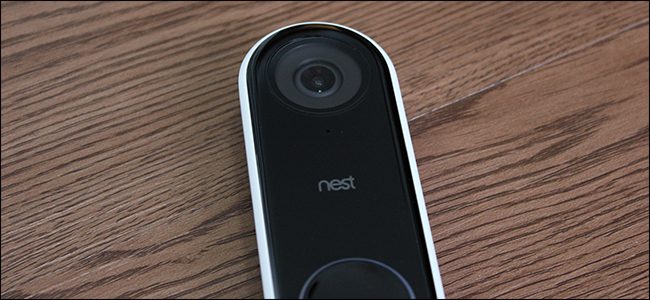
Out of the box, the Nest Hello works really well, and there’s not really a whole lot you need to change for regular use. However, there are a few setting changes you should at least consider making.
开箱即用的Nest Hello确实很好用,不需要为日常使用而改变很多东西。 但是,您至少应考虑进行一些设置更改。
自动开启和关闭相机 (Turn the Camera On and Off Automatically)
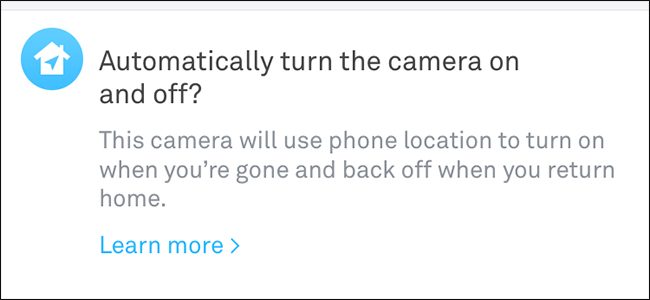
Most people likely want the Nest Hello camera turned on and available 24/7, but there are some circumstances were that might not be necessary. Thus, you can have the camera turn on and off automatically based on a couple of things.
大多数人可能希望打开Nest Nest相机并可以24/7使用它,但在某些情况下可能没有必要。 因此,您可以基于以下几点自动开启和关闭相机。
One way is to have the camera turn on and off based on whether you’re home or not, which it does by using your phone’s geolocation feature. In the settings for your Nest Hello, you can enable “Home/Away Assist” to turn the camera on when you leave your house and off when you get home.
一种方法是根据您是否在家来打开和关闭相机,这可以通过使用手机的地理位置功能来实现。 在Nest Hello的设置中,您可以启用“家庭/离开协助”功能,以在离开家时打开相机,在回家时关闭相机。
You can also just set a time-based schedule to turn your camera off at a certain time, and then back on at another time. You can customize this under “Schedule” in the settings for your Nest Hello.
您还可以设置基于时间的时间表,以在特定时间关闭相机,然后在另一时间重新打开相机。 您可以在Nest Hello设置的“时间表”下自定义此设置。
调整视频质量 (Adjust the Video Quality)
The Nest Hello can potentially use up a lot of bandwidth and data. If your internet provider has you on a data cap, you may want to tone down the video quality of your Hello so that it doesn’t use up a good chunk of your monthly data.
Nest Hello可能会消耗大量带宽和数据。 如果您的互联网提供商限制了您的数据流量,则可能需要降低Hello的视频质量,以免占用您每月数据的很大一部分。
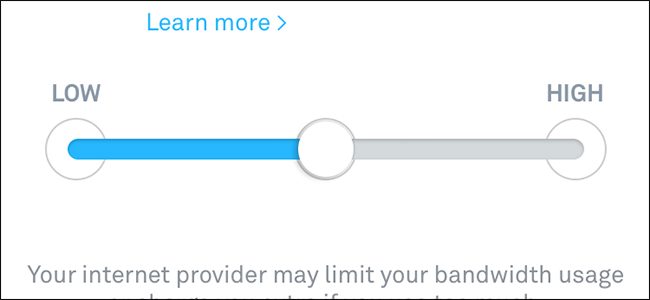
You can do this by tapping the “Quality and Bandwidth” option on the Settings menu, and then moving the slider to the “Low” setting. By default, it’s set to medium, which Nest says will only use around 120 GB per month. However, the Low setting only uses around 30 GB.
您可以通过点击“设置”菜单上的“质量和带宽”选项,然后将滑块移至“低”设置来实现。 默认情况下,它设置为中,Nest表示每月仅使用约120 GB。 但是,“低”设置仅使用大约30 GB。
Also, having the camera turn off at certain times (as discussed in the previous section) can save you additional data.
另外,在某些时候关闭相机电源(如上一节所述)可以为您节省更多数据。
自定义通知 (Customize Notifications)
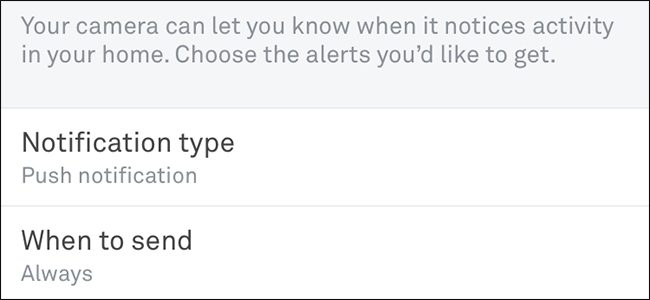
You’ll definitely want to adjust the type of notifications you receive from your Nest Hello, especially if you don’t want to be constantly annoyed by them.
您肯定要调整从Nest Hello收到的通知的类型,尤其是如果您不想一直被它们烦扰。
Under “Notifications” in the Settings menu, there are a few things you can adjust. First off, you can select what type of notifications you want to receive—either push notifications directly on your phone, or email notifications.
在“设置”菜单的“通知”下,您可以进行一些调整。 首先,您可以选择要接收的通知类型-直接在手机上推送通知或电子邮件通知。
And you can choose to be alerted only when you’re not home, instead of always being alerted no matter what.
而且,您可以选择仅在不在家时才收到警报,而不是无论如何都始终收到警报。
You also can customize what kind of alerts you want to receive in the first place. Since the Nest Hello can differentiate between a person and general motion being detected, you can choose whether or not to receive both kinds of alerts, or just one or the other. Personally, since I live on a busy street, I get a lot of false positives with general motion alerts, so I have those notifications disabled.
您还可以首先自定义要接收的警报类型。 由于Nest Hello可以区分被检测到的人和一般动作,因此您可以选择是接收两种类型的警报,还是仅接收其中一种警报。 就个人而言,由于我生活在繁忙的街道上,因此使用常规动作警报会收到很多误报,因此我禁用了这些通知。
Finally, you can choose whether or not to receive notifications when a loud sound is detected. Again, living on a busy street, you’ll receive these types of alerts constantly, so they’re really only great if you live in a somewhat quiet area. You’ll need to turn on “Audio Recording” first before you can receive these types of alerts (more on that down below).
最后,您可以选择在检测到大声声音时是否接收通知。 同样,在繁忙的街道上,您会不断收到此类警报,因此,只有当您生活在一个比较安静的区域时,它们才真正有用。 您需要先打开“录音”,然后才能收到这些类型的警报(有关更多信息,请参见下文)。
关闭状态灯 (Turn Off the Status Light)
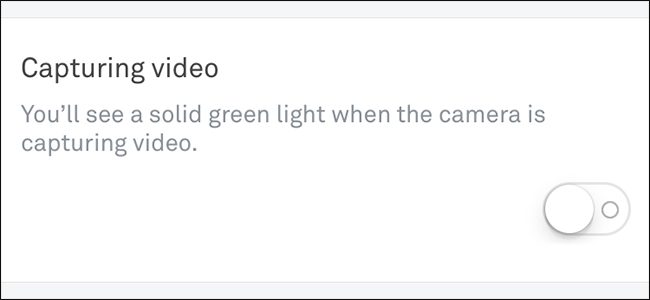
On the Nest Hello unit, there’s a small green LED status light above the camera. By default, it turns on whenever it’s capturing video.
在Nest Hello装置上,相机上方有一个绿色的小LED状态指示灯。 默认情况下,它会在捕获视频时打开。
It’s really not a huge deal or anything, but it’s mostly useless, and it distracts from the subtlety of the Nest Hello’s design. The good news is that you can turn it off by tapping the “Status Light” option in the Settings menu, and ticking the toggle switch off.
实际上,这并不是什么大问题,但是它几乎没有用,并且分散了Nest Hello设计的微妙之处。 好消息是,您可以通过点击“设置”菜单中的“状态灯”选项,然后将切换开关打勾将其关闭。
启用录音 (Enable Audio Recording)
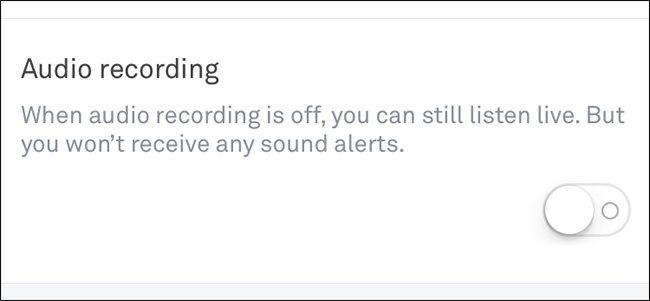
The microphone on the Nest Hello is enabled by default, but audio recording is not. This is a feature you may find useful.
默认情况下,Nest Hello上的麦克风处于启用状态,但音频记录未启用。 这是您可能会发现有用的功能。
Having the microphone enabled lets you listen to audio while viewing the live feed, but having audio recordings enabled allows the Nest Hello to record audio along with video whenever it’s capturing something. With it disabled, the Hello only records video.
启用麦克风可以让您在观看实时Feed时收听音频,但是启用音频记录后,Nest Hello可以在捕获任何东西时将音频与视频一起录制。 禁用后,Hello只录制视频。
This is also a setting you’ll need enabled if you want to receive notifications when a loud sound is detected.
如果要在检测到声音很大时接收通知,也需要启用此设置。
翻译自: https://www.howtogeek.com/357105/5-settings-you-should-modify-on-the-nest-hello/
nest 设置密码





 扫一扫
扫一扫


 8366
8366

 被折叠的 条评论
为什么被折叠?
被折叠的 条评论
为什么被折叠?
 到【灌水乐园】发言





